Average Ratings 1 Rating
Average Ratings 9 Ratings
Similar Products
-
Google WorkspaceGoogle Workspace is an all-in-one cloud productivity platform developed by Google to help businesses manage communication, collaboration, document creation, and workflow automation from a centralized environment. The platform combines professional email, cloud storage, video conferencing, document editing, team messaging, scheduling, and AI-powered assistance into one subscription-based ecosystem optimized for modern work environments. Google Workspace includes applications such as Gmail, Google Drive, Google Meet, Docs, Sheets, Slides, Calendar, Chat, Keep, Forms, Sites, NotebookLM, and Gemini AI, enabling teams to work together seamlessly across devices and locations. One of the platform’s core strengths is its built-in AI functionality powered by Gemini, which helps users draft emails, summarize meetings, generate research insights, automate repetitive tasks, and improve productivity using contextual awareness from workplace data. Google Workspace also supports advanced collaboration features including real-time editing, appointment scheduling, eSignatures, document sharing, cloud storage management, and AI-assisted research tools. Businesses benefit from enterprise-grade security features such as AI-powered threat protection, data classification, endpoint management, Data Loss Prevention, secure access controls, and compliance support for enterprise environments. The platform offers scalable pricing plans suitable for startups, small businesses, enterprises, educational institutions, nonprofits, and government organizations. Google Workspace also simplifies data migration and onboarding with built-in migration tools and partner support for transferring emails, files, and business information securely into the cloud.
-
ClickUpWork is broken because your tools are. Dozens of apps, zero shared context, your team stuck playing messenger between all of them. That's not collaboration. That's overhead. ClickUp eliminates the mess. One platform: tasks, docs, chat, goals, time tracking, whiteboards, and AI Agents that work autonomously while you sleep. Everything shares one connected brain. No silos. No duplicated effort. No lost threads. Manage any workflow with custom views, automations, and real-time collaboration baked into every layer. 15+ views including List, Board, Gantt, Timeline, and Calendar. Create rich documents with nested pages and embedded tasks. Set measurable goals with automatic rollups that connect daily output to company objectives. Track time natively with timers, estimates, and workload views that prevent burnout. Over 1,000 integrations plug into your existing stack without adding chaos. GitHub, Slack, Google Drive, Figma, Salesforce, Zoom, and hundreds more — all feeding into one system of record. Built-in AI writes, summarizes, and executes entire workflows on its own. Not a bolt-on — native intelligence woven through every feature. AI Agents handle complex multi-step work around the clock without waiting for humans. SOC 2 Type II certified. SSO/SAML. Custom roles. Audit logs. Scales from five people to fifty thousand. Stop patching a broken system. Start free today. No credit card, no commitment.
-
ConnecteamConnecteam is an all in one employee app that was specifically designed for non-desk employees. It provides all the necessary capabilities to manage and operate field employees, including communication features, workflows and scheduling, as well as time clock. Just a few clicks and you can bring together your deskless workforce. Your desktop Launchpad allows you to collaborate, manage operations, develop professional skills, and monitor employee engagement. In minutes, you can create a fully-branded mobile app for your company. You can add safety checklists, orientation courses, product catalogues, and shift management to your mobile app. Or, you can customize the features to suit your needs. You can also gain insight into how your team interacts with company assets and take steps to improve efficiency. Connecteam allows managers and employees to automate their processes and allow them to focus on growth. Integrations include Google Calendar, Gusto, QuickBooks Payroll, Xero and others.
-
Process StreetProcess Street is the Compliance Operations Platform built for teams that need to move fast without breaking standards. It combines document control, workflow automation, and AI-powered oversight in a single system so every policy is followed, every step is tracked, and every audit is effortless. Unlike legacy GRC tools or static SOP docs, Process Street turns compliance into a living system. Policies are documented in governed, version-controlled Pages. Those policies are executed through dynamic workflows with built-in task assignment, approvals, and forms. Every action is logged, monitored, and optimized in real time by Cora, our AI compliance agent. Used across industries like financial services, real estate, healthcare, and manufacturing, Process Street helps teams automate employee onboarding, streamline audits, manage policy updates, enforce vendor reviews, and run critical processes at scale. No code required. No micromanagement. Just proof that work gets done right, every time. Companies like Salesforce, Colliers, Drift, and Hartford Healthcare trust Process Street to eliminate busywork, improve operational visibility, and reduce compliance risk across the business. With native integrations, role-based access, audit trails, and ISO-aligned workflows, it is the platform that makes compliance a competitive advantage. From onboarding to audits, Process Street is how high-stakes teams enforce standards, automate execution, and prove compliance by default.
-
Proton MailSecure your company’s communications with Proton Mail — the business email solution trusted by over 50,000 organizations. With end-to-end encryption built in, your internal and external communications stay confidential by default. Proton Mail helps your business meet GDPR, HIPAA, and other compliance standards, while giving you full control over your data under strong Swiss privacy laws. Empower your team with encrypted email and calendar, support for your custom email domains, professional branding, and simple migration from providers like Google Workspace or Microsoft 365 — no IT team required.
-
CompanyCamCompanyCam is a photo-based solution created specifically for contractors. Users can take unlimited photos—which are location and time stamped, sent to the cloud, and stored securely. Every photo is organized by project and instantly available to your team, allowing you to see what’s going on anytime, anywhere.
-
WEX Field Service ManagementWEX FSM is an innovative cloud-based platform designed to enhance every facet of a contractor's operations, encompassing everything from scheduling and dispatch to invoicing, payments, reporting, and customer management. By integrating various workflow tasks, it allows technicians, office personnel, and clients to function within a unified system that features real-time location tracking, intuitive drag-and-drop scheduling, optimized routing for dispatch, and comprehensive customer history, which includes job details, equipment data, notes, and photos. The platform also facilitates the creation of quotes and proposals, management of pricing books, and provides immediate mobile invoicing and payment solutions. With capabilities for supporting recurring service plans, offering flexible financing options, and incorporating integrated payment processing, WEX FSM accelerates cash flow by minimizing delays associated with invoicing and collections. Furthermore, it offers seamless connectivity to accounting software like QuickBooks, extensive reporting and analytics tools for valuable business insights, and a dedicated mobile application that empowers field technicians to efficiently manage their tasks and receive payments on-site. This combination of features ensures that contractors can operate more efficiently and effectively in a competitive market.
-
Nasdaq MetrioNasdaq Metrio is a sustainability reporting platform tailored for businesses at various stages of their ESG journey. It merges meticulous data collection, tracking, and management with emissions calculations and assurance. Additionally, it provides a comprehensive library of metrics from various rater and ranker frameworks as well as regulatory bodies, all cross-referenced, de-duplicated, and clarified, complete with guidance notes.
-
Proton PassProton Pass for Business is a privacy-first password and identity manager that helps organizations secure access at scale without sacrificing usability. Built with end-to-end encryption and a strict zero-knowledge architecture, it ensures that passwords, passkeys, secure notes, and payment details remain accessible only to authorized users within your team. Not even Proton can view your data. Teams can securely create, store, and share credentials via encrypted vaults, enabling safe and efficient collaboration. Granular admin controls allow IT managers to oversee permissions, enforce strong password policies, monitor access, and manage users throughout the employee lifecycle from onboarding to offboarding. Built-in password generation, autofill, and cross-device syncing streamline everyday workflows while maintaining high security standards. Proton Pass for Business also includes advanced features such as email alias integration to protect employee identities, dark web monitoring to detect compromised credentials, and detailed activity logs for visibility and compliance. Its open-source foundation promotes transparency and trust, and independent audits reinforce its security model. Hosted in Switzerland and protected by strong privacy laws, Proton Pass offers organizations a secure alternative to traditional password managers. With seamless browser extensions, an intuitive design, and enterprise-ready controls, it empowers teams to reduce credential-related risks, prevent unauthorized access, and improve productivity, all within a secure, encrypted environment.
-
AestheticsProAestheticsPro is today's most comprehensive medical aesthetic software. HIPAA cloud compliant with integrated POS, targeted advertising, and results driven reporting paired with electronic charting and client portal with "book now" capabilities. AestheticsPro provides everything you need to run your medical spa business.
Description
Consolidate your tasks, notes, and calendar seamlessly in a single platform. Leverage the versatility of Markdown to swiftly generate tasks, incorporate options for recurring to-dos, easily reschedule tasks, and utilize tags and mentions. Enhance your efficiency with natural language inputs and the autocompletion feature for tags, mentions, and links. Whether it's meeting notes, reference documents, or spontaneous thoughts, keep all your information organized in NotePlan. You can arrange your notes in any manner you prefer, whether through simple folders, a digital Bullet Journal, or an interconnected Zettelkasten system. Everything is stored locally and accessible across all your devices. Maintaining a daily note empowers you to manage your agenda, both for today and tomorrow. Outline your tasks, document and interlink your notes, and even allocate time blocks directly in your calendar. You can view your calendar at a glance, plan for the future, or reflect on the past. All content in NotePlan is saved as plaintext Markdown files, which can be easily accessed with any text editor, ensuring you retain full control and are never confined to a singular system. This flexibility guarantees that your work remains adaptable and manageable, no matter the circumstances.
Description
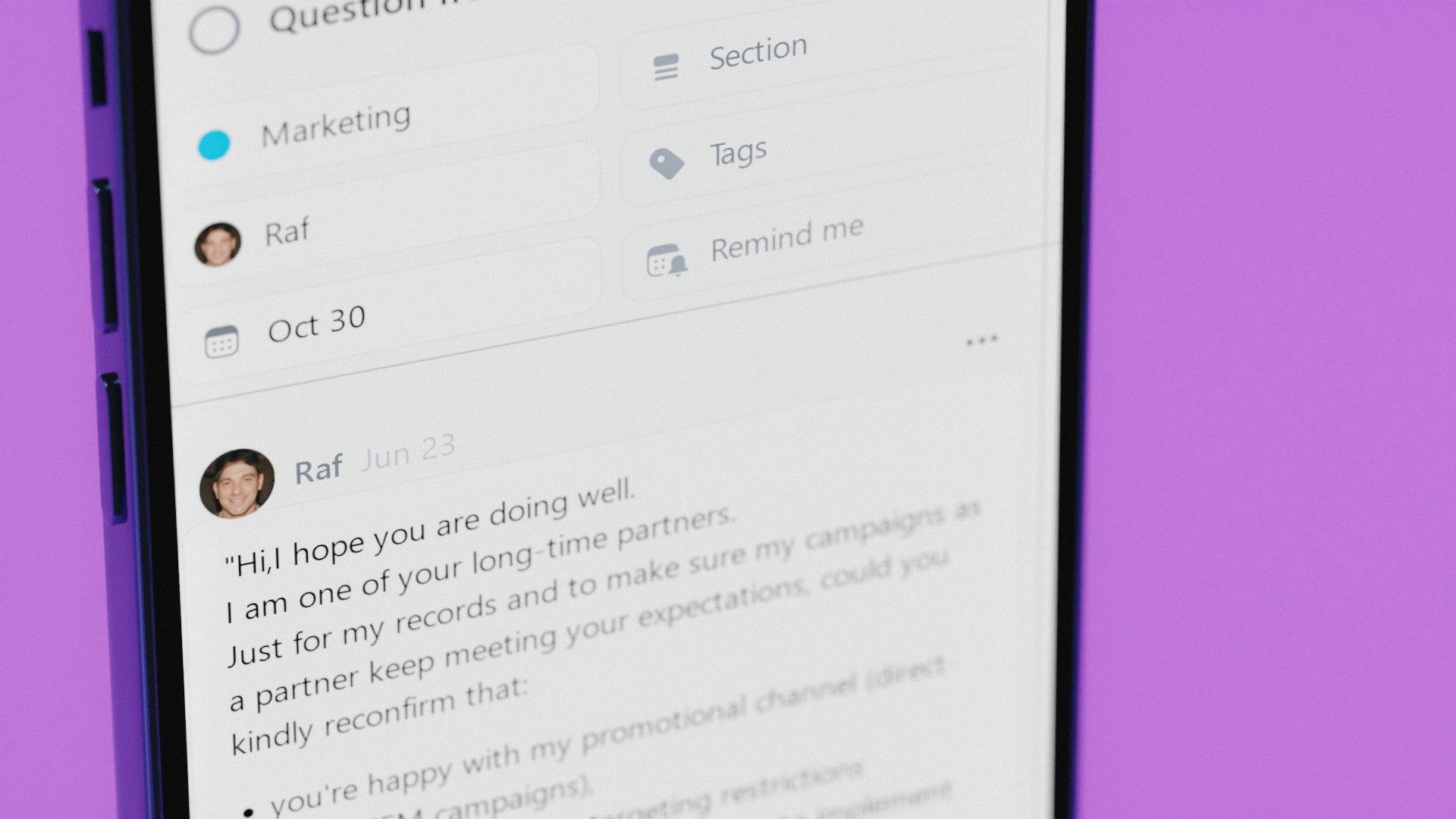
Nozbe is a simple tool that helps entrepreneurs get their private and business life organized. It's a perfect app for team collaboration and making your company thrive.
- Plan, manage and complete any type of work thanks to projects.
- Arrange everything into tasks with deadlines, reminders and time tracking.
- Bring team communication and collaboration into one place so you can get more work done and not stress out looking for things.
- Adapt your tasks view to your needs - use Incoming as your control center, Activity for tracking progress or Calendar - for scheduling.
Replace post-its, Trello, Reminders and Todoist with Nozbe and start getting things done more efficiently, today!
Nozbe is free for up to 5 active projects and 5 team members. No time limit. No credit card required. Easily upgrade to Premium when you need it.
Nozbe is simple - everyone on your team will easily get the hang of it. The app is simple to install and intuitive.
Nozbe is available on the Web, Windows, MacOS, Android and iOS. It also works offline!
Without the constant flood of emails, messages, or meetings, everyone will have longer stretches of uninterrupted time to do the actual work! This means a much higher Return On Investment.
API Access
Has API
No
API Access
Has API
Yes


Integrations
Desktop.com
No
Evernote
No
Google Calendar
No
IFTTT
No
Merlin Project
Yes
Microsoft Outlook
No
Zapier
No
iCloud
Yes
Integrations
Desktop.com
Yes
Evernote
Yes
Google Calendar
Yes
IFTTT
Yes
Merlin Project
No
Microsoft Outlook
Yes
Zapier
Yes
iCloud
No
Pricing Details
$6.99 per month
Free Trial
Yes
Free Version
No
Pricing Details
$9 per month
Free for up to 5 projects and 5 people
Free Trial
Yes
Free Version
Yes
Deployment
Web-Based
No
On-Premises
No
iPhone App
Yes
iPad App
Yes
Android App
No
Windows
No
Mac
Yes
Linux
No
Chromebook
No
Deployment
Web-Based
Yes
On-Premises
No
iPhone App
Yes
iPad App
Yes
Android App
Yes
Windows
Yes
Mac
Yes
Linux
No
Chromebook
No
Customer Support
Business Hours
No
Live Rep (24/7)
No
Online Support
Yes
Customer Support
Business Hours
No
Live Rep (24/7)
Yes
Online Support
Yes
Types of Training
Training Docs
No
Webinars
No
Live Training (Online)
No
In Person
No
Types of Training
Training Docs
Yes
Webinars
Yes
Live Training (Online)
Yes
In Person
Yes
Vendor Details
Company Name
NotePlan
Website
noteplan.co
Vendor Details
Company Name
Nozbe
Founded
2007
Country
Poland
Website
nozbe.com
Product Features
Calendar
Calendar Sync
No
Collaboration Tools
No
Multi-Device Support
No
Reminders
No
Room Booking
No
Scheduling
No
Task Manaagement
No
Note-Taking
Categories / Organization
No
Clip From Web
No
Document Scanning
No
Formatting / Markdown
No
Handwriting
No
Hyperlinking
No
Image Insertion
No
List/Checklist Creation
No
Printing
No
Search
No
Sharing / Collaboration
No
Syncing
No
Templates
No
Voice Notes
No
Product Features
Collaboration
Brainstorming
No
Calendar Management
Yes
Chat / Messaging
Yes
Contact Management
No
Content Management
No
Document Management
No
Project Management
Yes
Real Time Editing
No
Task Management
Yes
Version Control
No
Video Conferencing
No
Project Management
Agile Methodologies
No
Budget Management
No
Client Portal
No
Collaboration Tools
Yes
Cost-to-Completion Tracking
No
Customizable Templates
Yes
Gantt Charts
No
Idea Management
Yes
Kanban Board
No
Milestone Tracking
No
Portfolio Management
No
Resource Management
No
Time & Expense Tracking
No
Traditional Methodologies
Yes
Task Management
Collaboration
Yes
Create Subtasks
No
Gamification
No
Gantt Charts
No
Mobile Access
Yes
Percent-Complete Tracking
No
Progress Tracking
No
Recurring Tasks
Yes
Reporting/Analytics
Yes
Spreadsheet View
No
Task Board View
Yes
Task Planning
Yes
Task Scheduling
Yes
Task Tracking
Yes
Time Tracking
No
To-Do List View
Yes
Team Communication
Activity / News Feed
Yes
Audio Calls
No
Calendar Management
Yes
Chat / Messaging
Yes
Discussion Threads
Yes
File Sharing
Yes
Mobile Access
Yes
Push Notifications
Yes
Search
Yes
Surveys & Feedback
No
Task Management
Yes
Video Conferencing
No
