Average Ratings 187 Ratings
Average Ratings 3 Ratings
Similar Products
-
Google WorkspaceGoogle Workspace is an all-in-one cloud productivity platform developed by Google to help businesses manage communication, collaboration, document creation, and workflow automation from a centralized environment. The platform combines professional email, cloud storage, video conferencing, document editing, team messaging, scheduling, and AI-powered assistance into one subscription-based ecosystem optimized for modern work environments. Google Workspace includes applications such as Gmail, Google Drive, Google Meet, Docs, Sheets, Slides, Calendar, Chat, Keep, Forms, Sites, NotebookLM, and Gemini AI, enabling teams to work together seamlessly across devices and locations. One of the platform’s core strengths is its built-in AI functionality powered by Gemini, which helps users draft emails, summarize meetings, generate research insights, automate repetitive tasks, and improve productivity using contextual awareness from workplace data. Google Workspace also supports advanced collaboration features including real-time editing, appointment scheduling, eSignatures, document sharing, cloud storage management, and AI-assisted research tools. Businesses benefit from enterprise-grade security features such as AI-powered threat protection, data classification, endpoint management, Data Loss Prevention, secure access controls, and compliance support for enterprise environments. The platform offers scalable pricing plans suitable for startups, small businesses, enterprises, educational institutions, nonprofits, and government organizations. Google Workspace also simplifies data migration and onboarding with built-in migration tools and partner support for transferring emails, files, and business information securely into the cloud.
-
Intermedia UniteIntermedia Unite is an all-in-one business communications and collaboration platform designed to keep employees connected and responsive across locations, devices, and teams. The solution combines cloud phone service, video meetings, team messaging, file sharing, customer engagement tools, and productivity features into one integrated platform. By consolidating multiple communication tools, Unite reduces app switching and gives employees a simpler way to call, meet, chat, share files, and engage customers from desktop or mobile devices. Its enterprise-grade calling system includes more than 100 voice features that support professional business communications and consistent customer interactions. The platform also supports enhanced Microsoft Teams experiences, helping organizations extend communication capabilities within their existing collaboration environment. AI features such as transcription, summaries, and conversation insights help users retain important information, identify follow-up actions, and improve team efficiency. Mobile and desktop apps allow employees to maintain a consistent business identity whether they are in the office, remote, or on the go. Backed by strong uptime commitments and J.D. Power-certified support, Intermedia Unite is built for reliability and ease of use. By unifying communications, collaboration, and engagement, Unite helps organizations increase productivity while improving the way teams serve customers.
-
HaystackHaystack connects every employee of your organization with the people, resources, and information they need to thrive and succeed. Haystack provides employees with a fun, intuitive and informative way to start the day. Custom branding with no-code and a modular layout make it easy to highlight key resources, organizational culture, and knowledge. Haystack's automated multi-channel delivery, combined with actionable analytics, makes it easy for you to reach your employees at the right time and place. Spend less time looking for information and more on achieving your goals. Haystack’s knowledge-sharing features make it easy for employees to get the materials they need, no matter where in the world they are. It can be difficult to stay connected with everyone as teams grow and change. Haystack’s rich employee profiles and company directory make colleagues around the world feel as if they are right across the room.
-
AxeroHundreds of companies and millions of employees use Axero’s intranet software to communicate, collaborate, manage tasks and events, organize content, and develop their company culture.
-
ConnecteamConnecteam is an all in one employee app that was specifically designed for non-desk employees. It provides all the necessary capabilities to manage and operate field employees, including communication features, workflows and scheduling, as well as time clock. Just a few clicks and you can bring together your deskless workforce. Your desktop Launchpad allows you to collaborate, manage operations, develop professional skills, and monitor employee engagement. In minutes, you can create a fully-branded mobile app for your company. You can add safety checklists, orientation courses, product catalogues, and shift management to your mobile app. Or, you can customize the features to suit your needs. You can also gain insight into how your team interacts with company assets and take steps to improve efficiency. Connecteam allows managers and employees to automate their processes and allow them to focus on growth. Integrations include Google Calendar, Gusto, QuickBooks Payroll, Xero and others.
-
ISL Light Remote DesktopISL Light is a remote desktop software that is easy to use for security-conscious users. It offers great value-performance. ISL Light is a powerful tool for IT staff and support personnel to solve problems remotely via remote support, unattended access, or screen-sharing from mobile devices. It is cross-platform and provides 256-bit encrypted sessions, all the standard remote access features, as well as session recording, chat, videocall and multi-monitor support, file transfers, reporting, and many other important extras. Users can choose between cloud and on-premise services. ISL Online license doesn't limit the number or workstations of clients, users, and users you can support. It is a reliable, highly secure software that can be used in all industries, including banks, hospitals, government institutions, and insurances.
-
net2phonenet2phone is an AI-powered business communication platform for companies serious about customer experience. Trusted by 500,000+ users and backed by 30+ years of experience, net2phone eliminates the friction of scattered channels and disconnected tools, so every conversation drives retention and growth. Communication breaks down when channels are scattered and tools do not talk to each other. net2phone solves this with a connected business VoIP and unified communications platform built for teams that cannot afford dropped context or slow resolutions. Unite, net2phone's unified communications solution, brings voice, messaging, video, and chat into a single place, with call and video recording, transcription, sentiment analysis on voice calls, automated action item tracking, and AI-generated follow-up emails. AI Agent handles inquiries and completes workflows on its own, answering questions, resolving support cases, scheduling, and managing returns across phone and chat, in 30+ languages, with seamless handoff to human agents when needed. Coach AI analyzes 100% of voice, video, and text interactions, giving managers full visibility into team performance with sentiment analysis, call summaries, and coaching recommendations by user or department. uContact, net2phone's omnichannel contact center, gives high-volume sales and support teams the automation, AI-driven routing, and real-time dashboards they need to deliver consistent customer experiences at scale. Every net2phone solution connects to the tools businesses already use, with a drag-and-drop workflow builder for automating processes without writing code, backed by enterprise-grade security and expert guidance at every step, from setup to integration to ongoing optimization.
-
InfoBoxEliminate communication silos and simplify enterprise content delivery across your entire workforce. InfoBox provides IT and corporate communications teams with a secure, centralized hub for broadcasting updates, standard operating procedures (SOPs), and operational resources. Designed to overcome the low engagement of legacy intranets and messy email threads, InfoBox pushes targeted updates directly to mobile devices, web applications, and desktop email clients. Core Technical & Platform Capabilities: 1. Granular Role-Based Access & Segmentation: Categorize content delivery by department, location, role, or administrative unit to ensure users receive strictly relevant information. 2. Flexible Authentication & External Access: Support for multi-provider authentication (Google Workspace, Microsoft 365, Yahoo, and personal email accounts) enables secure inclusion of contractors, frontline workers, and external partners without requiring additional core directory domain licenses. 3. Google Workspace /Microsoft 365: Native add-on integration allows users to consume visual updates and company feeds directly inside without additional costs. 4. Cross-Platform Accessibility: Native mobile clients for iOS and Android alongside a unified Web portal (infobox.info) ensure consistent UI/UX across all endpoint devices. 5. No-Code Content Builder & Resource Management: Equips administrators with visual templates for broadcasting policy updates, announcements, and searchable document libraries without IT intervention. 6. Engagement & Usage Analytics: Gain visibility into reach, content consumption, and search trends across the organization.
-
Zoom PhoneZoom Phone is a cloud-based VoIP phone system designed to help businesses manage voice communications, employee collaboration, and customer calls. The platform combines business calling, SMS messaging, voicemail, video conferencing, and team chat within the Zoom Workplace environment. Users can make and receive calls through desktop applications, mobile devices, web-connected systems, and supported physical desk phones. Its call management capabilities include multi-level auto attendants, call queues, call transfers, forwarding, shared lines, and customizable business hours. Built-in AI features generate call summaries, identify action items, prioritize voicemails, and provide contextual assistance during conversations. Zoom Virtual Agent Receptionist adds conversational AI capabilities for answering business questions, booking appointments, and routing callers based on their needs. Call monitoring and reporting tools provide visibility into call volumes, usage patterns, connection quality, and employee communication activity. Zoom Phone integrates with Salesforce, Microsoft Teams, Google Workspace, and other business applications to connect calling activities with existing workflows. Its centralized administration tools support phone number management, device provisioning, user permissions, call recording policies, and communication security across distributed organizations.
-
CrankWheelCrankWheel allows you to share your screen while on a call. This makes it easy to create engaging presentations. You can send a link via email or SMS to the viewer and they will be able to view it in any browser on any device. CrankWheel was designed for simplicity and can be shared with customers to facilitate business deals. CrankWheel can be used to complement calls from insurance agents, mortgage advisors and solar advisors as well as educators and customer support specialists. CrankWheel is easy to integrate with websites and allows users to add a Demo button to receive quick notifications. We can show you if they are paying attention. Our Chrome Extension has enabled over 50,000 users to share their screens with prospects, regardless of their technical skills or device choice. CrankWheel can be used on old browsers and obscure devices, even with poor network connections. It works on Mac, Android, iOS, Blackberries, Internet Explorer, and Android.
Description
Today's intricate business challenges require collaborative efforts from dedicated teams. To assist you and your team in mastering the art of effective collaboration, we have developed a comprehensive online guide. When you establish a collaborative environment for discussion and decision-making, the potential for success expands exponentially. Microsoft Teams consolidates all necessary resources into a unified workspace, allowing seamless communication through chat, virtual meetings, file sharing, and integration with various business applications. Enhance your team's synchronization with features like group chat, online meetings, calling, and web conferencing. Engage in collaborative document editing using integrated Microsoft 365 (formerly Office 365) tools such as Word, Excel, PowerPoint, and SharePoint. You can also incorporate your preferred Microsoft applications and third-party services to facilitate continuous business progress. Teams offers robust end-to-end security, comprehensive administrative control, and ensures compliance—all backed by Microsoft 365’s capabilities. Designed to accommodate various types of groups, Teams provides a free version with no commitments, as well as an option to access it within a superior suite of productivity tools. Embrace the power of teamwork and unlock new opportunities for innovation and growth.
Description
PRODUCTIVITY SOFTWARE
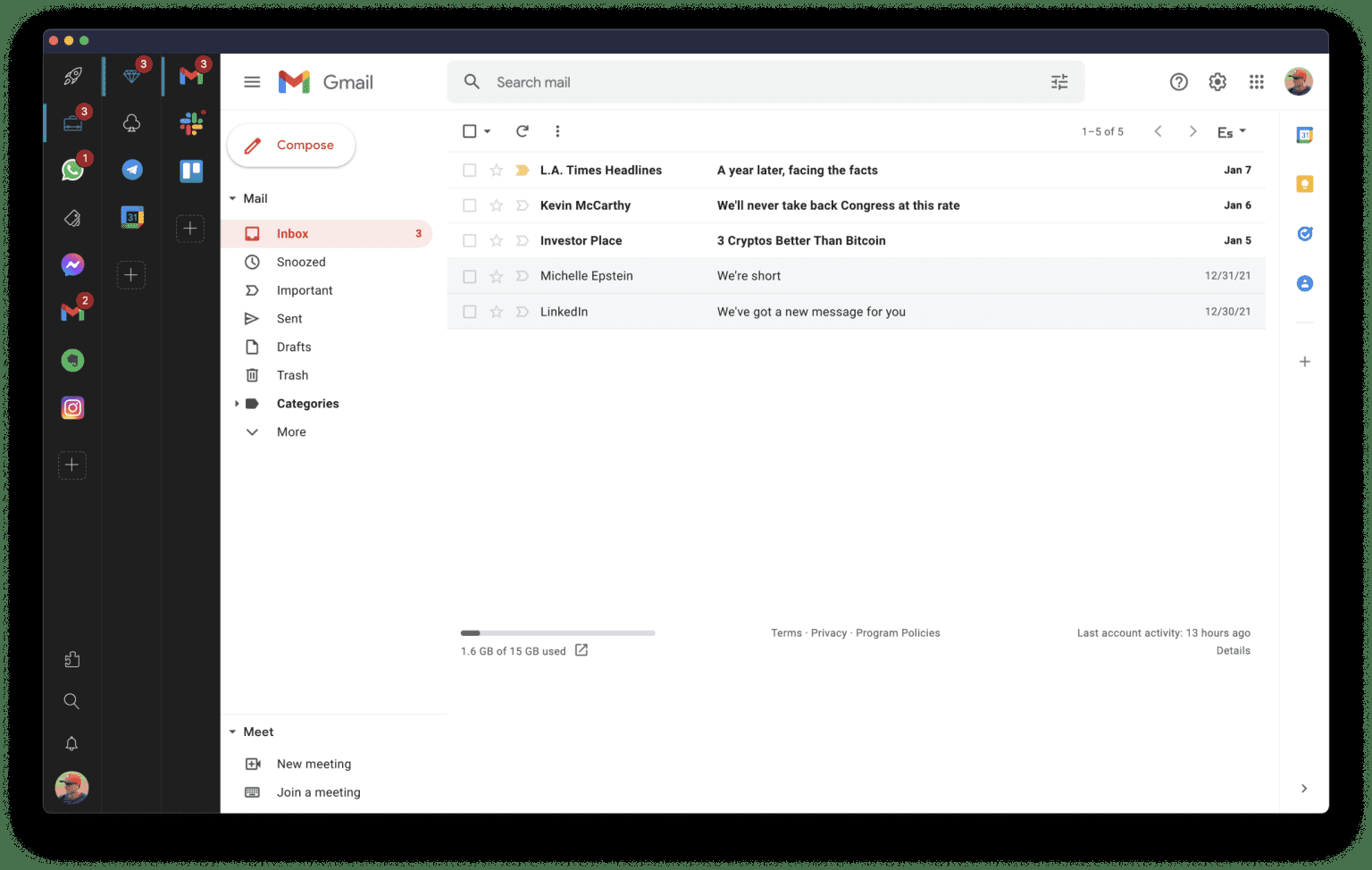
Rambox is a digital workspace organizer that 🚀 boosts productivity for professionals who use web apps frequently. It centralizes all your apps, making it easy to organize and access frequently used applications in one place.
80K+ users across 5,000 companies of all sizes choose Rambox worldwide to simplify their workspace. Select from our list of 700+ apps which you want to use and organize them into different workspaces. You can have multiple sessions of WhatsApp, Gmail, Slack, etc. and stay signed.
Workspaces
With over 700 pre-configured apps, you can instantly add them to your workspace, including:
- Gmail
- Google Apps
- WhatsApp
- Facebook
- iCloud
and much more
And if your app isn't listed, no problem - you can add any custom app in a few easy steps.
Rambox synchronizes app configurations and can disable notifications across all devices in the user dashboard, automatically hibernating inactive apps to free up memory. Plus, users can apply CSS styling and JS code to improve each app's design and performance.
Other features include: dark mode, do not disturb mode, spell checking, ad blocking, password management, notification management, and keyboard shortcuts.
API Access
Has API
Yes
API Access
Has API
No




Integrations
Aircall
Yes
Asana
Yes
Azendoo
Yes
BambooHR
Yes
Box
Yes
Freedcamp
Yes
Freshservice
Yes
GitHub
Yes
Hootsuite
Yes
Lucidchart
Yes
Integrations
Aircall
Yes
Asana
Yes
Azendoo
Yes
BambooHR
Yes
Box
Yes
Freedcamp
Yes
Freshservice
Yes
GitHub
Yes
Hootsuite
Yes
Lucidchart
Yes
Pricing Details
$12.50 per user per month
Free Trial
Yes
Free Version
Yes
Pricing Details
$7 per user per month
Or $5.83 per user per month if billed annually
Free Trial
Yes
Free Version
Yes
Deployment
Web-Based
Yes
On-Premises
No
iPhone App
Yes
iPad App
Yes
Android App
Yes
Windows
Yes
Mac
Yes
Linux
Yes
Chromebook
No
Deployment
Web-Based
No
On-Premises
Yes
iPhone App
No
iPad App
No
Android App
No
Windows
Yes
Mac
Yes
Linux
Yes
Chromebook
No
Customer Support
Business Hours
No
Live Rep (24/7)
Yes
Online Support
Yes
Customer Support
Business Hours
No
Live Rep (24/7)
No
Online Support
Yes
Types of Training
Training Docs
Yes
Webinars
No
Live Training (Online)
Yes
In Person
No
Types of Training
Training Docs
Yes
Webinars
No
Live Training (Online)
No
In Person
No
Vendor Details
Company Name
Microsoft
Founded
1975
Country
United States
Website
www.microsoft.com
Vendor Details
Company Name
Rambox
Founded
2016
Country
United States
Website
rambox.app/
Product Features
Employee Communication Tools
Activity / News Feed
No
Audio / Video Conferencing
Yes
Blogs
No
Chat / Messaging
Yes
Employee Directory
Yes
Event Calendar
Yes
File Sharing
Yes
Knowledge Management
No
Newsletter Management
No
Surveys & Feedback
No
Internal Communications
App Integration
Yes
Blogs
No
Chat/Messaging
Yes
Email Management
No
Employee Directory
Yes
Event Calendar
Yes
Newsletter Management
No
Photo Gallery
Yes
Social Sharing
No
Survey Management
Yes
Telephony
Yes
Video Chat
Yes
Voice Chat
Yes
Messaging
End-to-End Encryption (E2EE)
Yes
File Sharing
Yes
Groups / Channels
Yes
Payments
No
Search / Filter
Yes
Self-Destructing Messages
No
Stickers / GIFs
No
Threaded Discussion
Yes
Video Conferencing
Yes
Voice Calling
Yes
Remote Work
Collaboration
Yes
Credential Management
No
Electronic Signature
No
Employee Monitoring
No
Live Chat
Yes
Meeting Management
No
Project Management
No
Remote Access
No
Remote Support
No
Screen Sharing
Yes
Softphone
Yes
Task Management
No
Time Zone Tracking
No
Video Chat
Yes
Web Conferencing
Yes
Screen Sharing
Annotations / Drawing Tools
Yes
Desktop / Browser Sharing
Yes
Mobile Screen Sharing
Yes
Presenter Control Management
No
Remote Control
No
Screen Capture
Yes
Screen Mirroring
No
Screen Recording
Yes
Team Chat
End-to-End Encryption (E2EE)
Yes
File Sharing
Yes
Groups / Channels
Yes
Payments
No
Search / Filter
Yes
Self-Destructing Messages
No
Stickers / GIFs
No
Threaded Discussion
Yes
Video Conferencing
Yes
Voice Calling
Yes
Team Communication
Activity / News Feed
No
Audio Calls
Yes
Calendar Management
Yes
Chat / Messaging
Yes
Discussion Threads
Yes
File Sharing
Yes
Mobile Access
No
Push Notifications
Yes
Search
Yes
Surveys & Feedback
Yes
Task Management
Yes
Video Conferencing
Yes
Video Conferencing
Electronic Hand Raising
No
Mobile Access
Yes
On-Demand Webcasting
Yes
Presentation Streaming
Yes
Presentation Tools
Yes
Private Chat
Yes
Real-Time Chat
Yes
Record & Playback Ability
Yes
Screen Sharing
Yes
Two-Way Audio & Video
Yes
Video Conferencing
Yes
Whiteboard
Yes
Web Conferencing
Electronic Hand Raising
No
Mobile Access
Yes
On-Demand Webcasting
Yes
Presentation Streaming
Yes
Presentation Tools
Yes
Private Chat
Yes
Real-Time Chat
Yes
Record & Playback Ability
Yes
Screen Sharing
Yes
Two-Way Audio & Video
Yes
Video Conferencing
Yes
Whiteboard
Yes
Product Features
Digital Workplace
Activity / News Feed
No
Calendar Management
Yes
Chat / Messaging
Yes
Content Management
No
Document Management
Yes
Employee Directory
No
File Sharing
Yes
Knowledge Management
No
Surveys & Feedback
No
Task Management
Yes
Messaging
End-to-End Encryption (E2EE)
No
File Sharing
Yes
Groups / Channels
No
Payments
No
Search / Filter
Yes
Self-Destructing Messages
No
Stickers / GIFs
No
Threaded Discussion
No
Video Conferencing
Yes
Voice Calling
No
Productivity
Collaboration
Yes
Database Creation
No
Document Creation
No
File Sharing
Yes
Notes Management
No
Office Suite
Yes
Presentation Tools
Yes
Project Management
Yes
Task Management
No
Team Chat
No
Team Chat
End-to-End Encryption (E2EE)
No
File Sharing
Yes
Groups / Channels
No
Payments
No
Search / Filter
Yes
Self-Destructing Messages
No
Stickers / GIFs
No
Threaded Discussion
No
Video Conferencing
Yes
Voice Calling
No
