Average Ratings 0 Ratings
Average Ratings 9 Ratings
Similar Products
-
Zoho ProjectsProject management is as efficient as it gets. Zoho Projects, a cloud-based project management software, helps you plan and track your work efficiently. It also allows you to collaborate with your team from anywhere. To get things done on schedule, plan your project activities, assign work, manage your resources, and collaborate better with your team. Gantt charts can be used to create your project plan and track your tasks. Zoho Projects helps you keep track of your key tasks and their dependencies and shows you any deviations from your planned progress. Reduce time spent on repetitive tasks. Our project management software is easy to use, no matter how complex your process is. It has a drag-and drop interface that makes it easier to create and deploy new automations. The Projects timesheet module allows you to log both billable and unbilled hours. You can record every minute of your hardwork, manually or with timers. Our built-in integration with Zoho Invoice generates invoices.
-
ClickUpWork is broken because your tools are. Dozens of apps, zero shared context, your team stuck playing messenger between all of them. That's not collaboration. That's overhead. ClickUp eliminates the mess. One platform: tasks, docs, chat, goals, time tracking, whiteboards, and AI Agents that work autonomously while you sleep. Everything shares one connected brain. No silos. No duplicated effort. No lost threads. Manage any workflow with custom views, automations, and real-time collaboration baked into every layer. 15+ views including List, Board, Gantt, Timeline, and Calendar. Create rich documents with nested pages and embedded tasks. Set measurable goals with automatic rollups that connect daily output to company objectives. Track time natively with timers, estimates, and workload views that prevent burnout. Over 1,000 integrations plug into your existing stack without adding chaos. GitHub, Slack, Google Drive, Figma, Salesforce, Zoom, and hundreds more — all feeding into one system of record. Built-in AI writes, summarizes, and executes entire workflows on its own. Not a bolt-on — native intelligence woven through every feature. AI Agents handle complex multi-step work around the clock without waiting for humans. SOC 2 Type II certified. SSO/SAML. Custom roles. Audit logs. Scales from five people to fifty thousand. Stop patching a broken system. Start free today. No credit card, no commitment.
-
PlanfixThe Planfix platform allows organizations to manage their entire business online. Regardless of company size and industry, Planfix has something to offer as an excellent project and work management tool. With Planfix, your company gets a fully customizable management system, from process design to appearance. Planfix’s platform combines task and project management, CRM, sales, marketing, production, logistics, support service, accounting, and HR in one full-featured solution. Data is seamlessly transferred from one team to another - for example, a transaction at the implementation stage becomes a project and then is transferred to support. Planfix is equally well suited for businesses and non-profit organizations, public associations, or any other group of people working towards a common cause. Trusted by 7724 companies, automates business workflows of more than 68 000 users.
-
WrikeWrike is a powerful work management platform that gives cross-functional teams full visibility into complex projects. Our cloud-based collaboration software software is trusted by 20,000+ leading companies around the world, including tech giants such as Fitbit and Siemens. Wrike boasts a wide range of award-winning features, including dynamic request forms, automated workflows, cross-tagging, custom item types, and 400+ app integrations. Work smarter with Work Intelligence™: our advanced communication software that offers voice commands, smart replies, and document processing. We also offer tailor-made templates to help teams kick-start Agile projects and tick every box for compliance. As well as 99.9% uptime, our enterprise-grade security offers single sign-on, role-based access control, and continuous data backup. For extra peace of mind, you can use the Wrike Lock add-on and gain full ownership of your master encryption key. Wrike has been proven to make organizational processes 40% more efficient, eliminating time-consuming admin work and reducing costs across the board. Discover how it can benefit your team — start your free two-week trial today.
-
ConnecteamConnecteam is an all in one employee app that was specifically designed for non-desk employees. It provides all the necessary capabilities to manage and operate field employees, including communication features, workflows and scheduling, as well as time clock. Just a few clicks and you can bring together your deskless workforce. Your desktop Launchpad allows you to collaborate, manage operations, develop professional skills, and monitor employee engagement. In minutes, you can create a fully-branded mobile app for your company. You can add safety checklists, orientation courses, product catalogues, and shift management to your mobile app. Or, you can customize the features to suit your needs. You can also gain insight into how your team interacts with company assets and take steps to improve efficiency. Connecteam allows managers and employees to automate their processes and allow them to focus on growth. Integrations include Google Calendar, Gusto, QuickBooks Payroll, Xero and others.
-
VaizVaiz is a work management platform built for small and mid-sized teams — startups, agencies, and growing SaaS companies — who want the structure of tools like Jira, Asana, or ClickUp without the complexity or price tag. It centralizes task management, document sharing, and team coordination in one lightweight workspace, so teams of 5-50 people can get started in minutes, not weeks. Vaiz offers customizable task boards (lists, Kanban, Gantt charts), an AI assistant that drafts, summarizes, and analyzes work, and built-in automation that handles routine tasks without extra setup. Integrations with tools like Slack, GitHub, and Google Workspace keep teams aligned without switching between apps. Vaiz scales with you, from a 5-person startup to a growing team, without forcing you to re-learn the tool as you grow."
-
MaintainlyMaintainly is a cloud-hosted maintenance management solution that streamlines both proactive and reactive maintenance processes. This software enables users to generate, assign, and oversee work orders, offering features such as photo uploads, meter readings, downtime monitoring, and comprehensive audit trails, which can be handled either manually or through automated preventive schedules. Users can organize assets in a hierarchical manner, track movable equipment geographically, and utilize QR codes for easy access, while every maintenance activity is recorded in a detailed history log. Teams and technicians benefit from push notifications, and maintenance personnel can receive and monitor requests using a mobile application that includes functionalities for on-site updates, task comments, and tracking time spent on jobs. Maintainly also offers customizable hierarchy configurations, sophisticated filtering options, and role-specific views, enabling complex operations across various industries to expand efficiently. With a focus on user-friendly adoption, the platform boasts a quick setup process, scalable modular features, and an intuitive design that enhances the user experience. This combination of capabilities makes Maintainly a versatile tool for managing maintenance tasks effectively.
-
BirdeyePlease also update our description as follows: Birdeye is the top-rated reputation, social media, and customer experience platform for local brands and multi-location businesses. Over 150,000 businesses leverage Birdeye’s AI-powered platform to get found online, improve online reputation, streamline social publishing, connect through digital channels, and deliver a wowing customer experience.
-
Project InsightProject Insight helps organizations connect project data across teams and systems to make better decisions about their business. As a strategic project and portfolio management platform, it brings together resource and capacity planning, financial management, project requests, execution, governance, and portfolio performance. The result is a connected project data backbone that gives PMOs and executives visibility into organization-wide work and supports trustworthy reporting, forecasting, and AI analysis. Teams can continue using familiar tools such as Jira, Azure DevOps, Microsoft, Salesforce, ServiceNow, and HubSpot while Project Insight brings their project information into one central command center, reducing manual data entry and disconnected reporting. Manage projects, programs, and portfolios using flexible workflows, intelligent scheduling, Gantt charts, Kanban boards, time tracking, budget management, and customizable dashboards. Leaders can monitor workloads, project health, costs, and strategic priorities without chasing information across departments. AI-powered features help create project plans, turn meeting discussions into action items, recommend resources, forecast capacity, and evaluate what-if scenarios. From growing teams outgrowing spreadsheets to established PMOs with complex business processes, Project Insight adapts to the way organizations work through configurable processes, dedicated onboarding support, and free view-only access for clients and stakeholders.
-
OnetraceBuilt specifically for subcontractors, Onetrace is construction management software that connects job planning, on-site evidence capture, and compliance sign-off in a single workflow. Rather than juggling spreadsheets and paper records, teams get one system covering everything from the first site visit to final handover, with audit-ready documentation ready for clients, main contractors, and regulators whenever it's needed. The platform supports a wide range of trades, including passive fire protection, drylining, roofing, and M&E. For fire protection specialists in particular, Onetrace works as dedicated fire protection software — linking photographs, sign-off forms, and approvals to the exact job and location they cover, so compliant installations are easy to evidence. Teams also get live visibility of projects, timesheets, signed documentation, and site progress as it happens. Key functionality: customisable forms, drag-and-drop scheduling, GPS-verified time-tracking, scope variation tracking, cost calculation, and mobile drawing markups with photo capture.
Description
Done is an online task management and to-do list application designed for both individuals and teams that collaborate with AI assistants. Users can easily jot down tasks in natural language, categorize them using projects and tags, and handle recurring tasks, deadlines, subtasks, and dependencies effectively. Through Done’s MCP connection, tasks can be delegated to compatible AI agents, allowing them to share plans, update progress, and report results, while user approval mechanisms ensure that no work is marked as complete without a thorough review. Additionally, Done offers seamless task capture and updates via Slack, synchronization with Google Calendar, and integration with various apps that enhance task context. The application is accessible through web browsers and is available as mobile apps for iPhone, iPad, and Android devices. There is a free version that allows for 100 agent interactions per month, while Pro and Teams subscriptions provide unlimited calls and collaborative team workspaces, fostering enhanced productivity and teamwork. With its versatile features, Done aims to streamline task management and improve overall efficiency in both personal and professional environments.
Description
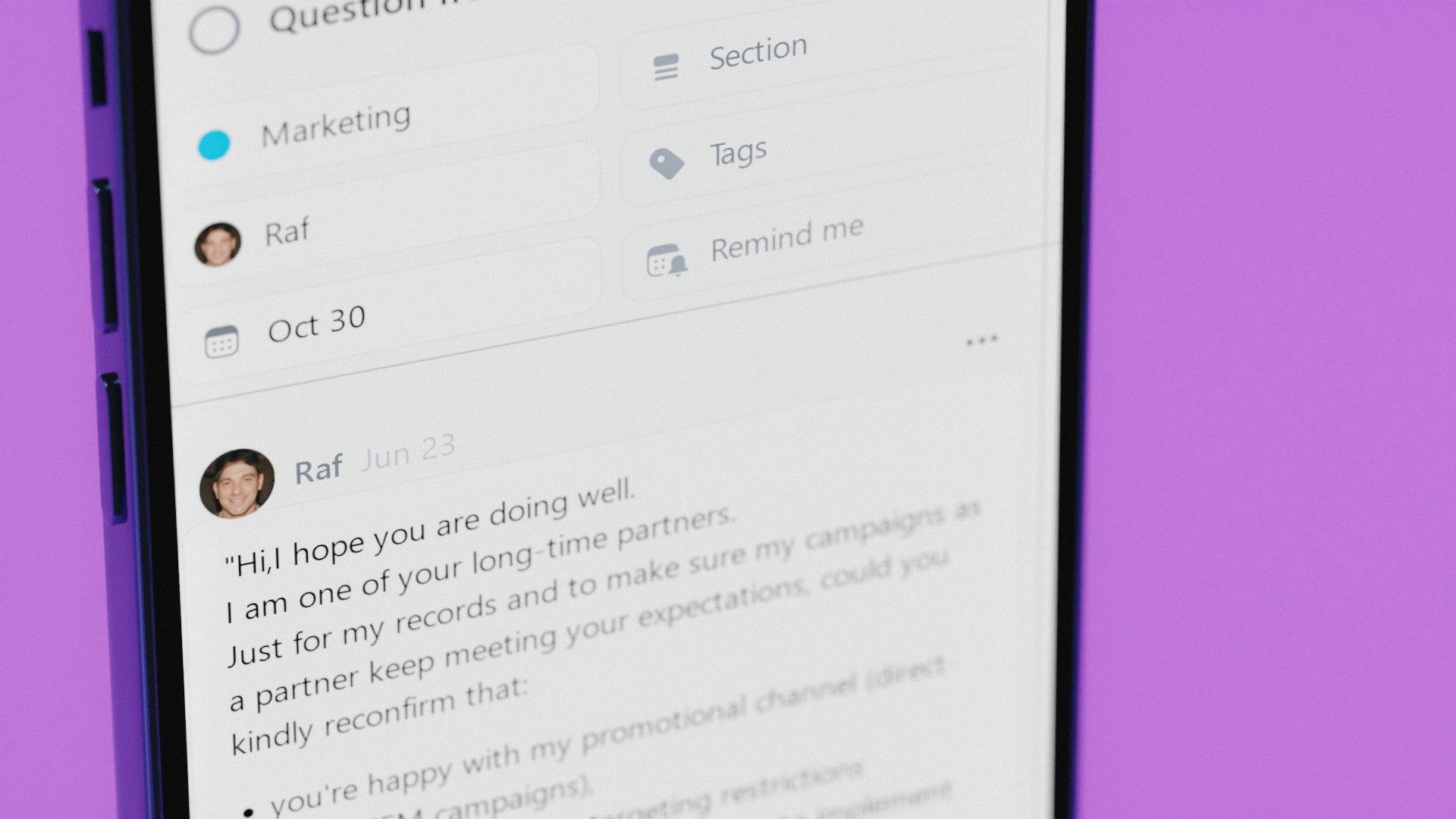
Nozbe is a simple tool that helps entrepreneurs get their private and business life organized. It's a perfect app for team collaboration and making your company thrive.
- Plan, manage and complete any type of work thanks to projects.
- Arrange everything into tasks with deadlines, reminders and time tracking.
- Bring team communication and collaboration into one place so you can get more work done and not stress out looking for things.
- Adapt your tasks view to your needs - use Incoming as your control center, Activity for tracking progress or Calendar - for scheduling.
Replace post-its, Trello, Reminders and Todoist with Nozbe and start getting things done more efficiently, today!
Nozbe is free for up to 5 active projects and 5 team members. No time limit. No credit card required. Easily upgrade to Premium when you need it.
Nozbe is simple - everyone on your team will easily get the hang of it. The app is simple to install and intuitive.
Nozbe is available on the Web, Windows, MacOS, Android and iOS. It also works offline!
Without the constant flood of emails, messages, or meetings, everyone will have longer stretches of uninterrupted time to do the actual work! This means a much higher Return On Investment.
API Access
Has API
No
API Access
Has API
Yes
Screenshots View All
No images available


Integrations
ChatGPT
Yes
Claude
Yes
Claude Duet
Yes
Claude for Legal
Yes
Desktop.com
No
Evernote
No
Google Calendar
No
IFTTT
No
Microsoft Outlook
No
Model Context Protocol (MCP)
Yes
Integrations
ChatGPT
No
Claude
No
Claude Duet
No
Claude for Legal
No
Desktop.com
Yes
Evernote
Yes
Google Calendar
Yes
IFTTT
Yes
Microsoft Outlook
Yes
Model Context Protocol (MCP)
No
Pricing Details
Free; Pro $5/month
Free Trial
No
Free Version
Yes
Pricing Details
$9 per month
Free for up to 5 projects and 5 people
Free Trial
Yes
Free Version
Yes
Deployment
Web-Based
Yes
On-Premises
No
iPhone App
Yes
iPad App
Yes
Android App
Yes
Windows
No
Mac
No
Linux
No
Chromebook
No
Deployment
Web-Based
Yes
On-Premises
No
iPhone App
Yes
iPad App
Yes
Android App
Yes
Windows
Yes
Mac
Yes
Linux
No
Chromebook
No
Customer Support
Business Hours
No
Live Rep (24/7)
No
Online Support
No
Customer Support
Business Hours
No
Live Rep (24/7)
Yes
Online Support
Yes
Types of Training
Training Docs
No
Webinars
No
Live Training (Online)
No
In Person
No
Types of Training
Training Docs
Yes
Webinars
Yes
Live Training (Online)
Yes
In Person
Yes
Vendor Details
Company Name
Done
Website
trydone.app/
Vendor Details
Company Name
Nozbe
Founded
2007
Country
Poland
Website
nozbe.com
Product Features
Task Management
Collaboration
Yes
Create Subtasks
Yes
Gamification
No
Gantt Charts
No
Mobile Access
Yes
Percent-Complete Tracking
No
Progress Tracking
Yes
Recurring Tasks
Yes
Reporting/Analytics
No
Spreadsheet View
No
Task Board View
No
Task Planning
Yes
Task Scheduling
Yes
Task Tracking
Yes
Time Tracking
No
To-Do List View
Yes
Product Features
Collaboration
Brainstorming
No
Calendar Management
Yes
Chat / Messaging
Yes
Contact Management
No
Content Management
No
Document Management
No
Project Management
Yes
Real Time Editing
No
Task Management
Yes
Version Control
No
Video Conferencing
No
Project Management
Agile Methodologies
No
Budget Management
No
Client Portal
No
Collaboration Tools
Yes
Cost-to-Completion Tracking
No
Customizable Templates
Yes
Gantt Charts
No
Idea Management
Yes
Kanban Board
No
Milestone Tracking
No
Portfolio Management
No
Resource Management
No
Time & Expense Tracking
No
Traditional Methodologies
Yes
Task Management
Collaboration
Yes
Create Subtasks
No
Gamification
No
Gantt Charts
No
Mobile Access
Yes
Percent-Complete Tracking
No
Progress Tracking
No
Recurring Tasks
Yes
Reporting/Analytics
Yes
Spreadsheet View
No
Task Board View
Yes
Task Planning
Yes
Task Scheduling
Yes
Task Tracking
Yes
Time Tracking
No
To-Do List View
Yes
Team Communication
Activity / News Feed
Yes
Audio Calls
No
Calendar Management
Yes
Chat / Messaging
Yes
Discussion Threads
Yes
File Sharing
Yes
Mobile Access
Yes
Push Notifications
Yes
Search
Yes
Surveys & Feedback
No
Task Management
Yes
Video Conferencing
No
