Average Ratings 0 Ratings
Average Ratings 0 Ratings
Similar Products
-
EventgrooveEventgroove allows event organizers and national and international non-profits to promote and sell tickets online for their virtual, hybrid and in-person events. You'll have all the tools necessary to execute the event that you've been planning, thanks to our fundraising capabilities and premium eCommerce solutions. We don't charge platform fees! Eventgroove solutions simplify event management for you, your team and yourself.
-
EventsAirEventsAir is the one platform you need for everything events. Execute engaging in-person, virtual, and hybrid events with a solution that supports you from start to finish. From built-in budgeting and accounting tools to breathtaking on-brand event sites and seamless registration experiences, EventsAir's all-in-one event management software makes event planning a breath of fresh...air. With over 30 years of expertise, EventsAir has powered 350,000+ successful events, earning the trust of the industry's best to deliver seamless, standout experiences. We love dynamic and complex events, which is why we’ve built a comprehensive platform designed to grow and evolve alongside you.
-
annyanny is an all-in-one solution for booking and managing hybrid workplaces. Employees can easily reserve desks, rooms, parking spots, equipment, and other shared resources in one central platform. Flexible booking rules and group permissions ensure you stay in control of access and usage. Key Features: ✨ anny AI: Simply say what you need in the chat, for example, “Book my favorite desk for Thursday.” The AI checks availability in real time and immediately creates a booking. 🗺️ 3D Office Map – Interactive floor plans for an easy and visual booking experience. 🧍 Visitor Management – Simplify guest registration with digital check-in, e-signatures, and real-time notifications. 🗓️ Weekly Planner – Coordinate office presence, see when colleagues are onsite, and plan smarter. 🌐 Integrations – Works seamlessly with Microsoft 365, Outlook, and Google Workspace. 📞 Dedicated Support – Personal, reliable support that helps your team succeed. 🔒 Data Privacy & Security – Internationally compliant and built to protect your organization’s data. Trusted by 1,000+ organizations worldwide – including DeepL, Samsung, and Nio – anny helps teams collaborate effectively and optimize office space.
-
TrumbaStreamline event calendar management and online registration with Trumba. It's perfect for virtual, in-person or hybrid events. Trumba offers an innovative and highly customizable event calendar platform preferred by colleges and universities, hospitals and health systems, local government, communities and other organizations worldwide. Trumba also offers a HIPAA-compliant solution for hospitals and healthcare organizations and will enter into a BAA with covered entities. Trumba calendars can be easily embedded into your website or published as fully-hosted pages that match your online branding. Attendees can easily find events, subscribe to calendars, register/pay and stay informed of changes. Trumba can integrate with other calendars to provide a one-stop experience for your users and optimize workflows internally. Trumba customers love the ease of implementation services and ongoing customer support. Online demos and free trials are available upon request (no credit card info required).
-
ROLLERAt ROLLER, we help leisure and attractions businesses unlock their full potential and grow with confidence. Trusted by more than 3,000 venues across 30+ countries—including leading brands like Sky Zone, Altitude, American Dream, Uptown Jungle, Flip Out, Oxygen, Innoflate, and Jumpsquare—we bring deep expertise in the unique needs of the attractions industry. From family entertainment centers and trampoline parks to water parks, zoos, aquariums, and children’s museums, ROLLER supports a wide range of venue types. Our all-in-one, cloud-based platform is designed to simplify operations and maximize revenue. With integrated tools for ticketing, point of sale, memberships, payments, and digital waivers, ROLLER enables operators to streamline workflows, improve the guest experience, and make smarter business decisions—all from a single system.
-
TicketsauceTicketing platforms are either antiquated, expensive, lack customer support, or most are all of the above. Ticketsauce and NIGHTOUT came together because we see the whitespace that no other company is addressing; A fully integrated event ticketing and marketing powerhouse with fair and transparent pricing. - Full White Label White label customizable ticketing solution that allows you to brand the event pages, tickets, and admin software. Sell your white label ticketing solution to manage events and generate more revenue. - Venue Management & Seating You can create completely customizable booth layouts and seating arrangements for any venue. You can combine seating and general admission tickets, or sell seats at a table. - Virtual & Livestream Events Monetizing virtual events has never been easier. You can host a virtual event on a variety of platforms and display custom banner ads. You can still retain your sponsorship revenue even if you host a virtual event using our event tools. -Marketing Get premium exposure across the NIGHTOUT Marketplace and their affiliates to reach your targeted audience via web, mobile, and newsletters so your events get in front of the right customers at the right time.
-
GiveLife365GiveLife365: Empowering Nonprofits with Smart CRM Solutions Managing key relationships—donors, volunteers, events, and cases—shouldn't hold back your nonprofit’s mission. GiveLife365 is a cloud-based CRM designed specifically for nonprofits, helping you streamline processes, enhance engagement, and track meaningful results, all in one platform. ✨ Why Choose GiveLife365? 💙 Donor Management – Effortlessly track donor interactions, automate receipts, and simplify fundraising 🙌 Volunteer Management – Easily recruit, schedule, and acknowledge volunteers. 🎟️ Seamless Event Handling – Promote events, manage registrations, and monitor attendance. 🔗 Simplified Memberships – Automate renewals, integrate marketing tools, and streamline payments. 📊 Real-Time Impact – Gain actionable insights with real-time reports and dashboards. 🌍 Revolutionize your nonprofit’s operations! Book a demo now and experience how GiveLife365 can drive greater impact and efficiency.
-
NewOrgNewOrg is a robust platform that allows non-profit organizations to integrate information from all areas of their operations. This allows them to better manage clients, volunteers, services, donors, donations and outcome. It also provides the ability to schedule activities, sign-ups, communications, surveys and fundraising activities. NewOrg is a powerful platform that can help you manage your committees, donors, events, and memberships to ensure that your organization runs smoothly.
-
WinningBidder.comWinningBidder.com offers low cost online auction software tailored for fundraising purposes. Our user-friendly software ensures that event organizers can initiate an auction within minutes, while maintaining a rich array of features. Bidders can take advantage of features such as maximum bidding, outbid alerts, and dynamic "popcorn" bidding. Rather than requiring bidders to download an app, our approach involves sharing a personalized auction URL with supporters. This enables them to explore listed items and place bids using any device. The system operates at remarkable speed, making it particularly suitable for events held in areas with unreliable connectivity, such as charity golf outings. WinningBidder.com imposes no restrictions on the quantity of items, bidders, or events, making WinningBidder.com the ideal solution for all your online auction requirements throughout the year.
-
CharityTrackerSpend less time digging through stacks of papers and more time serving. Your client documents can now be accessible from anywhere. CharityTracker offers more than secure storage—it’s a smart, seamless way to optimize your case management. CharityTracker is simple to implement and cost-effective. You will love the speed at which you can get up-and-running with CharityTracker’s cloud-based, hosted solution. You’ll have CharityTracker’s beautifully-designed interface operational quickly. CharityTracker is a cloud-based, HIPAA compliant software that’s easy to use for nonprofits of all sizes. With no setup fees, hidden fees, or contracts, you can cancel anytime! Our time saving solution provides a secure way to streamline how you manage cases, record case notes & assistance, create reports, collaborate, set goals, measure outcomes, make referrals & prove your impact with change-over-time reports for your funders. We're at work in with thousands of communities! Book a free demo. Pricing starts at just $20/mo. user
Description
Enhance your event planning and management experience with Brushfire, which provides comprehensive solutions suitable for events of various types and sizes. The platform includes features such as ticketing, registration, virtual events, and dedicated event applications.
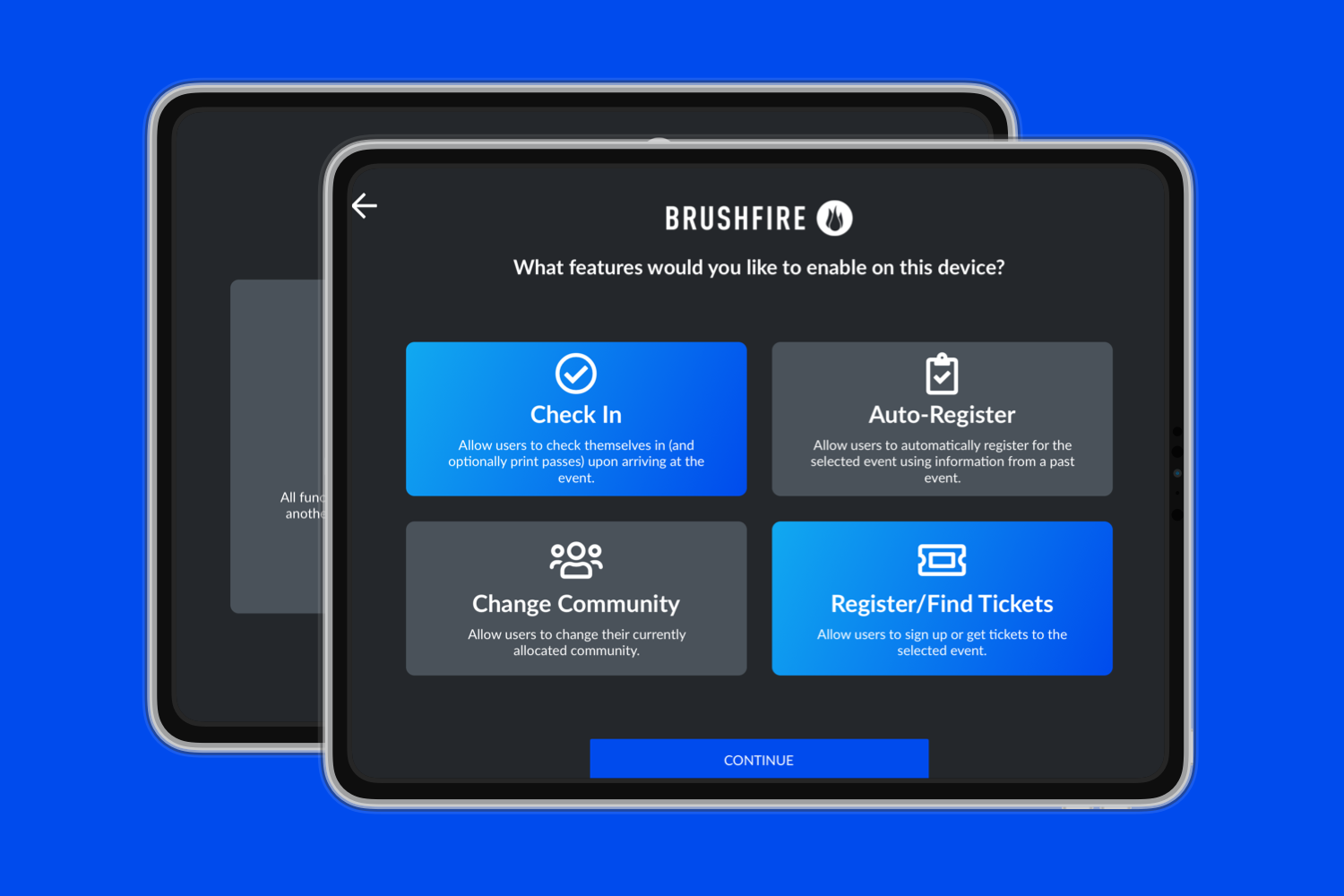
With Brushfire, you can fully brand, design, and tailor your events, utilizing features like conditional registration fields, options for both individuals and groups, a variety of payment plans, and assigned seating arrangements. Additionally, a user-friendly mobile and iPad check-in application enables you to register attendees upon arrival, utilizing QR code scanning or facilitating quick in-person sales. For added convenience, a self-service kiosk option is available, allowing guests to check in or purchase tickets independently.
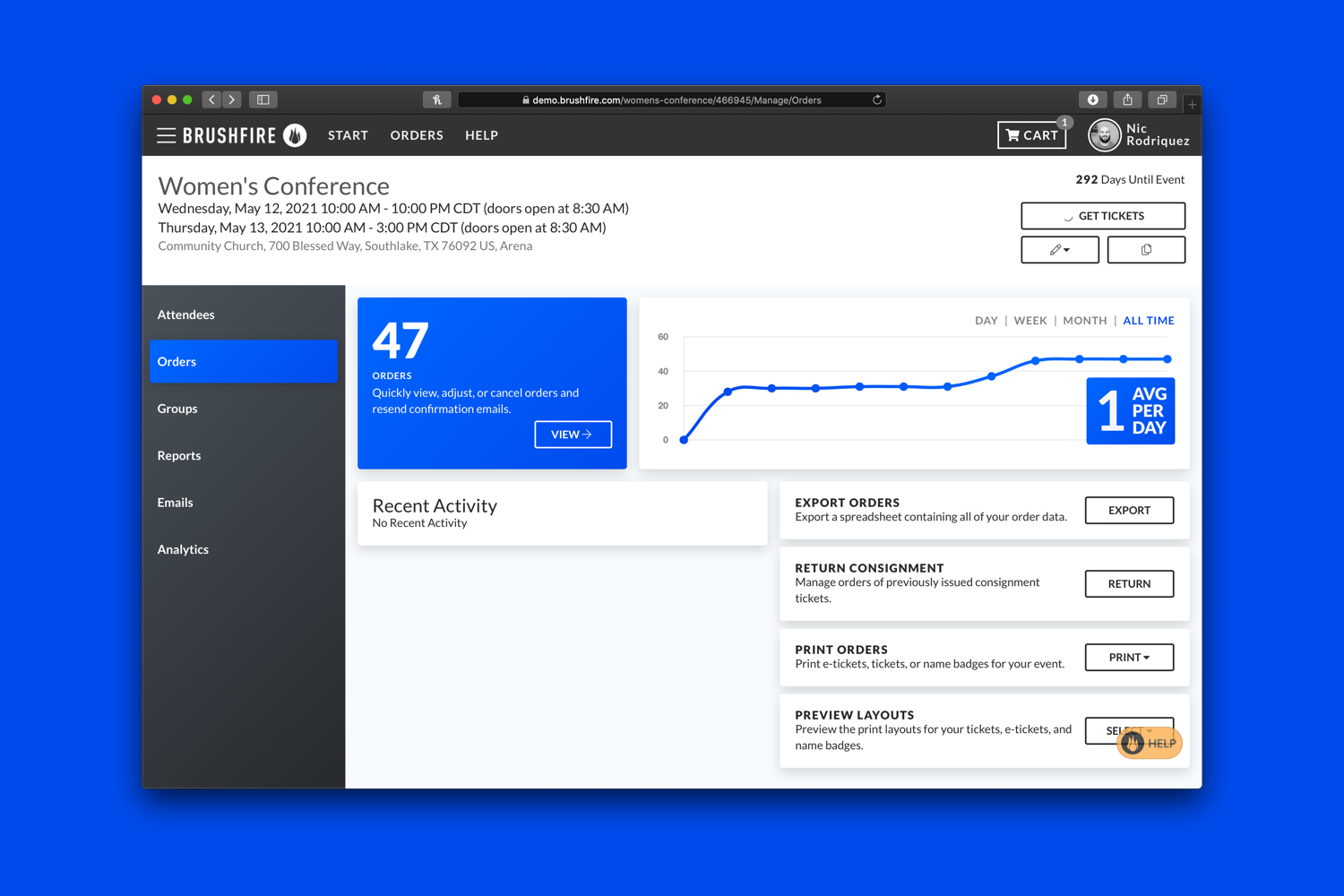
The powerful reporting dashboard provided by Brushfire empowers you to oversee reservations, manage customer support inquiries such as refunds or seat adjustments, and access all event analytics from a centralized location. Furthermore, with integrations available for marketing platforms like HubSpot and Mailchimp, you can effectively promote and sell your events with ease. Overall, Brushfire streamlines the entire event management process, ensuring a smooth experience from start to finish.
Description
Importing guest information from spreadsheets or address books eliminates the need for manual re-typing. You have the flexibility to decide which guests should be seated together or kept apart, allowing for various seating dynamics. Test out different configurations by using various table shapes and sizes, including options such as ‘E’ shaped tables and rows. With a simple click, you can automatically assign guests to their seats based on your preferences regarding their seating arrangements. Furthermore, you can easily adjust the seating by dragging and dropping individual guests or groups to create the perfect setup. The tool also enables you to visualize aspects like gender, family groups, VIP status, and individual seating preferences. You can generate printed charts organized by either guest name or table assignment. Additionally, it allows for the printing of place cards, table cards, escort cards, invitations, thank you notes, address labels, and various stationery items. Users can customize fonts and colors to suit their event's theme, and they can also incorporate color-coded dots to indicate meal choices and add images for a personal touch. This level of customization helps ensure that each event reflects the host's unique vision.
API Access
Has API
API Access
Has API





Integrations
Church Community Builder
Constant Contact
Docusign
Dropbox Sign
Facebook
Google Analytics
HubSpot Customer Platform
HubSpot Marketing Hub
HubSpot Sales Hub
Keap
Integrations
Church Community Builder
Constant Contact
Docusign
Dropbox Sign
Facebook
Google Analytics
HubSpot Customer Platform
HubSpot Marketing Hub
HubSpot Sales Hub
Keap
Pricing Details
From $1.50 + 1% per attendee
PAY-AS-YOU-GO: $1.50 + 1% per attendee
*No startup costs or annual fees*
- Robust ticketing and registration
- Custom event branding
- Conditional registration forms
- Mobile check-in app
- And much more.
ADD-ONS: + $1.00 per attendee
*Fee per attendee for add-ons*
+$1.00 for virtual events
+$1.00 for attendee support
PREMIUM SERVICE: Contact us for a quote
*per attendee, flat fee, or monthly subscription*
- Consulting and dedicated support
- Sales and customer service for your event attendees
- On-site support team at your events
*No startup costs or annual fees*
- Robust ticketing and registration
- Custom event branding
- Conditional registration forms
- Mobile check-in app
- And much more.
ADD-ONS: + $1.00 per attendee
*Fee per attendee for add-ons*
+$1.00 for virtual events
+$1.00 for attendee support
PREMIUM SERVICE: Contact us for a quote
*per attendee, flat fee, or monthly subscription*
- Consulting and dedicated support
- Sales and customer service for your event attendees
- On-site support team at your events
Free Trial
Free Version
Pricing Details
No price information available.
Free Trial
Free Version
Deployment
Web-Based
On-Premises
iPhone App
iPad App
Android App
Windows
Mac
Linux
Chromebook
Deployment
Web-Based
On-Premises
iPhone App
iPad App
Android App
Windows
Mac
Linux
Chromebook
Customer Support
Business Hours
Live Rep (24/7)
Online Support
Customer Support
Business Hours
Live Rep (24/7)
Online Support
Types of Training
Training Docs
Webinars
Live Training (Online)
In Person
Types of Training
Training Docs
Webinars
Live Training (Online)
In Person
Vendor Details
Company Name
Brushfire Technology
Founded
2003
Country
United States
Website
www.brushfire.com
Vendor Details
Company Name
Oryx Digital
Founded
2005
Country
United Kingdom
Website
www.perfecttableplan.com
Product Features
Church Management
Accounting Integration
Attendance Tracking
Child Check-In
Email / SMS
Event Management
Member Directory
Member Portal
Multi-Site Management
Online Giving
Pledge Management
Small Group Management
Volunteer Management
Event Check In
Attendee Segmentation
Badge Printing
Data Import / Export
Data Synchronization
Guest List Management
Guest List Search
Lead Capture
Multi-Event
QR Codes
Reporting/Analytics
Ticketing
Event Management
Attendee Management
Badge Management
Conferences / Conventions
Exhibit / Vendor Management
Gamification
Room Block Management
Social Media Promotion
Sponsorship Management
Surveys & Feedback
Ticketing
Volunteer Management
Weddings / Parties
Ticketing
Barcode / Ticket Scanning
Box Office Management
Concessions Management
Customer Database
Event Management
Fundraising Management
General Admission
Kiosk Ticketing
Mobile Ticketing
Online Ticketing
Onsite Ticketing
POS
Print-at-Home
Reserved Seating
Season Tickets
Ticket Brokering
VIP & Discount Tickets
Virtual Event Platforms
Alerts/Notifications
Attendee Management
Customizable Branding
Event Management
File Sharing
Lead Capture
Live Audio/Video Chat
Live Text Chat
Mobile Access
Moderation
Pre-made Templates
Presentation Tools
Q&A
Reporting/Analytics
Social Media Promotion
Surveys/Polls
Virtual Booths
Virtual Lobby
Product Features
Catering
Banquet Management
Billing & Invoicing
Booking Management
Calendar Management
Contract Management
Costing
Customer Database
Event Management
Facility Management
Inventory Management
Kitchen / Menu Management
Order Management
Quote Management
Recipe Management
Waitstaff Management
Event Management
Attendee Management
Badge Management
Conferences / Conventions
Exhibit / Vendor Management
Gamification
Room Block Management
Social Media Promotion
Sponsorship Management
Surveys & Feedback
Ticketing
Volunteer Management
Weddings / Parties
