Average Ratings 33 Ratings
Average Ratings 0 Ratings
Similar Products
-
Zoho AssistZoho Assist is your all-in one remote access solution. It allows you to access remote devices and manage them. You can access your overseas assets and manage them through a web-based remote support session in just a few minutes. Zoho Assist works entirely in the cloud. You can set up remote access without being present and monitor your remote computers, laptops, phones, and servers from anywhere. Zoho Assist works with all major firewalls. It also seamlessly navigates through proxy servers. Get technical support now with industry-standard SSL with 256-bit AES data encryption to protect your data against phishing attacks and other malicious activities
-
ISL Light Remote DesktopISL Light is a remote desktop software that is easy to use for security-conscious users. It offers great value-performance. ISL Light is a powerful tool for IT staff and support personnel to solve problems remotely via remote support, unattended access, or screen-sharing from mobile devices. It is cross-platform and provides 256-bit encrypted sessions, all the standard remote access features, as well as session recording, chat, videocall and multi-monitor support, file transfers, reporting, and many other important extras. Users can choose between cloud and on-premise services. ISL Online license doesn't limit the number or workstations of clients, users, and users you can support. It is a reliable, highly secure software that can be used in all industries, including banks, hospitals, government institutions, and insurances.
-
ScreenMeetScreenMeet offers a suite of secure, browser-based remote support and screen-sharing tools designed to enhance customer service and IT support. With capabilities like remote desktop access, live voice and video support, co-browsing, and asynchronous screen recording, ScreenMeet allows agents to assist customers or employees seamlessly. It integrates with major ITSM, CRM, and contact center platforms such as ServiceNow, Salesforce, and Microsoft Dynamics 365, providing a unified support experience. Designed for enterprises, ScreenMeet ensures high security, scalability, and flexibility, making it ideal for businesses aiming to improve support efficiency and customer satisfaction.
-
Admin By Request Endpoint Privilege ManagementAdmin By Request EPM is an endpoint privilege management solution for Windows, macOS, and Linux. It removes permanent local admin rights and grants elevation only when a task requires it, so a compromised account can't take over an entire system. Elevation applies to applications rather than user accounts, and privileges can be delegated by user or group to fit developers, general staff, and third-party contractors alike. Threat and behavioral analytics identify risky users, assets, and software, and every session is logged for auditing. The solution runs from a single portal, works online or offline, and requires no additional servers or databases.
-
NinjaOneNinjaOne automates the hardest parts of IT, empowering more than 20,000 IT teams. By providing deep insights into endpoints, robust security measures, and centralized control, NinjaOne boosts efficiency while safeguarding sensitive data and cutting IT expenses. This comprehensive platform offers a versatile toolkit for managing and securing endpoints, including patch management, mobile device oversight, software distribution, remote support, backup solutions, and more, thanks to its extensive IT and security integrations.
-
ManageEngine Endpoint CentralManageEngine Endpoint Central is a unified endpoint management and security platform designed for IT teams managing diverse and distributed device environments eliminating the need for multiple disconnected products for patching, remote access, mobile management, and security. The platform supports Windows, macOS, Linux, iOS, Android, and Chrome OS. Automated patch deployment covers OS and 1,000+ third-party applications with scheduling, testing, rollback, and compliance reporting. Software can be deployed, updated, or removed across thousands of endpoints simultaneously. OS imaging workflows provision new devices quickly, while continuous asset inventory supports license compliance and audit readiness. Security capabilities are built directly into the platform. Vulnerability assessment identifies and prioritizes endpoint weaknesses by severity. Application control prevents unauthorized software execution. Device control governs USB and peripheral access. Endpoint privilege management removes unnecessary admin rights. EDR delivers behavioral threat detection and incident response, while NGAV blocks malware, ransomware, and zero-day threats. BitLocker and FileVault encryption enforces disk protection across Windows and macOS. Built-in remote desktop allows technicians to connect instantly without third-party software. Integrated MDM covers iOS and Android enrollment, app management, and remote wipe for corporate and BYOD environments. DEX monitoring gives IT teams real-time visibility into device performance enabling proactive issue resolution before productivity is impacted. Available as cloud or on-premises across Free, Professional, Enterprise, UEM, and Security editions.
-
Thinfinity WorkspaceThinfinity Workspace 7.0's Technical Highlights: - Progressive Web App (PWA) technology for a seamless user experience - Integrated Thinfinity VNC, VirtualUI, and z/Scope for maximum versatility - HTML5 terminal emulation supporting DEC terminals, TN 5220, and TN 3270 protocols - Robust enterprise-grade audit logs for security and compliance management - Proprietary VNC protocol for real-time monitoring and troubleshooting IMPROVE USER EXPERIENCE - Deliver business-critical apps, desktops and files from a single web portal. - Provide simplified remote browser access for your users, while confining them to only the resources that they need. SIMPLIFY IT AND AVOID VPNs - Forget traditional VPN deployments and complexities. - Enable access from Chromebooks, mobile devices or any computer with a Web Browser. Zero setup. KEEP YOUR BUSINESS SECURE - Use enterprise-grade encrypted connections. - Integrate with your existing and external identity platforms. - Apply 2FA or MFA policies with all identity providers.
-
SuperOpsSuperOps is the AI-native unified platform for modern MSPs and internal IT teams. It replaces the typical four-to-six-tool IT operations stack - PSA, RMM, helpdesk, MDM, asset tracking, network monitoring, patch management and IT documentation - with a single, built-as-one platform on a shared data layer. That architectural choice is what makes the rest of the platform work, particularly its agentic AI. Monica AI, SuperOps' intelligence layer, was designed alongside the platform from day one. It triages tickets, surfaces patch and CVE risks, drafts worklogs, suggests knowledge base articles, and increasingly handles fully autonomous workflows for routine work. SuperOps supports Windows, macOS, Linux, iOS, iPadOS and Android, integrates with the IT and MSP ecosystem (Slack, Teams, Azure AD, Okta, QuickBooks, Xero, Bitdefender, SentinelOne and more), and bundles Splashtop and ISL Online remote access free. Transparent pricing, fast deployment, founder-led product investment.
-
CloudbrinkCloudbrink's secure access service boosts employee productivity and morale. For IT and business leaders whose remote employees cannot be fully productive due to inconsistent network performance, Cloudbrink’s HAaaS is a high-performance zero-trust access service that delivers a lightning-fast, in-office experience to the modern hybrid workforce anywhere. Unlike traditional ZTNA and VPN solutions that trade off security for user performance, frustrate employees, and slow productivity, Cloudbrink’s service secures user connections and solves the end-to-end performance issues that other solutions fail to address. Cloudbrink's Automated Moving Target Defense security is ahead of any other secure access solution. Rated by Gartner as the "future of security", Cloudbrink is leading the way. By constantly changing the attack surface, it is significantly harder to identify and attack a Cloudbrink user's connection. ==> Certificates are rotated every 8 hours or less ==> There are no fixed PoPs - users connect to three temporary FAST edges ==> The mid-mile path is constantly changed If you are looking for the fastest most secure remote access connectivity solution, you have found it with Cloudbrink.
-
CrankWheelCrankWheel allows you to share your screen while on a call. This makes it easy to create engaging presentations. You can send a link via email or SMS to the viewer and they will be able to view it in any browser on any device. CrankWheel was designed for simplicity and can be shared with customers to facilitate business deals. CrankWheel can be used to complement calls from insurance agents, mortgage advisors and solar advisors as well as educators and customer support specialists. CrankWheel is easy to integrate with websites and allows users to add a Demo button to receive quick notifications. We can show you if they are paying attention. Our Chrome Extension has enabled over 50,000 users to share their screens with prospects, regardless of their technical skills or device choice. CrankWheel can be used on old browsers and obscure devices, even with poor network connections. It works on Mac, Android, iOS, Blackberries, Internet Explorer, and Android.
Description
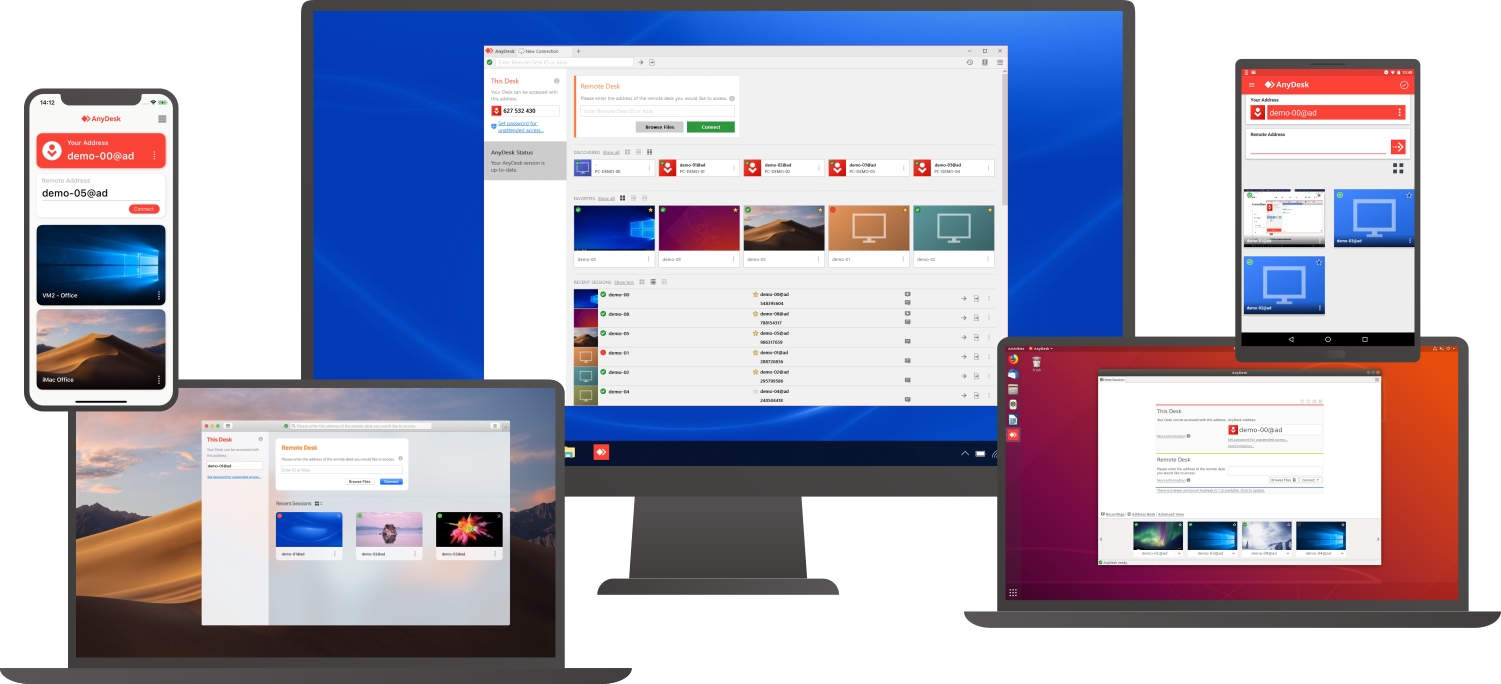
Access a computer remotely, whether you're just down the hall or on a different continent. AnyDesk guarantees secure and dependable remote desktop connections tailored for both IT specialists and individuals on the move. This versatile application is compatible with a wide range of devices and operating systems, including Windows, macOS, iOS, Android, Linux, FreeBSD, and even Raspberry Pi! Seamlessly collaborate and communicate, whether you're conducting online meetings and presentations or co-editing documents from afar. You can easily transfer files between computers using the new transfer tab or by simply copying and pasting. There's no need for administrative rights or complex installations; just download the lightweight 3MB file, and you're ready to go. If you require unattended access while traveling, it’s simple to set up by installing the software and establishing a password. Plus, you can personalize the AnyDesk interface to provide a remote desktop experience that aligns with your brand identity, ensuring a cohesive user experience. With these user-friendly features, AnyDesk makes remote work more efficient than ever before.
Description
Add an unlimited number of users, categorize them into various groups, and enable remote deployment along with access controls through the web console. Facilitate the deployment process for users and authorize them to install RemotePC on additional computers for remote access. You can also add computers, sort them into groups, and monitor the most recently accessed machines. New user accounts can be created, categorized into groups, and granted specific access permissions, among other functionalities. Enjoy instant and secure access to any computer by simply entering a shared session code. Users have the flexibility to remotely connect to their assigned computers from anywhere and at any time. Additionally, the RemotePC desktop application or web dashboard allows you to reboot the remote computer in either normal mode or safe mode (for Windows). Security is a priority, provided by TLSv 1.2/AES 256 encryption. There’s also the option to establish a unique Personal Key for each computer, serving as an additional layer of password protection. You can choose to enable or restrict your users' ability to transfer files between computers, ensuring better control over data sharing. This comprehensive solution empowers users with the tools they need for efficient remote access and management.
API Access
Has API
No
API Access
Has API
No


Integrations
Atera
Yes
Coronium
Yes
Devolutions Remote Desktop Manager
Yes
Halo Service Desk
Yes
HaloCSM
Yes
HaloITSM
Yes
HaloPSA
Yes
StoreApp
Yes
Truto
Yes
XEOX
Yes
Integrations
Atera
No
Coronium
No
Devolutions Remote Desktop Manager
No
Halo Service Desk
No
HaloCSM
No
HaloITSM
No
HaloPSA
No
StoreApp
No
Truto
No
XEOX
No
Pricing Details
$10.99 per month
Free Trial
Yes
Free Version
Yes
Pricing Details
$69.50 per year
Free Trial
Yes
Free Version
Yes
Deployment
Web-Based
Yes
On-Premises
No
iPhone App
Yes
iPad App
Yes
Android App
Yes
Windows
Yes
Mac
Yes
Linux
Yes
Chromebook
No
Deployment
Web-Based
Yes
On-Premises
No
iPhone App
Yes
iPad App
Yes
Android App
Yes
Windows
Yes
Mac
Yes
Linux
No
Chromebook
No
Customer Support
Business Hours
Yes
Live Rep (24/7)
No
Online Support
Yes
Customer Support
Business Hours
Yes
Live Rep (24/7)
Yes
Online Support
Yes
Types of Training
Training Docs
Yes
Webinars
No
Live Training (Online)
No
In Person
No
Types of Training
Training Docs
Yes
Webinars
No
Live Training (Online)
No
In Person
Yes
Vendor Details
Company Name
AnyDesk Software
Founded
2013
Country
Germany
Website
anydesk.com
Vendor Details
Company Name
RemotePC
Country
United States
Website
www.remotepc.com
Product Features
Remote Desktop
Chat
No
Cross-Platform Access
Yes
File Transfer
Yes
Group View
No
Mobile Device Access
No
Multi Monitor Support
No
Record Remote Sessions
Yes
Remote Print
No
Remote Wake
No
User Management
Yes
Remote Support
Diagnostic Tools
No
File Transfer
Yes
Live Chat
No
Real-time Chat
No
Remote Control
Yes
Screen Sharing
Yes
Session Recording
Yes
Session Transfer
Yes
Surveys & Feedback
No
Screen Sharing
Annotations / Drawing Tools
No
Desktop / Browser Sharing
Yes
Mobile Screen Sharing
No
Presenter Control Management
Yes
Remote Control
Yes
Screen Capture
No
Screen Mirroring
No
Screen Recording
Yes
Product Features
Remote Desktop
Chat
No
Cross-Platform Access
No
File Transfer
No
Group View
No
Mobile Device Access
No
Multi Monitor Support
No
Record Remote Sessions
No
Remote Print
No
Remote Wake
No
User Management
No
Remote Support
Diagnostic Tools
No
File Transfer
No
Live Chat
No
Real-time Chat
Yes
Remote Control
No
Screen Sharing
Yes
Session Recording
Yes
Session Transfer
Yes
Surveys & Feedback
No
