Opera
4.5 out of 5 starsSamsung Internet Browser
4.5 out of 5 starsAverage Ratings 34 Ratings
Average Ratings 2 Ratings
Similar Products
-
Wave BrowserWave Browser is designed for people who want a safer, faster, and more meaningful way to explore the web. Built on strong security principles, Wave puts you in control of your privacy with customizable cookie and tracker blocking, incognito mode, and clear permission choices. AppEsteem Certification ensures Wave meets strict, independently verified standards for clean installation, transparent behavior, and responsible software practices, giving you confidence every time you browse. Wave is also built for productivity, offering tools that help you stay organized and move through information with purpose. Tab grouping, bookmarks, and a reading list keep ideas within reach, while split screen let you research, compare, or watch without switching between windows. Memory Saver mode helps your device stay fast during heavy sessions, and the built-in AI Assistant and messaging integrations bring your favorite tasks closer to a single click. Designed to be simple and user-friendly, Wave Browser removes friction from everyday browsing. The free ad blocker keeps pages clean, and built-in tools—like the converter, package tracker, price tracker, translation tool, stock tracker, and content notifier—help you get things done without extra extensions. Most importantly, Wave is a browser with real ocean impact built in. Through a certified partnership with 4ocean, Wave helps fund the removal of 100,000 pounds of trash from our ocean, rivers, and coastlines every year. A live impact tracker shows exactly how much waste the Wave community has helped remove, with verified monthly updates from cleanup crews in the U.S., Indonesia, and the Dominican Republic. With Wave Browser, your everyday browsing directly supports a cleaner planet and the people working to protect it.
-
ShiftShift puts you in control of your browser. Arrange apps, bars, and controls exactly where you want them, building a personalized workspace that works around you — not the other way around. Connect over 1,500 web apps, jump between dedicated Spaces for work, side hustles, and personal browsing, and manage multiple accounts without ever logging in and out. As a pioneer in carbon-neutral browsing, Shift is committed to rethinking what a browser can be — for the people who use it and the world they live in. Started in Victoria, British Columbia in 2016, Shift is a Certified B Corp and proud member of the Redbrick portfolio. What you can do with Shift: - Build your browser: Design a layout tailored to how you use the internet. - Create Spaces: Keep work, side hustles, and passion projects in their own lane. - Integrate Apps: Bring your favorite web apps together in one place. - Templates: Pick from 6 ready-made layouts to get started fast. - Shift AI: A built-in AI assistant that helps you get more done across every tab and app.
-
HERE Enterprise BrowserEverything works right here™. The product of years of collaboration with the world’s largest financial institutions, HERE Enterprise Browser is the first and only browser that solves both enterprise security and workforce productivity. Built on Google Chromium, HERE streamlines workflow and improves employee experience.
-
Kasm WorkspacesKasm Workspaces streams your workplace environment directly to your web browser…on any device and from any location. Kasm is revolutionizing the way businesses deliver digital workspaces. We use our open-source web native container streaming technology to create a modern devops delivery of Desktop as a Service, application streaming, and browser isolation. Kasm is more than a service. It is a platform that is highly configurable and has a robust API that can be customized to your needs at any scale. Workspaces can be deployed wherever the work is. It can be deployed on-premise (including Air-Gapped Networks), in the cloud (Public and Private), or in a hybrid.
-
IPVanishIPVanish VPN protects personal data in the face of privacy threats. Protect your connection over hotspots or unsecured networks today. We have the solution for you, whether you need a Wi Fi hotspot shield or safe file access. IPVanish VPN and storage solutions simplify online security for the entire home. There are setups for mobile, desktop, consoles, routers, and routers. VPN privacy can protect your internet activity. You can also pair VPN + storage to provide complete online protection. To go incognito, you need more than a private internet browser. Our anonymous IP addresses will keep your internet activity secretive and help keep hackers, ISPs and advertisers away from your connection. VPN can protect your Wi-Fi connection as well as your location data. The best data defense combines security and convenience. Secure your most valuable files with remote wiping, automated syncing and encrypted backup.
-
Bitdefender Ultimate Small Business SecurityBitdefender Small Business Security provides robust, enterprise-level cyber-defense tailored for smaller companies, ensuring protection across various platforms including Windows, macOS, iOS, and Android. With a centralized management system that is user-friendly, it allows organizations lacking dedicated IT personnel to efficiently implement and oversee their security measures from a single interface. The solution features a multi-layered approach to endpoint protection, incorporating machine learning, behavioral analysis, real-time monitoring, process termination, and rollback capabilities to safeguard against both known and emerging threats. Additionally, it includes ransomware prevention and remediation strategies that detect unusual encryption activities and facilitate file recovery from backups. Users are also protected against fileless attacks, with measures like memory and back-injection interference as well as script blocking. The software further enhances security by preventing phishing and fraud through the blocking of malicious websites and alerting users accordingly, while offering advanced exploit protection with real-time shields for common applications such as browsers, Office software, and Adobe Reader, thus ensuring all-encompassing endpoint security. This comprehensive suite of features makes it an ideal choice for small businesses seeking to fortify their cybersecurity defenses.
-
GaffaGaffa is a REST API built for web scraping and browser automation, allowing developers to run real, full browsers at scale with a single API call. It removes the difficulty of managing headless browser frameworks, rotating proxies, CAPTCHA solving, and scaling infrastructure, all of which are handled automatically. JavaScript-heavy and dynamic websites render exactly as they would for a human visitor by default. Beyond standard scraping, Gaffa supports AI-driven structured data extraction (extract data into a defined schema without writing CSS selectors), screenshot and PDF capture, infinite-scroll and form-filling automation, and clean Markdown conversion for feeding webpages directly into LLM and RAG pipelines. A rotating residential proxy network keeps access reliable across regions, and a credit-based pricing model means teams pay only for the browser time and bandwidth they actually use. Gaffa is designed for AI engineers, data teams, and developers who want production-grade web data extraction without having to build and maintain their own infrastructure.
-
Hotspot ShieldSafeguard your personal information with top-tier encryption designed for military use, while enjoying unrestricted access to global websites and streaming services. Hotspot Shield ensures your connection is encrypted and maintains a strict no-logs policy, effectively protecting your identity and sensitive data from potential hackers and cyber threats. Boasting servers in over 80 countries and more than 35 cities, our unique Hydra protocol enhances your VPN experience, delivering swift and secure connections ideal for gaming, streaming, downloading, P2P sharing, and beyond. Experience the peace of mind that comes with knowing your online activities are safe and private. Take control of your digital presence today!
-
NodeMavenNodeMaven employs a sophisticated filtering mechanism that evaluates IPs in real-time prior to allocation, guaranteeing that you receive high-quality addresses 95% of the time. With access to over 30 million premium, pre-screened residential IPs spanning more than 150 countries and 1,400 cities, NodeMaven facilitates targeted usage at the country, region, and city levels. Their state-of-the-art filtering process ensures that 95% of the IPs maintain clean records, thereby boosting success rates in activities such as web scraping, SEO monitoring, and social media management. The platform allows for unlimited concurrent sessions and features super sticky sessions that can endure for up to 24 hours, ensuring stable and dependable connections. NodeMaven's intuitive dashboard makes the selection of proxies and their integration with popular third-party applications like Selenium, Puppeteer, and various anti-detect browsers a breeze. Additionally, they offer comprehensive onboarding assistance and expert support to help users successfully navigate anti-bot systems, thereby enhancing user experience and efficiency. This combination of features positions NodeMaven as a leading choice for those in need of reliable proxy solutions.
-
Thinfinity WorkspaceThinfinity Workspace 7.0's Technical Highlights: - Progressive Web App (PWA) technology for a seamless user experience - Integrated Thinfinity VNC, VirtualUI, and z/Scope for maximum versatility - HTML5 terminal emulation supporting DEC terminals, TN 5220, and TN 3270 protocols - Robust enterprise-grade audit logs for security and compliance management - Proprietary VNC protocol for real-time monitoring and troubleshooting IMPROVE USER EXPERIENCE - Deliver business-critical apps, desktops and files from a single web portal. - Provide simplified remote browser access for your users, while confining them to only the resources that they need. SIMPLIFY IT AND AVOID VPNs - Forget traditional VPN deployments and complexities. - Enable access from Chromebooks, mobile devices or any computer with a Web Browser. Zero setup. KEEP YOUR BUSINESS SECURE - Use enterprise-grade encrypted connections. - Integrate with your existing and external identity platforms. - Apply 2FA or MFA policies with all identity providers.
Description
Opera is a free internet browser that comes with enormous benefits and strong customization options. Built on Chromium it take advantage of most of Google Chrome's extension library, including the best VPN completely free for users.
These are just a few of the essential features that Opera offers to make browsing easier, more enjoyable, and less distracting thanks to the Ad blocker built-in.
Opera's integrated virtual privacy network protects your privacy and reduces tracking.
Opera browser offers you to easily connect with your social life through the most famous social network integrated directly in the sidebar (Facebook, Instagram, Telegram, Whatsapp, Twitter, VKontakte) and listen your favourite music with the music players built-in (Spotify, Youtube and Apple Music).
With Opera browser you can also:
- Search with Google and use the auto-fill prediction function
- Send encrypted content and links (articles, images, and videos) between devices using My Flow
- Toggle the integrated ad blocker on and off.
Opera browser is available for MacOS, Linux, and Windows devices. It works on desktop versions of MacOS X 10.11 and later, Ubuntu 16.04 and later, and Windows 7 and later.
Description
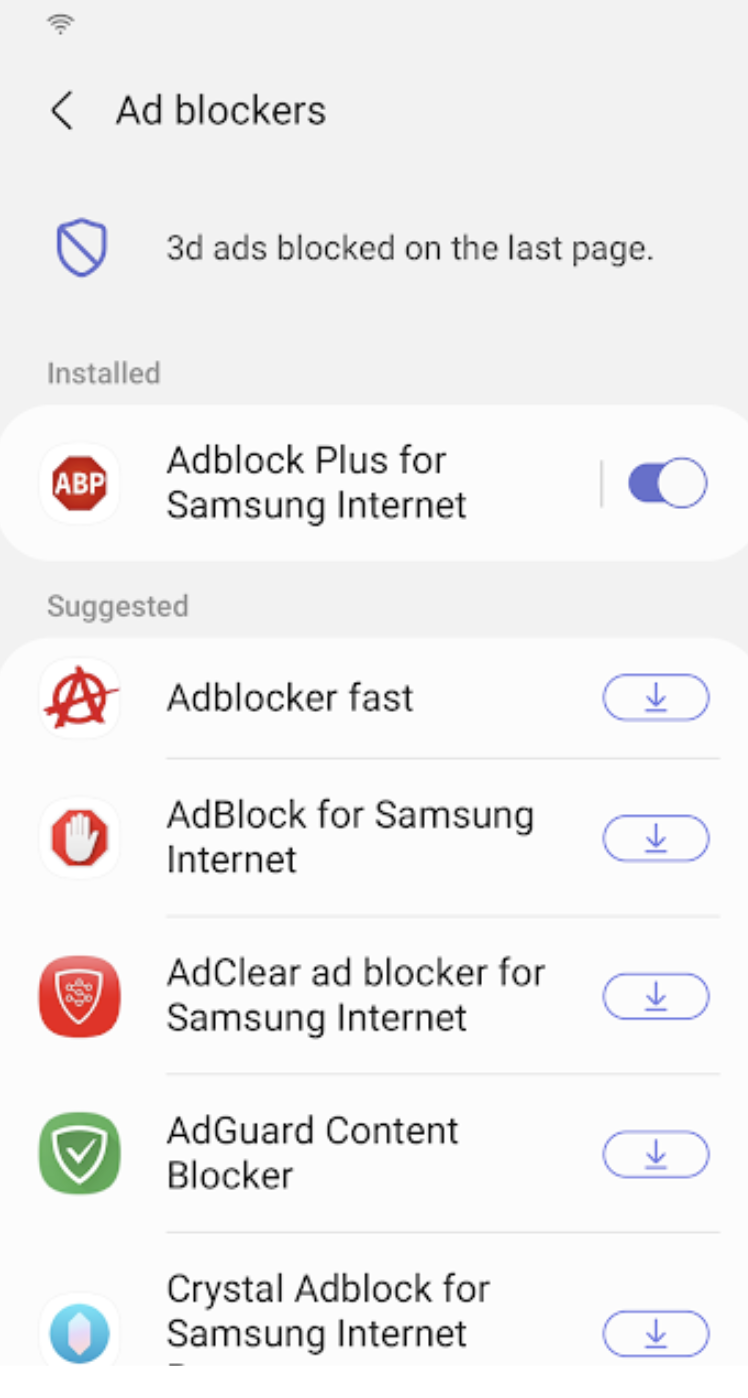
Samsung Internet for Android is an efficient and dependable web browser designed for mobile devices such as phones and tablets. It enhances your online experience with features like secret mode for privacy, biometric login for secure access, and a content blocker to minimize distractions. This browser also supports third-party applications that can offer additional filtering for unwanted content, ensuring a streamlined browsing experience. Online shopping becomes safer and more convenient with the integration of the Web Payments API, allowing for secure checkouts with just a few taps. Progressive Web Apps provide the flexibility to be installed like traditional apps or accessed directly through the browser, with a badge appearing in the URL bar when available. The Video Assistant feature allows users to easily toggle between different viewing modes for an optimized video experience, while the pop-up player enables seamless browsing without interrupting video playback. Overall, Samsung Internet for Android prioritizes user convenience and security in its design.
API Access
Has API
Yes
API Access
Has API
No




Integrations
Adblock Plus
Yes
Aurora Files
Yes
Bookmark Ninja
Yes
CoinCorner
Yes
Coinparator
Yes
Google
Yes
Hexofy
Yes
Iraje Privileged Access Manager
Yes
MacSonik Gmail Backup Tool
Yes
Quicky AI
Yes
Integrations
Adblock Plus
Yes
Aurora Files
No
Bookmark Ninja
No
CoinCorner
No
Coinparator
No
Google
No
Hexofy
No
Iraje Privileged Access Manager
No
MacSonik Gmail Backup Tool
No
Quicky AI
No
Pricing Details
Free
Free Trial
Yes
Free Version
Yes
Pricing Details
No price information available.
Free Trial
No
Free Version
No
Deployment
Web-Based
No
On-Premises
No
iPhone App
Yes
iPad App
Yes
Android App
Yes
Windows
Yes
Mac
Yes
Linux
Yes
Chromebook
Yes
Deployment
Web-Based
No
On-Premises
No
iPhone App
No
iPad App
No
Android App
Yes
Windows
No
Mac
No
Linux
No
Chromebook
No
Customer Support
Business Hours
No
Live Rep (24/7)
Yes
Online Support
Yes
Customer Support
Business Hours
No
Live Rep (24/7)
No
Online Support
Yes
Types of Training
Training Docs
Yes
Webinars
No
Live Training (Online)
No
In Person
No
Types of Training
Training Docs
No
Webinars
No
Live Training (Online)
No
In Person
No
Vendor Details
Company Name
Opera
Founded
1995
Country
Norway
Website
www.opera.com/
Vendor Details
Company Name
Samsung
Founded
1938
Country
South Korea
Website
www.samsung.com/us/support/owners/app/samsung-internet
Product Features
VPN
Anonymous Browsing
Yes
DNS Leak Protection
No
For Digital Security
No
For Financial Security
No
For Gaming
No
For Streaming
No
Kill Switch
No
Multi-Language
Yes
Multi-Protocol
Yes
Peer-to-Peer
Yes
Policy Management
Yes
Remote Access
Yes
Web Inspection
Yes
White Label
No