Average Ratings 33 Ratings
Average Ratings 1 Rating
Average Ratings 2,034 Ratings
Description
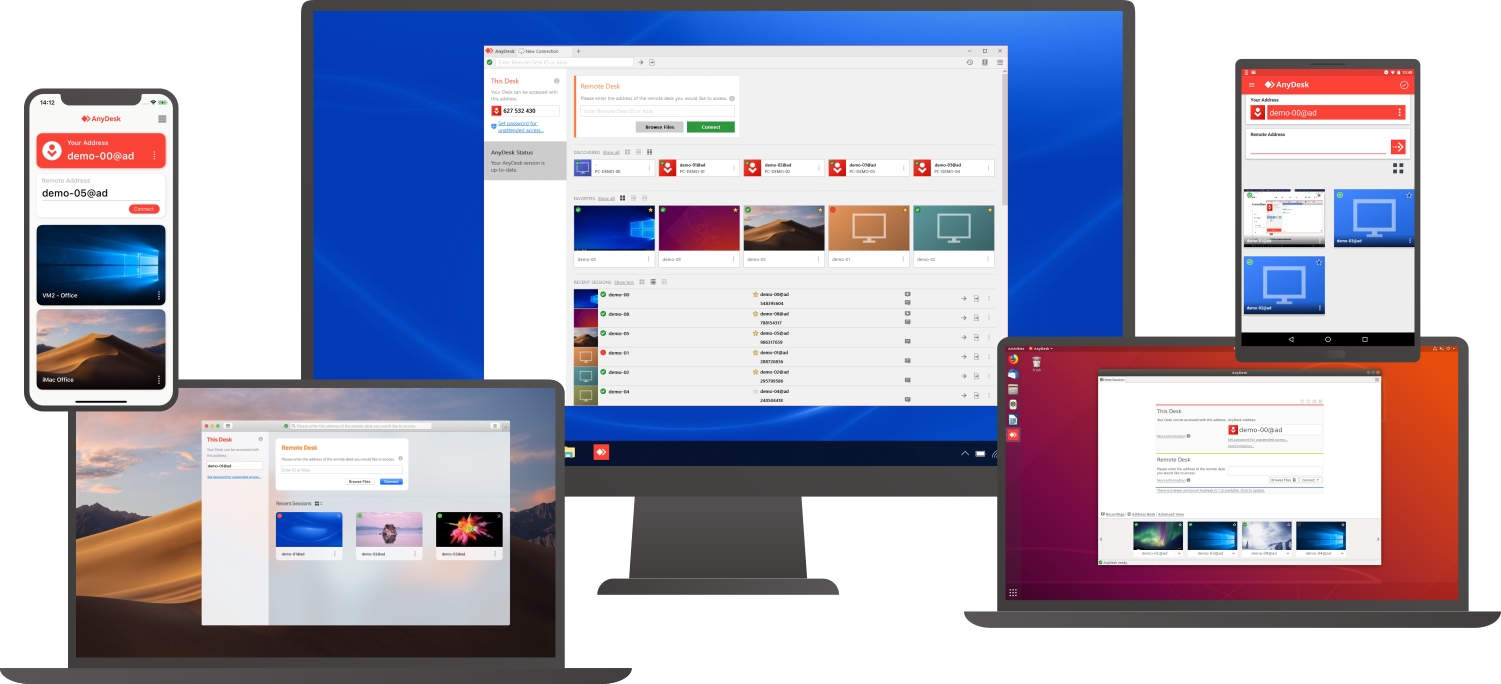
Access a computer remotely, whether you're just down the hall or on a different continent. AnyDesk guarantees secure and dependable remote desktop connections tailored for both IT specialists and individuals on the move. This versatile application is compatible with a wide range of devices and operating systems, including Windows, macOS, iOS, Android, Linux, FreeBSD, and even Raspberry Pi! Seamlessly collaborate and communicate, whether you're conducting online meetings and presentations or co-editing documents from afar. You can easily transfer files between computers using the new transfer tab or by simply copying and pasting. There's no need for administrative rights or complex installations; just download the lightweight 3MB file, and you're ready to go. If you require unattended access while traveling, it’s simple to set up by installing the software and establishing a password. Plus, you can personalize the AnyDesk interface to provide a remote desktop experience that aligns with your brand identity, ensuring a cohesive user experience. With these user-friendly features, AnyDesk makes remote work more efficient than ever before.
Description
Splashtop SOS makes remote support easy. There's no need to travel to your user's location or waste time. Simply remote into the device and you can take control of it as soon as you need. You can quickly diagnose and fix the problem and make your customers happy.
Benefits and Key Features
* Simplified workflow - Your user launches the SOS app (can also be customized branded) on their device or computer. Once the session code is received, you can use it to open the session.
* The best tools and features - All you need to do the job quickly. You can share your screen to collaborate, transfer files between devices and chat with other users.
* Unlimited device support - All packages include unlimited device support. You only pay for the number concurrent technicians per annum. There is no yearly price rise as has become the norm with remote support products.
Description
Zoho Assist is your all-in one remote access solution. It allows you to access remote devices and manage them. You can access your overseas assets and manage them through a web-based remote support session in just a few minutes.
Zoho Assist works entirely in the cloud. You can set up remote access without being present and monitor your remote computers, laptops, phones, and servers from anywhere. Zoho Assist works with all major firewalls. It also seamlessly navigates through proxy servers. Get technical support now with industry-standard SSL with 256-bit AES data encryption to protect your data against phishing attacks and other malicious activities
API Access
Has API
API Access
Has API
API Access
Has API



Integrations
Freshdesk
ServiceNow
Zendesk
AgencyPlatform
Atera
Coronium
Devolutions Remote Desktop Manager
Google Workspace
Halo Service Desk
HaloITSM
Integrations
Freshdesk
ServiceNow
Zendesk
AgencyPlatform
Atera
Coronium
Devolutions Remote Desktop Manager
Google Workspace
Halo Service Desk
HaloITSM
Integrations
Freshdesk
ServiceNow
Zendesk
AgencyPlatform
Atera
Coronium
Devolutions Remote Desktop Manager
Google Workspace
Halo Service Desk
HaloITSM
Pricing Details
$10.99 per month
Free Trial
Free Version
Pricing Details
$199.00/year/user
Free Trial
Free Version
Pricing Details
$10.00/month/user
Free Trial
Free Version
Deployment
Web-Based
On-Premises
iPhone App
iPad App
Android App
Windows
Mac
Linux
Chromebook
Deployment
Web-Based
On-Premises
iPhone App
iPad App
Android App
Windows
Mac
Linux
Chromebook
Deployment
Web-Based
On-Premises
iPhone App
iPad App
Android App
Windows
Mac
Linux
Chromebook
Customer Support
Business Hours
Live Rep (24/7)
Online Support
Customer Support
Business Hours
Live Rep (24/7)
Online Support
Customer Support
Business Hours
Live Rep (24/7)
Online Support
Types of Training
Training Docs
Webinars
Live Training (Online)
In Person
Types of Training
Training Docs
Webinars
Live Training (Online)
In Person
Types of Training
Training Docs
Webinars
Live Training (Online)
In Person
Vendor Details
Company Name
AnyDesk Software
Founded
2013
Country
Germany
Website
anydesk.com
Vendor Details
Company Name
Splashtop
Founded
2006
Country
United States
Website
www.splashtop.com/sos
Vendor Details
Company Name
Zoho
Founded
1996
Country
India
Website
www.zoho.com/assist/
Product Features
Remote Desktop
Chat
Cross-Platform Access
File Transfer
Group View
Mobile Device Access
Multi Monitor Support
Record Remote Sessions
Remote Print
Remote Wake
User Management
Remote Support
Diagnostic Tools
File Transfer
Live Chat
Real-time Chat
Remote Control
Screen Sharing
Session Recording
Session Transfer
Surveys & Feedback
Screen Sharing
Annotations / Drawing Tools
Desktop / Browser Sharing
Mobile Screen Sharing
Presenter Control Management
Remote Control
Screen Capture
Screen Mirroring
Screen Recording
Product Features
Help Desk
Alerts / Escalation
Automated Routing
Community Forums
Customizable Branding
Document Storage
Email Integration
IT Asset Management
Incident Management
Interaction Tracking
Knowledge Base
Known Issue Management
Live Chat
Multi-Channel Communication
Multiple Brands / Products
Network Monitoring
Real-time Chat
Self Service Portal
Service Level Agreement (SLA) Management
Ticket Management
Remote Desktop
Chat
Cross-Platform Access
File Transfer
Group View
Mobile Device Access
Multi Monitor Support
Record Remote Sessions
Remote Print
Remote Wake
User Management
Product Features
Customer Service
Alerts / Escalation
Appointment Management
Call Center Management
Email Management
Knowledge Base
Live Chat
Performance Metrics
Queue Management
Self Service Portal
Social Media Integration
Surveys & Feedback
Virtual Assistant
Workflow Management
Remote Desktop
Chat
Cross-Platform Access
File Transfer
Group View
Mobile Device Access
Multi Monitor Support
Record Remote Sessions
Remote Print
Remote Wake
User Management
Remote Support
Diagnostic Tools
File Transfer
Live Chat
Real-time Chat
Remote Control
Screen Sharing
Session Recording
Session Transfer
Surveys & Feedback
Remote Work
Collaboration
Credential Management
Electronic Signature
Employee Monitoring
Live Chat
Meeting Management
Project Management
Remote Access
Remote Support
Screen Sharing
Softphone
Task Management
Time Zone Tracking
Video Chat
Web Conferencing
Screen Sharing
Annotations / Drawing Tools
Desktop / Browser Sharing
Mobile Screen Sharing
Presenter Control Management
Remote Control
Screen Capture
Screen Mirroring
Screen Recording

