Average Ratings 0 Ratings
Average Ratings 1 Rating
Similar Products
-
Adobe AcrobatAdobe Acrobat is an all-in-one PDF productivity and e-signature platform and one of the leading enterprise document platforms that scales for global teams — designed to simplify document creation, editing, collaboration, and protection. Users can edit text and images directly within PDFs, reorganize pages, and compare file versions to quickly identify changes. The software enables fast conversion between PDFs and common file formats such as Microsoft Word, Excel, PowerPoint, and image files. Integrated e-signature capabilities allow businesses to collect legally binding signatures and track responses securely. With Acrobat Studio, Adobe Acrobat expands beyond core PDF and e‑signature tasks into an AI‑powered workspace for document insight, content creation, and collaboration.Acrobat AI Assistant adds intelligent document support by summarizing content, generating insights, and answering contextual questions with cited references. PDF Spaces creates a collaborative workspace where teams can centralize files, comments, and AI-driven guidance. Built-in protection tools safeguard documents with encryption, permissions, and redaction features. Mobile apps such as Acrobat Reader and Adobe Scan ensure access and editing capabilities from anywhere. Designed for individuals, students, and enterprises, Adobe Acrobat helps reduce document processing time and improve overall productivity.
-
MobiPDFMobiPDF (formerly PDF Extra) is an intuitive reader and editor that allows you to read, edit, create, OCR, organize, annotate, fill and sign, convert, and share any PDF. This makes MobiPDF an excellent choice for users seeking a budget-friendly alternative to Adobe Acrobat Pro. HERE’S WHAT YOU GET WITH MOBIPDF: Multiple Page View Modes: Enjoy a distraction-free "Read Mode". Advanced Editing Tools: Experience a Word-like PDF editing environment. Two-Way Conversions: Convert PDFs to and from Word, Excel, PowerPoint, or image formats. OCR Support: Make scanned documents searchable. Markup Tools: Highlight, comment, strikethrough, stamp, and more to enhance your documents. Effortless PDF Organizer: Reorder, compress, split, and combine PDFs with ease. Sign & Secure: Add signatures, create and fill forms, and protect your PDFs with passwords, encryption, and digital certificates. Offline Mode: Work freely on your projects, even offline. Seamless translation: One-click translate any PDF into 50+ languages.
-
All in One AccessibilityAn AI based accessibility tool enables websites to be accessible among people with hearing or vision impairments, motor impaired, color blind, dyslexia, cognitive & learning impairments, seizure & epileptic, ADHD, elderly, and Parkinson. It installs in just 2 minutes. It reduces the risk of time-consuming accessibility lawsuits by improving accessibility compliance for the standards WCAG 2.0, 2.1, 2.2, ADA, Section 508, European EAA EN 301 549, Canada ACA, California Unruh, Israeli Standard 5568, Australian DDA, UK Equality Act, Ontario AODA, Indian RPD Act, GIGW 3.0, France RGAA, German BITV, Brazilian Inclusion law LBI 13.146/2015, Spain UNE 139803:2012, JIS X 8341, Italian Stanca Act, Switzerland DDA & more. It supports GDPR, HIPAA, CCPA, SOC Type 2, ISO 9001:2015, & ISO 27001:2022. It supports 190+ languages. It is a cornerstone of improving web accessibility through its ease of use for companies of all sizes and with the help of paid add-ons like manual accessibility audit, remediation, PDF accessibility remediation, VPAT/ ACR, white label subscription, live site translation, SkynetAccessibility Scanner, video subtitle, and voice search. Top features of the All in One Accessibility: - AI Screen Reader - Accessibility statement - Accessibility interface for UI design fixes - Free Accessibility Statement Generator - Keyboard / Voice Navigation - Talk & Type - Libras (Brazilian Portuguese) Sign Language - Dashboard Automatic accessibility score - AI based Image Alternative Text remediation - AI based Text to Speech Screen Reader - Select Screen Reader Voice - Auto-detect language - Keyboard navigation adjustments - Content, Color, Contrast, Orientation Adjustment - Custom widget color, position, icon size, type - Dedicated support
-
Expedience SoftwareEXPEDIENCE AUTOMATES MICROSOFT WORD PROPOSALS Use Microsoft Word to craft business proposals, RFP responses, or Statements of Work (SOWs)? Expedience delivers unmatched efficiency, flawless branding consistency, and 100% document accuracy – without ever leaving Microsoft Word! THE MICROSOFT ADVANTAGE Native to Microsoft Word, Expedience leverages the best of Microsoft 365: • Use Rich Content (tables, charts, videos, PowerPoint slides, etc) • Consistent Corporate Branding • Copilot Generative AI • Excel Data Integration • Realtime Collaboration AUTOMATED SALES PROPOSALS & SOWs Create complete Microsoft Word document proposals, sales documents, and SOWs in just a few clicks - even from Excel spreadsheets! Consistent, accurate, and perfectly formatted every time. TRUSTED CONTENT Expedience stores your curated, branded, approved content in a library for quick reuse. This means that your team will have trusted content at their fingertips directly within Microsoft Word.
-
Apryse PDF SDKApryse (formerly PDFTron) makes documents work harder for you. We give organizations the power to handle the full document lifecycle — from secure server-side processing to smooth web-based collaboration — without relying on third-party services. With Apryse, you can: Integrate advanced document capabilities like viewing, editing, annotation, and e-signature directly into your applications. Deploy on your own infrastructure for maximum control, privacy, and compliance. Scale effortlessly with technology built for high-volume, enterprise-grade workflows. Deliver modern web experiences that are fast, accessible, and reliable across browsers and devices. Trusted worldwide, Apryse helps enterprises, developers, and small businesses simplify workflows, cut costs, and deliver better digital document experiences.
-
TheBestPDFWelcome to our state-of-the-art SaaS platform that specializes in online document editing and conversion. Tailored specifically for businesses and entrepreneurs, TheBestPDF offers exceptional file management solutions suitable for teams of any size. You can store your documents in various formats and sizes within our secure vault. Choose from multiple plans designed to help you optimize your resources and expenses. Our platform is accessible across all devices and operating systems, making it highly versatile. Your business data is protected with HTTPS encryption, guaranteeing that every file you create remains secure. Effortlessly redact, insert objects, and sign PDFs, simplifying document management for your organization. With our speedy PDF converter, document conversion is quick and efficient, ideal for busy teams. Setting up your company’s document workflows is a breeze thanks to our intuitive editor interface. We're committed to fostering long-term partnerships by providing 24/7 customer support. By bringing together innovative thinkers, we deliver integrated solutions that effectively address your business challenges while enhancing productivity and collaboration.
-
PDF GuruEasily convert, edit, merge, and compress your PDF files with just a few simple clicks. You can quickly download your document without any hassle, as our PDF converter generates files in mere seconds! To ensure the safety of your digital information, we implement HTTPS encryption while you create PDF files on our site. You can redact PDFs, alter text, insert new elements, and engage in various other tasks, all from a single platform. Our user-friendly interface is designed for seamless navigation, allowing you to utilize our PDF creator with minimal effort. Compatible with every major operating system, our online PDF maker functions flawlessly on Windows, Mac OS, Linux, iOS, and Android. For those who wish to maintain privacy, you have the option to secure your file by locking or restricting access, preventing others from opening, editing, or printing it. This comprehensive tool simplifies your document management and enhances your productivity.
-
Nutrient SDKNutrient provides an extensive solution for all your PDF requirements, delivering tools that seamlessly operate PDF features across any platform. 1. SDK: Incorporate advanced PDF functionality into iOS, Android, Windows, web, or any cross-platform technology, supplying abilities like PDF viewing, annotation, collaboration, and beyond. 2. Libraries: Employ our powerful .NET and Java libraries to enhance your backend applications with batch processing of redactions and PDF forms, OCR'd scanned text, and PDF document editing, all directly from your application server. 3. Processor: Our agile PDF microservice, Processor, enables rapid generation of PDFs from HTML, including HTML forms, as well as Office-to-PDF conversions, OCR, redaction, and XFDF combining and exporting. 4. PDF API: Take advantage of our hosted PDF API to generate, convert, and alter PDF documents in your workflows. We handle the development and server management, freeing you up to concentrate on your business. At Nutrient, we're not just a tool; we're a committed ally in your success. Gain direct contact with our engineers for expert guidance, utilize comprehensive examples to simplify integration, and make the most of our top-tier documentation.
-
DocmosisDocmosis is a self-hosted or SaaS template-based document generation solution. Integrate with custom-built software applications or popular third-party apps using the API. Create templates using MS Word or LibreOffice. Add plain-text placeholders to control: the insertion of text/images/tables; conditionally add/remove any content; perform calculations; loop over repeating data; format data/numbers and much more. Integrate with: Custom software built using Java, C#, Python, PHP, Ruby and more via a REST API; Low-code and no-code platforms like Appian, Bubble, Mendix, Outsystems; Third-party form builders or apps that can perform a webhook such as FormAssembly or Salesforce. Used by customers in Finance, Health, Legal, Education, Government, HR, Insurance, Logistics, and Manufacturing to generate customized letters invoices, proposals, contracts, statements, reports and more.
-
PaligoPaligo supports teams working with complex technical documentation that needs to grow, adapt, and stay consistent over time. Built specifically for structured content at scale, Paligo enables organizations to treat documentation as a long-term business asset—powered by reuse, automation, and strong content governance. Paligo’s cloud-based CCMS is designed around modular content. Teams can write once, reuse components across multiple outputs, and keep documentation aligned across products, formats, and languages. This reduces manual effort, speeds up updates, and cuts translation overhead, allowing teams to publish faster while minimizing errors. The platform pairs advanced structured authoring capabilities with a modern, approachable interface. This makes Paligo effective for experienced documentation specialists while remaining accessible to contributors across the organization. From creation and collaboration to translation and multichannel delivery, Paligo brings the entire documentation workflow into one controlled environment. Paligo’s purpose is to help organizations move past static, fragmented documentation practices and build content operations that support continuous growth. With Paligo, teams stay in control of complexity and deliver documentation that evolves alongside their business.
Description
You don't have to be an expert in PDF accessibility to use axesWord, which generates compliant and accessible PDF files straight from Microsoft Word. This process is fully automated, eliminating the need for any reworking. Before converting, axesWord assesses your document to ensure compliance. Depending on your preferred approach, axesWord provides various options for creating accessible documents. To achieve the best results when generating accessible PDFs, it's important to set up your documents properly in Word. This method is the quickest and simplest way to embark on your document accessibility journey. You'll find it easy to manage table heading cells for both columns and rows, regardless of their complexity. Moreover, in your source document, you can specify all the accessibility properties for elements that may not have been possible to create in Word before. There's absolutely no need for any reworking, and if you do need to make adjustments, simply edit the source document, regenerate the accessible PDF with axesWord, and you’re finished. This streamlined process ensures that you can confidently create accessible documents with minimal effort and time.
Description
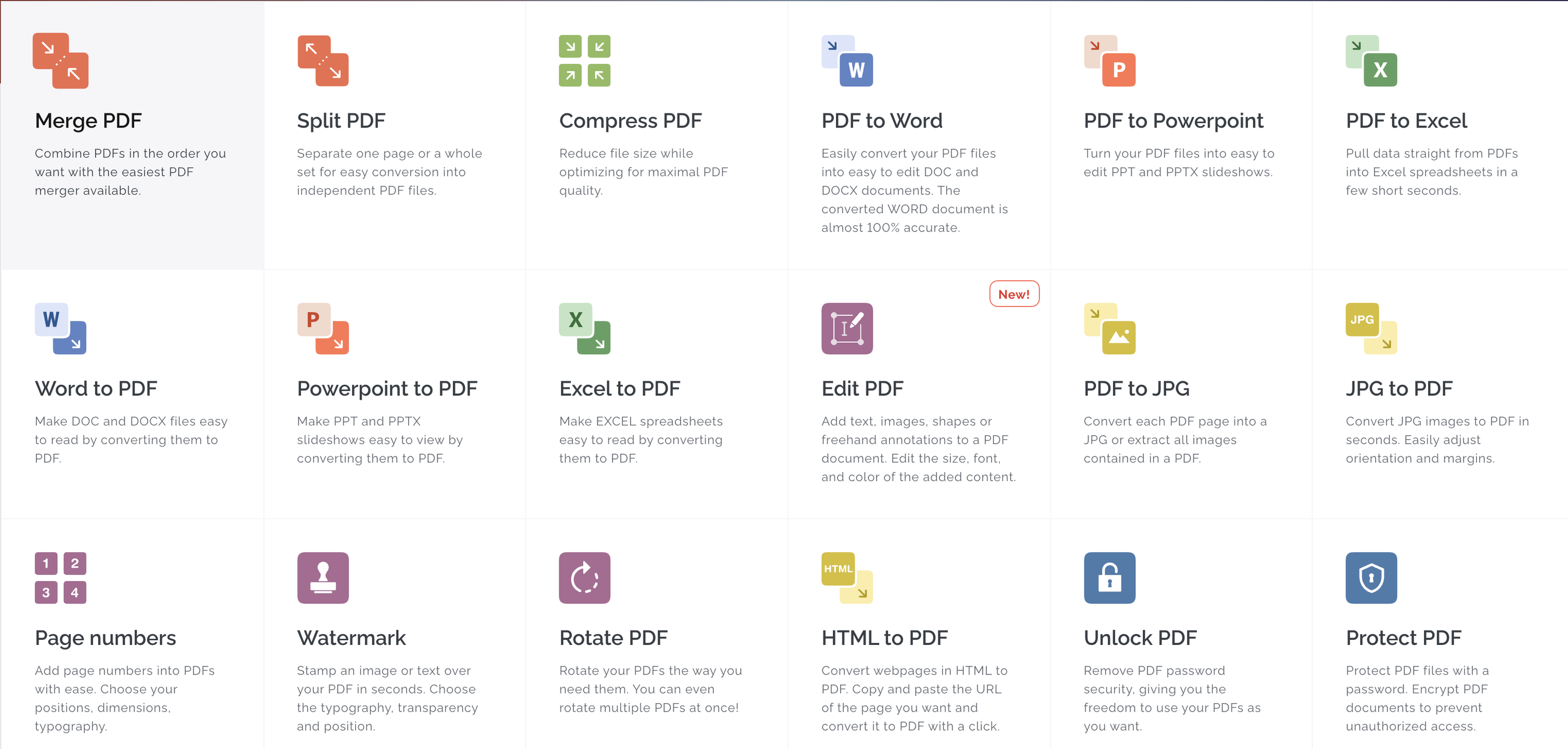
All the tools you need to work with PDFs are in one place. All the tools you need to work with PDFs are at your fingertips. All of them are 100% free and easy to use. With just a few clicks, you can merge, split, compress and convert, rotate, unlock, watermark, and convert PDFs. The easiest PDF merger allows you to combine PDFs in any order you like. You can easily separate pages or entire sets of pages to convert them into PDF files. Optimize for maximum PDF quality while reducing file size. With incredible accuracy, convert PDFs to WORD documents. Convert PDFs to POWERPOINT Sign and certificate PDF documents. Request digital signatures or sign your documents.
API Access
Has API
No
API Access
Has API
Yes


Integrations
Microsoft PowerPoint
Yes
Microsoft Word
Yes
Anything
No
Conext
No
Desktop.com
No
Dropbox
No
Google Chrome
No
Google Drive
No
Microsoft Excel
No
Stackreaction
No
Integrations
Microsoft PowerPoint
Yes
Microsoft Word
Yes
Anything
Yes
Conext
Yes
Desktop.com
Yes
Dropbox
Yes
Google Chrome
Yes
Google Drive
Yes
Microsoft Excel
Yes
Stackreaction
Yes
Pricing Details
No price information available.
Free Trial
Yes
Free Version
No
Pricing Details
$7 per month
Or $60 per year
Free Trial
Yes
Free Version
Yes
Deployment
Web-Based
Yes
On-Premises
No
iPhone App
No
iPad App
No
Android App
No
Windows
No
Mac
No
Linux
No
Chromebook
No
Deployment
Web-Based
Yes
On-Premises
No
iPhone App
Yes
iPad App
Yes
Android App
Yes
Windows
Yes
Mac
Yes
Linux
No
Chromebook
No
Customer Support
Business Hours
No
Live Rep (24/7)
No
Online Support
Yes
Customer Support
Business Hours
Yes
Live Rep (24/7)
Yes
Online Support
Yes
Types of Training
Training Docs
Yes
Webinars
Yes
Live Training (Online)
Yes
In Person
No
Types of Training
Training Docs
Yes
Webinars
No
Live Training (Online)
Yes
In Person
No
Vendor Details
Company Name
axes4
Founded
2015
Country
Switzerland
Website
www.axes4.com/en/software-services/axesword
Vendor Details
Company Name
iLovePDF
Founded
2010
Country
Spain
Website
www.ilovepdf.com
Product Features
Product Features
Digital Signature
Audit Trail
Yes
Authentication
Yes
Auto Reminders
Yes
Customizable Templates
Yes
Document Analytics
No
Mobile Signature
Yes
Multi-Party Signing
Yes
Progress Tracking
Yes
Task Progress Tracking
Yes
Annotations
Yes
Convert to PDF
Yes
Digital Signature
Yes
Encryption
Yes
Merge / Append
Yes
PDF Reader
Yes
Watermarking
Yes
PDF Editors
Access Controls / Permissions
No
Annotations
No
Commenting / Notes
No
Compare Side-by-Side
No
Customizable Branding
No
Delete Pages
No
Electronic Signature
No
Forms Management
No
Full Text Search
No
Merge / Append
No
Offline Access
Yes
Optical Character Recognition (OCR)
No
Rearrange Pages
No
Rotate Pages
No
Watermarking
No
