Average Ratings 0 Ratings
Average Ratings 0 Ratings
Similar Products
-
PaligoPaligo supports teams working with complex technical documentation that needs to grow, adapt, and stay consistent over time. Built specifically for structured content at scale, Paligo enables organizations to treat documentation as a long-term business asset—powered by reuse, automation, and strong content governance. Paligo’s cloud-based CCMS is designed around modular content. Teams can write once, reuse components across multiple outputs, and keep documentation aligned across products, formats, and languages. This reduces manual effort, speeds up updates, and cuts translation overhead, allowing teams to publish faster while minimizing errors. The platform pairs advanced structured authoring capabilities with a modern, approachable interface. This makes Paligo effective for experienced documentation specialists while remaining accessible to contributors across the organization. From creation and collaboration to translation and multichannel delivery, Paligo brings the entire documentation workflow into one controlled environment. Paligo’s purpose is to help organizations move past static, fragmented documentation practices and build content operations that support continuous growth. With Paligo, teams stay in control of complexity and deliver documentation that evolves alongside their business.
-
AdvantageAdvantage is a superior subscription management system that allows you to order products and services with total flexibility. Flexibility allows you to run your business efficiently in the way that you want. You need a market-responsive order-to-cash solution to keep up with the increasing consumer preference for subscription and membership models.
-
Act!Act! Advantage, a full front-office CRM solution with all-new functionality that unites sales, marketing, and customer management in one intuitive, affordable platform, is the culmination of nearly four decades of feedback. Every feature is designed to reflect how today’s SMBs run their businesses and helps them stay organized, attract new customers, and turn relationships into results. Act! Advantage includes the largest injection of new functionality in Act’s history, broadening its footprint across your entire front office, and reducing your need for costly, third-party tools. Additionally, you can select the perfect fit, cost-effective tier to meet your current needs with peace of mind knowing that Act! will grow with you.
-
CareermindsCareerminds helps organizations support their people at every stage of the talent lifecycle through outplacement services, career transition, talent solutions, and job architecture. We partner with HR and business leaders to navigate workforce change, enable growth, and build resilient, future-ready organizations. Founded in 2008, Careerminds operates across 80 languages and 100+ countries, combining global scale with a personalized, high-touch experience. Our unique delivery methodology blends advanced technology, workforce intelligence, and one-to-one coaching to deliver scalable, measurable results. Career transition Outplacement & Executive Outplacement Services: Data-driven outplacement services that help employees transition faster while supporting employers with measurable outcomes, cost efficiency, and brand protection. Workforce Redeployment: Redeployment services that enable internal mobility by aligning skills to business needs, reducing attrition and supporting agility. Job architecture: Career Frameworks: A solution that creates role clarity, defines skill expectations, and supports internal mobility and long-term workforce planning. Workforce Intelligence: A data-driven platform offering insight into skills, roles, and talent trends to support workforce planning and decision-making. Career Enablement: A modern career enablement tool that gives employees visibility into career paths and ownership of their development. Talent solutions: Career Development: A career development program that help employees build skills, grow in their roles, and prepare for future opportunities. Executive & Leadership Coaching: Executive and leadership coaching services that empower leaders to navigate change, strengthen performance, and drive sustainable growth.
-
North OneAmerica's business banking. Better banking was what business builders wanted. North One was born. In minutes, you can open an account. You are responsible for building your business, creating jobs, and serving your community. It's hard work. North One makes it easy to manage the most difficult parts of your business. We're here to help you focus on the road ahead. North One is built for freelancers, small businesses and startups across America. Smart integrations with existing tools allow you to make payments, track your money, and automate your finances. North One was designed to make managing money simple so you can concentrate on running your business. No more branches. No more lines. No more paperwork. Access your North One Account 24/7 from your smartphone or computer. No matter where your business is located, you can access it from anywhere. Automatically create envelopes for taxes, payroll and rent.
-
PBXwarePBXware is the first and most established IP PBX Professional Open Standards Turnkey Telephony Platform. PBXware has been providing flexible, reliable and scalable Next Generation Communication Systems (NGCS) and VoIP solutions to small and medium-sized businesses (SMBs), enterprises and Internet Telephony Service Providers, (ITSPs), call centers and governments around the world since 2004. This is done by combining the best of the latest technologies. Bicom Systems softswitch is available in the Business, Call Center, and Multi-Tenant Editions. Each edition supports specific features that maximize performance, reliability, expandability, and expandability.
-
Grafana CloudGrafana Labs delivers the leading AI-powered observability platform, built around Grafana—the most widely adopted open source technology for dashboards and visualization. Recognized as a Leader in the 2025 Gartner® Magic Quadrant™ for Observability Platforms, Grafana Labs supports more than 25 million users and thousands of organizations worldwide, from startups to Fortune 500 enterprises. Grafana Cloud is the open observability cloud, designed to help engineering teams observe everything and solve anything. Built on open source, open standards, and open ecosystems, it unifies metrics, logs, traces, and profiles in a single platform for full-stack visibility across applications, infrastructure, and digital experiences. At the core is the open-source LGTM stack: Grafana for dashboards and visualization, Mimir for metrics, Loki for logs, and Tempo for distributed tracing. Native OpenTelemetry and Prometheus support allow teams to ingest telemetry from virtually any environment, while hundreds of integrations connect existing tools and data sources without costly rip-and-replace migrations. Grafana Cloud combines powerful analytics with AI-driven observability. Grafana Assistant helps engineers investigate issues, explore telemetry, and troubleshoot faster. Adaptive Telemetry identifies the data that matters most and aggregates the rest, helping organizations reduce telemetry costs while preserving valuable insights . With solutions for Kubernetes monitoring, application observability, digital experience monitoring, incident response, synthetic monitoring, and performance testing, Grafana Cloud delivers a complete observability platform that scales with your business.
-
PostScan MailPostScan Mail is a virtual mailbox service that provides individuals and businesses with a convenient and secure way to manage their postal mail online. With PostScan Mail, users can access their physical mail from anywhere in the world through their digital devices. The service allows users to view and manage their mail, receive notifications of new mail items, forward mail to any address, scan and shred unwanted mail, and even deposit checks remotely. PostScan Mail eliminates the need for physical mailboxes and offers a practical solution for people who are always on the go or live in multiple locations. It is a modern and efficient way to manage your postal mail, making your life easier and more streamlined.
-
LinkSquaresLinkSquares, a web application, is designed to make legal and finance teams more efficient. The AI-powered contract repository automatically extracts key terms from contracts and provides key insights through deep search, custom reports, and analytics. LinkSquares helps high-growth companies save hundreds of hours and thousands in costs by eliminating the need to review contracts manually and requiring outside counsel. LinkSquares analyzes and extracts structured data from every contract. The result is more that a full-text search. LinkSquares provides interactive Dashboards, custom reports, and other tools that help you put your contract data into action. LinkSquares provides automation and insight to every stage of your contract lifecycle. You can draft faster, review faster, and get agreements done sooner. LinkSquares does everything except write contracts for you. (And that's something we're also working on.)
-
BranditScanBranditScan is an advanced platform utilizing artificial intelligence for safeguarding brands and monitoring online content, mainly serving digital creators and businesses to identify and eliminate unauthorized materials. This tool is particularly popular among content creators and influencers active on platforms like OnlyFans or Fansly, as it helps them fight against piracy and impersonation effectively. By leveraging this technology, users can maintain their brand integrity and ensure their work is protected from misuse.
Description
Transform your content for any device, format, and language with remarkable speed and efficiency. Revolutionary. Efficient. Robust. Prepared for the future. Enhance your performance with the cutting-edge 64-bit FrameMaker. Craft engaging, dynamic content featuring unparalleled image management capabilities. Experience a significant boost in the speed of opening and publishing PDF and HTML5 files. Explore new horizons with advanced features that leverage the newest technologies. Begin your journey with XML/DITA authoring in a user-friendly workspace, complete with numerous productivity improvements and additional functionalities. The innovative 64-bit framework allows for a dramatic increase in productivity, accommodating larger, intricate documents with ease. Open files up to 40% quicker than before, and engage with images like never before, benefiting from support for transparency and high-quality imports among other impressive upgrades. Unlock endless opportunities with state-of-the-art technologies, contemporary libraries, and robust Duden hyphenation and spell-checking support, all designed to elevate your content creation experience. Embrace these advancements to maximize your creative potential and streamline your workflow like never before.
Description
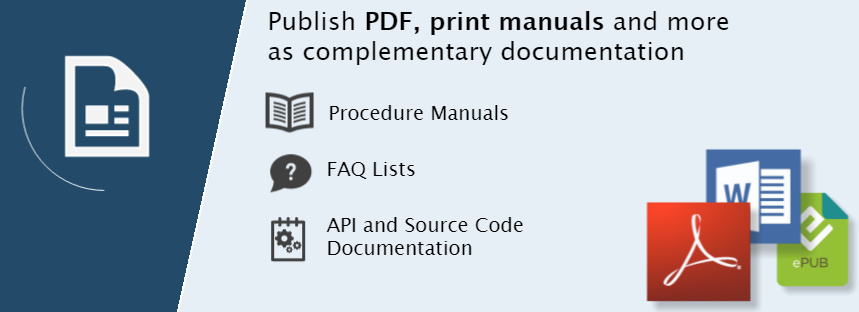
Help+Manual is a fully featured documentation tool. It is as simple as a word processor but much more powerful. It gives you the power and flexibility of an XML editor. This tool also includes powerful features to generate and edit help and documentation files, including full support of multimedia and complex modular projects. It doesn't matter if you want to publish documentation for desktop, mobile, iOS, Android, Windows help, or PDF user manuals. Help+Manual makes it easy! Single source documentation is more than simply putting the same information in different formats. Conditional tags can be used to mark content and create different outputs for each publication channel. No post-processing is necessary. Help+Manual takes care of the complicated aspects of documentation generation. However, power users can access the code to modify topic and layout templates, and much more. Help+Manual offers the best of both worlds.
API Access
Has API
No
API Access
Has API
No



Integrations
XML
Yes
Adobe Photoshop Lightroom Classic
Yes
Adobe RoboHelp
No
Congree
Yes
DeepL
No
Microsoft 365
No
Microsoft Word
No
SnipSVG
No
Visual Studio
No
Integrations
XML
Yes
Adobe Photoshop Lightroom Classic
No
Adobe RoboHelp
Yes
Congree
No
DeepL
Yes
Microsoft 365
Yes
Microsoft Word
Yes
SnipSVG
Yes
Visual Studio
Yes
Pricing Details
No price information available.
Free Trial
No
Free Version
No
Pricing Details
€498 one-time payment
Free Trial
Yes
Free Version
No
Deployment
Web-Based
No
On-Premises
No
iPhone App
No
iPad App
No
Android App
No
Windows
Yes
Mac
No
Linux
No
Chromebook
No
Deployment
Web-Based
Yes
On-Premises
No
iPhone App
Yes
iPad App
Yes
Android App
Yes
Windows
Yes
Mac
No
Linux
No
Chromebook
No
Customer Support
Business Hours
No
Live Rep (24/7)
No
Online Support
No
Customer Support
Business Hours
Yes
Live Rep (24/7)
No
Online Support
Yes
Types of Training
Training Docs
No
Webinars
No
Live Training (Online)
No
In Person
No
Types of Training
Training Docs
Yes
Webinars
No
Live Training (Online)
No
In Person
Yes
Vendor Details
Company Name
Adobe
Founded
1982
Country
United States
Website
www.adobe.com/products/framemaker.html
Vendor Details
Company Name
Help+Manual
Country
Austria
Website
www.helpandmanual.com/index.html
Product Features
Desktop Publishing
For Newspapers / Magazines
Yes
For Printing
Yes
For eBooks
Yes
HTML Import / Export
Yes
Handles Database Formats
Yes
Image Editing
Yes
Multiple Editing Layers
Yes
Object Snapping / Grouping
Yes
PDF Export / Import
Yes
Templates
Yes
Publishing and Subscriptions
Advertising Management
No
Books
No
Campaign Management
No
Catalogs
No
Circulation Management
No
Content Management
No
Layout & Design
Yes
Magazines
Yes
Newsletters
Yes
Newspapers
Yes
Product Features
Help Authoring Tools
Collaboration Tools
No
Content Library
No
Drag & Drop Editing
No
Image Library
No
Import HTML / Word
No
Multi-Format Output
No
Offline Editing
No
Preview Output
No
Screenshot Tool
No
Search
No
Templates
No
Text Editor / Word Processor
No
Translation Tools
No
Version Control
No
Software Documentation
Access Roles / User Permissions
No
Automatic Documentation Generation
No
Collaboration Tools
No
Docs Web Hosting
No
Feedback Capture
No
Markdown Support
No
Multiple Formats Support
No
Multiple Versions Support
No
Version Control
No
WYSIWIG Editor
No
Webhooks
No
reStructured Text Support
No
