Average Ratings 0 Ratings
Average Ratings 6,998 Ratings
Description
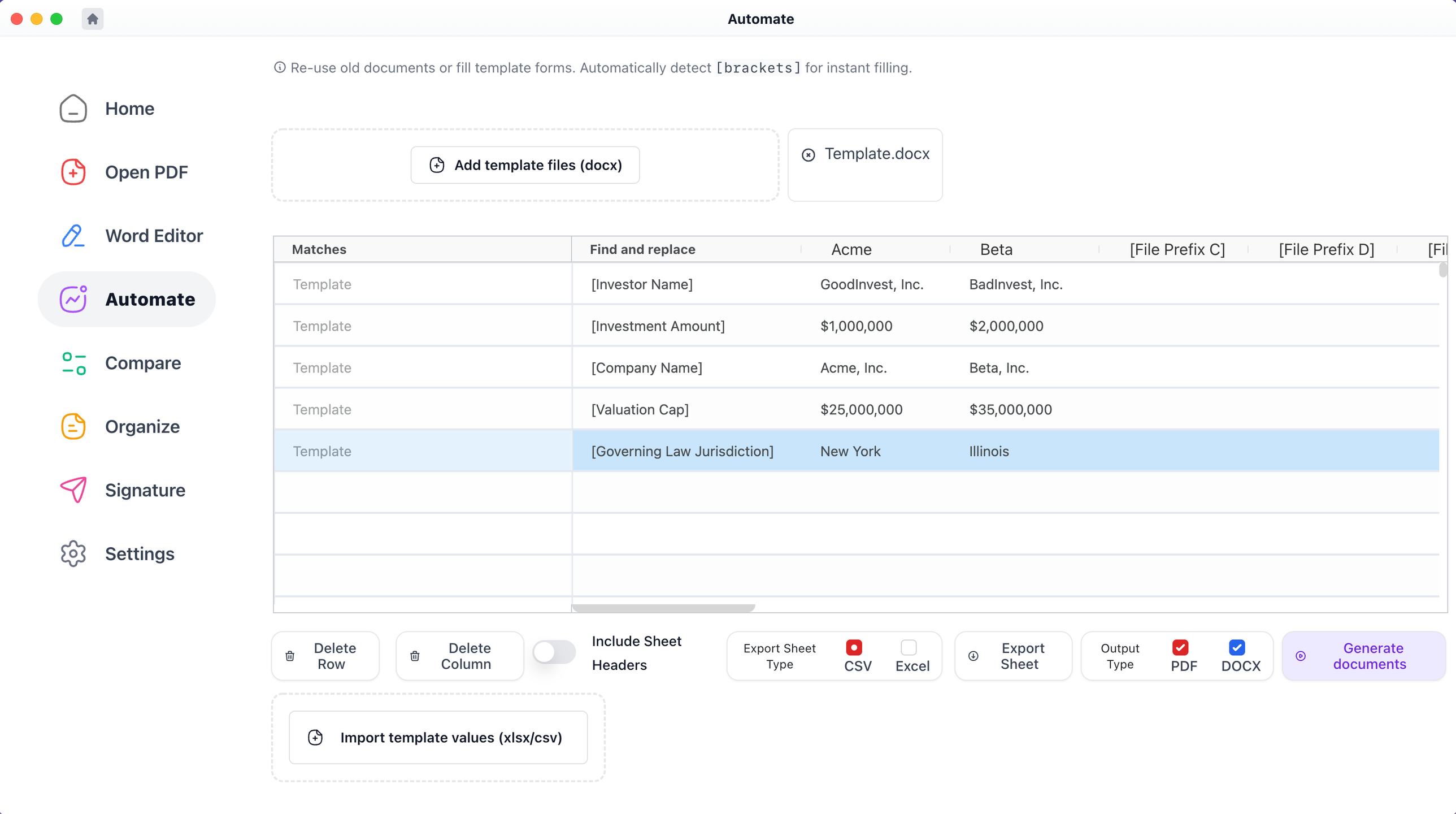
With Macro, users can effortlessly click on any defined term, section, chapter, or clause to access immediate context. You can also compare various files, merge edits from multiple Word and PDF documents into a single version, produce bulk blacklines, and make comparisons with templates. It allows for the generation of files from templates, creating one or several documents simultaneously from a spreadsheet, and enables the combination of PDF and Word files. This service is available for free on both Windows and Mac platforms. From an IT and support standpoint, Macro closely resembles the desktop versions of Adobe Acrobat and Microsoft Word, but it includes extra features tailored for financial and legal processes. This IT documentation unfolds in a chronological order. Additionally, when you click on any defined term highlighted in blue, a popup appears displaying the definition as outlined within the document, and you can access nested popups that facilitate an in-depth understanding of your document without limitation. This functionality significantly enhances user experience, making document navigation more intuitive and efficient.
Description
MobiPDF (formerly PDF Extra) is an intuitive reader and editor that allows you to read, edit, create, OCR, organize, annotate, fill and sign, convert, and share any PDF. This makes MobiPDF an excellent choice for users seeking a budget-friendly alternative to Adobe Acrobat Pro.
HERE’S WHAT YOU GET WITH MOBIPDF:
Multiple Page View Modes: Enjoy a distraction-free "Read Mode".
Advanced Editing Tools: Experience a Word-like PDF editing environment.
Two-Way Conversions: Convert PDFs to and from Word, Excel, PowerPoint, or image formats.
OCR Support: Make scanned documents searchable.
Markup Tools: Highlight, comment, strikethrough, stamp, and more to enhance your documents.
Effortless PDF Organizer: Reorder, compress, split, and combine PDFs with ease.
Sign & Secure: Add signatures, create and fill forms, and protect your PDFs with passwords, encryption, and digital certificates.
Offline Mode: Work freely on your projects, even offline.
Seamless translation: One-click translate any PDF into 50+ languages.
API Access
Has API
API Access
Has API


Integrations
Box
Dropbox
Google Drive
Microsoft OneDrive
Microsoft Word
MyWorkDrive
Yandex Disk
Integrations
Box
Dropbox
Google Drive
Microsoft OneDrive
Microsoft Word
MyWorkDrive
Yandex Disk
Pricing Details
$49 per user per month
Free Trial
Free Version
Pricing Details
$49.99
Free Trial
Free Version
Deployment
Web-Based
On-Premises
iPhone App
iPad App
Android App
Windows
Mac
Linux
Chromebook
Deployment
Web-Based
On-Premises
iPhone App
iPad App
Android App
Windows
Mac
Linux
Chromebook
Customer Support
Business Hours
Live Rep (24/7)
Online Support
Customer Support
Business Hours
Live Rep (24/7)
Online Support
Types of Training
Training Docs
Webinars
Live Training (Online)
In Person
Types of Training
Training Docs
Webinars
Live Training (Online)
In Person
Vendor Details
Company Name
Macro
Founded
2020
Country
United States
Website
www.macro.com
Vendor Details
Company Name
MobiSystems
Founded
2001
Country
United States
Website
mobisystems.com/mobipdf
Product Features
Document Generation
Batch Processing
Collaboration
Digital Signature
Interaction Tracking
Multiple Output Formats
Templates
PDF Editors
Access Controls / Permissions
Annotations
Commenting / Notes
Compare Side-by-Side
Customizable Branding
Delete Pages
Electronic Signature
Forms Management
Full Text Search
Merge / Append
Offline Access
Optical Character Recognition (OCR)
Rearrange Pages
Rotate Pages
Watermarking
Product Features
Annotations
Convert to PDF
Digital Signature
Encryption
Merge / Append
PDF Reader
Watermarking
PDF Editors
Access Controls / Permissions
Annotations
Commenting / Notes
Compare Side-by-Side
Customizable Branding
Delete Pages
Electronic Signature
Forms Management
Full Text Search
Merge / Append
Offline Access
Optical Character Recognition (OCR)
Rearrange Pages
Rotate Pages
Watermarking
