Average Ratings 0 Ratings
Average Ratings 0 Ratings
Similar Products
-
EurekosEurekos is the customer training LMS built to educate the world outside your organization – partners, distributors, resellers and the networks beyond. Most companies spend years perfecting their product or service, then hand customers a repurposed employee training course and hope for the best. When those customers churn, the product gets the blame. Usually, the training is the problem. Eurekos fixes that. We help you turn training from a cost into a growth engine. The ability to sell courses, accreditations and learning paths directly through the platform doesn’t just help retain business. It transforms customer education into a revenue stream. The same thinking runs through the entire platform – in how Saga AI adapts every learning journey to the individual, in how training portals can be customized to different customers and regions, and in how we work with you long after you go live. Eurekos Product Features:•Saga AI –Saga AI delivers contextual knowledge discovery, automated content creation and adaptive learning paths that adjust to each learner's behavior and progress. • Learning journeys and adaptive paths – Build any training path imaginable.• Built-in course authoring – 40+ customizable, interactive authoring tools built directly into the LMS. • Certification and accreditation – Create, manage and track complex certification programs with full automation..• Security and compliance – ISO/IEC 27001 & 27701 certified. • Unlimited branded portals – Deploy separate, fully branded learning environments for different cust. segments, partners or regions.• eCommerce • Mobile learning – Native mobile app for iOS and Android.• Global reach – 195+ languages with full localization support. Cloud and on-premise options.• Integrations and API – Open API & 40+ integrations
-
CrankWheelCrankWheel allows you to share your screen while on a call. This makes it easy to create engaging presentations. You can send a link via email or SMS to the viewer and they will be able to view it in any browser on any device. CrankWheel was designed for simplicity and can be shared with customers to facilitate business deals. CrankWheel can be used to complement calls from insurance agents, mortgage advisors and solar advisors as well as educators and customer support specialists. CrankWheel is easy to integrate with websites and allows users to add a Demo button to receive quick notifications. We can show you if they are paying attention. Our Chrome Extension has enabled over 50,000 users to share their screens with prospects, regardless of their technical skills or device choice. CrankWheel can be used on old browsers and obscure devices, even with poor network connections. It works on Mac, Android, iOS, Blackberries, Internet Explorer, and Android.
-
ClickLearnClickLearn simplifies complex business processes using popular software. You can create multi-format learning materials in any language and publish them to a 24/7 learning portal with just one click. A video walkthrough of the process, with narration in your preferred language. Put your learning to the test. This interactive simulation of your workplace allows you to test your knowledge without any hints. Interactive simulation of your workplace environment that guides you through the process. This guide is step-by-step. ClickLearn wrote this guide with perfectly cropped screenshots. ClickLearn Assist can be your go-to helper when you are stuck, need process help, or want to try a new process in the live system. You don't have to worry about making another mistake. All your learning materials can be auto-translated with a click of a button
-
PipefyPipefy is a low-code Business Orchestration and Automation Technologies (BOAT) platform designed to act as a modern middleware layer for the enterprise stack. Rather than replacing existing Systems of Record (SORs) like SAP, Oracle, or Salesforce, Pipefy wraps them in an agile orchestration layer. This architecture allows technical teams to modernize legacy operations and extend the life of core systems without the risks associated with "rip and replace" projects. Pipefy provides the infrastructure to sanitize data inputs, manage complex business logic, and orchestrate API calls between fragmented endpoints. Technical & Architectural Highlights: • Adaptive Governance Framework: Pipefy solves the "Shadow IT" problem by establishing IT-sanctioned "Safe Zones." Business users can build workflows within these guardrails, while IT retains control over critical data, integrations, and permissions via a centralized console. • Agentic AI Engine (BYOLLM): The platform features a governable AI Agent Studio. Unlike "black box" solutions, Pipefy supports a Bring Your Own LLM approach, allowing enterprises to integrate preferred models (Azure OpenAI, AWS Bedrock) securely to automate document analysis (OCR) and decision-making. • Robust Connectivity: Built with an API-first philosophy, Pipefy offers a GraphQL API, Webhooks, and enterprise-grade iPaaS capabilities to ensure seamless data interoperability across the stack. • Security & Compliance: Engineered for regulated industries, the platform is ISO 27001, ISO 27701, and SOC2 Type II certified, supporting compliance with GDPR and SOX standards. Pipefy empowers IT leaders to eliminate technical debt and clear development backlogs by safely delegating low-complexity builds to business units.
-
RunMyJobs by RedwoodRunMyJobs by Redwood is the only SAP endorsed and premium-certified and the most awarded SAP-certified SaaS workload automation platform and only allowing enterprises to achieve end-to-end IT process automation and unify complex across any application, system or environment without limits and with high availability as you scale. We're the #1 job scheduling choice for SAP customers with seamless integration to S/4HANA, BTP, RISE, ECC and more while maintaining a clean core. Empower teams with seamless integration with any present and future tech stack, a low-code editor and a rich library of templates. Monitor processes in real-time with predictive SLA management and get proactive notifications via email or SMS on performance issues or delays in all your processes. Redwood team provides 24/7/365 day global support with the industry’s strongest SLAs and 15-minute response times and a proven approach to migration that secures continuous operations, including team training, on-demand learning and more.
-
Iris Identity ProtectionIris provides integration-ready identity and cyber protection solutions that help organizations add powerful customer security capabilities directly into their existing products — without building from scratch. Designed for modern digital platforms, Iris makes it easy to embed identity protection into apps, portals, and customer experiences at scale. Identity Protection API Iris’ API suite delivers a multitude of protection solutions—including dark web monitoring & alerts, credit services, risk assessment tools, device protection, and more—into your platform. Teams can fully control the user experience, data flows, and customer journeys while leveraging Iris’ underlying technology and data aggregation. Micro-Experiences Prebuilt, customizable UI components that can be embedded directly into your application. These lightweight modules allow teams to quickly deploy identity protection features — such as alerts, dashboards, and monitoring tools — with minimal development effort. Built for flexibility, Iris supports multiple integration approaches, enrollment methods, and data handling models, so organizations can choose how information flows between users, their systems, and Iris. The platform is designed to scale across large user bases while maintaining strong security and performance standards. By making identity protection a native part of the user experience, Iris helps organizations increase engagement, strengthen trust, and deliver meaningful, always-on protection to their customers.
-
ShiftShift puts you in control of your browser. Arrange apps, bars, and controls exactly where you want them, building a personalized workspace that works around you — not the other way around. Connect over 1,500 web apps, jump between dedicated Spaces for work, side hustles, and personal browsing, and manage multiple accounts without ever logging in and out. As a pioneer in carbon-neutral browsing, Shift is committed to rethinking what a browser can be — for the people who use it and the world they live in. Started in Victoria, British Columbia in 2016, Shift is a Certified B Corp and proud member of the Redbrick portfolio. What you can do with Shift: - Build your browser: Design a layout tailored to how you use the internet. - Create Spaces: Keep work, side hustles, and passion projects in their own lane. - Integrate Apps: Bring your favorite web apps together in one place. - Templates: Pick from 6 ready-made layouts to get started fast. - Shift AI: A built-in AI assistant that helps you get more done across every tab and app.
-
BridgeBridge is an easy-to-use LMS with employee development built in. Uniquely combining learning management, career and skill development, and performance and talent management all in one easy-to-use solution, it helps organizations stay on top of upskilling without administrative overwhelm. With Bridge, you can easily consolidate your learning tech stack, resulting in streamlined training and development programs, saved admin time, and a more engaging experience for employees and managers alike. You have the option of using the fully integrated Talent Suite, or choosing only the stand-alone products below: Bridge LMS: Simple, effective, and hassle-free learning. Admins quickly create and distribute compliance courses, employee learning, partner and customer education, and skill-building programs across teams. Learners easily find everything they need in one place. Bridge Performance Management: With 1on1 tools, talent reviews, skills mapping, and performance analytics, Bridge moves your team beyond completion rates, giving leaders the insights they need to cut skills gaps, and align talent with business goals. Bridge Skills Management Software: With a clear view of skills mastery across your organization, AI-powered skills mapping and personalized development plans, Bridge helps your workforce build tomorrow’s skills today. Real-time labor market data from Lightcast helps you create a skills taxonomy fit for the future. With courses auto-tagged with the right skills and courses automatically recommended to your learners, upskilling stays on track year round. Plus, peer-to-peer learning and skills mentoring is effortlessly facilitated right in the platform.
-
JotformTrusted by over 25 million users worldwide, Jotform is an all-in-one platform that simplifies data collection, workflow automation, and online sales, all without coding. With Jotform’s drag-and-drop Form Builder, businesses can create customized forms and surveys to collect leads, contact information, payments, appointments, and e-signatures with ease. Choose from over 10,000 templates for everything from feedback surveys to registration forms, or build your own from scratch. Jotform's advanced features, such as conditional logic, autoresponders, and over 200 integrations, further streamline processes. In addition, Jotform's AI-powered Agents offer real-time customer support by guiding users through the form submission process, answering questions, and ensuring a smooth experience, all while reducing the need for manual intervention. With Jotform’s Store Builder, you can also set up an online store, sell products, services, and subscriptions, collect donations, and receive payments through 30+ supported payment gateways. Finally, Jotform’s tools like Approvals, PDF Editor, and Report Builder help businesses transform collected data into actionable insights and automate workflows for even greater efficiency.
-
Process StreetProcess Street is the Compliance Operations Platform built for teams that need to move fast without breaking standards. It combines document control, workflow automation, and AI-powered oversight in a single system so every policy is followed, every step is tracked, and every audit is effortless. Unlike legacy GRC tools or static SOP docs, Process Street turns compliance into a living system. Policies are documented in governed, version-controlled Pages. Those policies are executed through dynamic workflows with built-in task assignment, approvals, and forms. Every action is logged, monitored, and optimized in real time by Cora, our AI compliance agent. Used across industries like financial services, real estate, healthcare, and manufacturing, Process Street helps teams automate employee onboarding, streamline audits, manage policy updates, enforce vendor reviews, and run critical processes at scale. No code required. No micromanagement. Just proof that work gets done right, every time. Companies like Salesforce, Colliers, Drift, and Hartford Healthcare trust Process Street to eliminate busywork, improve operational visibility, and reduce compliance risk across the business. With native integrations, role-based access, audit trails, and ISO-aligned workflows, it is the platform that makes compliance a competitive advantage. From onboarding to audits, Process Street is how high-stakes teams enforce standards, automate execution, and prove compliance by default.
Description
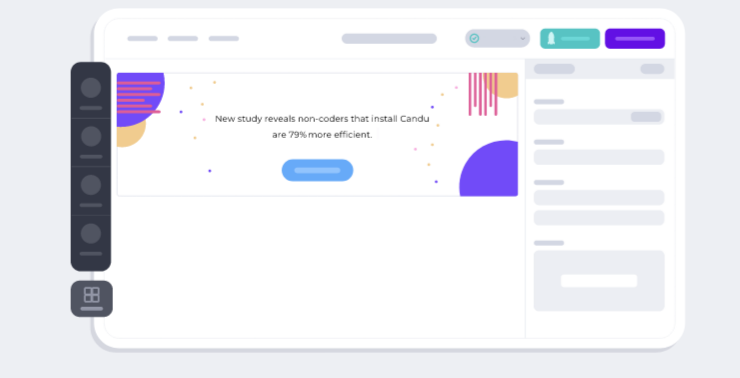
Create engaging user experiences effortlessly with custom UI components, all without needing any coding skills. Kickstart your UI design journey using a pre-made template that you can personalize to reflect your brand. Our editor aligns perfectly with your style guide for a cohesive look. Preview your creations using Candu for Chrome, allowing you to serve tailored experiences to various users and analyze effectiveness through our robust analytics engine. Unlike other solutions that layer components onto your product, Candu integrates them directly, ensuring a seamless experience. Empower your entire team to craft enjoyable user interactions with ease. Whether you prefer starting with a template or designing from the ground up, we provide all the tools you need! Utilize a simple drag-and-drop interface to create user experiences that enhance customer onboarding, drive feature adoption, and more. Candu's intuitive WYSIWYG editor gives you the platform to bring your UX vision to life in just minutes, allowing you to effortlessly design stunning in-product experiences without writing a single line of code. Explore our extensive template gallery to kick off your design process today and transform the way your users engage with your product.
Description
Merge technology is a revolutionary way to speed up product development. UI designers and developers can create consistent interfaces with the same building blocks. Create prototypes that feel like the final product. Use our design tool to get creative or use hundreds of pre-built UI elements. Integrate with Storybook, Git repo or NPM package to access code components directly from your website, app, or design system. You can design with the exact same UI components that developers use to build products. You don't need to know any coding skills - drag and drop the elements. Design inclusive products that conform to WCAG standards. Your prototypes can be tested with built-in features such as the Contrast Checker or Color Blindness Simulator. Your prototypes will be able to replicate the final product experience during usability testing thanks to Auto Layout, States, Variables and Conditional Interactions.
API Access
Has API
No
API Access
Has API
No



Integrations
ADEVI
No
Desktop.com
No
Ketch
Yes
Miro
No
Rambox
No
Shift
No
Sketch
No
Integrations
ADEVI
Yes
Desktop.com
Yes
Ketch
No
Miro
Yes
Rambox
Yes
Shift
Yes
Sketch
Yes
Pricing Details
No price information available.
Free Trial
Yes
Free Version
Yes
Pricing Details
$19 per month
Free Trial
Yes
Free Version
No
Deployment
Web-Based
Yes
On-Premises
No
iPhone App
No
iPad App
No
Android App
No
Windows
No
Mac
No
Linux
No
Chromebook
No
Deployment
Web-Based
Yes
On-Premises
No
iPhone App
No
iPad App
No
Android App
No
Windows
No
Mac
No
Linux
No
Chromebook
No
Customer Support
Business Hours
No
Live Rep (24/7)
Yes
Online Support
Yes
Customer Support
Business Hours
Yes
Live Rep (24/7)
No
Online Support
Yes
Types of Training
Training Docs
Yes
Webinars
Yes
Live Training (Online)
Yes
In Person
Yes
Types of Training
Training Docs
Yes
Webinars
Yes
Live Training (Online)
Yes
In Person
Yes
Vendor Details
Company Name
Candu
Country
United States
Website
www.candu.ai/
Vendor Details
Company Name
UXPin
Country
United States
Website
www.uxpin.com
Product Features
Digital Adoption Platforms
Audience Segmentation
No
Content Creation
No
Contextual Guidance
No
Data Validation
No
In-App Training
No
Launch Management
No
Multi-Language
No
Self Service Tools
No
Surveys & Feedback
No
User Onboarding
No
UX
Animation
No
For Mobile
No
For Websites
No
Heatmaps
No
Prototyping
No
Screen Activity Recording
No
Unmoderated Testing
No
Usability Testing
No
User Journeys
No
User Research
No
Product Features
UX
Animation
Yes
For Mobile
No
For Websites
No
Heatmaps
Yes
Prototyping
Yes
Screen Activity Recording
Yes
Unmoderated Testing
Yes
Usability Testing
No
User Journeys
No
User Research
No
Wireframe
Collaboration
Yes
Desktop Interface
No
Drag & Drop
Yes
Feedback Management
Yes
Interactive Elements
Yes
Mobile Interface
Yes
Mockup Creation
Yes
Page Linking
Yes
Presentation Tools
Yes
Prototype Creation
Yes
Revision History
Yes
Screen Capture
No
Wireframe Creation
Yes
