Average Ratings 0 Ratings
Average Ratings 0 Ratings
Similar Products
-
ScreencaptScreencapt allows you to record the entire screen or a selected area. You can also record a specific window. Screencapt is the ideal screen recorder because of its flexibility. Using the integrated audio recording you can also add your commentary or system sound directly into the screen recording. This is particularly useful when creating explanation videos or presentations. Screencapt's ability to record a webcam is a special feature. You can now add your comments and reactions to the video. This makes your screen recordings more personal and professional. Screencapt offers advanced options to record the cursor. You can choose to hide the cursor or add special effects to highlight specific actions. This is especially useful for software tutorials and demonstrations where a clear cursor view is required.
-
Curtain MonGuard Screen WatermarkCurtain MonGuard Screen Watermark is an enterprise solution for displaying screen watermarks that administrators can enable on users' computers. This screen watermark can display various user information, such as the computer name, username, and IP address. The purpose of this watermark is to effectively grab the user's attention and serve as a reminder before they take a screenshot or photograph the screen to share the information with others. The key benefit of Curtain MonGuard is that it encourages users to "think before sharing" sensitive information. If the content being shared contains confidential company data, the watermark can help trace the source of the leaked information back to the user responsible. This allows organizations to hold users accountable and mitigate the consequences of data breaches or unauthorized information sharing. Key features: - On-screen watermark - Full screen-watermark - Application screen-watermark - Supports over 500 Applications - Self-defined content of watermark - Screen-watermark by condition - Central administration - Integration with Active Directory - Uninstall password for client - Password management - Admin delegation - Self protection for the software
-
Thinfinity WorkspaceThinfinity Workspace 7.0's Technical Highlights: - Progressive Web App (PWA) technology for a seamless user experience - Integrated Thinfinity VNC, VirtualUI, and z/Scope for maximum versatility - HTML5 terminal emulation supporting DEC terminals, TN 5220, and TN 3270 protocols - Robust enterprise-grade audit logs for security and compliance management - Proprietary VNC protocol for real-time monitoring and troubleshooting IMPROVE USER EXPERIENCE - Deliver business-critical apps, desktops and files from a single web portal. - Provide simplified remote browser access for your users, while confining them to only the resources that they need. SIMPLIFY IT AND AVOID VPNs - Forget traditional VPN deployments and complexities. - Enable access from Chromebooks, mobile devices or any computer with a Web Browser. Zero setup. KEEP YOUR BUSINESS SECURE - Use enterprise-grade encrypted connections. - Integrate with your existing and external identity platforms. - Apply 2FA or MFA policies with all identity providers.
-
GaffaGaffa is a REST API built for web scraping and browser automation, allowing developers to run real, full browsers at scale with a single API call. It removes the difficulty of managing headless browser frameworks, rotating proxies, CAPTCHA solving, and scaling infrastructure, all of which are handled automatically. JavaScript-heavy and dynamic websites render exactly as they would for a human visitor by default. Beyond standard scraping, Gaffa supports AI-driven structured data extraction (extract data into a defined schema without writing CSS selectors), screenshot and PDF capture, infinite-scroll and form-filling automation, and clean Markdown conversion for feeding webpages directly into LLM and RAG pipelines. A rotating residential proxy network keeps access reliable across regions, and a credit-based pricing model means teams pay only for the browser time and bandwidth they actually use. Gaffa is designed for AI engineers, data teams, and developers who want production-grade web data extraction without having to build and maintain their own infrastructure.
-
HubstaffTake productivity to new heights with Hubstaff! Hubstaff offers time-tracking apps for your desktop, web browser, or mobile device. Once you start tracking time to a task, Hubstaff will quietly run in the background as you work, consuming virtually no resources. You can easily switch between tasks or stop tracking with just a few clicks. Tracking your team's efficiency can be a challenge, but we've equipped Hubstaff with several great features to help you determine how they perform. Hubstaff works best when you have clear expectations for your team. It helps you determine each team member's average productivity levels to identify improvements or declines in their performance over time. In other words, the more you use Hubstaff, the better the results you'll get. Available for Mac, Windows, Linux, iOS & Android.
-
ClickLearnClickLearn simplifies complex business processes using popular software. You can create multi-format learning materials in any language and publish them to a 24/7 learning portal with just one click. A video walkthrough of the process, with narration in your preferred language. Put your learning to the test. This interactive simulation of your workplace allows you to test your knowledge without any hints. Interactive simulation of your workplace environment that guides you through the process. This guide is step-by-step. ClickLearn wrote this guide with perfectly cropped screenshots. ClickLearn Assist can be your go-to helper when you are stuck, need process help, or want to try a new process in the live system. You don't have to worry about making another mistake. All your learning materials can be auto-translated with a click of a button
-
PDF GuruEasily convert, edit, merge, and compress your PDF files with just a few simple clicks. You can quickly download your document without any hassle, as our PDF converter generates files in mere seconds! To ensure the safety of your digital information, we implement HTTPS encryption while you create PDF files on our site. You can redact PDFs, alter text, insert new elements, and engage in various other tasks, all from a single platform. Our user-friendly interface is designed for seamless navigation, allowing you to utilize our PDF creator with minimal effort. Compatible with every major operating system, our online PDF maker functions flawlessly on Windows, Mac OS, Linux, iOS, and Android. For those who wish to maintain privacy, you have the option to secure your file by locking or restricting access, preventing others from opening, editing, or printing it. This comprehensive tool simplifies your document management and enhances your productivity.
-
LALAL.AILALAL.AI helps musicians, producers, video editors, podcasters, and businesses get separate parts out of finished recordings. Upload a song, video, or voice recording, choose what you need, and get back separate tracks: vocals, instrumental, drums, bass, electric and acoustic guitar, piano, synthesizer, strings, wind instruments, or speech without background noise. Beyond music separation, LALAL.AI handles common voice tasks: removing background noise, mic rumble, and plosives from voice recordings, reducing echo and reverb in speech and vocals, splitting lead and backing vocals, and changing a voice with licensed voice packs or a personal voice clone made from your own recordings. You can use the service in a browser, in desktop apps for Windows, macOS, and Linux, and in mobile apps for iOS and Android. Pro subscribers also get three plugins for their DAW: Stem Separator, Speech Cleaner, and Voice Dereverb. They process audio on your own computer, so files are not uploaded. Teams working with large volumes of content can automate stem separation, voice cleaning, and voice changing through the REST API, or request a business solution with high-volume processing and dedicated support. Typical business use cases include localization and dubbing, video production, podcast post-production, and music production. A free Starter plan lets you test the service and preview results. Paid Lite and Pro subscriptions are designed for regular use.
-
Monitask🚀 Supercharge Your Team's Productivity! 🚀 Introducing the ultimate productivity hack for the modern workforce. Whether your squad is crushing it in the office, remote, or rocking that hybrid life, we've got you covered. 📊 What's in the box? Smart Time Tracking: Auto clock-in/out. No more "I forgot" excuses! Random Screenshots: Catch those Insta-scrolling moments Web Detective: Know if they're coding or... "coding" 😉 Real-time Mission Control: See who's winning at work Ninja Mode: Stealth monitoring for the win Perfect for: Startups, agencies, outsourcing pros, and corporate giants 💡 Why it's awesome: Turn productivity data into team superpowers Spot workflow kryptonite and zap it Keep it ethical: Privacy for employees, insights for you 🕵️ Ninja Mode: Psst! Our stealth feature lets you observe natural work habits. It's like having a productivity crystal ball! 🔒 Fort Knox-level security included. Because we're paranoid, so you don't have to be. Ready to transform your team into productivity superheroes? Let's go! 🦸♂️🦸♀️
-
ISL Light Remote DesktopISL Light is a remote desktop software that is easy to use for security-conscious users. It offers great value-performance. ISL Light is a powerful tool for IT staff and support personnel to solve problems remotely via remote support, unattended access, or screen-sharing from mobile devices. It is cross-platform and provides 256-bit encrypted sessions, all the standard remote access features, as well as session recording, chat, videocall and multi-monitor support, file transfers, reporting, and many other important extras. Users can choose between cloud and on-premise services. ISL Online license doesn't limit the number or workstations of clients, users, and users you can support. It is a reliable, highly secure software that can be used in all industries, including banks, hospitals, government institutions, and insurances.
Description
BaseShot is a versatile application designed for desktop screenshot and screen recording on both Windows and macOS platforms, offering optional cloud sharing features tailored for team collaboration. Users can capture specific areas, entire windows, full screens, or even scrolling pages, and enhance their screenshots with various annotation tools such as arrows, text, highlights, numbered steps, redactions, and custom backgrounds. The app allows for video recording that integrates camera, microphone, and system audio, while features like automatic zoom on clicks, cursor effects, and local captions aid in creating easily understandable recordings. Users can export their recordings in MP4 or GIF formats with resolutions reaching up to 4K, and the built-in text recognition feature enables convenient copying of text from images. Additionally, BaseShot Cloud enhances functionality with searchable storage, AI-generated titles, summaries, chapters, and transcripts; it also provides secure shareable links with options for password protection or restricted team access, along with interactive features such as comments, emoji reactions, and viewer activity insights. Notably, recordings can be integrated into Slack for seamless sharing within teams. Many teams are leveraging BaseShot for various purposes including product demonstrations, bug reporting, visual documentation, and facilitating asynchronous feedback among members. The desktop application for both Windows and Mac is available for free and allows users to export their content without any watermarks, making it an accessible solution for professionals and teams alike.
Description
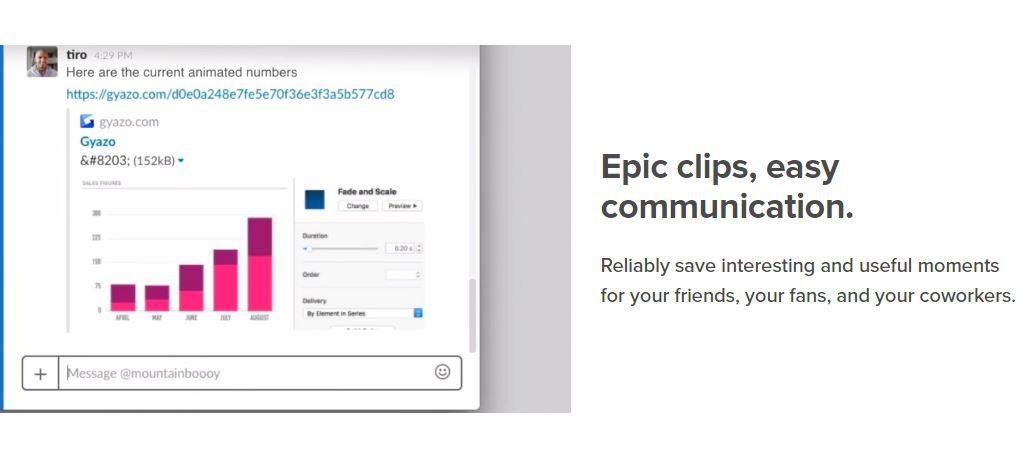
Capture screenshots, GIFs, and replays that are immediately shareable, ensuring you don’t miss any important moments on your screen. Once you’ve made your captures, we generate and copy a unique private link that’s ready for you to paste and share without delay. This allows you to reliably save intriguing and useful moments for your friends, fans, and colleagues alike. Each capture, along with its relevant details, is securely stored in your account for easy access. By upgrading to Gyazo Pro, you can efficiently search and organize all your captures. Whether it's a screenshot or a GIF, it serves as an ideal means to convey what you see. New links for screenshots are automatically copied, enabling you to share them instantly across various platforms. Sometimes, written explanations can lack clarity or take too long; sending a screenshot or GIF communicates your message with perfect clarity. There’s a constant demand for fresh content on blogs, social media, and websites; capture and edit your visuals in mere seconds to create impactful content ready for immediate posting. Every item you capture is privately tagged, making it simple for you to locate in the future, enhancing your ability to engage and connect with your audience effectively. As you continue to collect these visuals, you’ll find that sharing and creating becomes an effortless part of your workflow.
API Access
Has API
Yes
API Access
Has API
No


Integrations
Centercode
No
Claude
Yes
Claude Code
Yes
Codex CLI
Yes
Cursor
Yes
Google Cloud Platform
No
MCPTotal
No
Microsoft 365
No
Model Context Protocol (MCP)
Yes
OpenCode
Yes
Integrations
Centercode
Yes
Claude
No
Claude Code
No
Codex CLI
No
Cursor
No
Google Cloud Platform
Yes
MCPTotal
Yes
Microsoft 365
Yes
Model Context Protocol (MCP)
No
OpenCode
No
Pricing Details
$6/user/month
The Windows and Mac desktop app is free forever. BaseShot Cloud costs $6 per person per month and renews monthly until canceled. Each seat includes 50 GB of storage and 600 transcription minutes per month, plus sharing links, searchable captures, AI titles, summaries and chapters, comments, and team workspaces.
Free Trial
No
Free Version
Yes
Pricing Details
$3.99 per month
Free Trial
No
Free Version
Yes
Deployment
Web-Based
Yes
On-Premises
No
iPhone App
No
iPad App
No
Android App
No
Windows
Yes
Mac
Yes
Linux
No
Chromebook
No
Deployment
Web-Based
Yes
On-Premises
No
iPhone App
No
iPad App
No
Android App
No
Windows
Yes
Mac
No
Linux
No
Chromebook
No
Customer Support
Business Hours
No
Live Rep (24/7)
No
Online Support
Yes
Customer Support
Business Hours
No
Live Rep (24/7)
No
Online Support
Yes
Types of Training
Training Docs
Yes
Webinars
No
Live Training (Online)
No
In Person
No
Types of Training
Training Docs
Yes
Webinars
No
Live Training (Online)
No
In Person
No
Vendor Details
Company Name
BaseShot
Founded
2026
Website
baseshot.io
Vendor Details
Company Name
Gyazo
Founded
2007
Country
United States
Website
gyazo.com/en
Product Features
Screen Recording
Annotations / Drawing
No
Audio Capture
No
Backup
No
Collaboration Tools
No
File Sharing
No
Multi-Screen Recording
No
Screen Capture
No
Speech-to-Text
No
Video Editing
No
YouTube Uploading
No
Product Features
Screen Recording
Annotations / Drawing
No
Audio Capture
No
Backup
No
Collaboration Tools
No
File Sharing
No
Multi-Screen Recording
No
Screen Capture
No
Speech-to-Text
No
Video Editing
No
YouTube Uploading
No
Alternatives
No Alternatives

