Adobe Acrobat
4.5 out of 5 starsiLovePDF
5.0 out of 5 starsAverage Ratings 8,461 Ratings
Average Ratings 1 Rating
Description
Adobe Acrobat is an all-in-one PDF productivity and e-signature platform and one of the leading enterprise document platforms that scales for global teams — designed to simplify document creation, editing, collaboration, and protection. Users can edit text and images directly within PDFs, reorganize pages, and compare file versions to quickly identify changes. The software enables fast conversion between PDFs and common file formats such as Microsoft Word, Excel, PowerPoint, and image files. Integrated e-signature capabilities allow businesses to collect legally binding signatures and track responses securely. With Acrobat Studio, Adobe Acrobat expands beyond core PDF and e‑signature tasks into an AI‑powered workspace for document insight, content creation, and collaboration.Acrobat AI Assistant adds intelligent document support by summarizing content, generating insights, and answering contextual questions with cited references. PDF Spaces creates a collaborative workspace where teams can centralize files, comments, and AI-driven guidance. Built-in protection tools safeguard documents with encryption, permissions, and redaction features. Mobile apps such as Acrobat Reader and Adobe Scan ensure access and editing capabilities from anywhere. Designed for individuals, students, and enterprises, Adobe Acrobat helps reduce document processing time and improve overall productivity.
Description
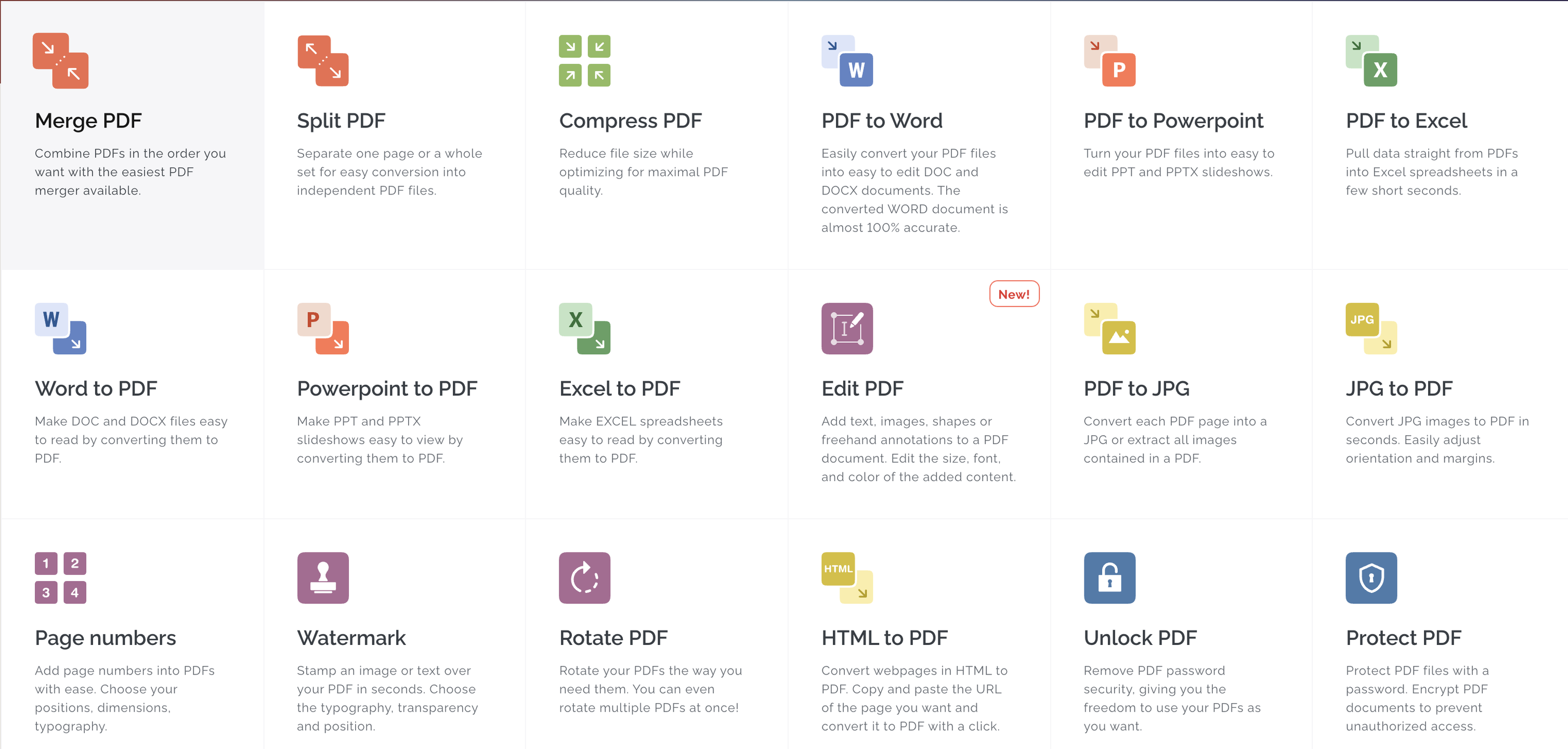
All the tools you need to work with PDFs are in one place. All the tools you need to work with PDFs are at your fingertips. All of them are 100% free and easy to use. With just a few clicks, you can merge, split, compress and convert, rotate, unlock, watermark, and convert PDFs. The easiest PDF merger allows you to combine PDFs in any order you like. You can easily separate pages or entire sets of pages to convert them into PDF files. Optimize for maximum PDF quality while reducing file size. With incredible accuracy, convert PDFs to WORD documents. Convert PDFs to POWERPOINT Sign and certificate PDF documents. Request digital signatures or sign your documents.
API Access
Has API
Yes
API Access
Has API
Yes


Integrations
Desktop.com
Yes
Dropbox
Yes
Google Drive
Yes
Microsoft Word
Yes
Workers by Delos
Yes
ArborCAD
Yes
Content Catalyst
Yes
DTE Business Suite
Yes
Fleekdrive
Yes
Forensic Explorer
Yes
Integrations
Desktop.com
Yes
Dropbox
Yes
Google Drive
Yes
Microsoft Word
Yes
Workers by Delos
Yes
ArborCAD
No
Content Catalyst
No
DTE Business Suite
No
Fleekdrive
No
Forensic Explorer
No
Pricing Details
$23.99 per month
Contact us for more information about plans and pricing for businesses of all sizes.
Free Trial
Yes
Free Version
No
Pricing Details
$7 per month
Or $60 per year
Free Trial
Yes
Free Version
Yes
Deployment
Web-Based
No
On-Premises
No
iPhone App
Yes
iPad App
Yes
Android App
Yes
Windows
Yes
Mac
Yes
Linux
No
Chromebook
No
Deployment
Web-Based
Yes
On-Premises
No
iPhone App
Yes
iPad App
Yes
Android App
Yes
Windows
Yes
Mac
Yes
Linux
No
Chromebook
No
Customer Support
Business Hours
No
Live Rep (24/7)
No
Online Support
Yes
Customer Support
Business Hours
Yes
Live Rep (24/7)
Yes
Online Support
Yes
Types of Training
Training Docs
Yes
Webinars
No
Live Training (Online)
Yes
In Person
No
Types of Training
Training Docs
Yes
Webinars
No
Live Training (Online)
Yes
In Person
No
Vendor Details
Company Name
Adobe
Founded
1982
Country
United States
Website
www.adobe.com/acrobat.html
Vendor Details
Company Name
iLovePDF
Founded
2010
Country
Spain
Website
www.ilovepdf.com
Product Features
Digital Signature
Audit Trail
Yes
Authentication
Yes
Auto Reminders
Yes
Customizable Templates
Yes
Document Analytics
Yes
Mobile Signature
Yes
Multi-Party Signing
Yes
Progress Tracking
Yes
Task Progress Tracking
Yes
Annotations
Yes
Convert to PDF
Yes
Digital Signature
Yes
Encryption
Yes
Merge / Append
Yes
PDF Reader
Yes
Watermarking
Yes
PDF Editors
Access Controls / Permissions
Yes
Annotations
Yes
Commenting / Notes
Yes
Compare Side-by-Side
Yes
Customizable Branding
Yes
Delete Pages
Yes
Electronic Signature
Yes
Forms Management
Yes
Full Text Search
Yes
Merge / Append
Yes
Offline Access
Yes
Optical Character Recognition (OCR)
Yes
Rearrange Pages
Yes
Rotate Pages
Yes
Watermarking
Yes
Product Features
Digital Signature
Audit Trail
Yes
Authentication
Yes
Auto Reminders
Yes
Customizable Templates
Yes
Document Analytics
No
Mobile Signature
Yes
Multi-Party Signing
Yes
Progress Tracking
Yes
Task Progress Tracking
Yes
Annotations
Yes
Convert to PDF
Yes
Digital Signature
Yes
Encryption
Yes
Merge / Append
Yes
PDF Reader
Yes
Watermarking
Yes
PDF Editors
Access Controls / Permissions
No
Annotations
No
Commenting / Notes
No
Compare Side-by-Side
No
Customizable Branding
No
Delete Pages
No
Electronic Signature
No
Forms Management
No
Full Text Search
No
Merge / Append
No
Offline Access
Yes
Optical Character Recognition (OCR)
No
Rearrange Pages
No
Rotate Pages
No
Watermarking
No