Work is broken because your tools are. Dozens of apps, zero shared context, your team stuck playing messenger between all of them. That's not collaboration. That's overhead.
ClickUp eliminates the mess.
One platform: tasks, docs, chat, goals, time tracking, whiteboards, and AI Agents that work autonomously while you sleep. Everything shares one connected brain.
No silos. No duplicated effort. No lost threads.
Manage any workflow with custom views, automations, and real-time collaboration baked into every layer. 15+ views including List, Board, Gantt, Timeline, and Calendar. Create rich documents with nested pages and embedded tasks. Set measurable goals with automatic rollups that connect daily output to company objectives. Track time natively with timers, estimates, and workload views that prevent burnout.
Over 1,000 integrations plug into your existing stack without adding chaos. GitHub, Slack, Google Drive, Figma, Salesforce, Zoom, and hundreds more — all feeding into one system of record.
Built-in AI writes, summarizes, and executes entire workflows on its own. Not a bolt-on — native intelligence woven through every feature. AI Agents handle complex multi-step work around the clock without waiting for humans.
SOC 2 Type II certified. SSO/SAML. Custom roles. Audit logs. Scales from five people to fifty thousand.
Stop patching a broken system.
Start free today. No credit card, no commitment.
Learn more
Vaiz is a work management platform built for small and mid-sized teams — startups, agencies, and growing SaaS companies — who want the structure of tools like Jira, Asana, or ClickUp without the complexity or price tag. It centralizes task management, document sharing, and team coordination in one lightweight workspace, so teams of 5-50 people can get started in minutes, not weeks.
Vaiz offers customizable task boards (lists, Kanban, Gantt charts), an AI assistant that drafts, summarizes, and analyzes work, and built-in automation that handles routine tasks without extra setup. Integrations with tools like Slack, GitHub, and Google Workspace keep teams aligned without switching between apps. Vaiz scales with you, from a 5-person startup to a growing team, without forcing you to re-learn the tool as you grow."
Learn more
TabAI
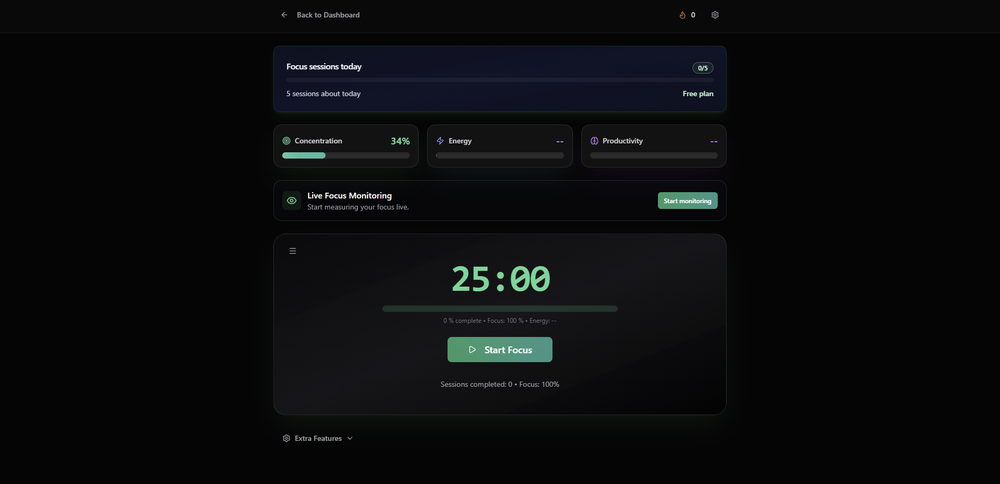
TabAI is a productivity extension for browsers that utilizes artificial intelligence to enhance user focus by systematically organizing tabs, managing to-do lists, and minimizing distractions based on the current work context. It evaluates the user's ongoing tasks and selectively blocks distracting websites when they threaten to disrupt productivity, adjusting its approach as workflows evolve. By consolidating tasks from various platforms like Todoist, Notion, and Google Calendar into one cohesive view, it enables users to monitor deadlines seamlessly without the hassle of toggling between different applications. The extension features intelligent tab management that categorizes tabs by project, identifies duplicates, and maintains an orderly browser environment. Additionally, it incorporates Pomodoro technique sessions with customizable work intervals to foster deep concentration, while built-in analytics provide insights into focus durations, distraction habits, and overall productivity patterns, empowering users to optimize their work habits effectively. This holistic approach not only enhances focus but also streamlines the entire workflow, making TabAI a valuable tool for anyone seeking to improve their work efficiency.
Learn more
Goalscape
Reach Your Goals with Goalscape
Goalscape revolutionizes how you manage goals by offering a unique visual approach that goes far beyond traditional To-Do Lists, Spreadsheets, or Kanban Boards. It simplifies goal-setting and aligns teams with a shared sense of focus and purpose.
With Goalscape, you can break down large objectives into manageable subgoals, prioritize them effectively, and monitor progress through an intuitive visual interface.
This innovative method empowers businesses to succeed, individuals to thrive and teams to connect on a deeper level. Goalscape turns work into an inspiring journey of meaningful achievements that truly make a difference.
Created by Olympic champions, Goalscape is trusted by countless users worldwide—ranging from solo professionals to large organizations.
Learn more