4.8 out of 5 stars
(48 Ratings)
MarkMagic barcode label software makes it easy to design and print barcode labels, electronic forms, and RFID tags that you need to communicate your needs with customers and suppliers.
MarkMagic is the barcoding engine in the most popular warehouse management software, such as Infor, Honeywell Intelligrated and Apparel Business Systems.
MarkMagic is powerful and simple to use. You'll see why thousands upon thousands of software vendors and customers around the world rely on it to create business critical documents.
Learn more about MarkMagic
4.9 out of 5 stars
(186 Ratings)
Label LIVE is the easiest to use label printer app for designing and printing labels. You can print barcodes and address labels, shelf tags, inventory labels, and many other jobs using Label LIVE. Use your Mac or Windows 10 desktop computer to work with thermal label printers from mydpi, Brother, DYMO and Zebra.
Label LIVE generates PDFs that can be sent to any printer that is installed using a driver. This means you can send complex print jobs to inkjet and laser printers, too.
Need to import spreadsheet data? Label LIVE can import Excel, Numbers or CSV files with a few clicks.
Learn more about Label LIVE
Barcode Maker for Mac
The quickest and most straightforward method to create and print high-quality barcode labels on a Mac is through iWinSoft Barcode Maker, a professional software that supports the generation of up to 20 different barcode types. It features a comprehensive label database that includes over 800 templates for Avery labels, cards, and various other media types, making it convenient for users. Additionally, you can enhance your documents by incorporating other elements such as text and images. Any created object can easily be exported to different applications, facilitating seamless integration into your workflow. The software includes a Sequential Numbers dialog box, which allows users to specify the printing order of barcodes, a highly beneficial feature for producing serial numbers and inventory barcodes when needed. With support for a wide range of barcode symbologies, including Datamatrix, EAN-13, ISBN, ISSN, UPC, Codabar, Code128, Code39, and Interleaved 2of5, it ensures that users can print barcodes quickly and efficiently. Designed specifically for Mac OS X, it combines functionality and ease of use to meet various labeling needs. Overall, iWinSoft Barcode Maker stands out as an essential tool for anyone requiring precise and professional barcode labels.
Learn more about Barcode Maker for Mac
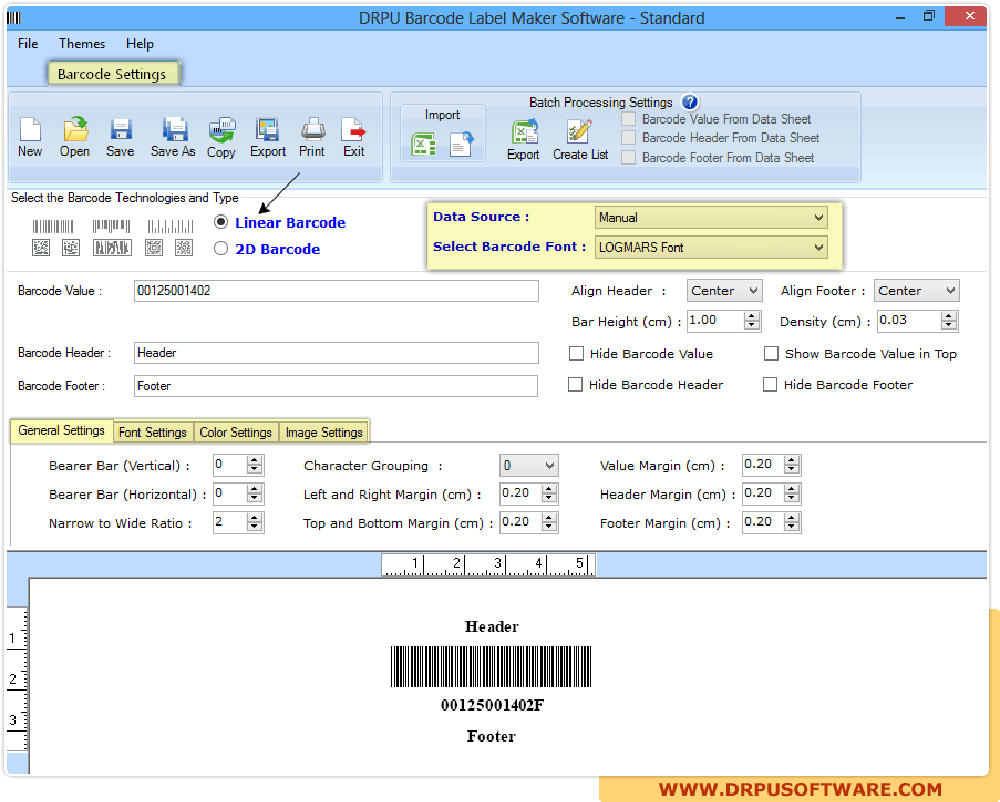
Barcode Label Maker
The corporate edition of Barcode Label Maker software is an ideal choice for enterprises of all scales. This powerful tool enables businesses to swiftly and efficiently design custom barcode labels tailored to their needs. Whether it’s for labeling products, monitoring inventory, or overseeing asset management, Barcode Label Maker is equipped to assist you. A standout aspect of this software is its adaptability; it accommodates a variety of barcode formats such as Code 39, Code 128, UPC-A/E, and EAN-13/8. This flexibility ensures that regardless of your industry, Barcode Label Maker can facilitate the creation of pertinent barcodes seamlessly. Additionally, the software's batch processing capability allows users to print and design numerous barcode labels simultaneously, enhancing productivity. Furthermore, Barcode Label Maker features a user-friendly interface that simplifies the learning curve, enabling even novice users to navigate it with ease. With such robust capabilities, it remains a top choice for businesses aiming to streamline their labeling processes.
Learn more about Barcode Label Maker