
Average Ratings 1 Rating
Average Ratings 0 Ratings
Similar Products
-
Files.com6,000+ companies trust Files.com to automate and secure business critical transfers. We obsess about security, compliance, reliability, and performance so your critical business processes just work every time. Easily manage any transfer flow without writing scripts or code, and onboard workloads and partners effortlessly. We support standard file transfer protocols (FTP, SFTP, AS2) for working with external partners and also provide native apps for high performance internal transfers. As a fully Cloud-Native SaaS, there are no servers for you to buy or maintain, there is no installation required, and high availability and redundancy are built in and free. Our InfoSec Program is audited annually by Kirkpatrick Price, a leading information security CPA firm. Our audit covers the scope of the entire Files.com business (not just datacenter operations) and names Files.com specifically. Beware of smaller competitors who try to pass off someone else’s audit as their own. Technical capabilities include encryption at-rest and in-transit, four types of two-factor authentication, nine enterprise identity (SSO) integrations, configurable password and session policies, and a perfect “A+” score from Qualys SSL Labs.
-
Globalscape Enhanced File Transfer (EFT)Globalscape's Enhanced File Transfer platform (EFT) is a user-friendly managed file transfer software (MFT). Globalscape EFT is trusted by thousands of Windows-Centric Organizations for mission-critical file transfers. EFT offers security and compliance, as well as powerful tools for collaboration, automation, and analysis. It is available in cloud/SaaS EFT Arcus and on-premises EFT deployments. EFT, unlike traditional file transfer software, provides enterprise-level data security and data transfer automation through integration to back-end systems. EFT administration is simple, yet provides complete control over your file transfer system. EFT replaces insecure legacy systems and expensive leased lines with a high-performing, scalable alternative.
-
Cerberus FTP ServerCerberus FTP Server provides a secure and reliable file transfer solution for the demanding IT professional. Supporting SFTP and SCP, FTP/S, and HTTP/S, Cerberus is able to authenticate against Active Directory and LDAP, run as a Windows service, has native x64 support, includes a robust set of integrity and security features and offers an easy-to-use manager for controlling user access to files and file operations.
-
MOVEitThe MOVEit Managed file Transfer (MFT), software is used by thousands worldwide to provide complete visibility and control of file transfer activities. MOVEit ensures the reliability of your core business processes as well as the safe and compliant transfer sensitive data between customers, partners, users, and systems. MOVEit's flexible architecture lets you choose the capabilities that best suit your organization's needs. MOVEit Transfer allows you to consolidate all file transfer activities into one system, allowing for better control over core business processes. It provides security, centralized access controls and file encryption, as well as activity tracking, to ensure operational reliability and compliance to regulatory requirements, SLA, internal governance, and regulatory requirements. MOVEit Automation can be used with MOVEit Transfer and FTP systems to provide advanced workflow automation capabilities, without the need of scripting.
-
GoAnywhere MFTGoAnywhere MFT offers secure file transfer for businesses. GoAnywhere MFT software can be deployed on-premise, in cloud or hybrid environments. It allows organizations to securely exchange data between employees, customers, trading partners, and systems. GoAnywhere MFT won the Cybersecurity Excellence Award in Secure File Transfer.
-
Diplomat Managed File TransferDiplomat MFT from Coviant Software is a secure and scalable managed file transfer platform that replaces manual scripts and outdated FTP with reliable, automated file delivery. It supports secure protocols like SFTP, FTPS, HTTPS, and AS2, and integrates easily with cloud services including AWS S3, Azure Blob Storage, Google Cloud, Oracle Cloud, SharePoint, Dropbox, and more. Trusted for over 20 years without a single breach, Diplomat MFT helps organizations meet compliance standards like HIPAA, HITECH, GLBA, PCI/DSS, GDPR, and DORA. Advanced security features include automated PGP encryption, MFA, IP whitelisting, and threat intelligence scanning. Still using insecure or outdated tools for critical file transfers? Diplomat MFT is the smarter alternative. Built to simplify operations, close compliance gaps, and protect your most sensitive data. Start your free trial today.
-
Curtain LogTrace File Activity MonitoringIn the daily work environment, companies often need to authorize their employees to access and use sensitive company data. However, most companies lack visibility into how their employees are actually utilizing this data, and whether any misuse is occurring. At the same time, companies have to meet internal audit requirements and comply with various data security regulations and policies. This creates a need for the IT department to find ways to effectively monitor and record how employees are accessing and using the company’s data resources. Curtain LogTrace provides enterprise-wide file activity monitoring. It tracks user actions: create, copy, move, delete, rename, print, open, close, save. Includes source/destination paths and disk type. Perfect for monitoring user file activities. Key Features: - File log (create & delete file) - File log (copy & move file) - File log (print & rename file) - App log (save, open & close file) - Support MySQL & MS SQL - Watermark for printout - Central administration - Integration with Active Directory - Uninstall password for client - Password management - Admin delegation - Self protection for the software
-
Secure EraserSecure Eraser: Secure Data Deletion, Shredders Your Files & Folders. Just because it has been removed from your hard drive doesn't mean that it is gone forever. Anyone can restore the information as long as it was not overwritten. It becomes more difficult if the computer has been resold, or given away. Secure Eraser employs the most well-known method of data disposal. It overwrites sensitive information so that it cannot be recovered even with specialized software. Our award-winning solutions for permanently destroying data eliminate cross-references that may leave traces of deleted files within the allocation table of your hard disk. This Windows software is easy to use and can overwrite sensitive data up to 35 times, regardless of whether they're files, folders or drives, recycle bins, or traces of surfing. You can also delete files that you have already deleted but not for good.
-
SynchredibleSynchredible makes it easy to synchronize, copy, and back up individual folders or entire drives with just a single click. Its intuitive assistant guides you step by step in setting up tasks that can be scheduled, triggered by changes (real-time monitoring), or executed automatically when an external storage device is connected. Keep your data synchronized effortlessly and manage it seamlessly! With years of proven technology, Synchredible not only transfers data from A to B but also supports bidirectional synchronization. It automatically detects changes and reliably syncs the most recently edited files. Thanks to advanced duplicate detection, Synchredible saves valuable time by skipping unchanged files, enabling fast synchronization of large datasets in seconds! Synchredible is highly versatile, supporting local folder synchronization, network and USB device synchronization, as well as synchronization with cloud storage.
-
ScreencaptScreencapt allows you to record the entire screen or a selected area. You can also record a specific window. Screencapt is the ideal screen recorder because of its flexibility. Using the integrated audio recording you can also add your commentary or system sound directly into the screen recording. This is particularly useful when creating explanation videos or presentations. Screencapt's ability to record a webcam is a special feature. You can now add your comments and reactions to the video. This makes your screen recordings more personal and professional. Screencapt offers advanced options to record the cursor. You can choose to hide the cursor or add special effects to highlight specific actions. This is especially useful for software tutorials and demonstrations where a clear cursor view is required.
Description
Total Commander version 10.52 is a shareware file management tool compatible with various Windows operating systems, including 95 through 11 and even Windows 3.1. It features a dual-pane interface that allows users to navigate files seamlessly. The application supports multiple languages and incorporates Unicode, facilitating a broader range of file handling capabilities. Users can take advantage of an advanced search function, as well as a file comparison feature augmented with an editor for easier analysis and directory synchronization. The Quick View panel enables users to display images and videos effortlessly. Additionally, it supports various archive formats such as ZIP, 7ZIP, ARJ, LZH, RAR, UC2, TAR, GZ, CAB, and ACE, along with plugin compatibility for extended functionality. The built-in FTP client allows for secure file transfers through FTPS and supports HTTP proxies. A multi-rename tool enhances file organization, while the tabbed interface, regular expressions, and history and favorites buttons streamline navigation. Users can customize thumbnail views and columns, utilize a compare editor, and manage logs effectively. Features like enhanced overwrite dialogs, support for long file names exceeding 259 characters, and a password manager for FTP and plugins add to the program's versatility. Moreover, it includes functionalities for synchronizing empty directories, a 64-bit context menu, and a quick file filter activated by Ctrl+S. There is also the option to connect via USB using a specialized direct transfer cable, along with a partial branch view activated by Ctrl+Shift+B, showcasing numerous enhancements in FTP synchronization. Overall, Total Commander stands out as a powerful tool designed to enhance file management efficiency for its users.
Description
Your computer desktop is cluttered and confusing. The files and applications you need are not always in reach.
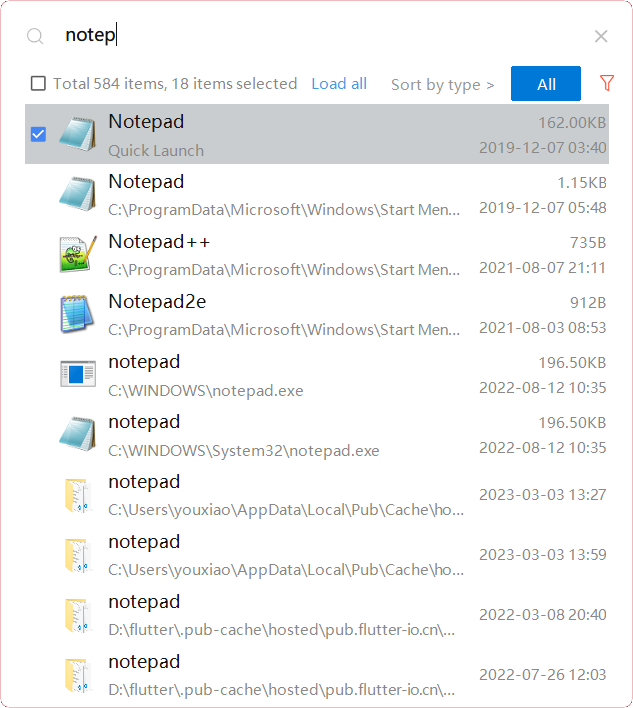
YXFile allows you to tagging file and search file as well as launch apps.
Tag Any File:
YXFile can tag every file type on any file system. The tagging is stored in a data base. YXFile will not alter your file names or create hidden files on your hard disk. You can move or rename files under the same partition. The tags won't be lost
Search for everything:
Search files and folders using their names. as well as file tags, launch items, and file tags.
Launch Apps
Launch App is a favorite feature of YXFile users. You can either type the name of the application or program you wish to open or use a shortcode. Click return and YXFile will open the program.
API Access
Has API
API Access
Has API



Integrations
TeraCopy
Pricing Details
Free
Free Trial
Free Version
Pricing Details
$39/user
Free Trial
Free Version
Deployment
Web-Based
On-Premises
iPhone App
iPad App
Android App
Windows
Mac
Linux
Chromebook
Deployment
Web-Based
On-Premises
iPhone App
iPad App
Android App
Windows
Mac
Linux
Chromebook
Customer Support
Business Hours
Live Rep (24/7)
Online Support
Customer Support
Business Hours
Live Rep (24/7)
Online Support
Types of Training
Training Docs
Webinars
Live Training (Online)
In Person
Types of Training
Training Docs
Webinars
Live Training (Online)
In Person
Vendor Details
Company Name
Ghisler Software
Founded
1995
Country
Switzerland
Website
www.ghisler.com
Vendor Details
Company Name
ousaa
Founded
2016
Country
China
Website
yxfile.cc/

