Average Ratings 0 Ratings
Average Ratings 0 Ratings
Similar Products
-
Wave BrowserWave Browser is designed for people who want a safer, faster, and more meaningful way to explore the web. Built on strong security principles, Wave puts you in control of your privacy with customizable cookie and tracker blocking, incognito mode, and clear permission choices. AppEsteem Certification ensures Wave meets strict, independently verified standards for clean installation, transparent behavior, and responsible software practices, giving you confidence every time you browse. Wave is also built for productivity, offering tools that help you stay organized and move through information with purpose. Tab grouping, bookmarks, and a reading list keep ideas within reach, while split screen let you research, compare, or watch without switching between windows. Memory Saver mode helps your device stay fast during heavy sessions, and the built-in AI Assistant and messaging integrations bring your favorite tasks closer to a single click. Designed to be simple and user-friendly, Wave Browser removes friction from everyday browsing. The free ad blocker keeps pages clean, and built-in tools—like the converter, package tracker, price tracker, translation tool, stock tracker, and content notifier—help you get things done without extra extensions. Most importantly, Wave is a browser with real ocean impact built in. Through a certified partnership with 4ocean, Wave helps fund the removal of 100,000 pounds of trash from our ocean, rivers, and coastlines every year. A live impact tracker shows exactly how much waste the Wave community has helped remove, with verified monthly updates from cleanup crews in the U.S., Indonesia, and the Dominican Republic. With Wave Browser, your everyday browsing directly supports a cleaner planet and the people working to protect it.
-
ShiftShift puts you in control of your browser. Arrange apps, bars, and controls exactly where you want them, building a personalized workspace that works around you — not the other way around. Connect over 1,500 web apps, jump between dedicated Spaces for work, side hustles, and personal browsing, and manage multiple accounts without ever logging in and out. As a pioneer in carbon-neutral browsing, Shift is committed to rethinking what a browser can be — for the people who use it and the world they live in. Started in Victoria, British Columbia in 2016, Shift is a Certified B Corp and proud member of the Redbrick portfolio. What you can do with Shift: - Build your browser: Design a layout tailored to how you use the internet. - Create Spaces: Keep work, side hustles, and passion projects in their own lane. - Integrate Apps: Bring your favorite web apps together in one place. - Templates: Pick from 6 ready-made layouts to get started fast. - Shift AI: A built-in AI assistant that helps you get more done across every tab and app.
-
WrikeWrike is a powerful work management platform that gives cross-functional teams full visibility into complex projects. Our cloud-based collaboration software software is trusted by 20,000+ leading companies around the world, including tech giants such as Fitbit and Siemens. Wrike boasts a wide range of award-winning features, including dynamic request forms, automated workflows, cross-tagging, custom item types, and 400+ app integrations. Work smarter with Work Intelligence™: our advanced communication software that offers voice commands, smart replies, and document processing. We also offer tailor-made templates to help teams kick-start Agile projects and tick every box for compliance. As well as 99.9% uptime, our enterprise-grade security offers single sign-on, role-based access control, and continuous data backup. For extra peace of mind, you can use the Wrike Lock add-on and gain full ownership of your master encryption key. Wrike has been proven to make organizational processes 40% more efficient, eliminating time-consuming admin work and reducing costs across the board. Discover how it can benefit your team — start your free two-week trial today.
-
HERE Enterprise BrowserEverything works right here™. The product of years of collaboration with the world’s largest financial institutions, HERE Enterprise Browser is the first and only browser that solves both enterprise security and workforce productivity. Built on Google Chromium, HERE streamlines workflow and improves employee experience.
-
GaffaGaffa is a REST API built for web scraping and browser automation, allowing developers to run real, full browsers at scale with a single API call. It removes the difficulty of managing headless browser frameworks, rotating proxies, CAPTCHA solving, and scaling infrastructure, all of which are handled automatically. JavaScript-heavy and dynamic websites render exactly as they would for a human visitor by default. Beyond standard scraping, Gaffa supports AI-driven structured data extraction (extract data into a defined schema without writing CSS selectors), screenshot and PDF capture, infinite-scroll and form-filling automation, and clean Markdown conversion for feeding webpages directly into LLM and RAG pipelines. A rotating residential proxy network keeps access reliable across regions, and a credit-based pricing model means teams pay only for the browser time and bandwidth they actually use. Gaffa is designed for AI engineers, data teams, and developers who want production-grade web data extraction without having to build and maintain their own infrastructure.
-
DaylightDaylight combines cutting-edge agentic AI with top-tier human skills to offer an advanced managed detection and response service that transcends mere notifications, striving to “take command” of your cybersecurity landscape. It ensures comprehensive monitoring of your entire environment, leaving no gaps, while providing context-sensitive protection that adapts and evolves based on your systems and historical incidents, including communications through platforms like Slack. This service boasts an exceptionally low rate of false positives, the quickest detection and response times in the industry, and seamless integration with your existing IT and security tools, accommodating limitless platforms and integrations while delivering actionable insights through AI-enhanced dashboards without unnecessary noise. With Daylight, you receive true comprehensive threat detection and response without the need for escalations, round-the-clock expert assistance, tailored response workflows, extensive visibility across your environment, and quantifiable enhancements in analyst efficiency and response time, all designed to transition your security operations from a reactive stance to a proactive command approach. This holistic approach not only empowers your team but also fortifies your defenses against evolving threats in the digital landscape.
-
csidec/side: The Client-Side Platform for Cybersecurity, Compliance, and Privacy Monitoring third-party scripts effectively eliminates uncertainty, ensuring that you are always aware of what is being delivered to your users' browsers, while also enhancing script performance by up to 30%. The unchecked presence of these scripts in users' browsers can lead to significant issues when things go awry, resulting in adverse publicity, potential legal actions, and claims for damages stemming from security breaches. Compliance with PCI DSS 4.0.1, particularly sections 6.4.3 and 11.6.1, requires that organizations handling cardholder data implement tamper-detection measures by March 31, 2025, to help prevent attacks by notifying stakeholders of unauthorized modifications to HTTP headers and payment information. c/side stands out as the sole fully autonomous detection solution dedicated to evaluating third-party scripts, moving beyond reliance on merely threat feed intelligence or easily bypassed detections. By leveraging historical data and artificial intelligence, c/side meticulously analyzes the payloads and behaviors of scripts, ensuring a proactive stance against emerging threats. Our continuous monitoring of numerous sites allows us to stay ahead of new attack vectors, as we process all scripts to refine and enhance our detection capabilities. This comprehensive approach not only safeguards your digital environment but also instills greater confidence in the security of third-party integrations.
-
FathomFathom is an AI meeting assistant that helps users capture, summarize, search, and act on meetings with less manual work. The platform creates accurate transcripts, instant summaries, action items, and follow-up notes so users can focus on live conversations instead of taking notes. Fathom supports both traditional meeting capture and bot-free capture through its desktop app. Teams can use Fathom as a shared source of truth across customer calls, internal meetings, strategy sessions, and project conversations. Ask Fathom lets users search across meetings and ask questions about conversations, decisions, commitments, risks, and next steps. The platform also supports topic monitoring so important moments and signals are easier to find. Fathom syncs meeting notes, insights, and action items into tools such as Slack, Salesforce, HubSpot, Notion, Asana, Gmail, Zoom, Google Meet, Microsoft Teams, ChatGPT, Claude, Zapier, and API or MCP workflows. It supports security and compliance needs with SOC 2 Type II, GDPR, HIPAA compliance, SSO, and SCIM. By combining AI notetaking, bot-free capture, transcripts, summaries, integrations, search, and workflow automation, Fathom helps teams move from meetings to execution faster.
-
ISL Light Remote DesktopISL Light is a remote desktop software that is easy to use for security-conscious users. It offers great value-performance. ISL Light is a powerful tool for IT staff and support personnel to solve problems remotely via remote support, unattended access, or screen-sharing from mobile devices. It is cross-platform and provides 256-bit encrypted sessions, all the standard remote access features, as well as session recording, chat, videocall and multi-monitor support, file transfers, reporting, and many other important extras. Users can choose between cloud and on-premise services. ISL Online license doesn't limit the number or workstations of clients, users, and users you can support. It is a reliable, highly secure software that can be used in all industries, including banks, hospitals, government institutions, and insurances.
-
ActCAD SoftwareACTCAD is suitable for professional drawings creation for Architects, Structural Engineers, Civil Engineres, Mechanical Drawings, Electrical drawings, interior design, tool design, machine designs etc.ActCAD is professional grade 2D Drafting and 3D Modeling CAD software which works in dwg and dxf file formats. Most affordable cad software.ActCAD is a native dwg/dxf cad software suitable for professional 2D drafting and 3D modeling projects. ActCAD is trusted by over 30000 users in over 103 countries for more than 10 years. The interface, commands, icons, dialogs, shortcuts etc. are very much similar to other popular cad software tools available in market. Flexible license types available even for single license. There is no learning for existing cad users while saving 80% of the costs.ActCAD offers free email technical support without any limitations. ActCAD can be fully customized and programs can be developed using our free API toolkit. It supports popular programming languages like , lisp dcl, .net, C++ etc. Apart from all regular commands, ActCAD offers many productive tools like pdf to cad converter, Block libraries, Image to Cad converter, handling point sets between Cad and Excel and many more.
Description
SuperCommands is an innovative productivity tool that emphasizes keyboard navigation to enhance web browsing efficiency, cleanliness, and concentration. By consolidating links, notes, files, browser sessions, AI functionalities, automations, screenshots, and frequent browser actions into a single command interface, it streamlines the user experience. Rather than needing to flip between tabs, sift through bookmarks, navigate menus, or repeat tasks, users can swiftly locate and execute their desired actions with minimal keystrokes. Additionally, SuperCommands aids in managing browser sessions, alleviating tab clutter, and optimizing repetitive tasks. Tailored for developers, entrepreneurs, designers, students, researchers, and other advanced users, it prioritizes speed, focus, and minimizing context shifts. Ultimately, the goal is to evolve into a comprehensive command layer for the browser, empowering users to efficiently access and manage all their online tools from one centralized hub. This approach not only enhances productivity but also fosters a more organized digital workspace.
Description
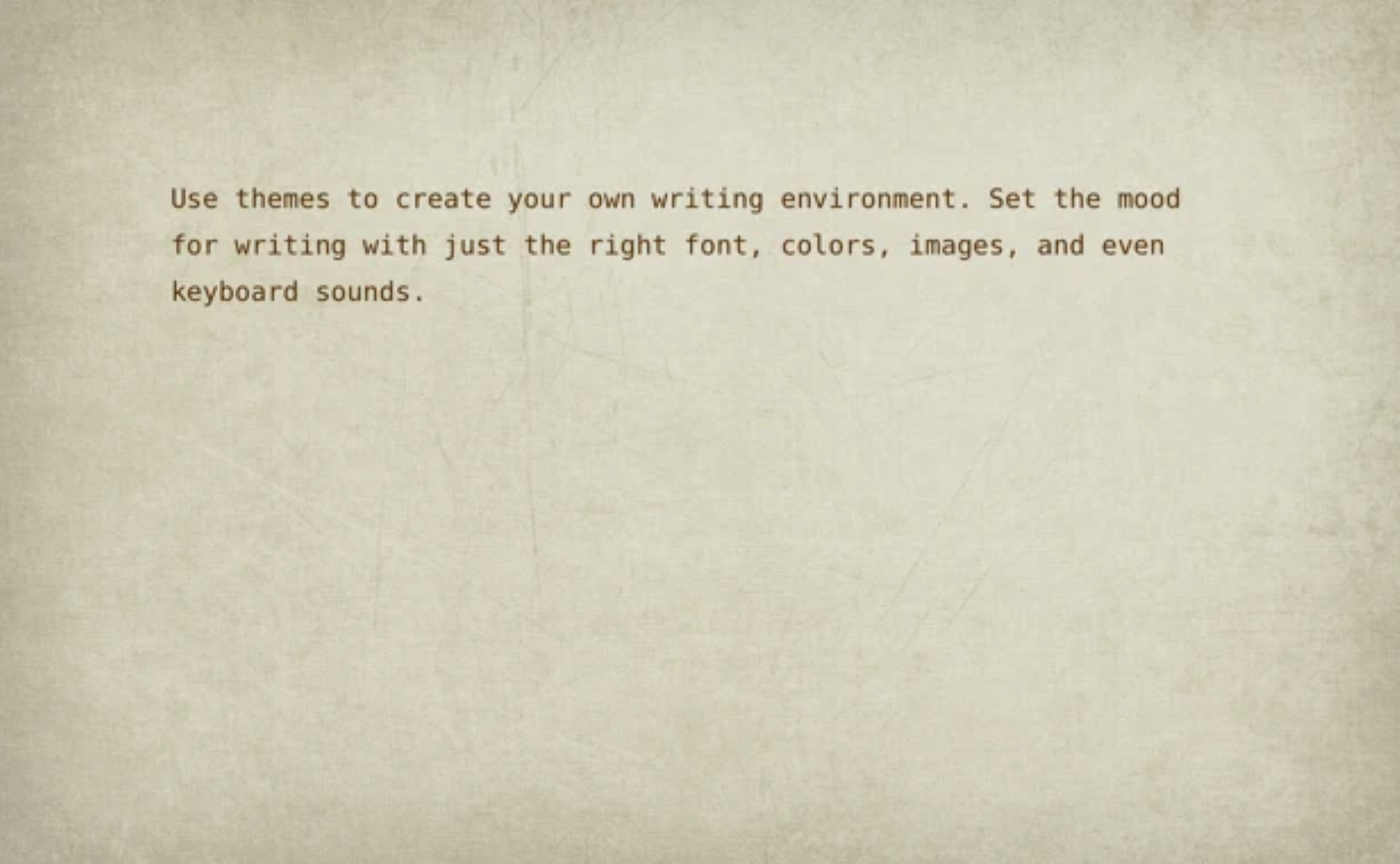
WriteRoom provides a distraction-free full-screen writing space, setting itself apart from typical word processors that can overwhelm with clutter. Designed as a simpler alternative to Microsoft Word, WriteRoom allows users to immerse themselves in their writing by minimizing distractions on their computer screens. This environment fosters a clearer mindset, which I believe enhances the writing experience significantly. Users can personalize their setup with custom background images, paper textures, and typing sounds, as well as utilize themes to conveniently save and share their preferred configurations. Additionally, WriteRoom automatically tracks writing sessions in a spreadsheet, offers commands for word, sentence, and paragraph adjustments, and enables users to move lines in various directions. Features like real-time word count and estimated reading time further enrich the writing process, making it a versatile tool for writers of all kinds.
API Access
Has API
No
API Access
Has API
No
Screenshots View All
No images available

Integrations
No details available.
Integrations
No details available.
Pricing Details
No price information available.
Free Trial
No
Free Version
Yes
Pricing Details
$9.99 per user
Free Trial
No
Free Version
No
Deployment
Web-Based
Yes
On-Premises
No
iPhone App
No
iPad App
No
Android App
No
Windows
No
Mac
No
Linux
No
Chromebook
No
Deployment
Web-Based
Yes
On-Premises
No
iPhone App
No
iPad App
No
Android App
No
Windows
No
Mac
No
Linux
No
Chromebook
No
Customer Support
Business Hours
No
Live Rep (24/7)
No
Online Support
No
Customer Support
Business Hours
No
Live Rep (24/7)
No
Online Support
Yes
Types of Training
Training Docs
No
Webinars
No
Live Training (Online)
No
In Person
No
Types of Training
Training Docs
No
Webinars
No
Live Training (Online)
No
In Person
No
Vendor Details
Company Name
SuperCommands
Country
India
Website
www.supercommands.com
Vendor Details
Company Name
Hog Bay Software
Founded
2011
Website
www.hogbaysoftware.com/products/writeroom
Product Features
Productivity
Collaboration
No
Database Creation
No
Document Creation
No
File Sharing
No
Notes Management
No
Office Suite
No
Presentation Tools
No
Project Management
No
Task Management
No
Team Chat
No
