Average Ratings 0 Ratings
Average Ratings 0 Ratings
Similar Products
-
4K Video DownloaderYou can watch videos from anywhere, anytime, even offline. It's easy to download: simply copy the link from your browser, and then click 'Paste Link" in the application. You can save full playlists and channels on YouTube in high-quality and other video or audio formats. Download your YouTube Mix, Watch Later and Liked videos as well as private YouTube playlists. Receive new videos from your favorite YouTube channels automatically. You can feel the action around you with virtual reality videos. To experience the amazing VR experience in 360deg, download 360deg videos. You can bypass any restrictions placed by your Internet service provider to bypass your school firewall or workplace firewall. To access YouTube and other sites, set up an in-app proxy connection.
-
Private Internet Access (PIA)Browse without revealing your identity by using a private IP address and activating robust encryption to safeguard your online activities from your internet service provider and unsecured public Wi-Fi connections. Experience limitless connectivity with our anonymous VPN service, allowing you to bypass geographical restrictions and protocol limitations effortlessly. Whether you're focused on browsing or streaming content, Private Internet Access guarantees reliable performance. With the most extensive network capacity globally, Private Internet Access ensures top-notch speeds and superior encryption levels. Notably, it is the only VPN service worldwide that has consistently maintained a no-logs policy, providing peace of mind for its users. Take control of your online privacy and enjoy a seamless internet experience.
-
IPVanishIPVanish VPN protects personal data in the face of privacy threats. Protect your connection over hotspots or unsecured networks today. We have the solution for you, whether you need a Wi Fi hotspot shield or safe file access. IPVanish VPN and storage solutions simplify online security for the entire home. There are setups for mobile, desktop, consoles, routers, and routers. VPN privacy can protect your internet activity. You can also pair VPN + storage to provide complete online protection. To go incognito, you need more than a private internet browser. Our anonymous IP addresses will keep your internet activity secretive and help keep hackers, ISPs and advertisers away from your connection. VPN can protect your Wi-Fi connection as well as your location data. The best data defense combines security and convenience. Secure your most valuable files with remote wiping, automated syncing and encrypted backup.
-
CloudflareCloudflare is the foundation of your infrastructure, applications, teams, and software. Cloudflare protects and ensures the reliability and security of your external-facing resources like websites, APIs, applications, and other web services. It protects your internal resources, such as behind-the firewall applications, teams, devices, and devices. It is also your platform to develop globally scalable applications. Your website, APIs, applications, and other channels are key to doing business with customers and suppliers. It is essential that these resources are reliable, secure, and performant as the world shifts online. Cloudflare for Infrastructure provides a complete solution that enables this for everything connected to the Internet. Your internal teams can rely on behind-the-firewall apps and devices to support their work. Remote work is increasing rapidly and is putting a strain on many organizations' VPNs and other hardware solutions.
-
ImorgonImprove radiology reporting efficiency and report quality with Imorgon's reporting automation. As the top DICOM SR software for radiology, our solution significantly reduces unnecessary dictation by precisely transferring ultrasound and DEXA modality measurements into Powerscribe, Fluency, or RadAI. This eliminates manual errors and significantly accelerates the generation of reports. Imorgon's unique advantages include: - guaranteed transfer of all measurements - usually DICOM SR - electronic worksheets for direct report population (eliminating dictation from notes) - worksheets with priors, calculators, and clinical decision support (TI-RADS, O-RADS, etc) - integration with Epic and other EHRs. - vendor-neutral Our dedicated support team ensures uninterrupted workflow. Invest in Imorgon for a quick and substantial return on investment, transforming your reporting overhead into a streamlined, high-quality operation.
-
Checksum.aiEngineering teams shipping with AI have a new bottleneck: validation. Code output has accelerated. Quality hasn't. Checksum closes the gap. Checksum is a continuous quality platform with a suite of AI agents that handle testing end-to-end, at every stage of the development lifecycle. Where most tools wait for a human to trigger them, Checksum runs autonomously in the background, generating tests, executing them, and repairing failures without manual intervention. Seventy percent of test failures are resolved automatically through real-time auto-recovery. The platform covers every layer: end-to-end UI flows via Playwright, API endpoint chains, and targeted CI tests scoped to exactly what changed in a PR. All tests land as real code in your repository and are delivered as standard Playwright, owned by your team. Checksum is fine-tuned on 1.5+ million test runs and integrates natively with Cursor, Claude Code, and 100+ AI coding agents. Type /checksum and your coding agent's output gets tested before it ever reaches review. Generation and healing happen on Checksum's cloud infrastructure which means no LLM tokens consumed, no local resources required. The result: test suites that stay green as the product evolves, fewer regressions reaching production, and release confidence that scales alongside AI output.
-
MuukTestYou know that you could be testing more to catch bugs earlier, but QA testing can take a lot of time, effort and resources to do it right. MuukTest can get growing engineering teams up to 95% coverage of end-to-end tests in just 3 months. Our QA experts create, manage, maintain, and update E2E tests on the MuukTest Platform for your web, API, and mobile apps at record speed. We begin exploratory and negative tests after achieving 100% regression coverage within 8 weeks to uncover bugs and increase coverage. The time you spend on development is reduced by managing your testing frameworks, scripts, libraries and maintenance. We also proactively identify flaky tests and false test results to ensure the accuracy of your tests. Early and frequent testing allows you to detect errors in the early stages your development lifecycle. This reduces the burden of technical debt later on.
-
IONOS Cloud GPU ServersIONOS offers GPU Servers that deliver a high-performance computing framework aimed at managing tasks that demand significantly more power than standard CPU systems can provide. This infrastructure features top-tier NVIDIA GPUs, including the H100, H200, and L40s, in addition to specialized AI accelerators like Intel Gaudi, facilitating extensive parallel processing for demanding applications. By utilizing GPU-accelerated instances, the cloud infrastructure is enhanced with dedicated graphical processors, enabling virtual machines to execute intricate calculations and handle data-heavy tasks at a much faster rate compared to traditional servers. This solution is especially well-suited for fields such as artificial intelligence, deep learning, and data science, where training models on extensive datasets or executing rapid inference processes is necessary. Furthermore, it accommodates big data analytics, scientific simulations, and visualization tasks, including 3D rendering or modeling, that necessitate substantial computational capacity. As a result, organizations seeking to optimize their processing capabilities for complex workloads can greatly benefit from this advanced infrastructure.
-
OkylineOkyline is an Executable Data Design (EDD) platform focused on executable validation contracts and operational data quality control. Rather than managing separate specifications, validation code, tests, and monitoring dashboards, Okyline centralizes validation and quality supervision around a single readable executable contract acting as the operational reference for enterprise data flows. The same contract powers deterministic validation, advanced business invariant checks, multi-format execution, data quality gates, and historical quality analytics across APIs, events, files, LLM structured outputs, and distributed operational systems. Contracts are designed directly from annotated sample data, making validation rules immediately understandable for developers, architects, QA teams, and business analysts. The Community Edition includes the public specification, a free Java runtime engine, a Claude AI assistant for contract generation, and an online studio supporting executable JSON validation contracts and JSON Schema transpilation. The Enterprise Edition adds native validation for JSONL, XML, CSV, FIXED, and EDI flows together with operational quality dashboards and data quality gates, without requiring databases or centralized infrastructure.erprise Edition supports direct validation of JSON, JSONL, XML, CSV, FIXED, and EDI flows with operational quality dashboards and analytics, without databases.
-
RaimaDBRaimaDB, an embedded time series database that can be used for Edge and IoT devices, can run in-memory. It is a lightweight, secure, and extremely powerful RDBMS. It has been field tested by more than 20 000 developers around the world and has been deployed in excess of 25 000 000 times. RaimaDB is a high-performance, cross-platform embedded database optimized for mission-critical applications in industries such as IoT and edge computing. Its lightweight design makes it ideal for resource-constrained environments, supporting both in-memory and persistent storage options. RaimaDB offers flexible data modeling, including traditional relational models and direct relationships through network model sets. With ACID-compliant transactions and advanced indexing methods like B+Tree, Hash Table, R-Tree, and AVL-Tree, it ensures data reliability and efficiency. Built for real-time processing, it incorporates multi-version concurrency control (MVCC) and snapshot isolation, making it a robust solution for applications demanding speed and reliability.
Description
A speed test for internet connections evaluates both the quality and speed of your device's internet access. It accomplishes this by executing a series of tests that examine various elements of the connection, including latency (ping), download speed, and upload speed. Each of these metrics provides insight into the specific characteristics of your internet service, which will be elaborated on in the following paragraph. Understanding these values can help you interpret the overall results from the test. However, prior to diving into those specifics, it's essential to outline the testing methodology. The download speed assessment involves establishing multiple connections to a server and initiating the download of a substantial data file across all of them simultaneously. This method effectively utilizes the full capacity of the internet connection, allowing for an accurate measurement of maximum data throughput. By tracking the data transfer over time, you can determine the available speed for downloading content. Ultimately, knowing how each component of the test works can enhance your comprehension of your internet performance.
Description
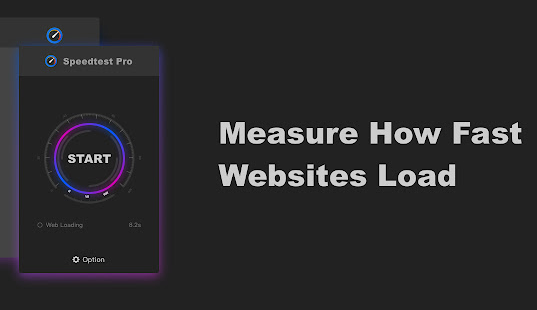
You can directly assess your network from the toolbar and swiftly evaluate your internet performance with a single click. This testing tool offers insights into the user's network condition from various perspectives. Speedtest Pro serves as a high-quality speed testing solution, enabling users to easily identify the root causes of connectivity issues. It measures and displays the ping value in seconds, allowing for the testing of both download and upload speeds. In addition, it evaluates the loading speed of the current webpage. By accessing advanced options, you can choose whether to include the webpage loading speed in your tests. This measurement reflects the time taken for data sent from your computer to reach the web server and for the server to respond. Typically, this is represented by the level of network delay experienced in online gaming, where a higher ping value indicates greater delays and can affect gameplay smoothness. Upstream traffic refers to the amount of network data transmitted within a given time frame. It's important to note that standard broadband connections often have unequal upstream and downstream speeds, with upstream bandwidth frequently subject to limits. Moreover, understanding these metrics can greatly enhance your online experience and help optimize your network usage.
API Access
Has API
No
API Access
Has API
No


Integrations
No details available.
Integrations
No details available.
Pricing Details
$3.99 one-time payment
Free Trial
No
Free Version
Yes
Pricing Details
No price information available.
Free Trial
No
Free Version
Yes
Deployment
Web-Based
Yes
On-Premises
No
iPhone App
Yes
iPad App
Yes
Android App
Yes
Windows
No
Mac
No
Linux
No
Chromebook
No
Deployment
Web-Based
No
On-Premises
No
iPhone App
No
iPad App
No
Android App
Yes
Windows
No
Mac
No
Linux
No
Chromebook
No
Customer Support
Business Hours
No
Live Rep (24/7)
No
Online Support
Yes
Customer Support
Business Hours
No
Live Rep (24/7)
No
Online Support
Yes
Types of Training
Training Docs
Yes
Webinars
No
Live Training (Online)
No
In Person
No
Types of Training
Training Docs
No
Webinars
No
Live Training (Online)
No
In Person
Yes
Vendor Details
Company Name
Speedcheck
Country
Germany
Website
www.speedcheck.org
Vendor Details
Company Name
mifish
Country
China
Website
chrome.google.com/webstore/detail/speedtest-pro-free-online/ibiejjpajlfljcgjndbonclhcbdcamai
