Average Ratings 1 Rating
Average Ratings 535 Ratings
Description
Power Automate from Microsoft helps organizations automate their business processes by connecting apps and services with customizable workflows. This no-code solution allows users to automate tasks like data synchronization, approval processes, and form submissions. The platform also leverages AI for more advanced automation, including processing documents and generating content. With support for robotic process automation (RPA) and cloud-based integrations, Power Automate enables seamless automation of both manual tasks and cloud operations, reducing operational costs and improving efficiency across industries.
Description
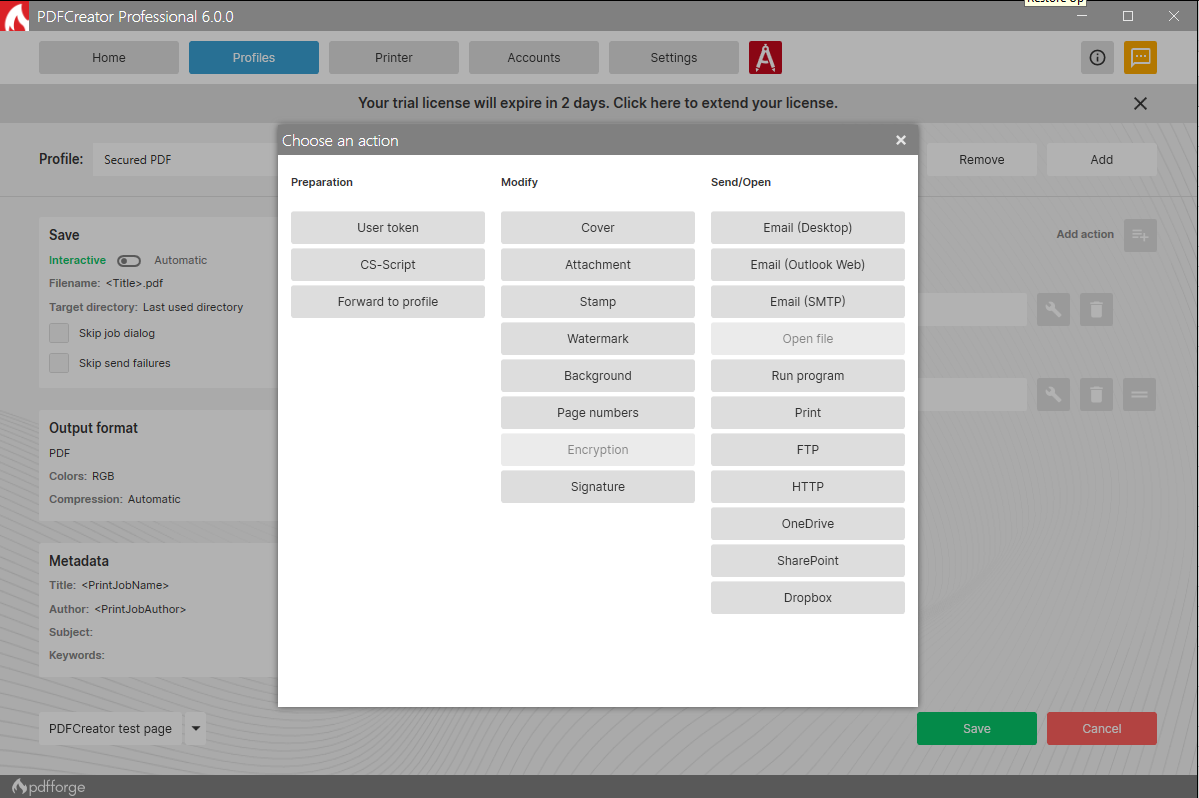
PDFCreator is a powerful and versatile tool that enables you to convert any printable document into a PDF, along with various other formats such as JPG and PNG. Whether you're handling text documents, images, or presentations, PDFCreator makes it easy to streamline your workflow.
Key features:
Convert documents from any application to PDF, JPG, PNG, and more with ease.
Merge multiple files into one PDF document, improving organization and accessibility.
Set up automatic saving and create a fully automated PDF printer, saving time and reducing manual work.
Access your most frequently used settings with just one click, making repetitive tasks faster and simpler.
Simplify the process of converting, securing, and organizing your PDFs, with options for digital signatures, password protection, and more.
New in PDFCreator 6.2.2: delivers important stability fixes, resolving setup crashes related to release notes, correcting preview issues that caused broken characters and blank pages, and fixing conversion problems from the Windows context menu. It also improves file handling by preventing unintended merging during conversions and includes minor updates to installer parameters and support settings.
PDFCreator is trusted by countless businesses around the world to handle document conversion and management. We value every client and appreciate their trust in choosing PDFCreator as their go-to PDF solution.
Whether you're a casual user or a business professional, PDFCreator offers a streamlined, flexible, and efficient solution for all your document needs. We thank all our clients for choosing us to be their partner.
API Access
Has API
API Access
Has API




Integrations
Dropbox
Microsoft Outlook
AlisQI
Aranda Service Management
BindTuning
Box
CPQSync
CRES
Connect Bridge
DeskDirector
Integrations
Dropbox
Microsoft Outlook
AlisQI
Aranda Service Management
BindTuning
Box
CPQSync
CRES
Connect Bridge
DeskDirector
Pricing Details
$15/user/month
Free Trial
Free Version
Pricing Details
$0
Free Trial
Free Version
Deployment
Web-Based
On-Premises
iPhone App
iPad App
Android App
Windows
Mac
Linux
Chromebook
Deployment
Web-Based
On-Premises
iPhone App
iPad App
Android App
Windows
Mac
Linux
Chromebook
Customer Support
Business Hours
Live Rep (24/7)
Online Support
Customer Support
Business Hours
Live Rep (24/7)
Online Support
Types of Training
Training Docs
Webinars
Live Training (Online)
In Person
Types of Training
Training Docs
Webinars
Live Training (Online)
In Person
Vendor Details
Company Name
Microsoft
Founded
1975
Country
United States
Website
www.microsoft.com/en-us/power-platform/products/power-automate/
Vendor Details
Company Name
pdfforge
Founded
2009
Country
Germany
Website
www.pdfforge.org/pdfcreator
Product Features
Workflow Management
Access Controls/Permissions
Approval Process Control
Business Process Automation
Calendar Management
Compliance Tracking
Configurable Workflow
Customizable Dashboard
Document Management
Forms Management
Graphical Workflow Editor
Mobile Access
No-Code
Task Management
Third Party Integrations
Workflow Configuration
Product Features
Annotations
Convert to PDF
Digital Signature
Encryption
Merge / Append
PDF Reader
Watermarking
PDF Editors
Access Controls / Permissions
Annotations
Commenting / Notes
Compare Side-by-Side
Customizable Branding
Delete Pages
Electronic Signature
Forms Management
Full Text Search
Merge / Append
Offline Access
Optical Character Recognition (OCR)
Rearrange Pages
Rotate Pages
Watermarking

