Average Ratings 0 Ratings
Average Ratings 0 Ratings
Similar Products
-
ScreencaptScreencapt allows you to record the entire screen or a selected area. You can also record a specific window. Screencapt is the ideal screen recorder because of its flexibility. Using the integrated audio recording you can also add your commentary or system sound directly into the screen recording. This is particularly useful when creating explanation videos or presentations. Screencapt's ability to record a webcam is a special feature. You can now add your comments and reactions to the video. This makes your screen recordings more personal and professional. Screencapt offers advanced options to record the cursor. You can choose to hide the cursor or add special effects to highlight specific actions. This is especially useful for software tutorials and demonstrations where a clear cursor view is required.
-
Curtain MonGuard Screen WatermarkCurtain MonGuard Screen Watermark is an enterprise solution for displaying screen watermarks that administrators can enable on users' computers. This screen watermark can display various user information, such as the computer name, username, and IP address. The purpose of this watermark is to effectively grab the user's attention and serve as a reminder before they take a screenshot or photograph the screen to share the information with others. The key benefit of Curtain MonGuard is that it encourages users to "think before sharing" sensitive information. If the content being shared contains confidential company data, the watermark can help trace the source of the leaked information back to the user responsible. This allows organizations to hold users accountable and mitigate the consequences of data breaches or unauthorized information sharing. Key features: - On-screen watermark - Full screen-watermark - Application screen-watermark - Supports over 500 Applications - Self-defined content of watermark - Screen-watermark by condition - Central administration - Integration with Active Directory - Uninstall password for client - Password management - Admin delegation - Self protection for the software
-
Monitask🚀 Supercharge Your Team's Productivity! 🚀 Introducing the ultimate productivity hack for the modern workforce. Whether your squad is crushing it in the office, remote, or rocking that hybrid life, we've got you covered. 📊 What's in the box? Smart Time Tracking: Auto clock-in/out. No more "I forgot" excuses! Random Screenshots: Catch those Insta-scrolling moments Web Detective: Know if they're coding or... "coding" 😉 Real-time Mission Control: See who's winning at work Ninja Mode: Stealth monitoring for the win Perfect for: Startups, agencies, outsourcing pros, and corporate giants 💡 Why it's awesome: Turn productivity data into team superpowers Spot workflow kryptonite and zap it Keep it ethical: Privacy for employees, insights for you 🕵️ Ninja Mode: Psst! Our stealth feature lets you observe natural work habits. It's like having a productivity crystal ball! 🔒 Fort Knox-level security included. Because we're paranoid, so you don't have to be. Ready to transform your team into productivity superheroes? Let's go! 🦸♂️🦸♀️
-
ClickLearnClickLearn simplifies complex business processes using popular software. You can create multi-format learning materials in any language and publish them to a 24/7 learning portal with just one click. A video walkthrough of the process, with narration in your preferred language. Put your learning to the test. This interactive simulation of your workplace allows you to test your knowledge without any hints. Interactive simulation of your workplace environment that guides you through the process. This guide is step-by-step. ClickLearn wrote this guide with perfectly cropped screenshots. ClickLearn Assist can be your go-to helper when you are stuck, need process help, or want to try a new process in the live system. You don't have to worry about making another mistake. All your learning materials can be auto-translated with a click of a button
-
GaffaGaffa is a REST API built for web scraping and browser automation, allowing developers to run real, full browsers at scale with a single API call. It removes the difficulty of managing headless browser frameworks, rotating proxies, CAPTCHA solving, and scaling infrastructure, all of which are handled automatically. JavaScript-heavy and dynamic websites render exactly as they would for a human visitor by default. Beyond standard scraping, Gaffa supports AI-driven structured data extraction (extract data into a defined schema without writing CSS selectors), screenshot and PDF capture, infinite-scroll and form-filling automation, and clean Markdown conversion for feeding webpages directly into LLM and RAG pipelines. A rotating residential proxy network keeps access reliable across regions, and a credit-based pricing model means teams pay only for the browser time and bandwidth they actually use. Gaffa is designed for AI engineers, data teams, and developers who want production-grade web data extraction without having to build and maintain their own infrastructure.
-
Switcher StudioSwitcher Studio allows you to capture video from multiple angles and edit it in real-time. This will allow you to connect with your community in a more engaging way. You can stream it live or save it for later. Your audience will be attracted to you with relevant content. Make it look great. There's no need to purchase, lug or learn largeequipment. Switcher is compatible with iPads and iPhones. Switcher is so intuitive that anyone can create amazing video with it. You don't need to hire outside videographers or producers. It takes an hour to edit every minute of edited video. Every minute of live-editing takes, well, one second. You can share every moment, live or recorded, external or internal, with video -- no matter what it holds.
-
BluepearBluepear is an AI-powered brand and affiliate monitoring platform that helps marketing teams protect their brand in paid search (PPC). It continuously monitors branded search queries 24/7 across all geographies, device types, and search engines — including Google, Bing, Yahoo!, and Yandex — to detect unauthorized use of branded keywords, ad hijacking, coupon code abuse, and trademark violations by affiliates and competitors. The platform automates detection of complex violations that manual audits routinely miss. Its uncloaking tool reveals actual landing pages and full redirect chains behind cloaked affiliate links, capturing screenshots and ad data as evidence. All findings are centralized in a single dashboard with instant alerts delivered via Slack, Telegram, or email, and structured compliance reports can be generated for every incident. Bluepear serves Paid Search/PPC teams, affiliate managers, and marketing compliance teams at brands in e-commerce, travel & ticketing, pharma, health & beauty, marketing agencies, iGaming, and IT/SaaS. Customers include Wargaming, vidaXL, Proton, MoneyGram, IQ Option, and Kilo Health. Key capabilities include brand bidding protection, ad hijacking detection, coupon code monitoring, competitor keyword and ad copy tracking, progress status tracking for violation resolution, and global coverage down to city level. The platform supports custom data exports, policy-based filtering by violation type, and real-time research tools that compare advertiser dynamics, visibility rates, and keyword usage over time. Bluepear offers a 7-day free trial with no credit card required, usage-based pricing, and is accessible on web, iOS, Android, and via API.
-
TelemetryOSTelemetryTV is a powerful platform for digital signage that allows organizations to connect with audiences, generate awareness and give voice to their communities and teams. TelemetryTV lets you broadcast dynamic content by streaming video, images and social feeds to all your displays, wherever they may be. TelemetryTV powers internal communications and marketing at Starbucks, Amazon and Stanford University. Our success is based on being flexible, open to communication, collaborative, and open to collaboration. We believe in continuous learning, challenging the status-quo, and listening to customers. We are moving towards a world in which our walls will eventually talk. This begs the question: What do you want them saying?
-
KitecyberKitecyber: Data & Gen AI Security, Built on the Endpoint Your most sensitive data leaves through browsers, Gen AI prompts, SaaS uploads, and clipboards — faster than any network tool can catch it. Kitecyber stops that at the source, with a single lightweight agent that runs directly on the endpoint and acts the instant data is touched, not after it's already gone. Because it lives on the device, Kitecyber has full context — device, OS, process, data, user, and network activity together, in real time. That's the vantage point network- and cloud-only tools simply don't have. Data security that keeps up with your data. Kitecyber classifies sensitive information with LLM-powered, context-aware intelligence across 80+ categories — PII, PHI, PCI, source code, IP — at over 90% accuracy, not brittle keyword matching. It tracks data lineage through screenshots, encoding, and file conversion that defeat traditional scanners, and blocks policy violations inline, before data ever leaves the endpoint. Gen AI security for the age of AI agents. Kitecyber tracks sensitive data pasted or uploaded into tools like ChatGPT, Claude, and Gemini and stops it in real time. It discovers shadow AI reaching your devices and extends visibility to the AI agents now acting on your users' behalf — the blind spot identity- and network-based tools were never built to see. Trusted and proven. Kitecyber secures fast-growing fintech, BFSI, and SMB organizations in highly regulated environments, partnering with GRC leaders like Scrut Automation to unify security and compliance. It's SOC 2 Type II compliant, deploys in about a day, and delivers enterprise-grade protection without enterprise complexity. See what full-context data and Gen AI security looks like. Learn more at kitecyber.com.
-
TradingView Stock WidgetsAs fast as it takes to make a cup of coffee, grab powerful charts and add real-time financial information to your website. Simply copy and paste our iFrame codes, and you're good to go. Our display ratings make it easy to see the technical analysis of a symbol. This widget is ideal for macro-level analysis of the markets. This widget is especially useful on homepages. The widget displays the top five most active stocks, as well as the losing and winning stocks. It updates based upon current market activity so you always see the most relevant stocks. Keep an eye out for announcements and important economic events. You can also set up filters in just a few clicks. Our scrolling ticker tape allows you to go vintage Wall Street. This stock exchange-style ticker can be embedded in just a few clicks. You don't need a power suit or expensive watch.
Description
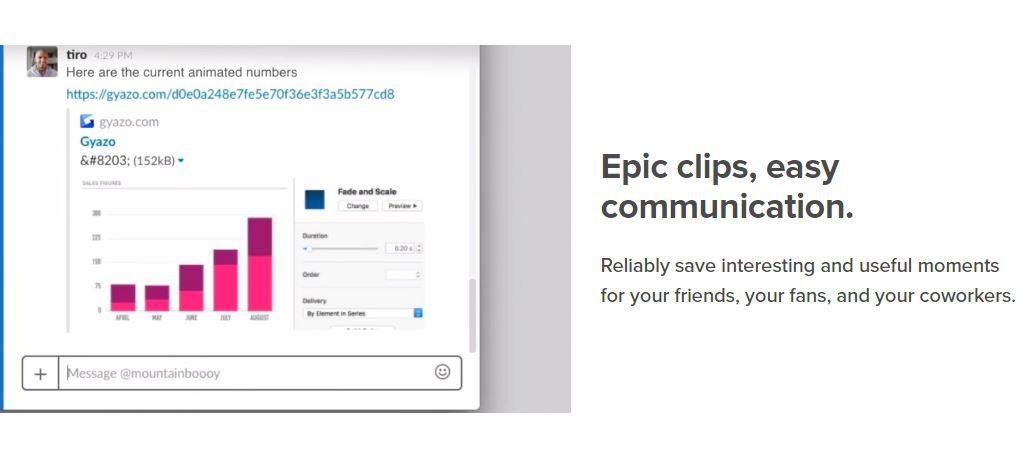
Capture screenshots, GIFs, and replays that are immediately shareable, ensuring you don’t miss any important moments on your screen. Once you’ve made your captures, we generate and copy a unique private link that’s ready for you to paste and share without delay. This allows you to reliably save intriguing and useful moments for your friends, fans, and colleagues alike. Each capture, along with its relevant details, is securely stored in your account for easy access. By upgrading to Gyazo Pro, you can efficiently search and organize all your captures. Whether it's a screenshot or a GIF, it serves as an ideal means to convey what you see. New links for screenshots are automatically copied, enabling you to share them instantly across various platforms. Sometimes, written explanations can lack clarity or take too long; sending a screenshot or GIF communicates your message with perfect clarity. There’s a constant demand for fresh content on blogs, social media, and websites; capture and edit your visuals in mere seconds to create impactful content ready for immediate posting. Every item you capture is privately tagged, making it simple for you to locate in the future, enhancing your ability to engage and connect with your audience effectively. As you continue to collect these visuals, you’ll find that sharing and creating becomes an effortless part of your workflow.
Description
QuipShot is a screenshot utility designed for Windows 10 and 11, allowing users to capture specific areas, full screens, individual windows, scrolling content, and text visible on their display. After taking a screenshot, users can embellish their images with various annotations, such as arrows, shapes, text notes, highlights, numbered steps, and blurring effects, and they can easily copy, save, or transfer the edited screenshots to other programs. Equipped with features like on-device OCR, HDR and high-DPI support, a screen color picker, screenshot merging capabilities, a gallery for storing captures, and floating thumbnail views, QuipShot caters to individuals who frequently need to document, illustrate, review, or disseminate screen information. This includes professionals such as developers, designers, technical writers, product managers, QA engineers, support teams, content creators, streamers, and educators. Importantly, the application ensures user privacy by storing all screenshots locally on the Windows desktop without any uploads. As a versatile tool, QuipShot enhances productivity for anyone involved in creating or sharing visual content.
API Access
Has API
No
API Access
Has API
No


Screenshots View All
No images available
Integrations
Centercode
Yes
Google Cloud Platform
Yes
MCPTotal
Yes
Microsoft 365
Yes
Unity
Yes
Integrations
Centercode
No
Google Cloud Platform
No
MCPTotal
No
Microsoft 365
No
Unity
No
Pricing Details
$3.99 per month
Free Trial
No
Free Version
Yes
Pricing Details
$20/month
$20 per month for up to three devices. The subscription renews monthly and can be canceled; the site states a seven-day refund period.
Free Trial
No
Free Version
No
Deployment
Web-Based
Yes
On-Premises
No
iPhone App
No
iPad App
No
Android App
No
Windows
Yes
Mac
No
Linux
No
Chromebook
No
Deployment
Web-Based
No
On-Premises
No
iPhone App
No
iPad App
No
Android App
No
Windows
Yes
Mac
No
Linux
No
Chromebook
No
Customer Support
Business Hours
No
Live Rep (24/7)
No
Online Support
Yes
Customer Support
Business Hours
No
Live Rep (24/7)
No
Online Support
No
Types of Training
Training Docs
Yes
Webinars
No
Live Training (Online)
No
In Person
No
Types of Training
Training Docs
No
Webinars
No
Live Training (Online)
No
In Person
No
Vendor Details
Company Name
Gyazo
Founded
2007
Country
United States
Website
gyazo.com/en
Vendor Details
Company Name
OTHEXCORP
Founded
2015
Country
United States
Website
quipshot.com
Product Features
Screen Recording
Annotations / Drawing
No
Audio Capture
No
Backup
No
Collaboration Tools
No
File Sharing
No
Multi-Screen Recording
No
Screen Capture
No
Speech-to-Text
No
Video Editing
No
YouTube Uploading
No

