Google Authenticator
4.6 out of 5 starsAverage Ratings 51 Ratings
Average Ratings 0 Ratings
Similar Products
-
Auth0Auth0 takes a modern approach to Identity and enables organizations to provide secure access to any application, for any user. Auth0 is highly customizable, and simple yet flexible. Safeguarding billions of login transactions each month, Auth0 delivers convenience, privacy, and security so customers can focus on innovation. With Auth0, you can rapidly integrate authentication and authorization for web, mobile, and legacy applications, with new Fine Grained Authorization (FGA) that goes beyond role-based access control.
-
FusionAuthFusionAuth is the authentication and authorization platform engineered for developers who demand flexibility and control. Built from the ground up to integrate with any stack, every feature — from user registration to MFA and SSO — is exposed via a modern, well-documented API. Support for every major identity protocol is included out of the box: OIDC, SAML, OAuth2, JWT, passwordless login, social sign-on, and more. Whether you’re building a greenfield app or retrofitting auth into a legacy system, FusionAuth adapts to your use case — not the other way around. Need compliance? FusionAuth helps you meet GDPR, HIPAA, and COPPA standards quickly and reliably. Deploy it your way: install on Linux, Windows, macOS, Docker, or Kubernetes — or go with FusionAuth Cloud, our managed SaaS hosting. No black boxes. No vendor lock-in. Just powerful, customizable auth that works the way you do.
-
ManageEngine ADSelfService PlusBoth IT teams and end users are afflicted by password reset tickets. IT teams will often push more urgent issues down the queue to ensure that users don't have their work put on hold while their passwords reset. Password reset tickets can be costly if they aren't addressed promptly. Nearly 30 percent of all help desk tickets were caused by forgotten passwords. It is not surprising that large companies have spent more than $1 million to resolve password-related help desk requests. It is a good habit to change passwords regularly, as it helps prevent cyberattacks caused by stolen credentials. Security experts recommend that administrators ensure that users change their passwords regularly and have password expiration policies in place.
-
Proton PassProton Pass for Business is a privacy-first password and identity manager that helps organizations secure access at scale without sacrificing usability. Built with end-to-end encryption and a strict zero-knowledge architecture, it ensures that passwords, passkeys, secure notes, and payment details remain accessible only to authorized users within your team. Not even Proton can view your data. Teams can securely create, store, and share credentials via encrypted vaults, enabling safe and efficient collaboration. Granular admin controls allow IT managers to oversee permissions, enforce strong password policies, monitor access, and manage users throughout the employee lifecycle from onboarding to offboarding. Built-in password generation, autofill, and cross-device syncing streamline everyday workflows while maintaining high security standards. Proton Pass for Business also includes advanced features such as email alias integration to protect employee identities, dark web monitoring to detect compromised credentials, and detailed activity logs for visibility and compliance. Its open-source foundation promotes transparency and trust, and independent audits reinforce its security model. Hosted in Switzerland and protected by strong privacy laws, Proton Pass offers organizations a secure alternative to traditional password managers. With seamless browser extensions, an intuitive design, and enterprise-ready controls, it empowers teams to reduce credential-related risks, prevent unauthorized access, and improve productivity, all within a secure, encrypted environment.
-
UniqkeyUniqkey is Europe’s leading password and access manager. It simplifies employee security while empowering companies with enhanced control over their cloud infrastructure, access security, and employee management. Uniqkey combats the most significant threats to company infrastructure by safeguarding critical systems and company credentials with state-of-the-art encryption. It also offers unique insights and a comprehensive view of IT infrastructure, employee access, and security scores, making it a valuable tool for IT teams to monitor security policies and assess the impact of awareness campaigns with confidence. With powerful integrations and synergies with existing infrastructure such as Microsoft, IT managers can quickly provision or de-provision users for seamless onboarding and offboarding, all while protecting their entire IT infrastructure with advanced encryption. Engineered by leading European security experts, we leverage the latest encryption methodologies and technology, including offline encryption of all our data. Our modern tech stack and servers, hosted locally in Denmark, ensure maximum security, data integrity, and compliance with European regulations, providing our customers with peace of mind.
-
SumsubSumsub is a single verification platform that allows you to onboard more customers worldwide, speed up their access, reduce costs, and fight digital fraud. Sumsub combines effective verification flows with higher conversion rates worldwide through a powerful, all in one suite designed for a wide variety of needs: KYC/AML verification, KYB verifications, payment fraud prevention and face authentication.
-
UptimeRobotThe ultimate uptime monitoring service. Get 50 monitors with 5-minute checks completely free. Set up in seconds and stay informed about your website’s health at all times. Website monitoring: Get instant alerts when your website goes down. Reliable and accurate monitoring helps you fix issues before they affect users and prevent revenue loss. SSL certificate monitoring: Avoid losing visitors due to expired SSL certificates. Get notified 30 days before expiration so you can renew in time. Ping and port monitoring: Check if your server is online or if your email service is running on port 465. Monitor any port you need with real-time alerts. Cron job monitoring: Track scheduled tasks with heartbeat monitoring. We verify if the request arrives on time, making sure server-side jobs and internet-connected devices are running properly. Status pages: Create up to 100 branded status pages, protect them with a password, and allow subscribers to receive updates. Stay informed with email, SMS, voice calls, push notifications, or integrations with Slack, Zapier, PagerDuty, Telegram, Discord, Microsoft Teams, Google Chat, and more. Maintenance windows: Pause monitoring when you schedule downtime to avoid unnecessary alerts
-
LeakCheckTake control of your cybersecurity and safeguard your credentials with ASCOMP LeakCheck. This privacy-focused Windows application allows you to verify if your email addresses and passwords have been compromised in historical data leaks, performing all checks securely right from your desktop. Security is the top priority: LeakCheck uses advanced k-anonymity technology. Your passwords are never transmitted in plain text; instead, encrypted hashes are used to safely query extensive breach databases. If any match is found, the software displays immediate warnings alongside detailed context, including the name, source, and date of the breach. With LeakCheck, you can proactively defend your online identity, pinpoint vulnerable accounts, and update compromised passwords before unauthorized users can exploit them.
-
one.comAll in one plan: Website tools, hosting, personalized email, and more. We will help you every step of your way. Register or transfer your domain name. Build your site and make it a success. Register the perfect domain name today to kick-start your success. We can help you transfer domain names that you already own. You can build your website using the Website Builder or more advanced WordPress. In just a few simple steps, you can create a beautiful and responsive website. Increase your customer base. You have put in the work to create something you are proud of. Now you want the rest of the world to see it. All our plans come with a free domain for a year. Our website builder is easy to use and will help you create your online dream. Google Ads can help you increase your website traffic. Sign up to receive a 1 month free trial. Our friendly support team is available 24/7/365. All plans include a free SSL certificate. Your website will be secure starting day 1.
-
iDenfyAll-in-one platform for identity verification, fraud detection, and compliance. iDenfy uses a three-layer process to verify identity. This protects startups, financial services, gambling, streaming, ridesharing and other digital services against identity fraud. The process protects companies from the most dangerous forms of identity fraud. iDenfy offers a variety of fraud prevention services, including business verification, proxy detection and fraud scoring, AML screening, monitoring and AML screening, NFC verification and other fraud prevention services. iDenfy was founded before AML, GDPR, and fraud regulations were implemented. It pioneered the identity verification process. The company covers the entire ID verification process for users, combining AI biometric recognition with manual human checks to verify they are real users. Use our ID verification software to save up to 40% on identity verification services. Save up to 40% on identity verification costs by paying only for successful ID verification.
Description
Google Authenticator produces 2-Step Verification codes directly on your mobile device. This additional layer of security enhances the protection of your Google Account by necessitating a second verification step during the login process. Alongside your password, you will need a code that the Google Authenticator app generates on your phone. By using your Google Account, you can conveniently and securely access a multitude of websites and services, while also maintaining clear control over your privacy preferences. To further safeguard your account, utilize the Security Checkup tool, which offers tailored advice and actionable steps to bolster your account's security. It's crucial to understand that compromised passwords are far more prevalent than one might assume. Two-step verification serves as a formidable defense against unauthorized access, requiring that you complete an additional verification step after entering your password, thus significantly enhancing your account's safety. With this method, you can have greater peace of mind knowing that your information is better protected.
Description
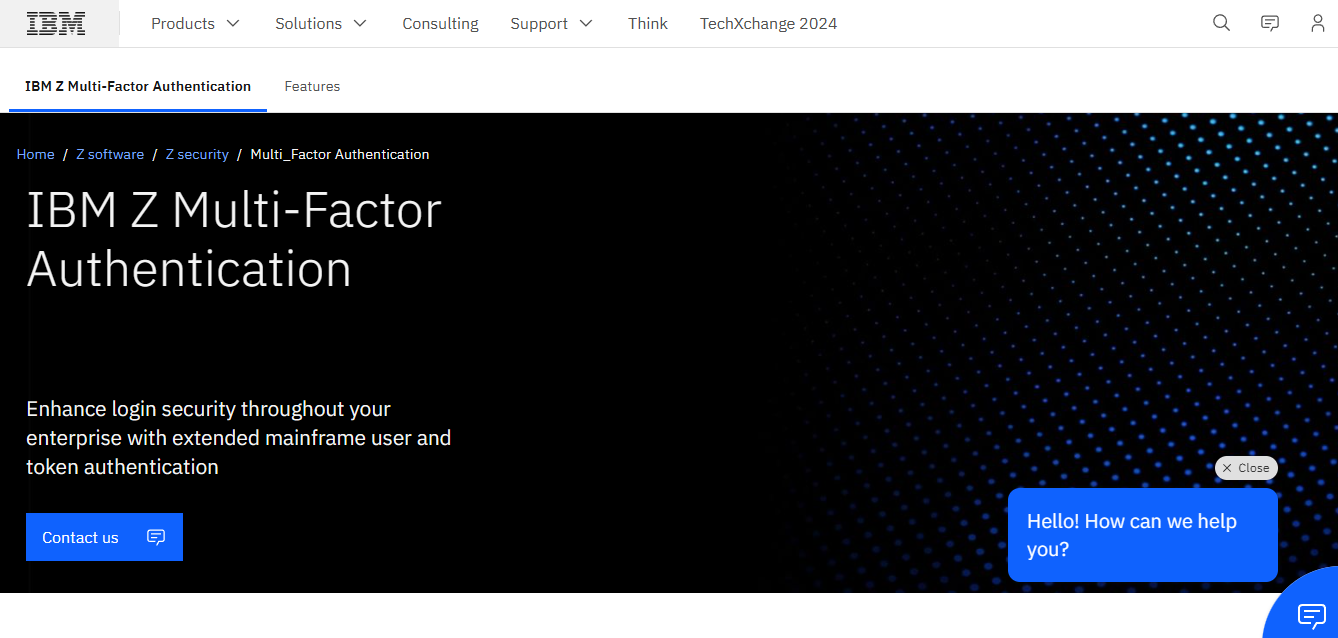
Mainframe systems serve as the backbone of reliable digital interactions for many of the globe’s largest enterprises and organizations. Despite their importance, the passwords that safeguard essential users, data, and applications are often a vulnerable point for cybercriminals to target, as their effectiveness largely depends on user awareness and adherence to security protocols. Through tactics like social engineering and phishing, hackers have successfully manipulated employees, partners, and everyday users to gain unauthorized access to even the most fortified platforms. IBM Z MFA significantly enhances the security of your critical systems by providing advanced authentication features and options for a thorough, user-focused strategy that reduces the risk of password breaches and system infiltrations. Additionally, our design team consists of IBM Z MFA users themselves, allowing us to integrate their valuable insights and experiences from real-world mainframe security challenges into every updated version we release. This continuous feedback loop ensures that our solutions remain relevant and effective in combating the evolving threats in the cybersecurity landscape.
API Access
Has API
No
API Access
Has API
No


Integrations
Authentiq
Yes
BitTurk
Yes
Censornet MFA
Yes
Corezoid
Yes
EasyWhistle
Yes
Form.io
Yes
Google Cloud Endpoints
Yes
HollaEx
Yes
Kasm Workspaces
Yes
Kion
Yes
Integrations
Authentiq
No
BitTurk
No
Censornet MFA
No
Corezoid
No
EasyWhistle
No
Form.io
No
Google Cloud Endpoints
No
HollaEx
No
Kasm Workspaces
No
Kion
No
Pricing Details
No price information available.
Free Trial
No
Free Version
Yes
Pricing Details
No price information available.
Free Trial
No
Free Version
No
Deployment
Web-Based
No
On-Premises
No
iPhone App
Yes
iPad App
Yes
Android App
Yes
Windows
No
Mac
No
Linux
No
Chromebook
No
Deployment
Web-Based
Yes
On-Premises
No
iPhone App
No
iPad App
No
Android App
No
Windows
No
Mac
No
Linux
Yes
Chromebook
No
Customer Support
Business Hours
No
Live Rep (24/7)
No
Online Support
Yes
Customer Support
Business Hours
Yes
Live Rep (24/7)
Yes
Online Support
Yes
Types of Training
Training Docs
Yes
Webinars
No
Live Training (Online)
No
In Person
No
Types of Training
Training Docs
Yes
Webinars
Yes
Live Training (Online)
Yes
In Person
Yes
Vendor Details
Company Name
Founded
1998
Country
United States
Website
g.co/2step
Vendor Details
Company Name
IBM
Founded
1911
Country
United States
Website
www.ibm.com/products/ibm-multifactor-authentication-for-zos
Product Features
Authentication
Biometric
No
Credential Management
No
Knowledge-Based Authentication
No
Mobile Authentication
Yes
Multifactor Authentication
Yes
Out-of-Band Authentication
No
Policy Management
No
Self Service Portal
No
Single Sign On
No
Social Sign On
No