Average Ratings 0 Ratings
Average Ratings 0 Ratings
Similar Products
-
Google Cloud SQLCloud SQL is a fully managed relational database service that supports MySQL, PostgreSQL, and SQL Server. It includes rich extensions, configuration flags, and developer ecosystems. Cloud SQL offers $300 in credits for new customers. You won't pay until you upgrade. Reduce maintenance costs by using fully managed MySQL, PostgreSQL, and SQL Server databases. The SRE team provides 24/7 support for reliable and secure services. Data encryption in transit and at rest ensures the highest level of security. Private connectivity with Virtual Private Cloud, user-controlled network access, and firewall protection add an additional layer of safety. Compliant with SSAE 16, ISO 27001, PCI DSS, and HIPAA, you can trust your data to be protected. Scale your database instances with a single API request, whether you are just testing or need a highly available database in production. Standard connection drivers and integrated migration tools let you create and connect to a database in a matter of minutes. Transform your database management with AI-driven support in Gemini, currently available in preview on Cloud SQL. It enhances development, optimizes performance, and simplifies fleet management, governance, and migration.
-
DbVisualizerDbVisualizer is a universal database client for anyone who works with data, from indie developers and startups to professional teams managing complex database environments, including developers, DBAs, analysts, and data engineers working across relational and NoSQL databases. Key features: - SQL editor with intelligent autocomplete, visual query builders, variables, and execution tools - AI Assistant for answering questions, explaining errors, and analyzing code - Git integration for managing SQL scripts and team collaboration - Customizable layouts, key bindings, and UI themes - Favorites for frequently used scripts and database objects - Configurable security settings for organizational requirements Connects via JDBC to MySQL, PostgreSQL, SQL Server, Oracle, Snowflake, SQLite, Cassandra, BigQuery, and more. Runs on Windows, macOS, and Linux. Nearly 7 million downloads, with Pro users in 150 countries, scaling from solo projects to enterprise database management.
-
ParasoftParasoft's mission is to provide automated testing solutions and expertise that empower organizations to expedite delivery of safe and reliable software. A powerful unified C and C++ test automation solution for static analysis, unit testing and structural code coverage, Parasoft C/C++test helps satisfy compliance with industry functional safety and security requirements for embedded software systems.
-
RaimaDBRaimaDB, an embedded time series database that can be used for Edge and IoT devices, can run in-memory. It is a lightweight, secure, and extremely powerful RDBMS. It has been field tested by more than 20 000 developers around the world and has been deployed in excess of 25 000 000 times. RaimaDB is a high-performance, cross-platform embedded database optimized for mission-critical applications in industries such as IoT and edge computing. Its lightweight design makes it ideal for resource-constrained environments, supporting both in-memory and persistent storage options. RaimaDB offers flexible data modeling, including traditional relational models and direct relationships through network model sets. With ACID-compliant transactions and advanced indexing methods like B+Tree, Hash Table, R-Tree, and AVL-Tree, it ensures data reliability and efficiency. Built for real-time processing, it incorporates multi-version concurrency control (MVCC) and snapshot isolation, making it a robust solution for applications demanding speed and reliability.
-
Checksum.aiEngineering teams shipping with AI have a new bottleneck: validation. Code output has accelerated. Quality hasn't. Checksum closes the gap. Checksum is a continuous quality platform with a suite of AI agents that handle testing end-to-end, at every stage of the development lifecycle. Where most tools wait for a human to trigger them, Checksum runs autonomously in the background, generating tests, executing them, and repairing failures without manual intervention. Seventy percent of test failures are resolved automatically through real-time auto-recovery. The platform covers every layer: end-to-end UI flows via Playwright, API endpoint chains, and targeted CI tests scoped to exactly what changed in a PR. All tests land as real code in your repository and are delivered as standard Playwright, owned by your team. Checksum is fine-tuned on 1.5+ million test runs and integrates natively with Cursor, Claude Code, and 100+ AI coding agents. Type /checksum and your coding agent's output gets tested before it ever reaches review. Generation and healing happen on Checksum's cloud infrastructure which means no LLM tokens consumed, no local resources required. The result: test suites that stay green as the product evolves, fewer regressions reaching production, and release confidence that scales alongside AI output.
-
ConcordConcord Horizon is an AI native contract platform built from a complete rewrite of Concord’s technology, applying ten years of experience to a modern architecture for faster and more accurate contract work. The redesigned interface offers light and dark mode, collapsible navigation, full screen focus, custom columns, advanced filtering, and consistent tables across modules. AI Copilot supports natural language questions, contract summaries, key point extraction, and fast portfolio insights, while AI Search adds lexical and semantic search with improved performance and multi actions on results. MCP brings contract intelligence into AI tools like ChatGPT and Claude for summaries, tables, or automated monitoring. Concord applies a strict zero data retention policy with AI partners and never uses customer data to train AI models .
-
OkylineOkyline is an Executable Data Design (EDD) platform focused on executable validation contracts and operational data quality control. Rather than managing separate specifications, validation code, tests, and monitoring dashboards, Okyline centralizes validation and quality supervision around a single readable executable contract acting as the operational reference for enterprise data flows. The same contract powers deterministic validation, advanced business invariant checks, multi-format execution, data quality gates, and historical quality analytics across APIs, events, files, LLM structured outputs, and distributed operational systems. Contracts are designed directly from annotated sample data, making validation rules immediately understandable for developers, architects, QA teams, and business analysts. The Community Edition includes the public specification, a free Java runtime engine, a Claude AI assistant for contract generation, and an online studio supporting executable JSON validation contracts and JSON Schema transpilation. The Enterprise Edition adds native validation for JSONL, XML, CSV, FIXED, and EDI flows together with operational quality dashboards and data quality gates, without requiring databases or centralized infrastructure.erprise Edition supports direct validation of JSON, JSONL, XML, CSV, FIXED, and EDI flows with operational quality dashboards and analytics, without databases.
-
DocmosisDocmosis is a self-hosted or SaaS template-based document generation solution. Integrate with custom-built software applications or popular third-party apps using the API. Create templates using MS Word or LibreOffice. Add plain-text placeholders to control: the insertion of text/images/tables; conditionally add/remove any content; perform calculations; loop over repeating data; format data/numbers and much more. Integrate with: Custom software built using Java, C#, Python, PHP, Ruby and more via a REST API; Low-code and no-code platforms like Appian, Bubble, Mendix, Outsystems; Third-party form builders or apps that can perform a webhook such as FormAssembly or Salesforce. Used by customers in Finance, Health, Legal, Education, Government, HR, Insurance, Logistics, and Manufacturing to generate customized letters invoices, proposals, contracts, statements, reports and more.
-
ReflectizReflectiz is a web exposure management platform that enables organizations to proactively identify, monitor, and mitigate security, privacy, and compliance risks across their digital environments. It provides comprehensive visibility and control over first, third, and even fourth-party components like scripts, trackers, and open-source libraries—elements that are often missed by traditional security tools. The unique advantage of Reflectiz is that it operates remotely, without embedding code on customer websites. This ensures no impact on site performance, no access to sensitive user data, and no additional attack surface. By continuously monitoring all publicly available components, Reflectiz identifies hidden risks in your digital supply chain, helping to detect vulnerabilities and compliance issues in real-time. With a centralized dashboard, Reflectiz gives businesses a holistic view of their web assets, making it easier to manage risk across all digital properties. The platform allows teams to establish baselines for approved behaviors, swiftly identifying deviations that may indicate threats. Reflectiz is particularly valuable for industries such as eCommerce, healthcare, and finance, where managing third-party risks is crucial. It helps businesses enhance security, reduce attack surfaces, and maintain compliance without requiring any changes to website code, offering continuous monitoring and detailed insights into external component behaviors.
-
Google Cloud PlatformGoogle Cloud is an online service that lets you create everything from simple websites to complex apps for businesses of any size. Customers who are new to the system will receive $300 in credits for testing, deploying, and running workloads. Customers can use up to 25+ products free of charge. Use Google's core data analytics and machine learning. All enterprises can use it. It is secure and fully featured. Use big data to build better products and find answers faster. You can grow from prototypes to production and even to planet-scale without worrying about reliability, capacity or performance. Virtual machines with proven performance/price advantages, to a fully-managed app development platform. High performance, scalable, resilient object storage and databases. Google's private fibre network offers the latest software-defined networking solutions. Fully managed data warehousing and data exploration, Hadoop/Spark and messaging.
Description
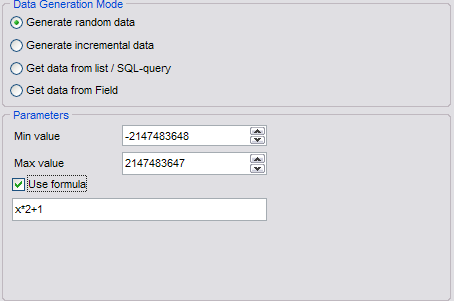
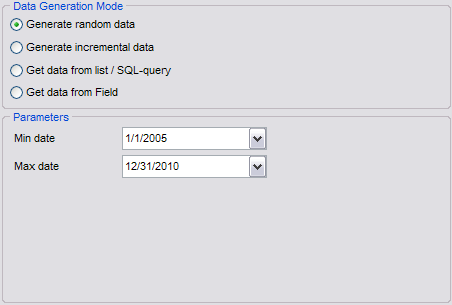
The EMS Data Generator for MySQL is a remarkable application designed to create test data for MySQL database tables, offering options to save and modify scripts. This versatile utility enables users to replicate a production-like database environment, facilitating the simultaneous filling of multiple MySQL tables with test data. Users can specify which tables and columns to target for data generation, establish ranges of values, and create MySQL character fields based on specific patterns. Additionally, it allows for the input of custom value lists or the selection of values through SQL queries, along with tailored generation parameters for each type of field. With its diverse features, the tool simplifies the process of generating MySQL test data effectively. Furthermore, the Data Generator for MySQL includes a user-friendly console application, enabling one-click generation of test data using pre-defined templates. This added functionality streamlines workflows and enhances productivity for database developers.
Description
Auto Backup for MySQL Professional Edition operates independently as a utility that does not necessitate any supplementary software installation. There's no requirement for the MySQL or MariaDB client to be present on your local machine when executing backups or restorations. This software facilitates the backup of MySQL or MariaDB databases directly from their original server to SQL files stored either on local disk, a network drive, or a backup server, and it can also transfer databases between servers. Conversely, it is capable of restoring MySQL or MariaDB databases from SQL files, a backup server, or another database. The Auto Backup for MySQL Professional Edition is designed to execute backup and restoration tasks automatically without user intervention. Users also have the option to manually initiate the program whenever needed. Furthermore, the software can be configured to run as a Windows Service, allowing backup and restoration processes to occur without requiring a user to be logged into Windows. It effectively manages the backup and restoration of all MySQL and MariaDB components, ensuring comprehensive data protection. This versatility makes it an essential tool for database administrators seeking efficiency and reliability in their backup solutions.
API Access
Has API
No
API Access
Has API
No




Integrations
MySQL
Yes
RadiantOne
Yes
CData API Server
No
IBM Db2
Yes
InterBase
Yes
MariaDB
No
Oracle Database
Yes
PostgreSQL
Yes
Quick 'n Easy Web Builder
No
SQL Server
Yes
Integrations
MySQL
Yes
RadiantOne
Yes
CData API Server
Yes
IBM Db2
No
InterBase
No
MariaDB
Yes
Oracle Database
No
PostgreSQL
No
Quick 'n Easy Web Builder
Yes
SQL Server
No
Pricing Details
$60 per year
Free Trial
No
Free Version
No
Pricing Details
$119.95 one-time payment
Free Trial
No
Free Version
No
Deployment
Web-Based
Yes
On-Premises
No
iPhone App
No
iPad App
No
Android App
No
Windows
No
Mac
No
Linux
No
Chromebook
No
Deployment
Web-Based
No
On-Premises
No
iPhone App
No
iPad App
No
Android App
No
Windows
Yes
Mac
Yes
Linux
Yes
Chromebook
No
Customer Support
Business Hours
Yes
Live Rep (24/7)
No
Online Support
Yes
Customer Support
Business Hours
Yes
Live Rep (24/7)
No
Online Support
Yes
Types of Training
Training Docs
Yes
Webinars
No
Live Training (Online)
No
In Person
No
Types of Training
Training Docs
Yes
Webinars
No
Live Training (Online)
No
In Person
Yes
Vendor Details
Company Name
EMS Software Development
Founded
1993
Country
Russia
Website
www.sqlmanager.net/products/mysql/datagenerator
Vendor Details
Company Name
SwordSky Software
Founded
2005
Country
United States
Website
www.swordsky.com
Product Features
Product Features
Database Backup
Automatic Backup
No
Backup Locations
No
Backup Scope Settings
No
Differential Backup
No
Filegroup Backup
No
Full Backup
No
Incremental Backup
No
Manual Backup
No
Multiple Backups
No
