Average Ratings 0 Ratings
Average Ratings 2 Ratings
Similar Products
-
Wave BrowserWave Browser is designed for people who want a safer, faster, and more meaningful way to explore the web. Built on strong security principles, Wave puts you in control of your privacy with customizable cookie and tracker blocking, incognito mode, and clear permission choices. AppEsteem Certification ensures Wave meets strict, independently verified standards for clean installation, transparent behavior, and responsible software practices, giving you confidence every time you browse. Wave is also built for productivity, offering tools that help you stay organized and move through information with purpose. Tab grouping, bookmarks, and a reading list keep ideas within reach, while split screen let you research, compare, or watch without switching between windows. Memory Saver mode helps your device stay fast during heavy sessions, and the built-in AI Assistant and messaging integrations bring your favorite tasks closer to a single click. Designed to be simple and user-friendly, Wave Browser removes friction from everyday browsing. The free ad blocker keeps pages clean, and built-in tools—like the converter, package tracker, price tracker, translation tool, stock tracker, and content notifier—help you get things done without extra extensions. Most importantly, Wave is a browser with real ocean impact built in. Through a certified partnership with 4ocean, Wave helps fund the removal of 100,000 pounds of trash from our ocean, rivers, and coastlines every year. A live impact tracker shows exactly how much waste the Wave community has helped remove, with verified monthly updates from cleanup crews in the U.S., Indonesia, and the Dominican Republic. With Wave Browser, your everyday browsing directly supports a cleaner planet and the people working to protect it.
-
ShiftShift puts you in control of your browser. Arrange apps, bars, and controls exactly where you want them, building a personalized workspace that works around you — not the other way around. Connect over 1,500 web apps, jump between dedicated Spaces for work, side hustles, and personal browsing, and manage multiple accounts without ever logging in and out. As a pioneer in carbon-neutral browsing, Shift is committed to rethinking what a browser can be — for the people who use it and the world they live in. Started in Victoria, British Columbia in 2016, Shift is a Certified B Corp and proud member of the Redbrick portfolio. What you can do with Shift: - Build your browser: Design a layout tailored to how you use the internet. - Create Spaces: Keep work, side hustles, and passion projects in their own lane. - Integrate Apps: Bring your favorite web apps together in one place. - Templates: Pick from 6 ready-made layouts to get started fast. - Shift AI: A built-in AI assistant that helps you get more done across every tab and app.
-
Kasm WorkspacesKasm Workspaces streams your workplace environment directly to your web browser…on any device and from any location. Kasm is revolutionizing the way businesses deliver digital workspaces. We use our open-source web native container streaming technology to create a modern devops delivery of Desktop as a Service, application streaming, and browser isolation. Kasm is more than a service. It is a platform that is highly configurable and has a robust API that can be customized to your needs at any scale. Workspaces can be deployed wherever the work is. It can be deployed on-premise (including Air-Gapped Networks), in the cloud (Public and Private), or in a hybrid.
-
HERE Enterprise BrowserEverything works right here™. The product of years of collaboration with the world’s largest financial institutions, HERE Enterprise Browser is the first and only browser that solves both enterprise security and workforce productivity. Built on Google Chromium, HERE streamlines workflow and improves employee experience.
-
CrankWheelCrankWheel allows you to share your screen while on a call. This makes it easy to create engaging presentations. You can send a link via email or SMS to the viewer and they will be able to view it in any browser on any device. CrankWheel was designed for simplicity and can be shared with customers to facilitate business deals. CrankWheel can be used to complement calls from insurance agents, mortgage advisors and solar advisors as well as educators and customer support specialists. CrankWheel is easy to integrate with websites and allows users to add a Demo button to receive quick notifications. We can show you if they are paying attention. Our Chrome Extension has enabled over 50,000 users to share their screens with prospects, regardless of their technical skills or device choice. CrankWheel can be used on old browsers and obscure devices, even with poor network connections. It works on Mac, Android, iOS, Blackberries, Internet Explorer, and Android.
-
GroupTogetherGroupTogether is a user-friendly online platform designed for creating group cards, collecting gifts, and sending eGift Cards quickly and effortlessly. It allows users to initiate a group card, decide whether to gather funds or select a gift, and then distribute a single link to friends, family, coworkers, or teammates. Participants have the option to add personalized messages, share photos, and include GIFs, while also contributing a specific amount, any amount they choose, or simply signing the card without making a financial contribution. With privacy assured, GroupTogether eliminates the discomfort of using personal banking details and ensures secure transactions, complete with verifiable records of contributions and expenditures. Organizers have the flexibility to use the collected funds for a variety of gifts, including eGift Cards, gift baskets, flowers, or the versatile GroupTogether AnyCard that allows recipients to choose from over 100 eGift Cards. The platform provides the option for digital delivery or downloadable PDFs for printing, making it a practical solution for various occasions such as remote team celebrations, workplace events, classroom activities, birthdays, farewells, and retirements. Moreover, this seamless process fosters a sense of community and connection, even in virtual settings.
-
INTOOINTOO, the global career transition and outplacement division of Gi Group Holding, has supported more than 25,000 organizations over the last three decades in helping employees successfully navigate career change. Our award-winning solutions combine personalized, unlimited one-on-one coaching with intuitive digital tools designed to accelerate job searches—helping participants secure new roles 2.5 times faster than the national average while maintaining a 97% satisfaction rate. Serving clients in over 130 countries and 40+ languages, INTOO partners with HR leaders worldwide by delivering scalable support, actionable workforce insights, and a high-touch experience throughout every transition. At INTOO, we’re guided by one simple promise: to care more about your employees, your outcomes, and your success. Our programs include: - Seven-day-a-week access to expert career coaches for support with networking, LinkedIn optimization, personal branding, interview preparation, job search strategy, and more - Personalized resume reviews designed to improve ATS performance and visibility - Live daily webinars led by career experts on a wide range of job search and career development topics - and more
-
JS7 JobSchedulerJS7 JobScheduler, an Open Source Workload Automation System, is designed for performance and resilience. JS7 implements state-of-the-art security standards. It offers unlimited performance for parallel executions of jobs and workflows. JS7 provides cross-platform job execution and managed file transfer. It supports complex dependencies without the need for coding. The JS7 REST-API allows automation of inventory management and job control. JS7 can operate thousands of Agents across any platform in parallel. Platforms - Cloud scheduling for Docker®, OpenShift®, Kubernetes® etc. - True multi-platform scheduling on premises, for Windows®, Linux®, AIX®, Solaris®, macOS® etc. - Hybrid cloud and on-premises use User Interface - Modern GUI with no-code approach for inventory management, monitoring, and control using web browsers - Near-real-time information provides immediate visibility to status changes, log outputs of jobs and workflows. - Multi-client functionality, role-based access management - OIDC authentication and LDAP integration High Availability - Redundancy & Resilience based on asynchronous design and autonomous Agents - Clustering of all JS7 Products, automatic fail-over and manual switch-over
-
RAD PDFInstall-free PDF editing, form filling, redaction, signing, viewing, and more on your website with RAD PDF! Packaged as an easy to use library / WebControl (compatible with .NET 3.5+, .NET Core, and .NET 5+), RAD PDF can be used with just about any flavor of ASP.NET including MVC, Razor, Blazor, WebForms, and more. RAD PDF is compatible with 99% of internet browsers, including those on Linux, Mac OS X, Microsoft Windows, and mobile. No plugins. No Adobe Reader. RAD PDF is more than a PDF to HTML converter. It natively supports all the most common PDF features including annotations, bookmarks, form fields, page labels, and more. With advanced PDF options, RAD PDF allows you to selectively enable and disable features not available with Adobe Acrobat Reader, like protecting a PDF from being downloaded while still viewable online. RAD PDF users can use PDF form fields directly from the web browser by enabling PDF form filling and PDF form saving without having to install any software. Integrating directly with ASP.NET, RAD PDF allows your web application to capture input data, build custom workflows, and provide an intuitive graphical user interface (GUI) for just about any online PDF interaction imaginable!
-
ManageEngine Endpoint CentralManageEngine Endpoint Central is a unified endpoint management and security platform designed for IT teams managing diverse and distributed device environments eliminating the need for multiple disconnected products for patching, remote access, mobile management, and security. The platform supports Windows, macOS, Linux, iOS, Android, and Chrome OS. Automated patch deployment covers OS and 1,000+ third-party applications with scheduling, testing, rollback, and compliance reporting. Software can be deployed, updated, or removed across thousands of endpoints simultaneously. OS imaging workflows provision new devices quickly, while continuous asset inventory supports license compliance and audit readiness. Security capabilities are built directly into the platform. Vulnerability assessment identifies and prioritizes endpoint weaknesses by severity. Application control prevents unauthorized software execution. Device control governs USB and peripheral access. Endpoint privilege management removes unnecessary admin rights. EDR delivers behavioral threat detection and incident response, while NGAV blocks malware, ransomware, and zero-day threats. BitLocker and FileVault encryption enforces disk protection across Windows and macOS. Built-in remote desktop allows technicians to connect instantly without third-party software. Integrated MDM covers iOS and Android enrollment, app management, and remote wipe for corporate and BYOD environments. DEX monitoring gives IT teams real-time visibility into device performance enabling proactive issue resolution before productivity is impacted. Available as cloud or on-premises across Free, Professional, Enterprise, UEM, and Security editions.
Description
Colibri Browser prioritizes speed, efficiency, and a minimalist design, offering a uniquely lightweight and compact interface. It enhances your browsing experience by allowing you to access more content without the hassle of managing countless tabs. Compatible with macOS, Windows, and Linux, getting started is simple: just enter your email to set up an account. The Links feature acts as a replacement for traditional tabs, bookmarks, and browsing history, enabling you to save any webpage for later with just one click, and this information is securely stored on the server for easy access. Additionally, the Lists function helps you categorize and manage your Links, making it invaluable as your collection expands and you wish to organize them by different topics. A new feature called Feeds allows you to subscribe to various web feeds, ensuring that you automatically receive the latest updates from your preferred websites, so you can stay informed without any extra effort. Overall, Colibri Browser combines these innovative features to redefine how users interact with the web.
Description
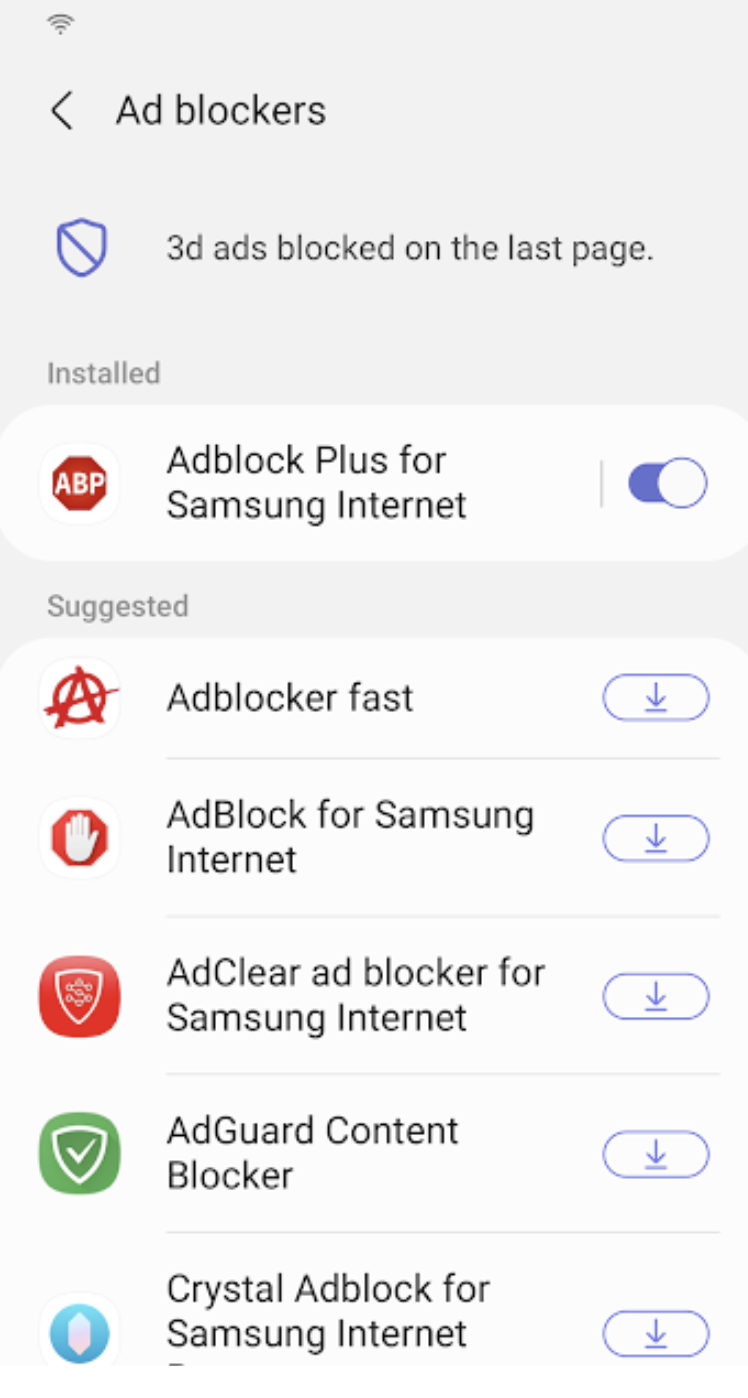
Samsung Internet for Android is an efficient and dependable web browser designed for mobile devices such as phones and tablets. It enhances your online experience with features like secret mode for privacy, biometric login for secure access, and a content blocker to minimize distractions. This browser also supports third-party applications that can offer additional filtering for unwanted content, ensuring a streamlined browsing experience. Online shopping becomes safer and more convenient with the integration of the Web Payments API, allowing for secure checkouts with just a few taps. Progressive Web Apps provide the flexibility to be installed like traditional apps or accessed directly through the browser, with a badge appearing in the URL bar when available. The Video Assistant feature allows users to easily toggle between different viewing modes for an optimized video experience, while the pop-up player enables seamless browsing without interrupting video playback. Overall, Samsung Internet for Android prioritizes user convenience and security in its design.
API Access
Has API
No
API Access
Has API
No




Integrations
8th Wall
No
AdAway
No
Adblock Fast
No
Adblock Plus
No
Block This
No
Crystal Adblock
No
Disconnect
No
Guard My Web
No
Hololink
No
Momentum IoT
No
Integrations
8th Wall
Yes
AdAway
Yes
Adblock Fast
Yes
Adblock Plus
Yes
Block This
Yes
Crystal Adblock
Yes
Disconnect
Yes
Guard My Web
Yes
Hololink
Yes
Momentum IoT
Yes
Pricing Details
Free
Free Trial
No
Free Version
Yes
Pricing Details
No price information available.
Free Trial
No
Free Version
No
Deployment
Web-Based
No
On-Premises
No
iPhone App
No
iPad App
No
Android App
No
Windows
Yes
Mac
Yes
Linux
Yes
Chromebook
No
Deployment
Web-Based
No
On-Premises
No
iPhone App
No
iPad App
No
Android App
Yes
Windows
No
Mac
No
Linux
No
Chromebook
No
Customer Support
Business Hours
No
Live Rep (24/7)
No
Online Support
Yes
Customer Support
Business Hours
No
Live Rep (24/7)
No
Online Support
Yes
Types of Training
Training Docs
Yes
Webinars
No
Live Training (Online)
No
In Person
No
Types of Training
Training Docs
No
Webinars
No
Live Training (Online)
No
In Person
No
Vendor Details
Company Name
Colibri
Website
colibri.opqr.co
Vendor Details
Company Name
Samsung
Founded
1938
Country
South Korea
Website
www.samsung.com/us/support/owners/app/samsung-internet
