Average Ratings 0 Ratings
Average Ratings 180 Ratings
Description
The optimal solution for generating barcodes in the publishing sector is a dedicated barcode label maker:
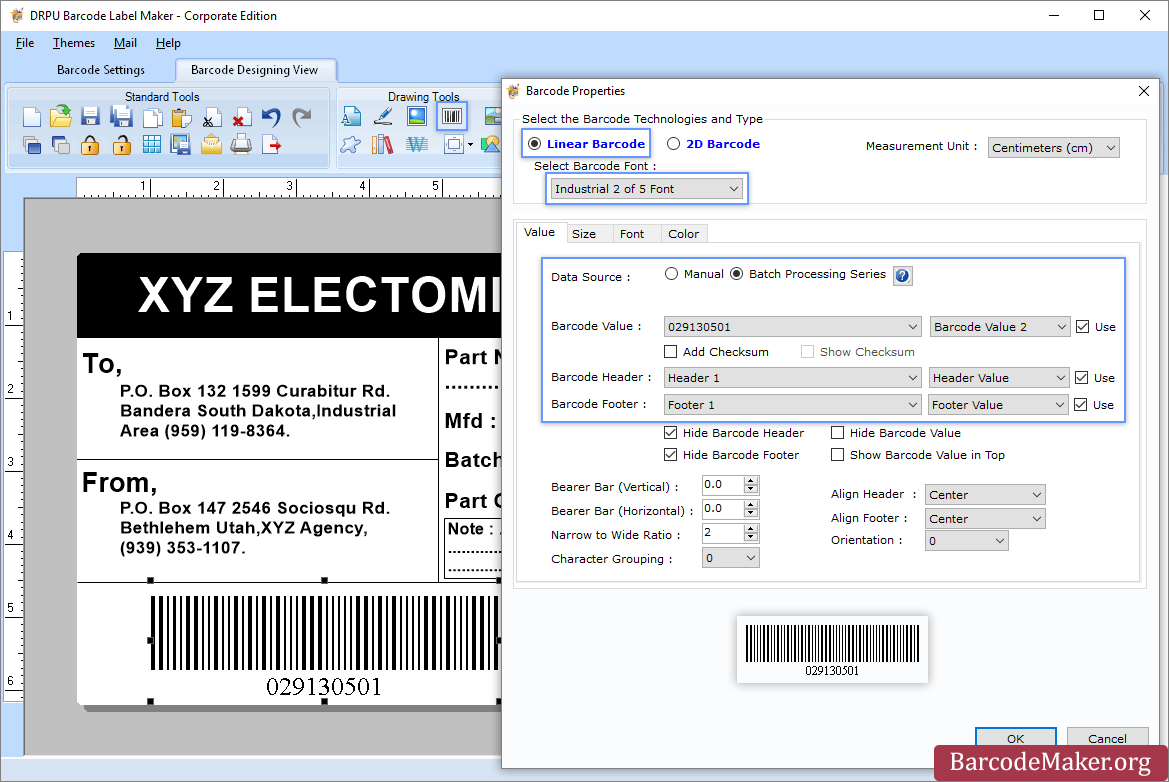
To start, download and install the Publisher Barcode Generator compatible with Windows. Once installed, open the application and select either the Quick Barcode Mode or the Barcode Designing View Mode. In Quick Barcode Mode, users can opt for either Linear or 2D barcode fonts, input the desired barcode along with header and footer values, and if needed, activate Batch Processing to create multiple barcodes simultaneously. Alternatively, in the Barcode Designing View Mode, users can personalize their labels by adjusting general properties, background settings, and image processing features. To add a barcode, navigate to the Drawing Tools tab and double-click on the barcode to access its properties, where you can select the barcode type and font before entering the specific barcode information. If you plan to generate barcodes in batches, remember to enable the Batch Processing Series option. Finally, the generated barcode labels or tags can be saved in various formats, facilitating easy usage across different platforms. This comprehensive approach ensures that users have all the tools necessary for efficient barcode label creation tailored to their needs.
Description
Label LIVE is the easiest to use label printer app for designing and printing labels. You can print barcodes and address labels, shelf tags, inventory labels, and many other jobs using Label LIVE. Use your Mac or Windows 10 desktop computer to work with thermal label printers from mydpi, Brother, DYMO and Zebra.
Label LIVE generates PDFs that can be sent to any printer that is installed using a driver. This means you can send complex print jobs to inkjet and laser printers, too.
Need to import spreadsheet data? Label LIVE can import Excel, Numbers or CSV files with a few clicks.
API Access
Has API
API Access
Has API


Integrations
Microsoft Excel
Numbers
Pricing Details
$50 one-time payment
Free Trial
Free Version
Pricing Details
$47.99/one-time
Free Trial
Free Version
Deployment
Web-Based
On-Premises
iPhone App
iPad App
Android App
Windows
Mac
Linux
Chromebook
Deployment
Web-Based
On-Premises
iPhone App
iPad App
Android App
Windows
Mac
Linux
Chromebook
Customer Support
Business Hours
Live Rep (24/7)
Online Support
Customer Support
Business Hours
Live Rep (24/7)
Online Support
Types of Training
Training Docs
Webinars
Live Training (Online)
In Person
Types of Training
Training Docs
Webinars
Live Training (Online)
In Person
Vendor Details
Company Name
BarcodeMaker.org
Country
India
Website
www.barcodemaker.org
Vendor Details
Company Name
Semireg Industries, LLC
Founded
2014
Country
United States
Website
label.live
Product Features
Barcoding
Barcode Generation
Barcode Scanning
Custom Labels
Inventory Management
Label Templates
RFID
Receiving Labels
Serial Number Tracking
Shipping Labels
Product Features
Barcoding
Barcode Generation
Barcode Scanning
Custom Labels
Inventory Management
Label Templates
RFID
Receiving Labels
Serial Number Tracking
Shipping Labels
Label Printing
Automation
Barcode Support
Categorization
Design Tools
Hardware Integration
Multi-Language Support
Product Data Integration
Regulatory Compliance
Templates