Learn More

Average Ratings 97 Ratings

Total
ease
features
design
support

Average Ratings 35 Ratings

Description

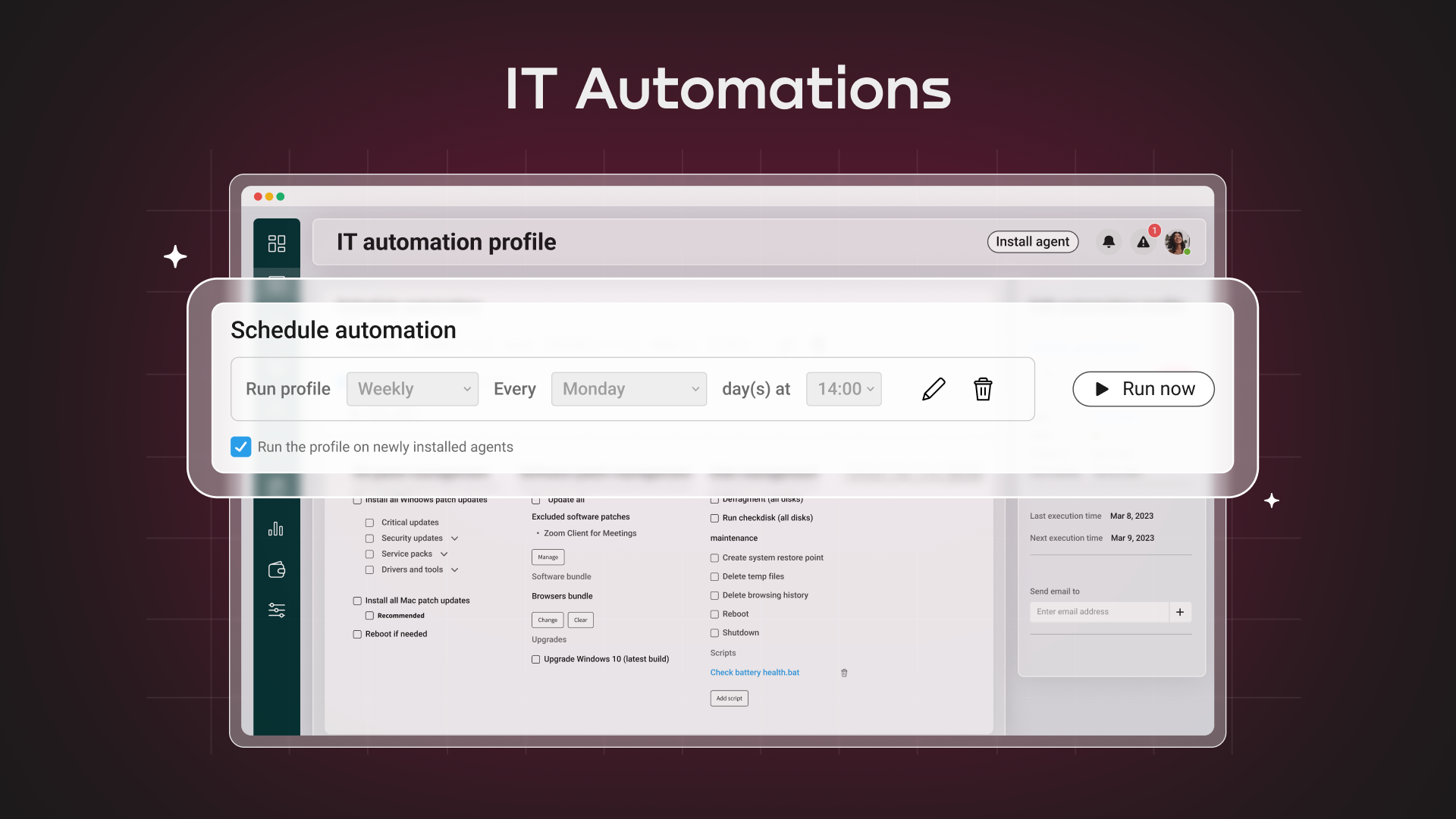
The all-in-one IT management platform, powered by Action AI™ Atera is the all-in-one IT management platform that combines RMM, Helpdesk, and ticketing with AI to boost organizational efficiency at scale. Try Atera Free Now!

Description

ScreenMeet offers a suite of secure, browser-based remote support and screen-sharing tools designed to enhance customer service and IT support. With capabilities like remote desktop access, live voice and video support, co-browsing, and asynchronous screen recording, ScreenMeet allows agents to assist customers or employees seamlessly. It integrates with major ITSM, CRM, and contact center platforms such as ServiceNow, Salesforce, and Microsoft Dynamics 365, providing a unified support experience. Designed for enterprises, ScreenMeet ensures high security, scalability, and flexibility, making it ideal for businesses aiming to improve support efficiency and customer satisfaction.

API Access

Has API Yes 

API Access

Has API Yes 

Screenshots View All

Screenshots View All

Integrations

Salesforce Yes 
ServiceNow Yes 
Acronis Cyber Protect Yes 
Bitdefender GravityZone Yes 
ChatGPT Yes 
Cynet All-in-One Cybersecurity Platform Yes 
Emsisoft Anti-Malware Yes 
Hudu Yes 
IT Glue Yes 
Lucidum Yes 
Malwarebytes Yes 
Microsoft Dynamics 365 No 
OpenText Core Endpoint Protection Yes 
QuickBooks Online Yes 
QuickBooks Online Advanced Yes 
Robin by Atera Yes 
Strategy Overview Yes 
TeamViewer Yes 
Xero Yes 
Zapier Yes 

Integrations

Salesforce Yes 
ServiceNow Yes 
Acronis Cyber Protect No 
Bitdefender GravityZone No 
ChatGPT No 
Cynet All-in-One Cybersecurity Platform No 
Emsisoft Anti-Malware No 
Hudu No 
IT Glue No 
Lucidum No 
Malwarebytes No 
Microsoft Dynamics 365 Yes 
OpenText Core Endpoint Protection No 
QuickBooks Online No 
QuickBooks Online Advanced No 
Robin by Atera No 
Strategy Overview No 
TeamViewer No 
Xero No 
Zapier No 

Pricing Details

30-DAY FREE TRIAL
Fixed cost — per technician-based pricing with unlimited endpoints.
Free Trial Yes 
Free Version No 

Pricing Details

SaaS subscription model. Unit price decreases as number of users increase.
Free Trial Yes 
Free Version No 

Deployment

Web-Based Yes 
On-Premises No 
iPhone App Yes 
iPad App Yes 
Android App Yes 
Windows Yes 
Mac Yes 
Linux Yes 
Chromebook No 

Deployment

Web-Based Yes 
On-Premises No 
iPhone App Yes 
iPad App Yes 
Android App Yes 
Windows Yes 
Mac Yes 
Linux No 
Chromebook Yes 

Customer Support

Business Hours No 
Live Rep (24/7) Yes 
Online Support Yes 

Customer Support

Business Hours No 
Live Rep (24/7) Yes 
Online Support Yes 

Types of Training

Training Docs Yes 
Webinars Yes 
Live Training (Online) Yes 
In Person No 

Types of Training

Training Docs Yes 
Webinars No 
Live Training (Online) Yes 
In Person No 

Vendor Details

Company Name

Atera

Founded

2011

Country

Israel

Website

www.atera.com

Vendor Details

Company Name

ScreenMeet

Founded

2014

Country

United States

Website

screenmeet.com

Product Features

Application Performance Monitoring (APM)

Baseline Manager Yes 
Diagnostic Tools Yes 
Full Transaction Diagnostics No 
Performance Control Yes 
Resource Management Yes 
Root-Cause Diagnosis Yes 
Server Performance Yes 
Trace Individual Transactions Yes 

Help Desk

Alerts / Escalation Yes 
Automated Routing Yes 
Community Forums No 
Customizable Branding Yes 
Document Storage Yes 
Email Integration Yes 
IT Asset Management Yes 
Incident Management Yes 
Interaction Tracking Yes 
Knowledge Base Yes 
Known Issue Management Yes 
Live Chat Yes 
Multi-Channel Communication Yes 
Multiple Brands / Products Yes 
Network Monitoring Yes 
Real-time Chat Yes 
Self Service Portal Yes 
Service Level Agreement (SLA) Management Yes 
Ticket Management Yes 

IT Asset Management

Asset Tracking Yes 
Audit Management No 
Compliance Management Yes 
Configuration Management No 
Contract/License Management Yes 
Cost Tracking No 
Depreciation Management No 
IT Service Management Yes 
Inventory Management Yes 
Maintenance Management No 
Procurement Management No 
Requisition Management No 
Supplier Management No 

IT Management

Capacity Monitoring Yes 
Compliance Management Yes 
Event Logs Yes 
Hardware Inventory Yes 
IT Budgeting No 
License Management Yes 
Patch Management Yes 
Remote Access Yes 
Scheduling Yes 
Software Inventory Yes 
User Activity Monitoring Yes 

IT Service

Contract Management Yes 
IT Asset Management Yes 
Incident Management Yes 
Knowledge Management Yes 
Release Management Yes 
Self Service Portal Yes 
Service Catalog No 
Service Reporting Yes 
Ticket Management Yes 

ITSM

Asset Tracking Yes 
Availability Management No 
Change Management Yes 
Configuration Management No 
Contract/License Management Yes 
Dashboard Yes 
Incident Management Yes 
Problem Management Yes 
Project Management No 
Release & Deployment Management No 
Self Service Portal Yes 

MSP

Backup Management Yes 
Billing & Invoicing Yes 
CRM Yes 
Dashboard Yes 
Help Desk Yes 
Issue Management Yes 
Live Chat Yes 
Patch Management Yes 
Privileged Access Management (PAM) No 
Project Management Yes 
Remote Access Yes 
Remote Systems Monitoring Yes 
Scheduling Yes 

Network Mapping

Color Codes / Icons No 
Compliance Management No 
Device Auto Discovery Yes 
Hierarchical Mapping Yes 
Location-Based Mapping No 
Map Exporting No 
On-Demand Mapping Yes 
Reporting/Analytics Yes 
Self-Updating Maps No 
Web Traffic Reporting No 

Network Monitoring

Bandwidth Monitoring Yes 
Baseline Manager Yes 
Diagnostic Tools Yes 
IP Address Monitoring No 
Internet Usage Monitoring No 
Real Time Analytics Yes 
Resource Management Yes 
SLA Monitoring Yes 
Server Monitoring Yes 
Uptime Monitoring Yes 
Web Traffic Reporting No 

Network Troubleshooting

Alerts / Escalation Yes 
Bandwidth Troubleshooting Yes 
Change Management No 
Configuration Management No 
Connectivity Management No 
Data Visualization No 
Historical Audit No 
Mobile Network Troubleshooting No 
Network Analysis No 
Network Monitoring Yes 

Patch Management

Alerts/Notifications Yes 
Automatic Approval Yes 
Automatic Patch Deployment Yes 
Automatic Scans Yes 
Compliance Management Yes 
Custom Patches Yes 
Dashboard Yes 
Network Wide Management Yes 
Patch Prioritization Yes 
Patch Testing Yes 
Remote Access/Control Yes 
Vulnerability Scanning Yes 

Professional Services Automation

Billing & Invoicing Yes 
CRM No 
Client Portal Yes 
Collaboration Tools No 
Document Management Yes 
Portfolio Management No 
Project Management No 
Proposal Generation Yes 
Quote Management No 
Resource Management No 
Time & Expense Tracking Yes 

Remote Desktop

Chat Yes 
Cross-Platform Access Yes 
File Transfer Yes 
Group View No 
Mobile Device Access Yes 
Multi Monitor Support Yes 
Record Remote Sessions Yes 
Remote Print Yes 
Remote Wake Yes 
User Management Yes 

Remote Support

Diagnostic Tools Yes 
File Transfer Yes 
Live Chat Yes 
Real-time Chat Yes 
Remote Control Yes 
Screen Sharing Yes 
Session Recording Yes 
Session Transfer Yes 
Surveys & Feedback Yes 

RMM

Deployment Management Yes 
For MSPs Yes 
IT Asset Management Yes 
Mobile Access Yes 
Network Monitoring Yes 
Patch Management Yes 
Real-time Alerts Yes 
Remediation Management Yes 

SaaS Management

License Management No 
Onboarding Yes 
Renewal Management Yes 
SaaS Operations Management No 
Shadow IT Detection No 
Spend Management No 
Subscription Management No 
Usage Tracking / Analytics Yes 
Vendor Management No 

Server Management

CPU Monitoring Yes 
Credential Management Yes 
Database Servers Yes 
Email Monitoring Yes 
Event Logs Yes 
History Tracking Yes 
Patch Management Yes 
Scheduling Yes 
User Activity Monitoring Yes 
Virtual Machine Monitoring Yes 

Service Desk

CMDB No 
Change Management No 
IT Asset Management Yes 
Incident Management Yes 
Knowledge Base Yes 
Mobile Access Yes 
Procurement Management No 
Remote Control Yes 
SLA Management Yes 
Self Service Portal Yes 

System Monitoring

Alerts / Notifications Yes 
Antivirus Management Yes 
Data Backup / Recovery Yes 
Device Monitoring Yes 
Inventory Management Yes 
Patch Management Yes 
Policy-based Automation Yes 
Remote Monitoring Yes 
Reporting / Analytics Yes 
Risk Analysis Yes 
Server Monitoring Yes 
Service Configuration Management Yes 

Product Features

Customer Service

Screen Share and Cobrowse for Website and Mobile App Support: ScreenMeet transforms the way businesses engage with customers by creating digital experiences that rival face-to-face interactions. Effortlessly incorporate video conferencing, screen sharing, and cobrowsing into your customer support operations with the fully integrated ScreenMeet solution. By adding these features, you can significantly improve First Call Resolution, Customer Satisfaction (CSAT), and Net Promoter Score (NPS) across various sectors. Function securely within your current Agent workspace—observe and annotate the customer’s screen, conceal sensitive data, and remotely operate devices as necessary, all while ensuring data security and privacy are upheld. Quickly connect with clients through their preferred communication channels, improving resolution times and overall customer satisfaction. ScreenMeet is seamlessly integrated into leading CRM and CSM platforms, enabling instant session launches and automatic recording of session data directly within your existing system.

Alerts / Escalation No 
Appointment Management No 
Call Center Management Yes 
Email Management No 
Knowledge Base No 
Live Chat No 
Performance Metrics No 
Queue Management No 
Self Service Portal No 
Social Media Integration No 
Surveys & Feedback No 
Virtual Assistant No 
Workflow Management No 

Help Desk

Diagnose and Solve IT Problems Instantly: ScreenMeet's suite of integrated tools empowers your IT Help Desk to effectively manage hybrid work settings, facilitating service provision to staff both on-site and remotely. This solution serves as a natural enhancement to your current IT Service Delivery Platform, fostering better interaction between employees and support agents. With the combination of video conferencing, screen sharing, and remote access features, ScreenMeet allows for rapid identification and resolution of both hardware and software issues. All interactions are recorded within your existing IT Help Desk ticketing system, removing the need for additional user accounts and alleviating data storage worries—everything is securely housed within your established records. Launching directly from within the platform, with no agent downloads required and seamless authentication, ScreenMeet delivers a smooth, virtual face-to-face experience for both agents and employees. This effortless integration promotes swift onboarding and effective resolution of IT challenges.

Alerts / Escalation Yes 
Automated Routing No 
Community Forums No 
Customizable Branding Yes 
Document Storage Yes 
Email Integration No 
IT Asset Management No 
Incident Management Yes 
Interaction Tracking Yes 
Knowledge Base No 
Known Issue Management No 
Live Chat No 
Multi-Channel Communication Yes 
Multiple Brands / Products No 
Network Monitoring No 
Real-time Chat No 
Self Service Portal No 
Service Level Agreement (SLA) Management No 
Ticket Management Yes 

IT Service

Contract Management No 
IT Asset Management No 
Incident Management Yes 
Knowledge Management No 
Release Management No 
Self Service Portal No 
Service Catalog No 
Service Reporting Yes 
Ticket Management Yes 

Remote Desktop

Chat No 
Cross-Platform Access Yes 
File Transfer Yes 
Group View Yes 
Mobile Device Access Yes 
Multi Monitor Support No 
Record Remote Sessions Yes 
Remote Print No 
Remote Wake No 
User Management Yes 

Remote Support

Is your remote support solution keeping pace with contemporary demands? Many existing systems are outdated, initially tailored for specific devices like desktops and appliances, and they often lack the necessary connectivity and integration to fit seamlessly into everyday operations. ScreenMeet differentiates itself by providing remarkable employee experiences, enabling users to work from home or anywhere on any device with ease. As a cloud-based platform leveraging AWS's extensive infrastructure and enterprise-level security features, it empowers agents to work efficiently from a unified interface. Reduce employee downtime and disruptions by swiftly addressing issues as they arise. With ScreenMeet, you can promptly manage and resolve problems on a global scale across all major operating systems—Mac, Windows, Android, and iOS. Our user-friendly interface is designed to boost productivity by resolving issues proactively, ultimately saving time and enhancing overall workflows.

Diagnostic Tools Yes 
File Transfer Yes 
Live Chat No 
Real-time Chat No 
Remote Control Yes 
Screen Sharing Yes 
Session Recording Yes 
Session Transfer Yes 
Surveys & Feedback No 

Alternatives

Freshservice Reviews

Freshservice

Freshworks

Alternatives

Blitzz Reviews

Blitzz

Blitzz Remote Support
SysAid Reviews

SysAid

SysAid Technologies