Modernizing communication for your business, our service connects your business number seamlessly with your employees' phones. With an array of incredible features, callers can navigate through a dial menu voiced by professional actors, allowing them to make purchases, listen to MP3s, or reach specific staff members with ease. You can conveniently make and receive calls using your number across various devices without the caller being aware of the multiple lines. Employees benefit from hidden in-house menus, can transfer calls, and send voicemails directly to their email, all through an intuitive dialpad. Implementing these business functionalities requires no additional software or hardware, making it hassle-free. Your dialpad becomes a vibrant tool, enabling the effortless transfer of your business or personal number at the touch of a button. Choose from an array of contemporary voice features tailored for your business or personal line, and we'll handle the activation on your existing phone without any effort on your part. Our commitment is to adapt your number to your evolving needs whenever you desire.
Learn more
Any audio or video can be extracted to extract vocal, accompaniment, and other instruments. High-quality stem cutting based on the #1 AI-powered technology in the world. Next-generation vocal remover and music source separator service for fast, simple, and precise stem removal. You can remove vocal, instrumental, drums and bass tracks, as well as acoustic guitar, electric guitar, and synthesizer tracks, without any quality loss. You can start the service free of charge. Upgrade to get more files processed and faster results. Only for personal use. Move to the next level. You can process thousands of minutes of audio and/or video. This software is suitable for both personal and business use. Each LALAL.AI package has a limit on the amount of audio/video that can be split. The package minute limit is deducted from each file that has been fully split. You can split as many files you like, provided their total length does not exceed the minute limit.
Learn more
Aurio
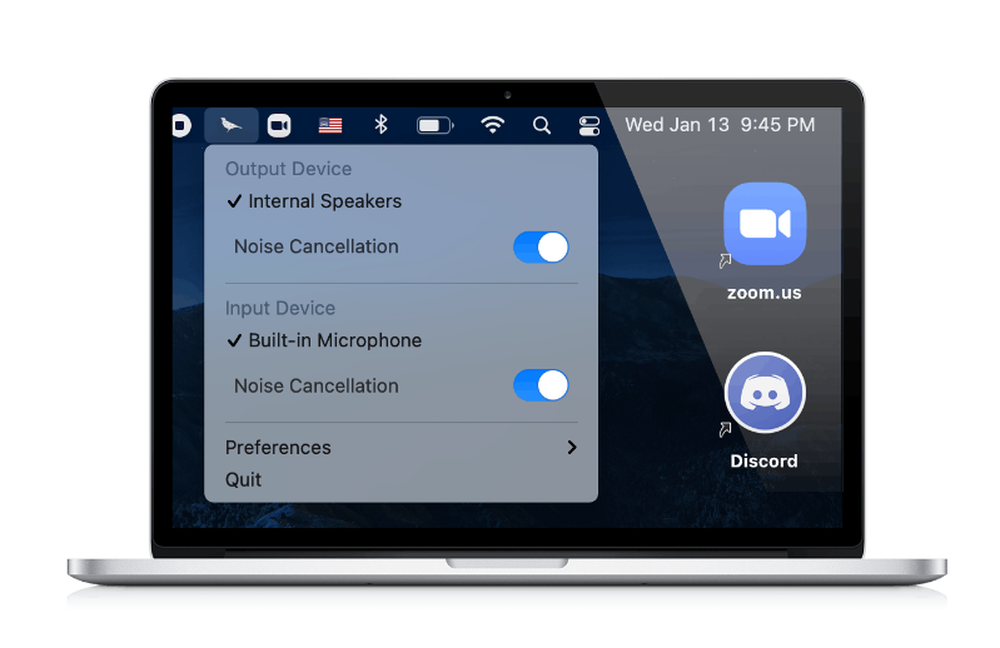
Aurio is an innovative macOS application designed to eliminate background noise from a microphone in real-time, directing the enhanced audio through a virtual input device known as Aurio Microphone. This setup enables users to select the Aurio Microphone input in various compatible applications for calls, recordings, or streaming, ensuring that the same refined microphone audio is available across different platforms. The application is compatible with a Mac's built-in microphone, USB or XLR audio interfaces, and Bluetooth headsets, and it features adjustable noise-removal strength, an A/B audio preview option, and a convenient menu-bar on/off toggle. The audio processing occurs locally on Apple silicon Macs, allowing it to function offline without reliance on internet connectivity. Aurio caters to Mac users who frequently engage in calls, record audio, or stream in environments where ambient noise from fans, traffic, or keyboards can disrupt clarity. Requiring macOS 13.3 or later and specifically designed for Apple silicon Macs, it unfortunately does not support Intel Macs, making it imperative for users to have the appropriate hardware for optimal performance. Ultimately, Aurio enhances audio quality, providing a professional touch to any audio interaction on compatible devices.
Learn more
Denoise
Many of us don’t have professional-grade microphones handy when capturing videos on our iPhones or iPads, which often results in recordings that are filled with distracting background noise, making it challenging to hear the most engaging moments. Denoise revolutionizes this experience by offering superior noise reduction for videos and voice memos directly on your device. This innovative tool functions seamlessly as an iOS extension, allowing for almost immediate processing after shooting a video from any application! Say goodbye to unwanted sounds and interruptions. With Denoise, your videos and voice memos will have the clarity and quality that rival professional studio recordings. The interactive frequency band analyzer provides insights into the audio signal's composition. You can easily use videos from your Photo Library or compatible apps, and it serves as an app extension for quick processing. Whether you wish to edit your original video or save a new version with enhanced sound, Denoise is versatile enough to cater to your needs. You can also improve any voice memo by sharing audio files with Denoise, ensuring that all your audio recordings sound their best.
Learn more