Total Uptime Cloud Load Balancer Description
Why settle for a load balancer that locks your data into one cloud platform when there are other options?
Multi-Cloud/Hybrid-Cloud/Data Center / On Prem - It works everywhere.
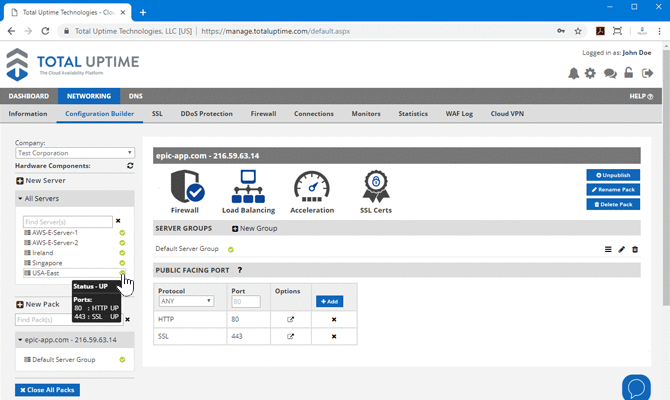
Total Uptime allows you to control all inbound traffic. Route traffic around network outages and ISP issues. Protect them from malicious activity and attacks. Integrate devices at colo facilities, on-prem, and in the cloud. You can accelerate them and increase their performance. You have total control and visibility, so it doesn't matter where they may be.
Pricing
Integrations
Company Details
Media




Product Details
Total Uptime Cloud Load Balancer Features and Options
Load Balancing Software
Total Uptime Cloud Load Balancer User Reviews
Write a Review-
Likelihood to Recommend to Others 10 out of 10
Great product, does what it says it does 5 out of 5 stars Date: Nov 23 2024
Summary: We have 12 failover pools with monitoring for various A records, and WAN addresses registered for two ISP circuits, with a primary and secondary for failover.
I took registered domains and make Total Uptime the authoritative DNS for these domains. You tell it what IP addresses to monitor, and which to use for primary and secondary failover.
Failover triggers are highly customizable as to when to failover and when to failback. In our case we use simple ping monitoring, which is sufficient for our purposes.
We are alerted of every failover and failback.Positive: It simply works. After a modest learning curve, unless you need to make changes, it is set-and-forget.
Negative: Nothing really not to "like." With any program of this complexity, there is a learning curve. Staff is responsive, knowledgeable, and helpful.
Read More... -
Likelihood to Recommend to Others 10 out of 10
Awesome for our ADFS GSLB requirement 5 out of 5 stars Date: Jun 12 2020
Summary: Fantastic. Initially when we logged into the panel it was a little overwhelming because there were so many knobs to turn. But the support was incredible and literally had us up and running in a few minutes. Now after using it for a while I find it quite easy to use and have deployed it for a couple other projects since then.
Positive: Really impressive platform, solid load balancer and crazy good support. I first used Total Uptime a couple years ago for my first project which was an ADFS cluster deployed on three continents. This was exactly what we needed to distribute traffic to the closest server and automatically reroute traffic if a server went offline or was taken down for updates. This service is 100% perfect for this application.
Negative: Not really a con, but there are a LOT of features which makes the product somewhat complex.
Read More...
- Previous
- You're on page 1
- Next