TestSubject Description
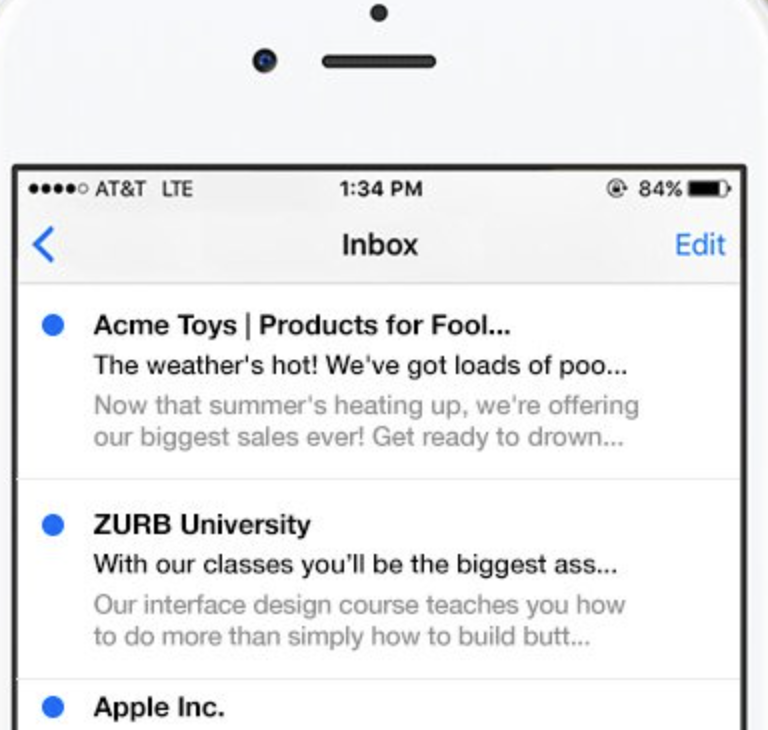
People typically choose to open an email based on two main criteria: the sender's name and the subject line. However, mobile email applications often cut off these elements, which can result in amusing yet often unfortunate outcomes. It's a bit embarrassing, isn't it? At ZURB, we frequently send emails, and we realized we needed a solution to quickly and effectively create engaging subject lines. After searching for an existing tool and coming up empty, we developed TestSubject. This straightforward tool allows you to assess how your email's subject line and sender name appear across various popular mobile devices and email clients. Simply copy and paste your text to receive immediate previews, ensuring you can test before hitting send for added confidence. In addition, you can see how your subject line and sender name display on leading mobile platforms, making it easier than ever to optimize your email's first impression.
Integrations
Company Details
Media



Product Details
TestSubject Features and Options
TestSubject Lists
TestSubject User Reviews
Write a Review- Previous
- Next
