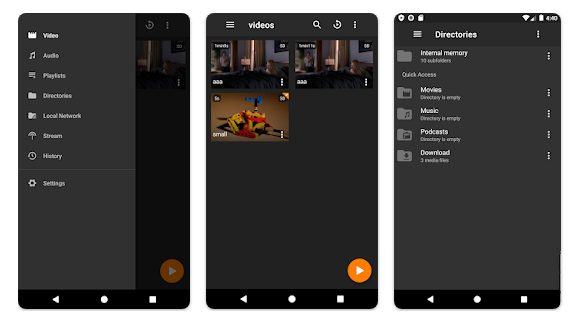
You can watch videos from anywhere, anytime, even offline. It's easy to download: simply copy the link from your browser, and then click 'Paste Link" in the application. You can save full playlists and channels on YouTube in high-quality and other video or audio formats. Download your YouTube Mix, Watch Later and Liked videos as well as private YouTube playlists. Receive new videos from your favorite YouTube channels automatically. You can feel the action around you with virtual reality videos. To experience the amazing VR experience in 360deg, download 360deg videos. You can bypass any restrictions placed by your Internet service provider to bypass your school firewall or workplace firewall. To access YouTube and other sites, set up an in-app proxy connection.
Learn more

3Q is an API-first video infrastructure for developers and engineering teams who want direct control over their media backend. A REST video API and native player SDKs give you programmatic access to hosting, ingestion, encoding, live streaming, video-on-demand, and delivery, so you can build video portals, streaming apps, or OTT backends on a single European platform.
The stack is transparent by design. 3Q supports adaptive bitrate streaming over HLS and DASH with mixed HEVC and AVC codecs and automatic Live-to-VoD. Delivery runs over a proprietary global CDN, encryption, and HTTP/2 over TLS 1.3. The Cookie- and Consent-free HTML5 Video Player is barrier-free in accordance with WCAG 2.1/BITV 2.0 and needs no consent layer. Video AI exposes speech-to-text transcription, automatic subtitles, translation, and chapter markers through the same API, and integration fits your existing pipeline and video workflows.
What sets 3Q apart is ownership. 3Q runs on its own independent European video infrastructure, so your data stays in the EU and under German jurisdiction. 3Q is GDPR-compliant and all processes are ISO/IEC 27001 certified, with modular pay-as-you-go pricing and 24/7 support from real video experts.
Learn more
OmniPlayer
OmniPlayer for Mac serves as an all-encompassing media player capable of handling nearly every video and audio format available on macOS. It boasts a sleek and contemporary design alongside robust features. Users can effortlessly enjoy a range of HD videos in resolutions like 4K, 1080P, and 720P, as well as various audio formats, thanks to its hardware decoding capabilities. The player’s extensive functionalities allow for easy management of playback, playlists, video visuals, audio tracks, subtitles, and the option to capture screenshots. Additionally, it can automatically record media files into playlists and clear them upon exiting the application. Users can also modify subtitle encodings to resolve any display issues, ensuring a seamless viewing experience. Furthermore, OmniPlayer supports playback of nearly any format from both local and remote servers utilizing SAMBA or FTP protocols, while offering options to play, search, delete, and change the repeat settings of media items within the playlist. Overall, this makes OmniPlayer a versatile choice for media consumption on macOS.
Learn more
HD Player
HD Player stands out among video players for its ability to accurately display Dolby Vision and HDR10+ content, making it a top choice for high-quality viewing experiences. It accommodates a wide range of video and audio codecs, ensuring versatility in playback options. The player is specifically designed to support Dolby Vision and HDR10+ formats, enhancing the visual quality of videos. With hardware-accelerated decoders for both H264 and HEVC, HD Player not only delivers superior video playback performance compared to software-based alternatives, but also operates more efficiently, consuming less energy. It features multi-core decoding capabilities, and supports output to TVs and Bluetooth headsets. Additionally, users can enjoy seamless file sharing through iTunes and Wi-Fi, as well as WebDAV and SMB protocols. The player fully supports SSA subtitles, allowing for a customizable viewing experience. HD Player offers various playback modes, including normal, repeat, and shuffle, along with the ability to organize videos into playlists. It also has a handy exit time saving feature, enabling users to resume videos from where they left off or start anew. To ensure privacy, videos can be protected with a passcode, and users can choose their desired audio and subtitle streams, or disable subtitles entirely. Moreover, the ability to load external subtitles and manage external files adds another layer of convenience for users. Overall, HD Player combines functionality and efficiency, catering to a diverse audience of video enthusiasts.
Learn more