LeaseAccounting.app is a self-serve IFRS 16 and FRS 102 lease accounting platform built for finance teams who want audit-ready compliance without spreadsheets, implementation consultants, or six-figure setup costs. Made by ZenTreasury Oy in Helsinki, Finland with EU-only data hosting. Designed for SMEs reporting under IFRS 16 or FRS 102 (UK GAAP), typically managing 5 to 50 leases. The platform generates complete lease schedules, journal entries, modifications, remeasurements, terminations, and one-click audit evidence packs from any lease contract. AI-assisted contract extraction reads your PDFs and proposes lease terms with confidence scoring; you approve, and the deterministic calculation engine produces the numbers. Same inputs, same outputs, every time. Zen AI is advisory only and never touches a calculation. Other features: Discount Rate Advisor pulls reference rates from central bank sources and drafts a rate memo for review; continuous compliance monitoring flags indexations due, expiring leases, and overdue reassessments; multi-entity bookkeeping from day one; auditor portal access with activity logging (coming soon); journal export to SAP, Oracle, Dynamics, and NetSuite formats; Azure AD / Entra ID SSO with JIT provisioning. Pricing: free tier covers 2 leases with no credit card required. Paid plans start at €149 per month with no per-seat pricing and generous team access included on every tier. Differentiation: built IFRS-first (not ASC 842-first), EU-hosted, fully implemented FRS 102, and self-serve onboarding. The trusted alternative to spreadsheet-based compliance and consultant-heavy enterprise lease tools.
Learn more about LeaseAccounting.app
4.7 out of 5 stars
(44 Ratings)
TotalView offers network monitoring as well as root-cause troubleshooting of problems in plain-English. The solution monitors every device as well as every interface on every device. In addition, TotalView goes deep, collecting 19 error counters, performance, configuration, and connectedness so nothing is outside of it’s view. A built-in heuristics engine analyzes this information to produce plain-English answers to problems. Complex problems can now be solved by junior level engineers leaving the senior level engineers to work on more strategic level projects. The core product includes everything needed to run a perfectly healthy network: Configuration management, server monitoring, cloud service monitoring, IPAM, NetFlow, path mapping, and diagramming. Get Total Network Visibility on your network and solve more problems faster.
Learn more about PathSolutions TotalView
NerdPal
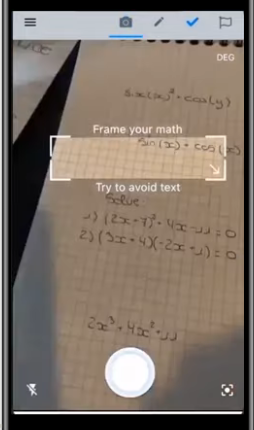
NerdPal is an innovative math solver that enables users to either snap a photo or manually input a math problem to receive immediate answers accompanied by detailed, step-by-step guidance on the solution process. This AI-driven math tutor is designed to assist students in comprehending various mathematical concepts, offering explanations that clarify how to tackle problems ranging from basic arithmetic to advanced calculus. Users can choose their preferred method for solving problems, whether through image capture or a specialized math keyboard, ensuring a flexible experience tailored to individual needs. Additionally, the app allows for the tracking of previously solved problems, the creation of personal user accounts, and the submission of feedback directly within the platform. Recognizing the challenges many face with mathematics, NerdPal aims to provide essential support and tools to make learning more accessible and efficient. By utilizing NerdPal, students can significantly reduce the time spent grappling with complex concepts, as it also offers access to instructional videos that enhance understanding. With its user-friendly features and comprehensive assistance, NerdPal transforms the often tedious process of studying math into a more engaging and effective experience.
Learn more about NerdPal
MathPapa
Our algebra calculator is designed to assist you in resolving your algebra challenges thoroughly, providing step-by-step solutions, along with lessons and practice to aid in mastering the subject. You can access this algebra calculator conveniently at home through the MathPapa website or while on the move using the MathPapa mobile app. This allows you to advance your algebra skills at a pace that suits you, ensuring you develop a robust understanding of mathematical concepts. We are committed to guiding you on your journey toward mastery. Consistent engagement with our exercises will reinforce your algebraic abilities, enabling you to achieve your individual learning objectives. MathPapa can effectively solve both linear and quadratic equations, display the work involved, and offer assistance when you encounter difficulties with your math assignments. Beyond simply solving equations, it can tackle linear and quadratic inequalities, graph equations, and factor quadratic expressions, while also providing step-by-step directions for order of operations. It evaluates expressions and solves systems of two equations as well. MathPapa’s mission is to support your learning of algebra in a structured manner, ensuring you get the help you need with any algebraic problem. With our resources, you can confidently tackle your algebra challenges and enhance your overall mathematical proficiency.
Learn more about MathPapa