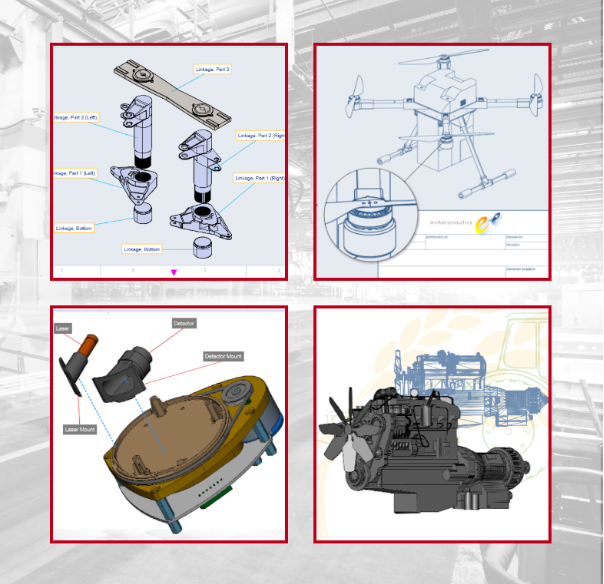
SmartDraw makes professional drawings and diagrams accessible to everyone. Non-technical users can quickly create floor plans, while professionals get the precision and scale they require. With industry-leading floor planning tools and an intuitive interface for traditional diagramming like flowcharts and organizational charts, SmartDraw delivers enterprise-ready power without unnecessary complexity.
Key features:
- Large collection of symbols and templates
- Ability to create custom shapes
- Import PDFs, images, Google Maps, Visio files, Visio stencils
- Draw to any scale
- Enrich drawings with data
- Generate manifest and bills of materials
- Generate diagrams from data automatically like org charts, AWS, Azure, PI Boards, and more
- Use natural language text prompts to generate diagrams with AI
- Save files directly to OneDrive, SharePoint, or Google Drive, or other preferred provider
- Integrations with the Microsoft and Google enterprise stack plus Confluence and Jira
SmartDraw supports a wide range of industries and real-world use cases, helping teams plan, document, and communicate more effectively. Construction professionals use it to create scaled floor plans, site layouts, and electrical and plumbing drawings. Fire departments rely on it for fire pre-planning and incident documentation, while police departments use it for accident reconstruction and crime scene diagrams. IT teams build network diagrams and cloud architectures, HR leaders create organizational charts, and product managers map out processes and workflows. From physical layouts to business processes, SmartDraw provides a single platform that adapts to the needs of each role and industry.
Learn more

Altium Develop is a collaborative platform for modern electronics engineering teams that connects requirements management, PCB design, systems engineering, and manufacturing workflows.
Built on Altium Designer and Altium 365, the platform provides a centralized environment for design collaboration, requirements traceability, BOM management, supply chain visibility, and engineering change management.
Altium Develop helps hardware organizations maintain alignment between requirements, design decisions, and manufacturing outcomes while supporting distributed engineering teams through cloud-based collaboration.
Core Features:
• PCB design collaboration
• ECAD-MCAD co-design workflows
• Component and supply chain visibility
• BOM and engineering change management
• Design review and approval workflows
• Cloud-native team collaboration
• Requirements management and traceability
Used by electronics teams building complex PCB-based products, Altium Develop is frequently evaluated alongside Cadence OrCAD, Cadence Allegro, Autodesk Fusion Electronics, KiCad, Siemens Xpedition, and SOLIDWORKS PCB for organizations seeking greater collaboration and lifecycle visibility across hardware development programs.
Learn more
Venngage
Venngage is the easy design platform that brings dull data, dry documents and complex information to life.
Access a library of engaging visual communication templates, created by our expert in-house designers, to create powerful visuals. You don’t need any design experience! With our simple drag and drop editor, video tutorials and courses, videos and courses, you’ll be creating stunning designs in minutes.
Venngage has a wide range of templates perfect for business and professional communications including infographics, charts, reports, diagrams, mind maps, presentations, and more so that you can impress your boss, your clients, prospects and online audience.
Learn more
AutoCAD
Autodesk AutoCAD is a complete computer-aided design and drafting solution that transforms the way professionals conceptualize, document, and deliver projects. Built for precision and creativity, AutoCAD supports 2D drafting and 3D modeling with intelligent tools for solids, surfaces, and meshes. The AutoCAD 2026 release integrates Autodesk AI, automating repetitive tasks like object placement, markup interpretation, and drawing comparisons to save hours of manual effort. Users can collaborate seamlessly using Autodesk Docs, ensuring consistent document management and version control across teams. With built-in AutoLISP, APIs, and the Autodesk App Store, the software is endlessly customizable for specialized workflows. Its seven industry-specific toolsets—including Architecture, MEP, and Plant 3D—optimize productivity and deliver specialized functionality for each discipline. AutoCAD’s cloud connectivity enables real-time co-authoring and access from any device. Whether for buildings, infrastructure, or products, AutoCAD remains the most trusted platform for professional design innovation.
Learn more