CADopia Description
CADopia is a powerful Computer-Aided-Design software for engineers, architects, designers and drafters -- virtually anyone who creates, edits, or views professional drawings. CADopia 19 can be downloaded in 12 languages: Chinese, Czech, English and German. CADopia Professional Services can help maximize the return on your investment in CAD technology. CADopia offers upfront consulting, custom application development, training for staff, technical support, and project outsourcing. Productivity-enhancing drafting tools like custom construction plane, entity snaps grids, entity, and polar tracking allow you to complete your drawings accurately and efficiently.
CADopia Alternatives
SmartDraw makes professional drawings and diagrams accessible to everyone. Non-technical users can quickly create floor plans, while professionals get the precision and scale they require. With industry-leading floor planning tools and an intuitive interface for traditional diagramming like flowcharts and organizational charts, SmartDraw delivers enterprise-ready power without unnecessary complexity.
Key features:
- Large collection of symbols and templates
- Ability to create custom shapes
- Import PDFs, images, Google Maps, Visio files, Visio stencils
- Draw to any scale
- Enrich drawings with data
- Generate manifest and bills of materials
- Generate diagrams from data automatically like org charts, AWS, Azure, PI Boards, and more
- Use natural language text prompts to generate diagrams with AI
- Save files directly to OneDrive, SharePoint, or Google Drive, or other preferred provider
- Integrations with the Microsoft and Google enterprise stack plus Confluence and Jira
SmartDraw supports a wide range of industries and real-world use cases, helping teams plan, document, and communicate more effectively. Construction professionals use it to create scaled floor plans, site layouts, and electrical and plumbing drawings. Fire departments rely on it for fire pre-planning and incident documentation, while police departments use it for accident reconstruction and crime scene diagrams. IT teams build network diagrams and cloud architectures, HR leaders create organizational charts, and product managers map out processes and workflows. From physical layouts to business processes, SmartDraw provides a single platform that adapts to the needs of each role and industry.
Learn more
MicroStation is the trusted CAD software that empowers infrastructure professionals to design, manage, and deliver projects with precision and efficiency. Its power, flexibility, AI automation, and 3D geospatial context enable innovative designs and creative visualizations. Communicate design changes and unite critical project elements in a single environment, ensuring effective and secure project deliverables. MicroStation scales for any infrastructure project, whether it lasts days, months, or years. MicroStation is the foundation for the entire Bentley modeling environment including digital twins.
Learn more
Kudos
Kudos® boosts engagement and performance by making recognition part of everyday work. It integrates peer-to-peer recognition, milestone celebrations, announcements, structured programs, and analytics in one platform.
Recognition messages can include points, company values, and personal touches, while gamified goals promote ongoing participation. Automated celebrations acknowledge milestones, ensuring no event is missed.
Announcements target specific audiences with read tracking, while Awards, Nominations, and Incentives reward excellence and participation in initiatives like training or compliance. Analytics show participation, trends, and budget use.
Kudos supports Arabic, Chinese, Czech, English, French, Greek, Japanese, Polish, Portuguese, and Spanish.
Learn more
NVIDIA Parakeet
NVIDIA's Parakeet-RNNT-1.1B is an advanced multilingual automatic speech recognition system designed to deliver high-quality transcriptions for various voice applications. Comprising 1.1 billion parameters and having been trained on over 90,000 hours of audio data, it accommodates 25 different languages along with their regional dialects, such as English, Spanish, French, German, Italian, Arabic, Japanese, Korean, Portuguese, Russian, Hindi, Dutch, Danish, Norwegian, Czech, Polish, Swedish, Thai, Turkish, and Hebrew. This innovative model possesses the capability to automatically identify the spoken language and employs a universal tokenizer that integrates language-specific tokenizers into a unified vocabulary for enhanced cross-lingual learning and deployment. Furthermore, Parakeet-RNNT generates transcripts that are case-sensitive, featuring both uppercase and lowercase letters, punctuation, spaces, and apostrophes, thus ensuring that the output meets the rigorous standards required for production-level voice applications and effective downstream language comprehension. Its versatility and robust performance make it a valuable tool in the realm of speech recognition technology.
Learn more
Integrations
No Integrations at this time
Company Details
Company:
CADopia
Year Founded:
1999
Headquarters:
United States
Website:
www.cadopia.com
Media

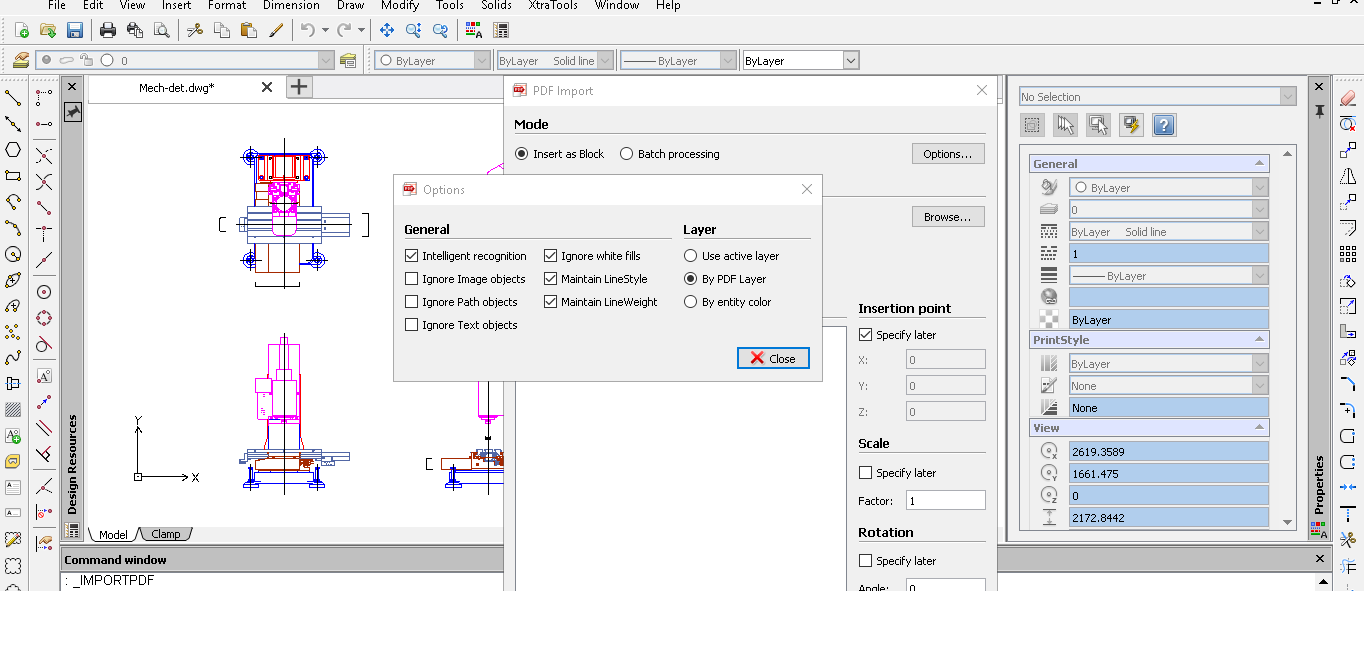
PDF to DWG


Recommended Products
One Monitoring Tool for IT, OT and Cloud | Free Trial
Modern infrastructure spans data centers, cloud platforms and factory floors, and every blind spot between them is a risk. PRTG supports SNMP, WMI, SSH and other standard protocols to monitor IT, OT and hybrid environments through one customizable dashboard. Build the views your team needs, from network health to application performance, without switching tools. Try PRTG free for 30 days now.
Product Details
Platforms
Windows
Types of Training
Training Docs
Customer Support
Business Hours
CADopia Features and Options
Architecture Software
2D Drawing
3D Modeling
Bills of material
Building Information Modeling
Contact Management
Drafting
Presentation Tools
Quotes/Proposals
CAD Software
2D Drawing
3D Modeling
Civil
Collaboration
Database Connectivity
Design Analysis
Design Export
Document Management
Electrical
Hole Making
Mechanical
Mechatronics
Presentation Tools
CADopia User Reviews
Write a Review- Previous
- Next
