Average Ratings 0 Ratings
Average Ratings 0 Ratings
Similar Products
-
ParasoftParasoft's mission is to provide automated testing solutions and expertise that empower organizations to expedite delivery of safe and reliable software. A powerful unified C and C++ test automation solution for static analysis, unit testing and structural code coverage, Parasoft C/C++test helps satisfy compliance with industry functional safety and security requirements for embedded software systems.
-
QA WolfQA Wolf helps engineering teams achieve 80% automated test coverage end-to-end in just four months. Here's an overview of what you get in the box, whether it's 100 or 100,000 tests. • Automated end-to-end testing for 80% of the user flows in 4 months. The tests are written in Playwright, an open-source tool (no vendor lock-in; you own the code). • Test matrix and outline in the AAA framework. • Unlimited parallel testing on any environment of your choice. • We host and maintain 100% parallel-run infrastructure. • Maintenance of flaky and broken test for 24 hours. • Guaranteed 100% reliable results -- zero flakes. • Human-verified bugs sent via your messaging app as a bug report. • CI/CD Integration with your deployment pipelines and issue trackers. • Access to full-time QA Engineers at QA Wolf 24 hours a day.
-
Grafana CloudGrafana Labs delivers the leading AI-powered observability platform, built around Grafana—the most widely adopted open source technology for dashboards and visualization. Recognized as a Leader in the 2025 Gartner® Magic Quadrant™ for Observability Platforms, Grafana Labs supports more than 25 million users and thousands of organizations worldwide, from startups to Fortune 500 enterprises. Grafana Cloud is the open observability cloud, designed to help engineering teams observe everything and solve anything. Built on open source, open standards, and open ecosystems, it unifies metrics, logs, traces, and profiles in a single platform for full-stack visibility across applications, infrastructure, and digital experiences. At the core is the open-source LGTM stack: Grafana for dashboards and visualization, Mimir for metrics, Loki for logs, and Tempo for distributed tracing. Native OpenTelemetry and Prometheus support allow teams to ingest telemetry from virtually any environment, while hundreds of integrations connect existing tools and data sources without costly rip-and-replace migrations. Grafana Cloud combines powerful analytics with AI-driven observability. Grafana Assistant helps engineers investigate issues, explore telemetry, and troubleshoot faster. Adaptive Telemetry identifies the data that matters most and aggregates the rest, helping organizations reduce telemetry costs while preserving valuable insights . With solutions for Kubernetes monitoring, application observability, digital experience monitoring, incident response, synthetic monitoring, and performance testing, Grafana Cloud delivers a complete observability platform that scales with your business.
-
Aikido SecurityAikido is the all-in-one security platform for development teams to secure their complete stack, from code to cloud. Aikido centralizes all code and cloud security scanners in one place. Aikido offers a range of powerful scanners including static code analysis (SAST), dynamic application security testing (DAST), container image scanning, and infrastructure-as-code (IaC) scanning. Aikido integrates AI-powered auto-fixing features, reducing manual work by automatically generating pull requests to resolve vulnerabilities and security issues. It also provides customizable alerts, real-time vulnerability monitoring, and runtime protection, enabling teams to secure their applications and infrastructure seamlessly.
-
FlagsmithFlagsmith gives software engineering teams a self-hosted or fully managed feature flagging platform for controlling releases across web, mobile, and backend systems. Ship code behind a flag, then decide who sees it — by environment, user, or custom segment — without redeploying. Run Flagsmith however fits your infrastructure: our managed cloud, your own private cloud, or fully on-premise. What you get: Progressive rollouts with one-click rollback if something breaks Live config changes — flip features on or off instantly, no redeploy required Segment-based A/B and multivariate testing Project and role-based access control for multi-team organizations Native integrations with the tools already in your stack MCP support and a CLI so AI agents and scripts can manage flags directly Open source at its core, Flagsmith is built for teams that want control over where their configuration data lives.
-
Checksum.aiEngineering teams shipping with AI have a new bottleneck: validation. Code output has accelerated. Quality hasn't. Checksum closes the gap. Checksum is a continuous quality platform with a suite of AI agents that handle testing end-to-end, at every stage of the development lifecycle. Where most tools wait for a human to trigger them, Checksum runs autonomously in the background, generating tests, executing them, and repairing failures without manual intervention. Seventy percent of test failures are resolved automatically through real-time auto-recovery. The platform covers every layer: end-to-end UI flows via Playwright, API endpoint chains, and targeted CI tests scoped to exactly what changed in a PR. All tests land as real code in your repository and are delivered as standard Playwright, owned by your team. Checksum is fine-tuned on 1.5+ million test runs and integrates natively with Cursor, Claude Code, and 100+ AI coding agents. Type /checksum and your coding agent's output gets tested before it ever reaches review. Generation and healing happen on Checksum's cloud infrastructure which means no LLM tokens consumed, no local resources required. The result: test suites that stay green as the product evolves, fewer regressions reaching production, and release confidence that scales alongside AI output.
-
MuukTestYou know that you could be testing more to catch bugs earlier, but QA testing can take a lot of time, effort and resources to do it right. MuukTest can get growing engineering teams up to 95% coverage of end-to-end tests in just 3 months. Our QA experts create, manage, maintain, and update E2E tests on the MuukTest Platform for your web, API, and mobile apps at record speed. We begin exploratory and negative tests after achieving 100% regression coverage within 8 weeks to uncover bugs and increase coverage. The time you spend on development is reduced by managing your testing frameworks, scripts, libraries and maintenance. We also proactively identify flaky tests and false test results to ensure the accuracy of your tests. Early and frequent testing allows you to detect errors in the early stages your development lifecycle. This reduces the burden of technical debt later on.
-
NetNutNetNut is a leading proxy service provider offering a comprehensive suite of solutions, including residential, static residential, mobile, and datacenter proxies, designed to enhance online operations and ensure top-notch performance. With access to over 85 million residential IPs across 195 countries, NetNut enables users to conduct seamless web scraping, data collection, and online anonymity with high-speed, reliable connections. Their unique architecture provides one-hop connectivity, minimizing latency and ensuring stable, uninterrupted service. NetNut's user-friendly dashboard offers real-time proxy management and insightful usage statistics, allowing for easy integration and control. Committed to customer satisfaction, NetNut provides responsive support and tailored solutions to meet diverse business needs.
-
Virtuoso QAVirtuoso QA is a secure, agentic test automation platform for any browser-based application. Touchstone, our agentic assurance layer, turns your business requirements into tests, then runs, fixes and maintains them as your application changes. More than thirty specialised agents author, generate, triage and self-heal your functional and end-to-end tests, while a deterministic engine executes every run and your team approves every decision that matters. Every release comes with evidence of what was tested, what changed and who approved it. Release Insights shows execution risk and requirement coverage across every journey, and teams can export an Evidence Report in minutes rather than assembling one over weeks. That makes the platform a natural fit for regulated industries like financial services, insurance, healthcare, the public sector and more. The mission is to set the standard of proof for software releases. AI generates software. Virtuoso QA generates the evidence to trust it.
-
PylonPylon's intuitive design software allows you to create accurate proposals from anywhere, in less than 2 minutes. Pylon is the only software that allows you to view high-resolution imagery within your app. Pylon's award winning 3D Solar Shading toolkit helps you identify and track shading impacts throughout the year. Pylon's load profile analysis and interval data analysis will help you and your team to better understand customer consumption patterns. Analyze load profiles & interval data. You can close more solar proposals by using interactive Web & PDF proposals and native eSignatures. Fully integrated solar CRM that integrates with your solar design software to convert proposals. Pylon Solar CRM offers 2-way SMS and email communications, team management, lead management and pre-made deal pipelines.
Description
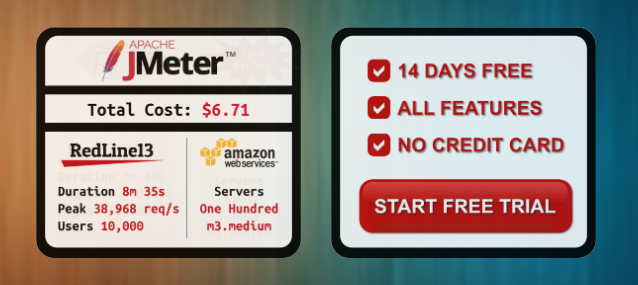
Open Architecture for Building and Running Load Testing. You need to quickly load test your home page, one URL within your site, or a mobile API endpoint. You can quickly create simple tests and scale them to thousands of users in a matter of minutes. Apache JMeter and WebDriver go beyond being open-source tools for cloud load testing. They are vibrant communities with deep knowledge that are built on real user needs. Open load tests allow you to write load tests in the languages and utilities that you use every day. You can create custom tests in Python or PHP. Load testing is easy, cheap, and open to everyone. This is possible thanks to an open architecture that allows tuning and control over the setting up of cloud load agents.
Description
jBrowserDriver is a flexible and programmable web browser driver that adheres to the Selenium WebDriver standards. This headless driver is based on WebKit technology and is exclusively written in Java. The project is available as open source and is distributed under the Apache License v2.0. To utilize jBrowserDriver with a remote Selenium server, you need to initiate the remote server(s) and apply the correct code to interact with jBrowserDriver from a distance. For those looking to build jBrowserDriver from the source, it is necessary to install and configure Maven version 3.x and execute the command mvn clean compile install from the root of the project. If you prefer using Eclipse, you can either import the existing Java project from the root directory or bring in the Maven file directly. Furthermore, jBrowserDriver can be seamlessly integrated into your projects just like any standard Selenium WebDriver or RemoteWebDriver, making it compatible with both Selenium Server and Selenium Grid configurations. This versatility ensures that developers can easily leverage its capabilities in various testing environments.
API Access
Has API
Yes
API Access
Has API
No



Integrations
AWS Marketplace
Yes
Amazon EC2
Yes
Amazon Web Services (AWS)
Yes
Apache Maven
No
CodeShip
Yes
Debian
No
Dynatrace
Yes
Eclipse IDE
No
Java
No
Jenkins
Yes
Integrations
AWS Marketplace
No
Amazon EC2
No
Amazon Web Services (AWS)
No
Apache Maven
Yes
CodeShip
No
Debian
Yes
Dynatrace
No
Eclipse IDE
Yes
Java
Yes
Jenkins
No
Pricing Details
$0 per month
Free version
Basic - $75/month (no commitment)
Premium - $299/month (no commitment)
Basic - $75/month (no commitment)
Premium - $299/month (no commitment)
Free Trial
Yes
Free Version
Yes
Pricing Details
Free
Free Trial
No
Free Version
Yes
Deployment
Web-Based
Yes
On-Premises
No
iPhone App
No
iPad App
No
Android App
No
Windows
No
Mac
No
Linux
No
Chromebook
No
Deployment
Web-Based
No
On-Premises
No
iPhone App
No
iPad App
No
Android App
No
Windows
Yes
Mac
Yes
Linux
Yes
Chromebook
No
Customer Support
Business Hours
No
Live Rep (24/7)
No
Online Support
Yes
Customer Support
Business Hours
No
Live Rep (24/7)
No
Online Support
Yes
Types of Training
Training Docs
Yes
Webinars
No
Live Training (Online)
No
In Person
No
Types of Training
Training Docs
Yes
Webinars
No
Live Training (Online)
No
In Person
No
Vendor Details
Company Name
RedLine13
Founded
2009
Country
United States
Website
www.redline13.com
Vendor Details
Company Name
Daniel Hollingsworth
Website
github.com/hollingsworthd/jBrowserDriver
Product Features
Load Testing
API Load Testing
Yes
Database Load Testing
Yes
Load Test Performance Reporting
Yes
Mail Load Testing
No
Multilocation Load Testing
Yes
Multiple Protocol Support
Yes
Test Script Customization
Yes
Web Application Testing
Yes
Performance Testing
API Testing
Yes
Benchmarking
Yes
Cross Browser Testing
Yes
Debugging
No
Historical Reporting
Yes
Load Testing
Yes
Mobile Testing
Yes
Parallel Testing
Yes
Regression Testing
Yes
UI Testing
Yes
Web Testing
Yes
