Average Ratings 539 Ratings
Average Ratings 0 Ratings
Description
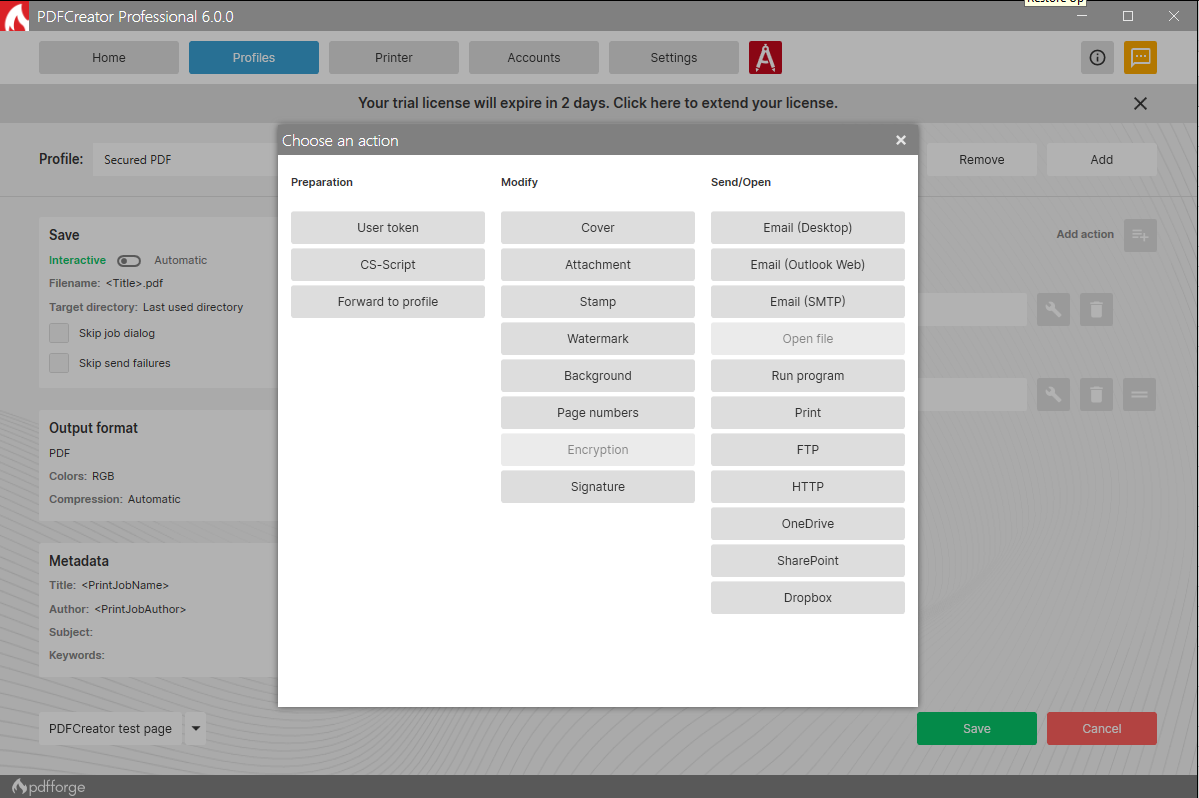
PDFCreator is a powerful and versatile tool that enables you to convert any printable document into a PDF, along with various other formats such as JPG and PNG. Whether you're handling text documents, images, or presentations, PDFCreator makes it easy to streamline your workflow.
Key features:
Convert documents from any application to PDF, JPG, PNG, and more with ease.
Merge multiple files into one PDF document, improving organization and accessibility.
Set up automatic saving and create a fully automated PDF printer, saving time and reducing manual work.
Access your most frequently used settings with just one click, making repetitive tasks faster and simpler.
Simplify the process of converting, securing, and organizing your PDFs, with options for digital signatures, password protection, and more.
New in PDFCreator 6.2.2: delivers important stability fixes, resolving setup crashes related to release notes, correcting preview issues that caused broken characters and blank pages, and fixing conversion problems from the Windows context menu. It also improves file handling by preventing unintended merging during conversions and includes minor updates to installer parameters and support settings.
PDFCreator is trusted by countless businesses around the world to handle document conversion and management. We value every client and appreciate their trust in choosing PDFCreator as their go-to PDF solution.
Whether you're a casual user or a business professional, PDFCreator offers a streamlined, flexible, and efficient solution for all your document needs. We thank all our clients for choosing us to be their partner.
Description
Synap PDFocus allows users to convert and merge over 30 different document formats into a PDF without needing to install any additional software. This tool enhances document management efficiency by combining various formats into a cohesive PDF, facilitating easier sharing and collaboration. It seamlessly transforms HTML, MS Office files, and electronic approval formats into a single, high-quality PDF while maintaining user convenience. The technology also includes features that detect and eliminate potentially harmful code, ensuring that reconstructed PDFs are safe. Additionally, electronic approval documents and their attached files are consolidated into one PDF for streamlined storage. Users receive email notifications post-conversion for secure attachment validation. Furthermore, educational materials in multiple formats can be merged into a single PDF file, simplifying access and organization for users. Overall, Synap PDFocus serves as a comprehensive solution for anyone needing to manage documents efficiently in a digital environment.
API Access
Has API
API Access
Has API



Integrations
Dropbox
Microsoft 365
Microsoft Excel
Microsoft Outlook
Microsoft PowerPoint
Microsoft Word
Thunderbird
Integrations
Dropbox
Microsoft 365
Microsoft Excel
Microsoft Outlook
Microsoft PowerPoint
Microsoft Word
Thunderbird
Pricing Details
$0
Free Trial
Free Version
Pricing Details
No price information available.
Free Trial
Free Version
Deployment
Web-Based
On-Premises
iPhone App
iPad App
Android App
Windows
Mac
Linux
Chromebook
Deployment
Web-Based
On-Premises
iPhone App
iPad App
Android App
Windows
Mac
Linux
Chromebook
Customer Support
Business Hours
Live Rep (24/7)
Online Support
Customer Support
Business Hours
Live Rep (24/7)
Online Support
Types of Training
Training Docs
Webinars
Live Training (Online)
In Person
Types of Training
Training Docs
Webinars
Live Training (Online)
In Person
Vendor Details
Company Name
pdfforge
Founded
2009
Country
Germany
Website
www.pdfforge.org/pdfcreator
Vendor Details
Company Name
Synapsoft
Country
South Korea
Website
www.synapsoft.co.kr/pdfocus
Product Features
Annotations
Convert to PDF
Digital Signature
Encryption
Merge / Append
PDF Reader
Watermarking
PDF Editors
Access Controls / Permissions
Annotations
Commenting / Notes
Compare Side-by-Side
Customizable Branding
Delete Pages
Electronic Signature
Forms Management
Full Text Search
Merge / Append
Offline Access
Optical Character Recognition (OCR)
Rearrange Pages
Rotate Pages
Watermarking
Product Features
Annotations
Convert to PDF
Digital Signature
Encryption
Merge / Append
PDF Reader
Watermarking
