Average Ratings 0 Ratings
Average Ratings 557 Ratings
Description
Introducing a highly dependable PDF utility that simplifies the process of editing your PDF files effortlessly. Whether you're working with office paperwork, school assignments, financial documents, identification cards, or certificates, this tool caters to all your editing needs. It is completely free and lightweight, designed specifically for mobile use, and functions offline without requiring an internet connection. Additionally, the app now includes a built-in PDF reader for reviewing your modified files. This user-friendly PDF editor offers a variety of features tailored for both creating and altering PDFs, including the ability to open and view documents with the integrated PDF viewer. Users can customize their reading experience according to personal preferences. Furthermore, you can merge multiple PDFs or images (in formats such as JPG, PNG, BMP, and TIFF) into one single PDF document. The PDF merging functionality supports both local storage and cloud-based documents for added convenience. Additionally, you have the option to split larger PDFs into smaller files to optimize storage space, and the PDF split feature permits the extraction of specific pages by defining a range. Overall, this versatile tool is designed to meet all your PDF editing requirements with remarkable efficiency.
Description
PDFCreator is a powerful and versatile tool that enables you to convert any printable document into a PDF, along with various other formats such as JPG and PNG. Whether you're handling text documents, images, or presentations, PDFCreator makes it easy to streamline your workflow.
Key features:
Convert documents from any application to PDF, JPG, PNG, and more with ease.
Merge multiple files into one PDF document, improving organization and accessibility.
Set up automatic saving and create a fully automated PDF printer, saving time and reducing manual work.
Access your most frequently used settings with just one click, making repetitive tasks faster and simpler.
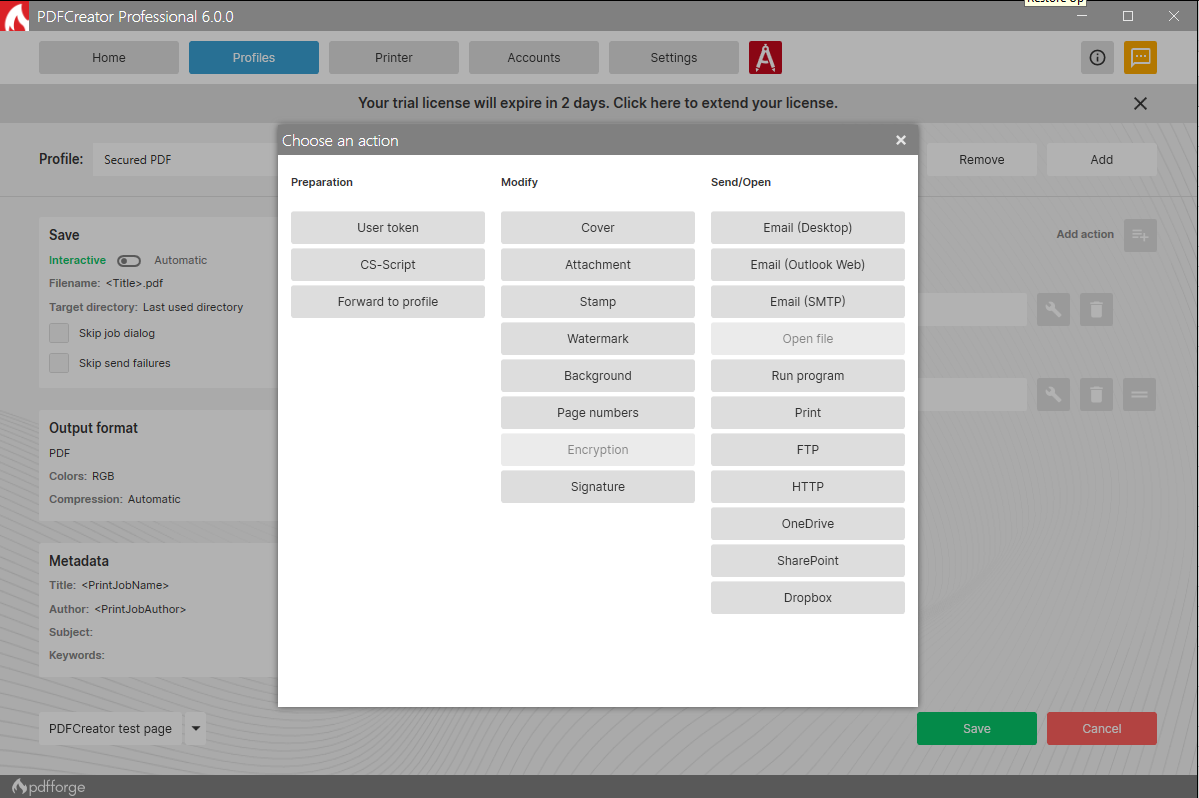
Simplify the process of converting, securing, and organizing your PDFs, with options for digital signatures, password protection, and more.
New in PDFCreator 6.3.0: PDFCreator Professional, PDFCreator Terminal Server and PDFCreator Custom now leverage the Avanquest PDF SDK for the modify actions. PDF/A validation comes to PDFCreator Free, previously a business-only feature now unlocked by the engine migration.
PDFCreator is trusted by countless businesses around the world to handle document conversion and management. We value every client and appreciate their trust in choosing PDFCreator as their go-to PDF solution.
Whether you're a casual user or a business professional, PDFCreator offers a streamlined, flexible, and efficient solution for all your document needs. We thank all our clients for choosing us to be their partner.
API Access
Has API
API Access
Has API




Pricing Details
Free
Free Trial
Free Version
Pricing Details
$0
Free Trial
Free Version
Deployment
Web-Based
On-Premises
iPhone App
iPad App
Android App
Windows
Mac
Linux
Chromebook
Deployment
Web-Based
On-Premises
iPhone App
iPad App
Android App
Windows
Mac
Linux
Chromebook
Customer Support
Business Hours
Live Rep (24/7)
Online Support
Customer Support
Business Hours
Live Rep (24/7)
Online Support
Types of Training
Training Docs
Webinars
Live Training (Online)
In Person
Types of Training
Training Docs
Webinars
Live Training (Online)
In Person
Vendor Details
Company Name
shash9989
Country
India
Website
pdfutils.shash9989.com
Vendor Details
Company Name
pdfforge
Founded
2009
Country
Germany
Website
www.pdfforge.org/pdfcreator
Product Features
Annotations
Convert to PDF
Digital Signature
Encryption
Merge / Append
PDF Reader
Watermarking
PDF Editors
Access Controls / Permissions
Annotations
Commenting / Notes
Compare Side-by-Side
Customizable Branding
Delete Pages
Electronic Signature
Forms Management
Full Text Search
Merge / Append
Offline Access
Optical Character Recognition (OCR)
Rearrange Pages
Rotate Pages
Watermarking
Product Features
Annotations
Convert to PDF
Digital Signature
Encryption
Merge / Append
PDF Reader
Watermarking
PDF Editors
Access Controls / Permissions
Annotations
Commenting / Notes
Compare Side-by-Side
Customizable Branding
Delete Pages
Electronic Signature
Forms Management
Full Text Search
Merge / Append
Offline Access
Optical Character Recognition (OCR)
Rearrange Pages
Rotate Pages
Watermarking
