Average Ratings 0 Ratings
Average Ratings 0 Ratings
Similar Products
-
Rocket Secure Host AccessSafeguarding mission-critical host and mainframe applications is vital. Rocket® Secure Host Access is a security-first terminal emulation platform that brings modern identity and access management directly to your green screen environments. We help you eliminate vulnerabilities using passwordless, phishing-resistant authentication that dramatically reduces credential-based threats. Designed for desktop, web, and hybrid ecosystems, this solution empowers your team to work securely without disrupting daily workflows. When you need to meet rigorous compliance standards like HIPAA, PCI-DSS, and DORA, Rocket Secure Host Access ensures your sensitive data remains protected through advanced TLS 1.3 and SSH encryption. - Extend zero-trust security to legacy systems. - Simplify ongoing administration across all environments. - Achieve full compliance with global data privacy regulations. Modernize your enterprise security posture today. Let us partner with you to protect your most valuable assets.
-
AdRem NetCrunchNetCrunch is commercial, self-hosted, agentless network and IT infrastructure monitoring software for Windows Server. It monitors network devices, servers, virtualization platforms, cloud services, applications, websites, logs, telemetry, and network traffic across distributed environments. NetCrunch supports 680+ monitoring targets and provides 270+ ready-to-use Monitoring Packs for devices, applications, and operating systems. Policy-based monitoring automatically applies monitoring settings, Monitoring Packs, thresholds, and alerts to matching devices and systems. Licensing is based on monitored nodes and network interfaces rather than individual sensors, checks, or metrics. NetCrunch provides real-time dashboards and automatic Layer 2 and routing topology maps for visibility into network status and performance. Network traffic analysis supports NetFlow, sFlow, IPFIX, and other flow technologies. Its alerting system supports event correlation, dependency-aware suppression, predictive thresholds, escalation, and 40+ automated response actions, including scripts, notifications, API calls, and integrations with external systems. Distributed Monitoring Probes extend monitoring to remote and isolated locations. NetCrunch also provides a REST API for integration and automation with external IT management, service management, and operational systems. NetCrunch is self-hosted on Windows Server and can monitor on-premises, air-gapped, cloud, and hybrid IT environments.
-
UnimusUnimus is a powerful network automation, configuration backup, and change management solution designed to simplify network operations for businesses of all sizes. Supporting 450+ device types across 160+ vendors, Unimus is a network-agnostic platform that eliminates manual network tasks while enhancing security and reliability. With automated configuration backups, Unimus ensures seamless disaster recovery, giving IT teams quick access to historical versions and real-time change tracking. Its network auditing features provide instant visibility into configuration consistency, compliance, and security risks. Change management is simplified with automatic change detection, detailed version history, and customizable notifications. Unimus' intuitive web-based interface makes it easy to manage networks without requiring deep technical expertise, while its integrated CLI access allows for real-time troubleshooting and command execution. Whether you're looking to automate bulk configuration changes, perform firmware upgrades, or improve network visibility, Unimus provides a scalable, cost-effective solution for modern network infrastructures.
-
SignalmashSignalmash is a specialized CPaaS platform designed for companies that value dependable messaging infrastructure paired with hands-on, human support. No complicated pricing tiers. No long support queues. Just direct access to real experts to help you build faster and deliver better customer experiences. Enterprise clients work directly with our engineering team via a dedicated Slack channel. We offer direct Tier-1 carrier connectivity with AT&T, Verizon, and T-Mobile, along with a 94% first-pass approval rate for 10DLC campaigns. Messaging SMS: 10DLC, short codes, toll-free RCS: Rich messaging and media via API or no-code tools Voice SIP trunking, VoIP, inbound and outbound calling Numbers & Identity Local, short code, and toll-free numbers Branded Caller ID (BCID) Number Intelligence CNAM lookups, carrier details, line type (wireless vs. landline), and federal DNC checks Signalmash combines enterprise-level performance with a high-touch, partner-first support model.
-
CodemagicCodemagic’s macOS build environments facilitate the smooth creation of hybrid applications, bolstered by an extensive array of preinstalled software. You can efficiently configure your Cordova Android and iOS application builds and workflows through a single codemagic.yaml file. To maintain the performance of your Android and iOS applications, Codemagic provides automated testing on simulators, emulators, and actual devices, ensuring you receive prompt feedback on your build outcomes. Integration with the Apple Developer Portal streamlines iOS code signing, enabling seamless deployment to App Store Connect and Google Play. Similarly, you can also set up your React Native app builds and workflows in one straightforward codemagic.yaml file. With multiple versions of Xcode, Android SDK, and npm preinstalled, Codemagic’s macOS build machines are designed for effortless Android and iOS builds. Moreover, Codemagic simplifies the automation of testing for your React Native applications across a variety of testing platforms. This comprehensive approach not only boosts productivity but also enhances the overall development experience.
-
Time Management from ISGUSReliable and transparent time recording is vital for flexible working models, hybrid teams, and complex collective agreements or legal requirements. ZEUS® Time and Attendance from ISGUS is a smart digital solution that seamlessly integrates into your business processes, providing employees and managers with maximum transparency, flexibility, and efficiency. ZEUS® Time and Attendance enables your employees to record working hours, breaks, shifts, and home office hours legally, flexibly, and regardless of location—via terminal, web browser, or mobile app. The data is processed in real time and is immediately available for evaluation, approval, and further use. ZEUS® Time and Attendance covers all legal, collective, and company regulations, including rest periods, overtime, and core working hours.
-
Bitdefender Ultimate Small Business SecurityBitdefender Small Business Security provides robust, enterprise-level cyber-defense tailored for smaller companies, ensuring protection across various platforms including Windows, macOS, iOS, and Android. With a centralized management system that is user-friendly, it allows organizations lacking dedicated IT personnel to efficiently implement and oversee their security measures from a single interface. The solution features a multi-layered approach to endpoint protection, incorporating machine learning, behavioral analysis, real-time monitoring, process termination, and rollback capabilities to safeguard against both known and emerging threats. Additionally, it includes ransomware prevention and remediation strategies that detect unusual encryption activities and facilitate file recovery from backups. Users are also protected against fileless attacks, with measures like memory and back-injection interference as well as script blocking. The software further enhances security by preventing phishing and fraud through the blocking of malicious websites and alerting users accordingly, while offering advanced exploit protection with real-time shields for common applications such as browsers, Office software, and Adobe Reader, thus ensuring all-encompassing endpoint security. This comprehensive suite of features makes it an ideal choice for small businesses seeking to fortify their cybersecurity defenses.
-
CanditechCanditech empowers HR professionals and hiring managers to make fast, confident and objective hiring decisions. It's all-in-one testing platform evaluates both technical and soft skills through job simulation assessments that cover a variety of tasks, including coding, SQL, Excel, open text, email communication, and video. These tests are the best predictors of future job suitability and performance. The platform's holistic approach allows recruiters and hiring managers the ability to objectively assess candidates for any position within the company (R&D and Data, Marketing, Sales and Customer Success, Technical Support, Technical Support, etc.). You can also assess your technical skills (codes, SQL, Excel, etc.). Along with soft skills (using video questions and email communication), it gives candidates a fair chance of showcasing their talents, creating a great candidate experience. The platform offers significant ROI from day one: ✅ Shorten time-to-hire by 50% ✅ Reduce unnecessary interviews by 80% ✅ Increase hiring diversity and eliminate bias
-
FlashcloudFlashcloud is a modern web hosting provider built to deliver better hosting without the usual trade-offs. Instead of cutting costs at the expense of quality, Flashcloud focuses on performance, simplicity, and real human support. Founded by a team with nearly two decades of experience, Flashcloud offers shared hosting, WordPress hosting, and VPS hosting designed for speed, reliability, and ease of use. Everything runs on a global cloud infrastructure optimized for fast load times and consistent uptime. What makes Flashcloud different is its “more included” approach. Plans come with a free starter website, free domain for life, domain privacy, daily backups, and seamless migrations — all included from day one, with no hidden extras. Switching is simple, with expert-led transfers, no downtime, and even credit for unused time with your previous provider. With transparent pricing, no surprise renewals, and support from real people whenever you need it, Flashcloud delivers a hosting experience that’s straightforward, dependable, and built around the customer. Ideal for web hosting, WordPress hosting, VPS hosting, and managed cloud hosting with everything included.
-
BluehostBluehost is a popular web hosting platform that provides infrastructure and tools for building and managing websites online. The service supports multiple hosting options including shared hosting, WordPress hosting, VPS hosting, and dedicated server solutions. Bluehost offers user-friendly website creation tools such as AI-powered builders and one-click WordPress installation. Businesses and individuals can launch websites quickly with features like free SSL certificates, free domain registration for the first year, and automated updates. The platform also provides WooCommerce hosting for users who want to create and manage online stores. Built-in performance features such as CDN integration, optimized servers, and NVMe storage help ensure fast page loading speeds. Security tools including malware scanning, DDoS protection, and firewalls help keep websites protected. Bluehost also provides professional email hosting and domain management services. Users can manage their websites through an intuitive control panel with one-click plugin installations and backups. Overall, Bluehost provides a complete hosting environment for launching and scaling websites.
Description
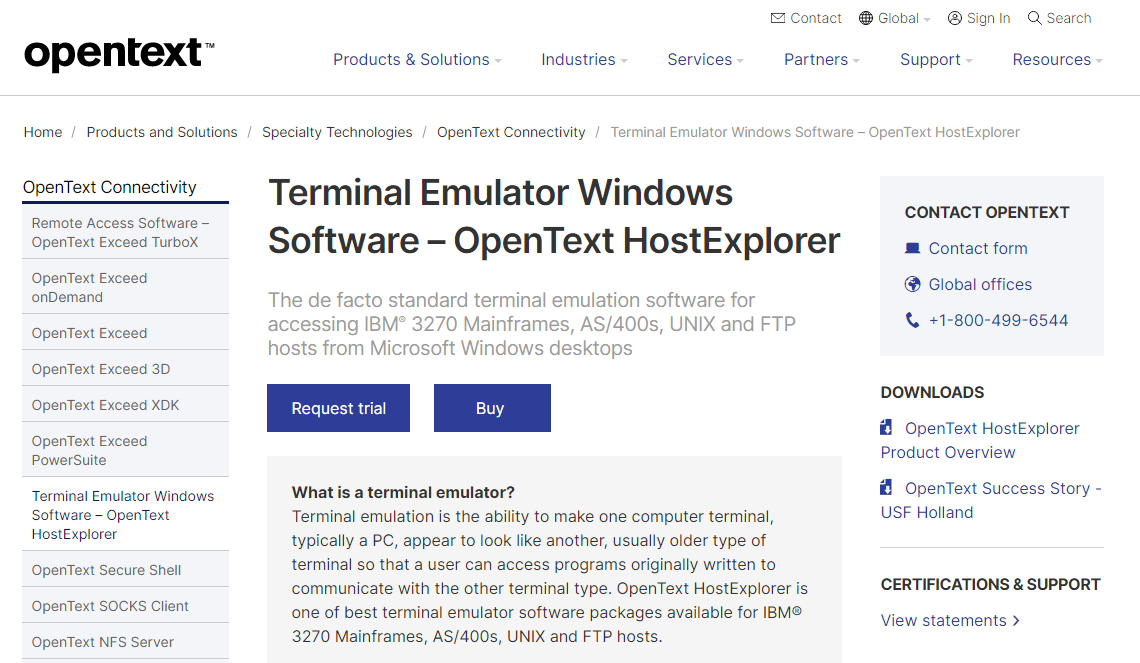
Terminal emulation allows a computer terminal, often a personal computer, to mimic the appearance and functionality of an older terminal type, enabling users to run software that was designed for that specific terminal. Among the top terminal emulator software is OpenText HostExplorer, which is particularly well-suited for IBM® 3270 Mainframes, AS/400s, UNIX, and FTP hosts. This software offers speedy, secure, and dependable connections from Microsoft® Windows® PCs to various enterprise systems. By utilizing HostExplorer, organizations can harness the advantages of modern PC and web technologies while safeguarding their investments in data and information systems. The seamless transition to this software preserves the existing user experience, negating the need for retraining and minimizing disruptions to business workflows. Furthermore, it streamlines maintenance by providing automatic upgrades and centralized management, thus significantly reducing both cost and effort associated with upkeep. With its robust capabilities, HostExplorer stands out as an essential tool for businesses looking to modernize their terminal access without compromising on reliability.
Description
cmux is a terminal workspace designed specifically for software developers who utilize command-line tools and coding agents across various projects. The application, which is built natively for macOS, integrates a terminal emulator with features such as workspaces, vertical tabs, split panes, an embedded browser, and alerts for processes requiring user attention. Users can effectively categorize their shells, tests, logs, and agent sessions based on specific tasks, while also having the ability to automate actions in both the workspace and browser via a command-line interface and Unix socket API. Furthermore, cmux is compatible with a range of command-line coding agents, including Claude Code, Codex, OpenCode, and Gemini CLI. In addition, the cmux TUI provides a terminal-based workspace and multiplexer suitable for macOS, Linux, and Windows users, featuring browser tabs, remote sessions, SSH connections, and automation controls. There is also a beta version of an iOS companion app that allows users to access their terminals from an iPhone or iPad. The free version enables local terminal functionality, while the premium plans offer enhancements such as cloud virtual machines, team collaboration features, and options for enterprise self-hosting, making it a versatile solution for developers across different environments. Overall, cmux aims to streamline the workflow of software developers by providing a comprehensive set of tools tailored to their needs.
API Access
Has API
No
API Access
Has API
Yes


Integrations
Claude Code
No
Codex CLI
No
Gemini CLI
No
Model Context Protocol (MCP)
No
OpenCode
No
Integrations
Claude Code
Yes
Codex CLI
Yes
Gemini CLI
Yes
Model Context Protocol (MCP)
Yes
OpenCode
Yes
Pricing Details
No price information available.
Free Trial
Yes
Free Version
No
Pricing Details
$0
Free Trial
No
Free Version
Yes
Deployment
Web-Based
Yes
On-Premises
No
iPhone App
No
iPad App
No
Android App
No
Windows
Yes
Mac
No
Linux
No
Chromebook
No
Deployment
Web-Based
No
On-Premises
Yes
iPhone App
Yes
iPad App
Yes
Android App
No
Windows
Yes
Mac
Yes
Linux
Yes
Chromebook
No
Customer Support
Business Hours
Yes
Live Rep (24/7)
No
Online Support
Yes
Customer Support
Business Hours
No
Live Rep (24/7)
No
Online Support
Yes
Types of Training
Training Docs
Yes
Webinars
Yes
Live Training (Online)
No
In Person
No
Types of Training
Training Docs
Yes
Webinars
No
Live Training (Online)
No
In Person
No
Vendor Details
Company Name
OpenText
Founded
1991
Country
Canada
Website
www.opentext.com/products-and-solutions/products/specialty-technologies/connectivity/hostexplorer
Vendor Details
Company Name
Manaflow
Founded
2024
Country
United States
Website
cmux.com
