Average Ratings 0 Ratings
Average Ratings 0 Ratings
Similar Products
-
TradingView Stock WidgetsAs fast as it takes to make a cup of coffee, grab powerful charts and add real-time financial information to your website. Simply copy and paste our iFrame codes, and you're good to go. Our display ratings make it easy to see the technical analysis of a symbol. This widget is ideal for macro-level analysis of the markets. This widget is especially useful on homepages. The widget displays the top five most active stocks, as well as the losing and winning stocks. It updates based upon current market activity so you always see the most relevant stocks. Keep an eye out for announcements and important economic events. You can also set up filters in just a few clicks. Our scrolling ticker tape allows you to go vintage Wall Street. This stock exchange-style ticker can be embedded in just a few clicks. You don't need a power suit or expensive watch.
-
Zoho ProjectsProject management is as efficient as it gets. Zoho Projects, a cloud-based project management software, helps you plan and track your work efficiently. It also allows you to collaborate with your team from anywhere. To get things done on schedule, plan your project activities, assign work, manage your resources, and collaborate better with your team. Gantt charts can be used to create your project plan and track your tasks. Zoho Projects helps you keep track of your key tasks and their dependencies and shows you any deviations from your planned progress. Reduce time spent on repetitive tasks. Our project management software is easy to use, no matter how complex your process is. It has a drag-and drop interface that makes it easier to create and deploy new automations. The Projects timesheet module allows you to log both billable and unbilled hours. You can record every minute of your hardwork, manually or with timers. Our built-in integration with Zoho Invoice generates invoices.
-
WrikeWrike is a powerful work management platform that gives cross-functional teams full visibility into complex projects. Our cloud-based collaboration software software is trusted by 20,000+ leading companies around the world, including tech giants such as Fitbit and Siemens. Wrike boasts a wide range of award-winning features, including dynamic request forms, automated workflows, cross-tagging, custom item types, and 400+ app integrations. Work smarter with Work Intelligence™: our advanced communication software that offers voice commands, smart replies, and document processing. We also offer tailor-made templates to help teams kick-start Agile projects and tick every box for compliance. As well as 99.9% uptime, our enterprise-grade security offers single sign-on, role-based access control, and continuous data backup. For extra peace of mind, you can use the Wrike Lock add-on and gain full ownership of your master encryption key. Wrike has been proven to make organizational processes 40% more efficient, eliminating time-consuming admin work and reducing costs across the board. Discover how it can benefit your team — start your free two-week trial today.
-
PlanfixThe Planfix platform allows organizations to manage their entire business online. Regardless of company size and industry, Planfix has something to offer as an excellent project and work management tool. With Planfix, your company gets a fully customizable management system, from process design to appearance. Planfix’s platform combines task and project management, CRM, sales, marketing, production, logistics, support service, accounting, and HR in one full-featured solution. Data is seamlessly transferred from one team to another - for example, a transaction at the implementation stage becomes a project and then is transferred to support. Planfix is equally well suited for businesses and non-profit organizations, public associations, or any other group of people working towards a common cause. Trusted by 7724 companies, automates business workflows of more than 68 000 users.
-
Planview ProjectAdvantagePlanview ProjectAdvantage brings clarity, control, and scalability to enterprise project management by unifying project data, resources, and performance insights in one platform. Built for growing PMOs and complex organizations, it eliminates silos and inefficiencies by connecting teams through a single source of truth. Users can monitor resource allocation, track workloads, and forecast capacity with precision using dynamic dashboards. ProjectAdvantage’s portfolio scoring tools and sandbox environments make it easy to prioritize initiatives and align them with company strategy. Its flexibility supports any methodology—Agile, hybrid, or Waterfall—making it ideal for diverse industries and workflows. Seamless integrations with leading enterprise systems like Jira, ServiceNow, and Microsoft Teams enable cross-functional collaboration and real-time visibility. Backed by AI-driven analytics, Planview Projectadvantage helps accelerate project delivery, improve performance tracking, and ensure continuous strategic alignment. Designed for agility, it’s a transformative solution that turns project chaos into structured, measurable success.
-
Project InsightProject Insight helps organizations connect project data across teams and systems to make better decisions about their business. As a strategic project and portfolio management platform, it brings together resource and capacity planning, financial management, project requests, execution, governance, and portfolio performance. The result is a connected project data backbone that gives PMOs and executives visibility into organization-wide work and supports trustworthy reporting, forecasting, and AI analysis. Teams can continue using familiar tools such as Jira, Azure DevOps, Microsoft, Salesforce, ServiceNow, and HubSpot while Project Insight brings their project information into one central command center, reducing manual data entry and disconnected reporting. Manage projects, programs, and portfolios using flexible workflows, intelligent scheduling, Gantt charts, Kanban boards, time tracking, budget management, and customizable dashboards. Leaders can monitor workloads, project health, costs, and strategic priorities without chasing information across departments. AI-powered features help create project plans, turn meeting discussions into action items, recommend resources, forecast capacity, and evaluate what-if scenarios. From growing teams outgrowing spreadsheets to established PMOs with complex business processes, Project Insight adapts to the way organizations work through configurable processes, dedicated onboarding support, and free view-only access for clients and stakeholders.
-
ShiftShift puts you in control of your browser. Arrange apps, bars, and controls exactly where you want them, building a personalized workspace that works around you — not the other way around. Connect over 1,500 web apps, jump between dedicated Spaces for work, side hustles, and personal browsing, and manage multiple accounts without ever logging in and out. As a pioneer in carbon-neutral browsing, Shift is committed to rethinking what a browser can be — for the people who use it and the world they live in. Started in Victoria, British Columbia in 2016, Shift is a Certified B Corp and proud member of the Redbrick portfolio. What you can do with Shift: - Build your browser: Design a layout tailored to how you use the internet. - Create Spaces: Keep work, side hustles, and passion projects in their own lane. - Integrate Apps: Bring your favorite web apps together in one place. - Templates: Pick from 6 ready-made layouts to get started fast. - Shift AI: A built-in AI assistant that helps you get more done across every tab and app.
-
ClickUpWork is broken because your tools are. Dozens of apps, zero shared context, your team stuck playing messenger between all of them. That's not collaboration. That's overhead. ClickUp eliminates the mess. One platform: tasks, docs, chat, goals, time tracking, whiteboards, and AI Agents that work autonomously while you sleep. Everything shares one connected brain. No silos. No duplicated effort. No lost threads. Manage any workflow with custom views, automations, and real-time collaboration baked into every layer. 15+ views including List, Board, Gantt, Timeline, and Calendar. Create rich documents with nested pages and embedded tasks. Set measurable goals with automatic rollups that connect daily output to company objectives. Track time natively with timers, estimates, and workload views that prevent burnout. Over 1,000 integrations plug into your existing stack without adding chaos. GitHub, Slack, Google Drive, Figma, Salesforce, Zoom, and hundreds more — all feeding into one system of record. Built-in AI writes, summarizes, and executes entire workflows on its own. Not a bolt-on — native intelligence woven through every feature. AI Agents handle complex multi-step work around the clock without waiting for humans. SOC 2 Type II certified. SSO/SAML. Custom roles. Audit logs. Scales from five people to fifty thousand. Stop patching a broken system. Start free today. No credit card, no commitment.
-
BokunBókun, a Tripadvisor company, is the complete booking and channel management solution for extraordinary experiences. The only booking system you’ll need to run, sell, and grow your experiences. Bókun is the how to your wow - tech built for experience operators and resellers who want to focus on guest experiences, not get lost in admin. One platform. Every tool. From booking widgets that boost direct bookings, an engine for instant online sales, a Marketplace of 2,600+ OTAs and resellers, seamless channel and inventory control, website builder, and detailed reporting. All set up to boost bookings and strip away admin headaches.
-
SiteKioskSiteKiosk Online is a turnkey, secure kiosk and digital signage software solution for Windows and Android devices. The company's easy-to-use and scalable application such as SiteKiosk helps protect the browser and operating system against manipulations and provides 24/7 maintenance-free operation.
Description
Freeter allows you to engage in as many projects as you desire, enabling seamless transitions through the project dropdown feature. You can create a personalized dashboard using Freeter widgets to gain immediate access to all necessary elements for your project work. If your project requires handling multiple workflows or sub-projects, you can organize them into separate dashboards and switch between them effortlessly using tabs. Rather than worrying about your tasks, let the to-do list widget keep track of them on your behalf. If you frequently need to access web applications like a task manager, social media platforms, analytics tools, or messaging services, you can do so directly from the dashboards using the webpage widget for convenience. The opener widget also allows you to quickly launch project files and folders in your preferred editing software. Additionally, if you have repetitive command lines that you need to run consistently, such as "gulp watch" or "nginx restart," the commander widget enables you to execute them with just a simple click of the mouse, streamlining your workflow. With these features, Freeter enhances your productivity by simplifying project management and task execution, making your work experience more efficient.
Description
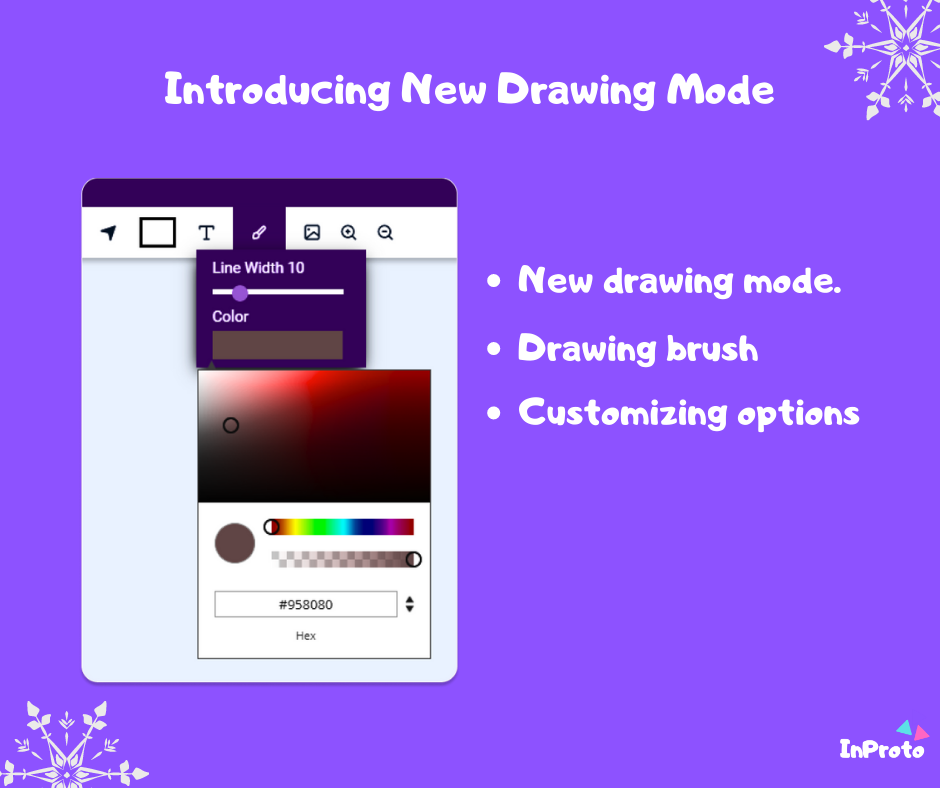
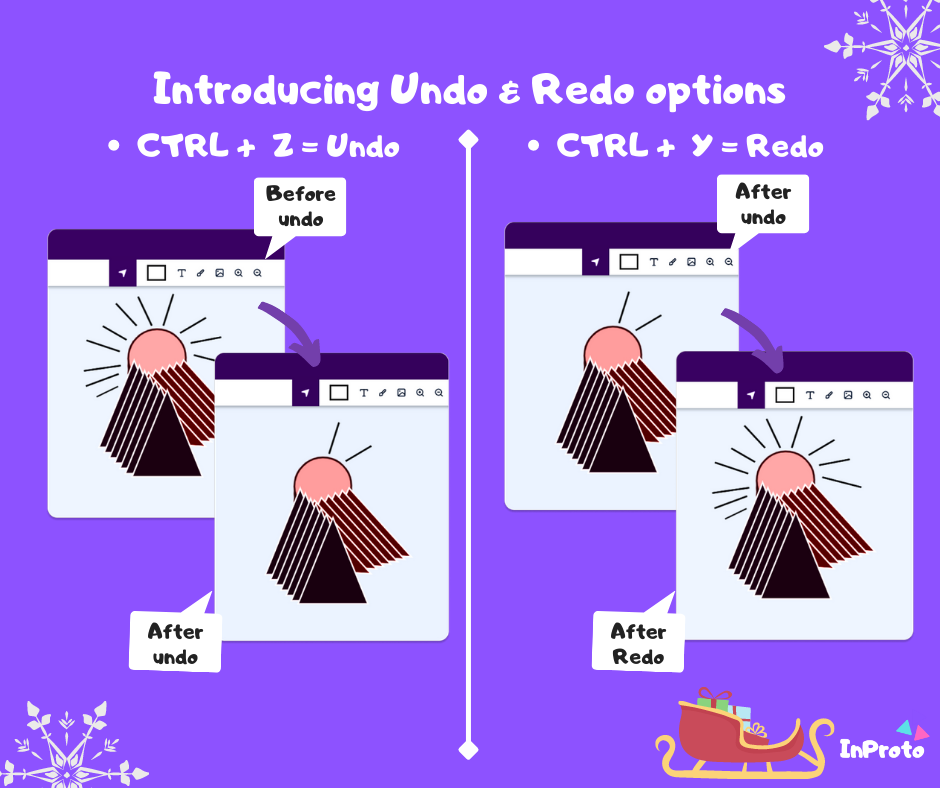
Inproto is a visual design and wireframing platform ideal for crafting various design projects, including user interfaces, Facebook banners, birthday cards, and more. This innovative tool provides users with a library of free widgets and assets, making it simple to create the designs you envision. After completing your design, you can easily save and export your layouts for further use. The user-friendly interface of Inproto requires no technical expertise, allowing anyone to effortlessly navigate the platform and complete their projects without complications. With the added benefit of drag-and-drop functionality, you can customize your designs quickly and efficiently, utilizing the built-in assets to enhance your creative process. Inproto offers a multitude of features, including both desktop and web versions, ensuring accessibility and convenience for all users. Whether you're a seasoned designer or a beginner, Inproto caters to all skill levels, making design more approachable and enjoyable.
API Access
Has API
No
API Access
Has API
No




Integrations
No details available.
Integrations
No details available.
Pricing Details
No price information available.
Free Trial
No
Free Version
Yes
Pricing Details
$15 per user per month
Free Trial
No
Free Version
Yes
Deployment
Web-Based
No
On-Premises
No
iPhone App
No
iPad App
No
Android App
No
Windows
Yes
Mac
No
Linux
No
Chromebook
No
Deployment
Web-Based
Yes
On-Premises
No
iPhone App
No
iPad App
No
Android App
No
Windows
Yes
Mac
No
Linux
No
Chromebook
No
Customer Support
Business Hours
Yes
Live Rep (24/7)
No
Online Support
Yes
Customer Support
Business Hours
Yes
Live Rep (24/7)
Yes
Online Support
Yes
Types of Training
Training Docs
Yes
Webinars
No
Live Training (Online)
No
In Person
Yes
Types of Training
Training Docs
Yes
Webinars
No
Live Training (Online)
Yes
In Person
No
Vendor Details
Company Name
FreeterApp
Country
United States
Website
freeter.io
Vendor Details
Company Name
InProto
Founded
2020
Country
Sri Lanka
Website
inproto.net
Product Features
Productivity
Collaboration
No
Database Creation
No
Document Creation
No
File Sharing
No
Notes Management
Yes
Office Suite
No
Presentation Tools
No
Project Management
Yes
Task Management
Yes
Team Chat
No
Project Management
Agile Methodologies
No
Budget Management
No
Client Portal
No
Collaboration Tools
No
Cost-to-Completion Tracking
No
Customizable Templates
No
Gantt Charts
No
Idea Management
No
Kanban Board
No
Milestone Tracking
No
Portfolio Management
Yes
Resource Management
No
Time & Expense Tracking
No
Traditional Methodologies
No
Product Features
Wireframe
Collaboration
No
Desktop Interface
Yes
Drag & Drop
Yes
Feedback Management
No
Interactive Elements
Yes
Mobile Interface
No
Mockup Creation
Yes
Page Linking
No
Presentation Tools
Yes
Prototype Creation
Yes
Revision History
No
Screen Capture
No
Wireframe Creation
Yes
