Average Ratings 10 Ratings
Average Ratings 21 Ratings
Similar Products
-
ParasoftParasoft's mission is to provide automated testing solutions and expertise that empower organizations to expedite delivery of safe and reliable software. A powerful unified C and C++ test automation solution for static analysis, unit testing and structural code coverage, Parasoft C/C++test helps satisfy compliance with industry functional safety and security requirements for embedded software systems.
-
DbVisualizerDbVisualizer is a universal database client for anyone who works with data, from indie developers and startups to professional teams managing complex database environments, including developers, DBAs, analysts, and data engineers working across relational and NoSQL databases. Key features: - SQL editor with intelligent autocomplete, visual query builders, variables, and execution tools - AI Assistant for answering questions, explaining errors, and analyzing code - Git integration for managing SQL scripts and team collaboration - Customizable layouts, key bindings, and UI themes - Favorites for frequently used scripts and database objects - Configurable security settings for organizational requirements Connects via JDBC to MySQL, PostgreSQL, SQL Server, Oracle, Snowflake, SQLite, Cassandra, BigQuery, and more. Runs on Windows, macOS, and Linux. Nearly 7 million downloads, with Pro users in 150 countries, scaling from solo projects to enterprise database management.
-
TinyPNGTinyPNG (by Tinify) is a free image optimization service built for developers and designers. It utilizes smart lossy compression to reduce the file sizes of JPEG, PNG, WebP, and AVIF files by up to 80% with no visible quality loss. That means faster load times, better SEO, and lower bandwidth. You can compress, convert, and resize images via a clean web interface or integrate it into your workflow with the API. The platform also provides an image CDN for fast global delivery of optimized assets. SDKs are available for Python, Node.js, PHP, Java, Ruby, and .NET. WordPress plugin included, plus plenty of community-driven integrations. No tuning, no noise, Tinify just works. Whether you're optimizing a handful of images or processing millions, it scales effortlessly. All plans include a generous free tier, and support is quick when you need it. George the panda 🐼 approves.
-
Google Cloud RunFully managed compute platform to deploy and scale containerized applications securely and quickly. You can write code in your favorite languages, including Go, Python, Java Ruby, Node.js and other languages. For a simple developer experience, we abstract away all infrastructure management. It is built upon the open standard Knative which allows for portability of your applications. You can write code the way you want by deploying any container that listens to events or requests. You can create applications in your preferred language with your favorite dependencies, tools, and deploy them within seconds. Cloud Run abstracts away all infrastructure management by automatically scaling up and down from zero almost instantaneously--depending on traffic. Cloud Run only charges for the resources you use. Cloud Run makes app development and deployment easier and more efficient. Cloud Run is fully integrated with Cloud Code and Cloud Build, Cloud Monitoring and Cloud Logging to provide a better developer experience.
-
OkylineOkyline is an Executable Data Design (EDD) platform focused on executable validation contracts and operational data quality control. Rather than managing separate specifications, validation code, tests, and monitoring dashboards, Okyline centralizes validation and quality supervision around a single readable executable contract acting as the operational reference for enterprise data flows. The same contract powers deterministic validation, advanced business invariant checks, multi-format execution, data quality gates, and historical quality analytics across APIs, events, files, LLM structured outputs, and distributed operational systems. Contracts are designed directly from annotated sample data, making validation rules immediately understandable for developers, architects, QA teams, and business analysts. The Community Edition includes the public specification, a free Java runtime engine, a Claude AI assistant for contract generation, and an online studio supporting executable JSON validation contracts and JSON Schema transpilation. The Enterprise Edition adds native validation for JSONL, XML, CSV, FIXED, and EDI flows together with operational quality dashboards and data quality gates, without requiring databases or centralized infrastructure.erprise Edition supports direct validation of JSON, JSONL, XML, CSV, FIXED, and EDI flows with operational quality dashboards and analytics, without databases.
-
RetoolRetool is a modern AI-native application development platform designed to help teams build internal software quickly and efficiently. It enables users to create agents, workflows, dashboards, and full-stack apps using natural language prompts and visual tools. Retool connects directly to databases, APIs, vector stores, and AI models to ensure applications work seamlessly with existing systems. The platform allows teams to transform raw data into actionable tools such as dashboards, admin panels, and monitoring systems. With drag-and-drop UI building, code-level customization, and AI-assisted generation, Retool supports multiple development styles. Built-in workflows automate complex processes while maintaining auditability and security. Retool fits naturally into standard engineering stacks with support for CI/CD and version control. Enterprise-grade permissions and hosting options ensure sensitive data stays protected. Used by thousands of companies worldwide, Retool helps teams ship AI-powered software faster. It bridges the gap between idea and production with speed and control.
-
Source DefenseSource Defense is an essential element of web safety that protects data at the point where it is entered. Source Defense Platform is a simple, yet effective solution to data security and privacy compliance. It addresses threats and risks that arise from the increased use JavaScript, third party vendors, and open source code in your web properties. The Platform offers options for securing code as well as addressing an ubiquitous gap in managing third-party digital supply chains risk - controlling actions of third-party, forth-party and nth-party JavaScript that powers your website experience. Source Defense Platform provides protection against all types of client-side security incidents, including keylogging, formjacking and digital skimming. Magecart is also protected. - by extending the web security beyond the browser to the server.
-
NodeMavenNodeMaven employs a sophisticated filtering mechanism that evaluates IPs in real-time prior to allocation, guaranteeing that you receive high-quality addresses 95% of the time. With access to over 30 million premium, pre-screened residential IPs spanning more than 150 countries and 1,400 cities, NodeMaven facilitates targeted usage at the country, region, and city levels. Their state-of-the-art filtering process ensures that 95% of the IPs maintain clean records, thereby boosting success rates in activities such as web scraping, SEO monitoring, and social media management. The platform allows for unlimited concurrent sessions and features super sticky sessions that can endure for up to 24 hours, ensuring stable and dependable connections. NodeMaven's intuitive dashboard makes the selection of proxies and their integration with popular third-party applications like Selenium, Puppeteer, and various anti-detect browsers a breeze. Additionally, they offer comprehensive onboarding assistance and expert support to help users successfully navigate anti-bot systems, thereby enhancing user experience and efficiency. This combination of features positions NodeMaven as a leading choice for those in need of reliable proxy solutions.
-
AnacondaAnaconda is an AI-native development platform that gives teams a governed path from early experimentation to production AI deployment. The platform is built around trusted open-source packages, secure Python package management, controlled environments, and production-grade orchestration. Anaconda helps organizations avoid broken environments, dependency conflicts, security gaps, and deployment delays that can slow AI initiatives. Anaconda Core provides validated packages, automated security scanning, and intelligent dependency conflict resolution for Python and data science teams. Its platform capabilities support AI orchestration, trusted distribution, and enterprise workflows for building and scaling models. Anaconda is widely used across the AI, data science, Python, and enterprise developer communities. The company positions open source as a foundation for AI innovation and emphasizes Python as a core language for the next era of AI development. Anaconda also provides learning courses, certifications, reports, guides, professional services, documentation, and support resources. By combining package governance, environment management, open-source security, and AI development workflows, Anaconda helps teams build trusted AI systems on their own terms.
-
BoosteroBoostero is a social media marketing (SMM) panel, a single dashboard where creators, brands, and agencies grow across 23+ platforms including Instagram, TikTok, YouTube, Facebook, X, Spotify, Telegram and LinkedIn. Followers, likes, views and engagement are ordered from one place instead of one network at a time. Operating since 2020 from Delaware, Boostero has delivered over 12 million orders for 211,000 registered users in 125+ countries, across 1,600 services, with localized pages for 19 markets and 16 languages plus English. What separates it is what is visible before you pay: the price per 1,000, the minimum and maximum order, the refill terms and an average delivery time computed from completed orders are all shown on the service itself, not promised site-wide. Ordering needs a public link or username, never a password. Key features: 23+ platforms and 1,600 services in one dashboard Service quality tiers and refill terms stated on each service before checkout Average delivery time shown per service, computed from completed orders REST API with ten documented calls and examples in PHP, Python, Node and curl White-label child panels for agencies and resellers Payments: cards, PayPal, cryptocurrency, Payoneer 24/7 support via Telegram, email and the ticket system Encrypted checkout, no password required
Description
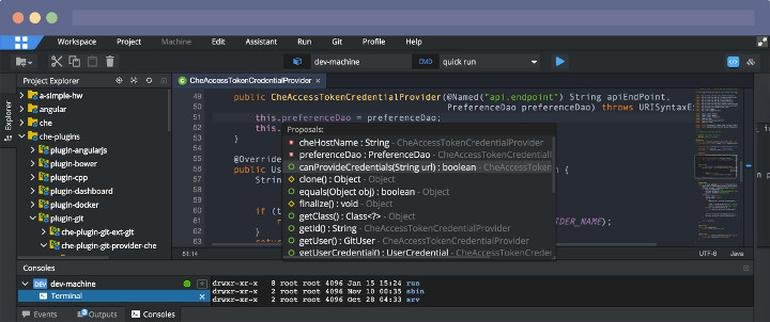
Eclipse IDE stands as the premier open platform tailored for professional developers engaged in computer programming, and it has never been better. This IDE provides essential tools to drive rapid innovation with a simplified configuration process, including the Eclipse IDE Installer 2020-09, which now incorporates a Java Runtime Environment (JRE) in several of its packages. The enhancements also extend to theming and styling, featuring an improved dark theme for Windows and a refined light theme for GTK. Additionally, Eclipse IDE has transitioned to require Java 11 as its minimum operating version while maintaining the ability to compile older versions as desired. Among its new experimental features is support for aarch64, along with robust Linux support that has been integrated into this version. Furthermore, Node.js is now embedded within all LSP-based tools, facilitating seamless functionality from the start. Eclipse IDE remains free and open source, distributed under the Eclipse Public License 2.0, underscoring its commitment to community-driven development. The platform thrives on an extensive ecosystem of plugins, bolstered by an active and engaged community of contributors. This collaborative environment ensures that Eclipse IDE continues to evolve and meet the diverse needs of developers worldwide.
Description
All your Python development needs are consolidated in one application. While PyCharm handles routine tasks, you can save precious time and concentrate on more significant projects, fully utilizing its keyboard-centric design to explore countless productivity features. This IDE is well-versed in your code and can be trusted for features like intelligent code completion, immediate error detection, and quick-fix suggestions, alongside straightforward project navigation and additional capabilities. With PyCharm, you can write organized and maintainable code, as it assists in maintaining quality through PEP8 compliance checks, testing support, smart refactoring options, and a comprehensive range of inspections. Created by programmers specifically for other programmers, PyCharm equips you with every tool necessary for effective Python development, allowing you to focus on what matters most. Additionally, PyCharm's robust navigation and automated refactoring features further enhance your coding experience, ensuring that you remain efficient and productive throughout your projects.
API Access
Has API
No
API Access
Has API
No


Integrations
AiXcoder
Yes
Amazon Q Developer
Yes
C++
Yes
CSS
Yes
Code Time
Yes
Dash
Yes
Devin Desktop
Yes
HTML
Yes
JavaScript
Yes
Kiuwan Code Security
Yes
Integrations
AiXcoder
Yes
Amazon Q Developer
Yes
C++
Yes
CSS
Yes
Code Time
Yes
Dash
Yes
Devin Desktop
Yes
HTML
Yes
JavaScript
Yes
Kiuwan Code Security
Yes
Pricing Details
No price information available.
Free Trial
No
Free Version
No
Pricing Details
$199 per user per year
Free Trial
Yes
Free Version
No
Deployment
Web-Based
Yes
On-Premises
No
iPhone App
No
iPad App
No
Android App
No
Windows
No
Mac
No
Linux
No
Chromebook
No
Deployment
Web-Based
No
On-Premises
No
iPhone App
No
iPad App
No
Android App
No
Windows
Yes
Mac
Yes
Linux
No
Chromebook
No
Customer Support
Business Hours
No
Live Rep (24/7)
No
Online Support
Yes
Customer Support
Business Hours
No
Live Rep (24/7)
No
Online Support
No
Types of Training
Training Docs
Yes
Webinars
No
Live Training (Online)
No
In Person
No
Types of Training
Training Docs
Yes
Webinars
No
Live Training (Online)
No
In Person
No
Vendor Details
Company Name
Eclipse Foundation
Country
Canada
Website
www.eclipse.org/eclipseide/
Vendor Details
Company Name
JetBrains
Founded
2000
Country
Czech Republic
Website
www.jetbrains.com/pycharm/
Product Features
Application Development
Access Controls/Permissions
No
Code Assistance
No
Code Refactoring
No
Collaboration Tools
Yes
Compatibility Testing
No
Data Modeling
No
Debugging
No
Deployment Management
No
Graphical User Interface
No
Mobile Development
No
No-Code
No
Reporting/Analytics
No
Software Development
Yes
Source Control
No
Testing Management
No
Version Control
No
Web App Development
Yes
Code Editors
API
No
Auto-Complete
No
Code Folding
No
Column Editing
No
Customizable Themes
No
Debugging
No
Formatting / Table Editing
No
Keyboard Shortcuts
No
Multi-Monitor Editing
No
Syntax Highlighting
No
WYSIWYG
No
IDE
Code Completion
No
Compiler
No
Cross Platform Support
No
Debugger
No
Drag and Drop UI
No
Integrations and Plugins
No
Multi Language Support
No
Project Management
No
Text Editor / Code Editor
No
Product Features
Code Editors
API
No
Auto-Complete
No
Code Folding
No
Column Editing
No
Customizable Themes
No
Debugging
No
Formatting / Table Editing
No
Keyboard Shortcuts
No
Multi-Monitor Editing
No
Syntax Highlighting
No
WYSIWYG
No
DevOps
Approval Workflow
No
Dashboard
No
KPIs
Yes
Policy Management
No
Portfolio Management
No
Prioritization
Yes
Release Management
Yes
Timeline Management
No
Troubleshooting Reports
No
IDE
Code Completion
Yes
Compiler
Yes
Cross Platform Support
No
Debugger
Yes
Drag and Drop UI
No
Integrations and Plugins
Yes
Multi Language Support
No
Project Management
No
Text Editor / Code Editor
Yes
Static Code Analysis
Analytics / Reporting
No
Code Standardization / Validation
No
Multiple Programming Language Support
No
Provides Recommendations
No
Standard Security/Industry Libraries
No
Vulnerability Management
No
