Average Ratings 0 Ratings
Average Ratings 10 Ratings
Similar Products
-
ParasoftParasoft's mission is to provide automated testing solutions and expertise that empower organizations to expedite delivery of safe and reliable software. A powerful unified C and C++ test automation solution for static analysis, unit testing and structural code coverage, Parasoft C/C++test helps satisfy compliance with industry functional safety and security requirements for embedded software systems.
-
Google Cloud RunFully managed compute platform to deploy and scale containerized applications securely and quickly. You can write code in your favorite languages, including Go, Python, Java Ruby, Node.js and other languages. For a simple developer experience, we abstract away all infrastructure management. It is built upon the open standard Knative which allows for portability of your applications. You can write code the way you want by deploying any container that listens to events or requests. You can create applications in your preferred language with your favorite dependencies, tools, and deploy them within seconds. Cloud Run abstracts away all infrastructure management by automatically scaling up and down from zero almost instantaneously--depending on traffic. Cloud Run only charges for the resources you use. Cloud Run makes app development and deployment easier and more efficient. Cloud Run is fully integrated with Cloud Code and Cloud Build, Cloud Monitoring and Cloud Logging to provide a better developer experience.
-
MonkMost enterprise invoices are never paid from an emailed invoice. Across the $2B+ in receivables Monk manages, 92% have to be submitted through the buyer accounts payable portal instead, and a failed submission is usually silent. Monk is an AI-native accounts receivable platform built around that problem. It files invoices into more than 600 corporate AP portals, including Coupa, Ariba and SAP Business Network, uploads 87% without a person, and brings each rejection back onto the invoice record with the reason attached. Collections runs on the same data. Julia, the Monk agent for Intelligent Collections, reads inbound replies and answers what the customer wrote instead of advancing a dunning schedule, clearing 90% of invoices without escalation. Outbound mail sends through your existing Gmail or Microsoft 365 mailbox. Payments match at 80%, rising to 95% once rules are added. Runs on QuickBooks, NetSuite or Dynamics 365 Business Central. SOC 2 Type II. Live in one to three days.
-
Google Cloud BigQueryBigQuery is a serverless, multicloud data warehouse that makes working with all types of data effortless, allowing you to focus on extracting valuable business insights quickly. As a central component of Google’s data cloud, it streamlines data integration, enables cost-effective and secure scaling of analytics, and offers built-in business intelligence for sharing detailed data insights. With a simple SQL interface, it also supports training and deploying machine learning models, helping to foster data-driven decision-making across your organization. Its robust performance ensures that businesses can handle increasing data volumes with minimal effort, scaling to meet the needs of growing enterprises. Gemini within BigQuery brings AI-powered tools that enhance collaboration and productivity, such as code recommendations, visual data preparation, and intelligent suggestions aimed at improving efficiency and lowering costs. The platform offers an all-in-one environment with SQL, a notebook, and a natural language-based canvas interface, catering to data professionals of all skill levels. This cohesive workspace simplifies the entire analytics journey, enabling teams to work faster and more efficiently.
-
SuttonSutton is a manufacturing and distribution ERP platform that combines core operations management with AI-driven automation and customizable applications. The software centralizes inventory, warehousing, sales, purchasing, production, fulfillment, traceability, and compliance in one system. Inventory capabilities include real-time stock visibility, multi-location management, demand forecasting, shipping workflows, and monitoring of materials that may run out. Production features support shop-floor control, production scheduling, work centers, materials, jobs, and operational tracking. Sutton’s intelligence layer analyzes operational data to surface business health, identify exceptions, recommend next steps, and help users act on those recommendations. AI agents can prepare purchase orders, respond to changing production requirements, generate shipping documents, and handle other repetitive operational tasks across modules. Sutton Studio allows users to create custom apps, reports, forms, and workflows by describing what they need in plain English, with the resulting tools operating directly on existing Sutton data and permissions. The platform also includes an AI-assisted onboarding process that can reformat data, map fields, make bulk edits, and configure the system for migration. Sutton integrates with ecommerce, accounting, and sales channels such as QuickBooks, Shopify, WooCommerce, Amazon, and eBay and provides flexible API access for connecting additional systems.
-
Banker's DashboardAccess your bank's or credit union's financial performance from anywhere, anytime. Secure, cloud-based access gives you insight into your bank's financial performance. With a few clicks, you can access margin components, branch performance, forecasts, and more. The Banker's Dashboard and Credit Union Dashboard integrate seamlessly with your core processor. Easy setup allows you to immediately improve your bottom line. Automate reporting and eliminate errors so you can focus on higher-value tasks. Multiple forecast scenarios can be quickly run and revised, allowing you to analyze variances and other strategies. Compare branch performance. For better results, institute best practices and hold branches accountable.
-
SDS ManagerSDS Manager is a premier provider of SDS Management solutions, featuring one of the world’s largest SDS databases with over 14 million Safety Data Sheets in 25 languages. With SDS Manager, employees can access essential SDS information directly from their mobile devices by simply scanning QR code posters in work areas where chemicals are used. This seamless mobile access promotes both safety and regulatory compliance. Our automated data extraction feature lets you effortlessly add SDS files to your library without any manual typing, significantly improving accuracy and streamlining SDS management. Keep your SDS library updated, organized, and ready for quick access in a secure cloud environment.
-
JAMS SchedulerJAMS is an automation orchestration and job scheduling solution that runs, monitors, and manages critical IT processes from a single console. JAMS automates jobs across Windows, Linux, UNIX, IBM i, z/OS, and OpenVMS, with native integrations for the databases, BI tools, and ERP systems already running your business. Jobs run on any schedule or trigger off other events, with dependency management keeping workflows in order and an audit trail logging every execution. JAMS includes two AI capabilities at no additional cost. JAX is an AI agent built into the JAMS Web Client: ask it a question in plain language, and it finds a job, troubleshoots a failure, or looks up how to do something, grounded in JAMS documentation. It acts only when asked, and every change waits for your approval. JAMS MCP brings JAMS into the AI coding tools teams already use, including Cursor, Claude Code, GitHub Copilot, and Claude Desktop. For teams managing thousands of jobs across SQL Server, ADF, Airflow, SAP, JDE, and Banner, this cuts tribal knowledge and middle-of-the-night troubleshooting. Knowledge that once lived in one person's head becomes something any team member can ask about directly. The AI lives in the product, not in the support queue. Support is staffed by humans JAMS will never outsource, based in the United States, the United Kingdom, and Australia. New tickets go to long-tenured engineers, and every JAMS customer has the CEO's cell phone number. JAMS' mission is to reduce the operational burden of critical automation, so teams spend more time on the work automation was meant to free them for.
-
CanditechCanditech empowers HR professionals and hiring managers to make fast, confident and objective hiring decisions. It's all-in-one testing platform evaluates both technical and soft skills through job simulation assessments that cover a variety of tasks, including coding, SQL, Excel, open text, email communication, and video. These tests are the best predictors of future job suitability and performance. The platform's holistic approach allows recruiters and hiring managers the ability to objectively assess candidates for any position within the company (R&D and Data, Marketing, Sales and Customer Success, Technical Support, Technical Support, etc.). You can also assess your technical skills (codes, SQL, Excel, etc.). Along with soft skills (using video questions and email communication), it gives candidates a fair chance of showcasing their talents, creating a great candidate experience. The platform offers significant ROI from day one: ✅ Shorten time-to-hire by 50% ✅ Reduce unnecessary interviews by 80% ✅ Increase hiring diversity and eliminate bias
-
ContractSafeContractSafe is AI-enabled contract management software that actually does what it promises, without the six-month implementation, per-seat charges, or admin overhead that makes most CLM tools their own kind of problem. If you've been through that cycle before (a tool that takes months to deploy, requires a dedicated admin, hides pricing behind a sales call, and still leaves contracts expiring without warning), ContractSafe is the way out. Search is Google-fast across every contract and attachment, including full OCR on scanned PDFs. The AI assistant automatically extracts key metadata, categorizes contracts by type, and answers plain-language questions about contract content. Smart Search understands your intent rather than requiring exact keywords. None of it needs configuration or a dedicated admin. It works out of the box. Pricing is published publicly. No "contact sales for a quote," no per-seat charges that penalize you for adding users, no implementation fees. Every plan includes unlimited users, automated renewal and key-date alerts, a dedicated Customer Success Manager, and free onboarding assistance. Higher-tier plans add approval workflows, redlining, and built-in e-signature. Security: hosted on AWS, SOC 2 Type II and ISO 27001 certified, HIPAA and GDPR compliant, with data residency options across the US, Canada, EU, and Australia. Most teams are fully operational within hours of signing up. Free trial, no credit card required.
Description
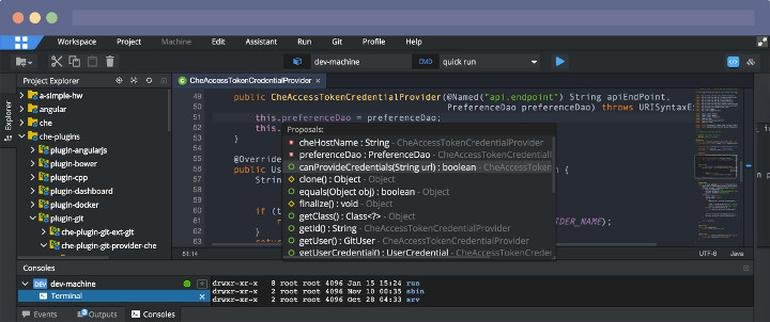
Eclipse Ceylon is designed for collaborative programming on a large scale, making it ideal for teams. For those interested in diving deeper, a quick 15-minute introduction is available, followed by a comprehensive tour of the language's features. The most effective way to engage with Ceylon is to download the integrated development environment (IDE) and start coding, after which you can investigate the various modules available in Ceylon Herd or use the online platform. This initiative is community-driven, and all outputs are open source, with contributions made transparently on GitHub. One of the standout features of Eclipse Ceylon is its sophisticated flow-sensitive static type system, which not only identifies a range of potential errors but also enhances expressiveness through union and intersection types, tuples, function types, mixin inheritance, enumerated types, and reified generics. Given that developers often spend more time reading others' code than writing their own, Eclipse Ceylon places a strong emphasis on code readability. This is achieved through a consistent syntax, support for tree-like structures, and the incorporation of elegant syntactic sugar wherever it enhances clarity. Additionally, the community's commitment to open collaboration fosters a rich environment for learning and innovation.
Description
Eclipse IDE stands as the premier open platform tailored for professional developers engaged in computer programming, and it has never been better. This IDE provides essential tools to drive rapid innovation with a simplified configuration process, including the Eclipse IDE Installer 2020-09, which now incorporates a Java Runtime Environment (JRE) in several of its packages. The enhancements also extend to theming and styling, featuring an improved dark theme for Windows and a refined light theme for GTK. Additionally, Eclipse IDE has transitioned to require Java 11 as its minimum operating version while maintaining the ability to compile older versions as desired. Among its new experimental features is support for aarch64, along with robust Linux support that has been integrated into this version. Furthermore, Node.js is now embedded within all LSP-based tools, facilitating seamless functionality from the start. Eclipse IDE remains free and open source, distributed under the Eclipse Public License 2.0, underscoring its commitment to community-driven development. The platform thrives on an extensive ecosystem of plugins, bolstered by an active and engaged community of contributors. This collaborative environment ensures that Eclipse IDE continues to evolve and meet the diverse needs of developers worldwide.
API Access
Has API
No
API Access
Has API
No


Integrations
Amazon Q Developer
No
AttackFlow
No
CodeTogether
No
Dash
No
JFrog
No
Jtest
No
Kovair DevOps
No
Maven
No
OpenClover
No
PHP
No
Integrations
Amazon Q Developer
Yes
AttackFlow
Yes
CodeTogether
Yes
Dash
Yes
JFrog
Yes
Jtest
Yes
Kovair DevOps
Yes
Maven
Yes
OpenClover
Yes
PHP
Yes
Pricing Details
Free
Free Trial
No
Free Version
Yes
Pricing Details
No price information available.
Free Trial
No
Free Version
No
Deployment
Web-Based
Yes
On-Premises
No
iPhone App
No
iPad App
No
Android App
No
Windows
Yes
Mac
Yes
Linux
Yes
Chromebook
No
Deployment
Web-Based
Yes
On-Premises
No
iPhone App
No
iPad App
No
Android App
No
Windows
No
Mac
No
Linux
No
Chromebook
No
Customer Support
Business Hours
No
Live Rep (24/7)
No
Online Support
Yes
Customer Support
Business Hours
No
Live Rep (24/7)
No
Online Support
Yes
Types of Training
Training Docs
Yes
Webinars
No
Live Training (Online)
No
In Person
No
Types of Training
Training Docs
Yes
Webinars
No
Live Training (Online)
No
In Person
No
Vendor Details
Company Name
Eclipse Ceylon
Website
ceylon-lang.org
Vendor Details
Company Name
Eclipse Foundation
Country
Canada
Website
www.eclipse.org/eclipseide/
Product Features
Product Features
Application Development
Access Controls/Permissions
No
Code Assistance
No
Code Refactoring
No
Collaboration Tools
Yes
Compatibility Testing
No
Data Modeling
No
Debugging
No
Deployment Management
No
Graphical User Interface
No
Mobile Development
No
No-Code
No
Reporting/Analytics
No
Software Development
Yes
Source Control
No
Testing Management
No
Version Control
No
Web App Development
Yes
Code Editors
API
No
Auto-Complete
No
Code Folding
No
Column Editing
No
Customizable Themes
No
Debugging
No
Formatting / Table Editing
No
Keyboard Shortcuts
No
Multi-Monitor Editing
No
Syntax Highlighting
No
WYSIWYG
No
IDE
Code Completion
No
Compiler
No
Cross Platform Support
No
Debugger
No
Drag and Drop UI
No
Integrations and Plugins
No
Multi Language Support
No
Project Management
No
Text Editor / Code Editor
No
