Average Ratings 0 Ratings
Average Ratings 10 Ratings
Similar Products
-
RaimaDBRaimaDB, an embedded time series database that can be used for Edge and IoT devices, can run in-memory. It is a lightweight, secure, and extremely powerful RDBMS. It has been field tested by more than 20 000 developers around the world and has been deployed in excess of 25 000 000 times. RaimaDB is a high-performance, cross-platform embedded database optimized for mission-critical applications in industries such as IoT and edge computing. Its lightweight design makes it ideal for resource-constrained environments, supporting both in-memory and persistent storage options. RaimaDB offers flexible data modeling, including traditional relational models and direct relationships through network model sets. With ACID-compliant transactions and advanced indexing methods like B+Tree, Hash Table, R-Tree, and AVL-Tree, it ensures data reliability and efficiency. Built for real-time processing, it incorporates multi-version concurrency control (MVCC) and snapshot isolation, making it a robust solution for applications demanding speed and reliability.
-
ParasoftParasoft's mission is to provide automated testing solutions and expertise that empower organizations to expedite delivery of safe and reliable software. A powerful unified C and C++ test automation solution for static analysis, unit testing and structural code coverage, Parasoft C/C++test helps satisfy compliance with industry functional safety and security requirements for embedded software systems.
-
Edgefinity IoTEdgefinity IoT is a powerful RFID and IoT platform that gives organizations real-time visibility into inventory, assets, equipment, work-in-process, and personnel. By collecting data from RFID readers, sensors, and connected devices, the platform provides a clear view of what is happening across facilities and operations. Edgefinity IoT helps businesses automate tracking, locate critical assets, monitor movement, verify inventory and shipments, improve production visibility, and support safety applications such as personnel tracking and emergency mustering. Configurable rules and alerts can automatically trigger actions when predefined conditions are met, helping teams respond faster and reduce manual oversight. Built to work with a wide range of RFID hardware and IoT technologies, Edgefinity IoT can be deployed in the cloud or on-premise and scaled across applications, facilities, and enterprise operations.
-
HiveMQThe HiveMQ Platform provides a scalable, reliable data backbone with an event-driven MQTT architecture. Here are a few highlights: 1. MQTT Broker: At the heart of the HiveMQ platform is a fully MQTT-compliant broker purpose-built for fast, reliable, bi-directional data movement between IoT devices and enterprise systems. 2. Edge Data Integration: HiveMQ Edge seamlessly integrates edge data by converting industrial protocols into standardized MQTT, enabling an interoperable IIoT infrastructure. 3. IoT Streaming Governance: Data Hub transforms data in flight, passing only the most relevant, contextualized data to cloud and enterprise systems. 4. UNS & IT/OT convergence Enabler: Commonly used as the backbone for Unified Namespace architectures and seamlessly connects OT devices with IT systems for full visibility and interoperability. 5. Distributed Data Intelligence: HiveMQ Pulse unifies and contextualizes data across the enterprise for smarter decisions exactly where they matter most. 6. Maximum Interoperability: Runs anywhere on-premises or in public or private clouds. Efficiently connects to streaming applications, databases and data lakes with a Java SDK to build your own 7. Scalability to Support Growth: Elastic scaling with automatic data balancing and smart message distribution. Proven benchmark of up to 200M active clients with 1.8B messages/hour 8. Business Critical Reliability: Zero message loss with persistence to disk and offline queuing. No single point of failure due to masterless cluster architecture and zero downtime upgrades
-
TRACTIANTractian is the Industrial Copilot for maintenance and reliability, combining hardware and software solutions to monitor asset performance, manage industrial operations, and implement predictive maintenance strategies. Its AI-driven platform empowers businesses to prevent unplanned equipment downtime and boost production output. The company is headquartered in Atlanta, GA, and extends its presence globally with offices in Mexico City and Sao Paulo. Learn more at tractian.com.
-
Epicor Connected Process ControlEpicor Connected Process Control (CPC) is a flexible no-code/low-code MES and manufacturing operations platform that helps manufacturers standardize production and assembly processes, improve quality, and increase visibility across the shop floor. Using digital work instructions with multimedia content, manufacturers can guide operators through critical tasks, enforce process control, and improve consistency across products, workstations, and production lines. CPC connects equipment and devices to collect production and quality data in real time, helping manufacturers identify issues faster, reduce waste, and support continuous improvement. CPC provides product traceability with a complete historical record of each product's build and inspection history. Manufacturers use CPC to support assembly verification, error proofing, quality inspections, operator guidance, and other connected manufacturing initiatives. For manufacturers with complex product variations, CPC can dynamically present the correct work instructions based on the product or configuration being built, helping ensure products are assembled accurately and consistently. Available on-premises or in the cloud, CPC scales from a single work cell to enterprise-wide deployments.
-
KrakenDEngineered for peak performance and efficient resource use, KrakenD can manage a staggering 70k requests per second on just one instance. Its stateless build ensures hassle-free scalability, sidelining complications like database upkeep or node synchronization. In terms of features, KrakenD is a jack-of-all-trades. It accommodates multiple protocols and API standards, offering granular access control, data shaping, and caching capabilities. A standout feature is its Backend For Frontend pattern, which consolidates various API calls into a single response, simplifying client interactions. On the security front, KrakenD is OWASP-compliant and data-agnostic, streamlining regulatory adherence. Operational ease comes via its declarative setup and robust third-party tool integration. With its open-source community edition and transparent pricing model, KrakenD is the go-to API Gateway for organizations that refuse to compromise on performance or scalability.
-
Gr4vyGr4vy's no-code payment orchestration platform empowers enterprises with full control to automate, customize and optimize their payment strategy effortlessly. Through a single integration, businesses can access over 400 payment methods, anti-fraud tools and payment service providers enabling them to optimize their stack in just a few clicks, all in a centralized platform. Built on dedicated cloud instances, Gr4vy infrastructure is the only one that eliminates the risk of a single point of failure, ensuring redundancy and high performance. At Gr4vy, our mission is to empower enterprises with full control to build, customize, and scale their payment strategy. We turn payment complexity into simplicity, allowing businesses to experiment, optimize, and unlock new revenue streams effortlessly. That way, merchants can focus on what matters—growth.
-
IONOS Cloud GPU ServersIONOS offers GPU Servers that deliver a high-performance computing framework aimed at managing tasks that demand significantly more power than standard CPU systems can provide. This infrastructure features top-tier NVIDIA GPUs, including the H100, H200, and L40s, in addition to specialized AI accelerators like Intel Gaudi, facilitating extensive parallel processing for demanding applications. By utilizing GPU-accelerated instances, the cloud infrastructure is enhanced with dedicated graphical processors, enabling virtual machines to execute intricate calculations and handle data-heavy tasks at a much faster rate compared to traditional servers. This solution is especially well-suited for fields such as artificial intelligence, deep learning, and data science, where training models on extensive datasets or executing rapid inference processes is necessary. Furthermore, it accommodates big data analytics, scientific simulations, and visualization tasks, including 3D rendering or modeling, that necessitate substantial computational capacity. As a result, organizations seeking to optimize their processing capabilities for complex workloads can greatly benefit from this advanced infrastructure.
-
SmartDrawSmartDraw makes professional drawings and diagrams accessible to everyone. Non-technical users can quickly create floor plans, while professionals get the precision and scale they require. With industry-leading floor planning tools and an intuitive interface for traditional diagramming like flowcharts and organizational charts, SmartDraw delivers enterprise-ready power without unnecessary complexity. Key features: - Large collection of symbols and templates - Ability to create custom shapes - Import PDFs, images, Google Maps, Visio files, Visio stencils - Draw to any scale - Enrich drawings with data - Generate manifest and bills of materials - Generate diagrams from data automatically like org charts, AWS, Azure, PI Boards, and more - Use natural language text prompts to generate diagrams with AI - Save files directly to OneDrive, SharePoint, or Google Drive, or other preferred provider - Integrations with the Microsoft and Google enterprise stack plus Confluence and Jira SmartDraw supports a wide range of industries and real-world use cases, helping teams plan, document, and communicate more effectively. Construction professionals use it to create scaled floor plans, site layouts, and electrical and plumbing drawings. Fire departments rely on it for fire pre-planning and incident documentation, while police departments use it for accident reconstruction and crime scene diagrams. IT teams build network diagrams and cloud architectures, HR leaders create organizational charts, and product managers map out processes and workflows. From physical layouts to business processes, SmartDraw provides a single platform that adapts to the needs of each role and industry.
Description
Edge Computing allows for data processing to occur closer to its source, effectively at the network's edge. By doing so, it minimizes the communication bandwidth required between sensors and centralized data centers, as analytics and insights are generated locally. The IoT service gateway model, which utilizes robust enterprise software stacks and operates as a controller and aggregator at the edge of IoT systems, serves as an ideal basis for implementing Edge Computing solutions. Eurotech’s Everyware Software Framework (ESF) stands out as a commercial, enterprise-ready variant of Eclipse Kura, an open-source platform designed for Edge Computing in IoT gateways. Supported and distributed by Eurotech, ESF enriches Eclipse Kura with sophisticated features that enhance security, diagnostics, provisioning, remote access, and seamless integration with Everyware Cloud, Eurotech's IoT Integration Platform. Consequently, this approach not only strengthens the capabilities of IoT deployments but also fosters greater efficiency in data handling.
Description
Eclipse IDE stands as the premier open platform tailored for professional developers engaged in computer programming, and it has never been better. This IDE provides essential tools to drive rapid innovation with a simplified configuration process, including the Eclipse IDE Installer 2020-09, which now incorporates a Java Runtime Environment (JRE) in several of its packages. The enhancements also extend to theming and styling, featuring an improved dark theme for Windows and a refined light theme for GTK. Additionally, Eclipse IDE has transitioned to require Java 11 as its minimum operating version while maintaining the ability to compile older versions as desired. Among its new experimental features is support for aarch64, along with robust Linux support that has been integrated into this version. Furthermore, Node.js is now embedded within all LSP-based tools, facilitating seamless functionality from the start. Eclipse IDE remains free and open source, distributed under the Eclipse Public License 2.0, underscoring its commitment to community-driven development. The platform thrives on an extensive ecosystem of plugins, bolstered by an active and engaged community of contributors. This collaborative environment ensures that Eclipse IDE continues to evolve and meet the diverse needs of developers worldwide.
API Access
Has API
Yes
API Access
Has API
No


Integrations
AiXcoder
No
BullseyeCoverage
No
CSS
No
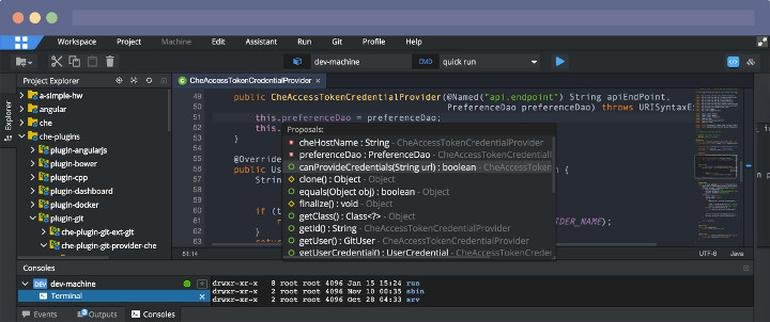
Eclipse Che
No
EvoSuite
No
Java
No
K.Explorer
No
MonjaDB
No
OpenText Dimensions CM
No
Poolside
No
Integrations
AiXcoder
Yes
BullseyeCoverage
Yes
CSS
Yes
Eclipse Che
Yes
EvoSuite
Yes
Java
Yes
K.Explorer
Yes
MonjaDB
Yes
OpenText Dimensions CM
Yes
Poolside
Yes
Pricing Details
No price information available.
Free Trial
No
Free Version
No
Pricing Details
No price information available.
Free Trial
No
Free Version
No
Deployment
Web-Based
Yes
On-Premises
No
iPhone App
No
iPad App
No
Android App
No
Windows
No
Mac
No
Linux
No
Chromebook
No
Deployment
Web-Based
Yes
On-Premises
No
iPhone App
No
iPad App
No
Android App
No
Windows
No
Mac
No
Linux
No
Chromebook
No
Customer Support
Business Hours
No
Live Rep (24/7)
No
Online Support
Yes
Customer Support
Business Hours
No
Live Rep (24/7)
No
Online Support
Yes
Types of Training
Training Docs
Yes
Webinars
No
Live Training (Online)
No
In Person
No
Types of Training
Training Docs
Yes
Webinars
No
Live Training (Online)
No
In Person
No
Vendor Details
Company Name
Eclipse Kura
Website
esf.eurotech.com/v5.0.0/docs/edge-computing-platform
Vendor Details
Company Name
Eclipse Foundation
Country
Canada
Website
www.eclipse.org/eclipseide/
Product Features
IoT
Application Development
No
Big Data Analytics
No
Configuration Management
No
Connectivity Management
No
Data Collection
No
Data Management
No
Device Management
No
Performance Management
No
Prototyping
No
Visualization
No
Product Features
Application Development
Access Controls/Permissions
No
Code Assistance
No
Code Refactoring
No
Collaboration Tools
Yes
Compatibility Testing
No
Data Modeling
No
Debugging
No
Deployment Management
No
Graphical User Interface
No
Mobile Development
No
No-Code
No
Reporting/Analytics
No
Software Development
Yes
Source Control
No
Testing Management
No
Version Control
No
Web App Development
Yes
Code Editors
API
No
Auto-Complete
No
Code Folding
No
Column Editing
No
Customizable Themes
No
Debugging
No
Formatting / Table Editing
No
Keyboard Shortcuts
No
Multi-Monitor Editing
No
Syntax Highlighting
No
WYSIWYG
No
IDE
Code Completion
No
Compiler
No
Cross Platform Support
No
Debugger
No
Drag and Drop UI
No
Integrations and Plugins
No
Multi Language Support
No
Project Management
No
Text Editor / Code Editor
No
