Average Ratings 0 Ratings
Average Ratings 0 Ratings
Similar Products
-
3Q3Q is an API-first video infrastructure for developers and engineering teams who want direct control over their media backend. A REST video API and native player SDKs give you programmatic access to hosting, ingestion, encoding, live streaming, video-on-demand, and delivery, so you can build video portals, streaming apps, or OTT backends on a single European platform. The stack is transparent by design. 3Q supports adaptive bitrate streaming over HLS and DASH with mixed HEVC and AVC codecs and automatic Live-to-VoD. Delivery runs over a proprietary global CDN, encryption, and HTTP/2 over TLS 1.3. The Cookie- and Consent-free HTML5 Video Player is barrier-free in accordance with WCAG 2.1/BITV 2.0 and needs no consent layer. Video AI exposes speech-to-text transcription, automatic subtitles, translation, and chapter markers through the same API, and integration fits your existing pipeline and video workflows. What sets 3Q apart is ownership. 3Q runs on its own independent European video infrastructure, so your data stays in the EU and under German jurisdiction. 3Q is GDPR-compliant and all processes are ISO/IEC 27001 certified, with modular pay-as-you-go pricing and 24/7 support from real video experts.
-
SendbirdSendbird provides AI-powered omnichannel communication solutions, including AI agent for customer service, Chat API, and Business Messaging for seamless customer conversations across mobile apps, websites, social media, and more. Our platform supports iOS, Android, JavaScript, Unity, and .NET. Sendbird’s AI Agent Platform enables businesses to automate customer support across a wide range of channels, including SMS, web, mobile apps, and social media. This solution leverages AI to provide proactive, continuous support by anticipating customer needs and engaging them on their preferred platforms. Businesses can build and manage their own AI agents with an easy-to-use interface, ensuring smooth customer interactions. The platform integrates seamlessly with existing systems, providing businesses with insights into customer conversations, improving agent performance, and offering reliable support in high-traffic environments.
-
LALAL.AIAny audio or video can be extracted to extract vocal, accompaniment, and other instruments. High-quality stem cutting based on the #1 AI-powered technology in the world. Next-generation vocal remover and music source separator service for fast, simple, and precise stem removal. You can remove vocal, instrumental, drums and bass tracks, as well as acoustic guitar, electric guitar, and synthesizer tracks, without any quality loss. You can start the service free of charge. Upgrade to get more files processed and faster results. Only for personal use. Move to the next level. You can process thousands of minutes of audio and/or video. This software is suitable for both personal and business use. Each LALAL.AI package has a limit on the amount of audio/video that can be split. The package minute limit is deducted from each file that has been fully split. You can split as many files you like, provided their total length does not exceed the minute limit.
-
SignalmashSignalmash is a specialized CPaaS platform designed for companies that value dependable messaging infrastructure paired with hands-on, human support. No complicated pricing tiers. No long support queues. Just direct access to real experts to help you build faster and deliver better customer experiences. Enterprise clients work directly with our engineering team via a dedicated Slack channel. We offer direct Tier-1 carrier connectivity with AT&T, Verizon, and T-Mobile, along with a 94% first-pass approval rate for 10DLC campaigns. Messaging SMS: 10DLC, short codes, toll-free RCS: Rich messaging and media via API or no-code tools Voice SIP trunking, VoIP, inbound and outbound calling Numbers & Identity Local, short code, and toll-free numbers Branded Caller ID (BCID) Number Intelligence CNAM lookups, carrier details, line type (wireless vs. landline), and federal DNC checks Signalmash combines enterprise-level performance with a high-touch, partner-first support model.
-
4K Video DownloaderYou can watch videos from anywhere, anytime, even offline. It's easy to download: simply copy the link from your browser, and then click 'Paste Link" in the application. You can save full playlists and channels on YouTube in high-quality and other video or audio formats. Download your YouTube Mix, Watch Later and Liked videos as well as private YouTube playlists. Receive new videos from your favorite YouTube channels automatically. You can feel the action around you with virtual reality videos. To experience the amazing VR experience in 360deg, download 360deg videos. You can bypass any restrictions placed by your Internet service provider to bypass your school firewall or workplace firewall. To access YouTube and other sites, set up an in-app proxy connection.
-
Switcher StudioSwitcher Studio allows you to capture video from multiple angles and edit it in real-time. This will allow you to connect with your community in a more engaging way. You can stream it live or save it for later. Your audience will be attracted to you with relevant content. Make it look great. There's no need to purchase, lug or learn largeequipment. Switcher is compatible with iPads and iPhones. Switcher is so intuitive that anyone can create amazing video with it. You don't need to hire outside videographers or producers. It takes an hour to edit every minute of edited video. Every minute of live-editing takes, well, one second. You can share every moment, live or recorded, external or internal, with video -- no matter what it holds.
-
3CX3CX is an open-standards, software-based IP PBX that provides complete Unified Communications right out of the box. 3CX is suitable for all industries and sizes. It can provide everything you need, from mobility and status to advanced call center features and more, at a fraction the cost. 3CX is ideal for remote companies and includes mobile apps, video conference, and website live chat. The installation, management, and maintenance of the PBX are so simple that you can easily manage it yourself, on your own appliance, server, or on a cloud-based platform. You can also choose to have it hosted on 3CX for an easy solution.
-
LTXMost AI video tools hand you a black box: closed weights, a subscription, and no way to see what is happening under the hood. LTX takes the opposite approach. Built by Lightricks, LTX is an open foundation model that generates and simulates across video, audio, and the physical world, and it puts the weights, the code, and the control in your hands. At the center of the model is LTX-2.5, a 22B-parameter dual-stream diffusion transformer that produces native 4K video at up to 50 frames per second, with audio and video generated together in a single pass rather than stitched together afterward. Artificial Analysis, an independent benchmarking group, currently ranks LTX among the top three AI video models in the world. You choose how you want to use it. Download the open weights and run LTX-2.5 on your own hardware. License the model for on-premise deployment backed by enterprise support. Or build directly on LTX Studio, the production suite that turns the model into a full creative workflow. Companies like ElevenLabs, Asteria Film Co., Magnopus, and NVIDIA already rely on LTX for their own work. LTX is not built for one-off social clips. It is infrastructure for teams that generate motion, audio, and physical environments as part of their own products and pipelines.
-
MuzaicMuzaic.ai is a browser-based tool that scores video automatically. You give it a cut (or a folder of cuts); it returns a finished audio mix — music, SFX, ambience and voiceover as separate layers — mastered to broadcast spec, in roughly 30 seconds per clip. What it actually does The pipeline runs in four stages. First it analyses the video: scenes, objects, pacing, colour and sentiment. From that it builds an audio plan and commits each concept to a clear direction (the site's example: a string quartet under a battle scene) rather than averaging toward something inoffensive. Then it composes every layer to fit the picture and the other layers — SFX land on the action, ambience ducks under speech, the voiceover is drafted from your brief rather than read out. Finally it mixes and masters the result. Existing audio in the source can be kept, replaced or mixed under. Output is three concepts per clip, exported as MP3 or WAV. Layer balance is adjusted inside Muzaic before export; the deliverable is the finished mix, not separate stems. The commercial angle Pricing is metered in minutes of finished audio, not per track or per download; downloads are unlimited. Personal is free for 10 minutes a month, non-commercial only. Creator ($45/month) covers your own brand and paid ads. Studio ($249/month) is for agencies: the licence travels to the client and the legal cover extends to them too. Enterprise adds TV, radio, cinema and OOH, plus a custom contract, DPA and SLA. What it is not It is not a music-generation toy. The free tier exists to test the workflow on your own footage; nothing from it may be published. The target user is a team producing hundreds of ad variants a month, where the audio step is the bottleneck.
-
Adobe FireflyAdobe Firefly is a versatile AI-powered creative platform designed to help users generate and edit multimedia content with ease. It allows users to create images, videos, and audio using simple text prompts within an interactive and flexible workspace. The platform features tools like generative fill, image editing, and video editing, enabling users to refine and enhance their creations. Firefly also includes quick actions such as background removal, cropping, resizing, and format conversion to streamline workflows. Users can explore an infinite canvas for creative production and experiment with various styles and outputs. The platform encourages creativity by allowing users to remix content from a shared community gallery. With its intuitive design, it reduces the need for advanced technical skills. Firefly integrates AI capabilities to speed up content creation and editing processes. It supports both beginners and professionals in producing high-quality results. Overall, Adobe Firefly provides a powerful and accessible environment for modern digital creativity.
Description
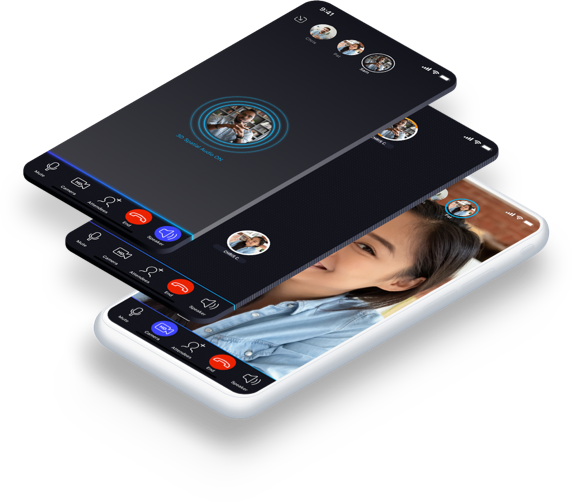
Dolby.io serves as a cloud-based platform offering APIs for audio, voice, and video, enabling the enhancement of media and communication applications. By integrating high-definition audio and video, developers can elevate the overall user experience to a premium level. With just a few lines of code, features such as speech leveling, noise reduction, loudness correction, and speech isolation can be seamlessly implemented to enhance media quality. This eliminates the tedious, time-consuming, and expensive task of manual audio processing by providing insights into audio composition and quality without the need for listening. The platform acts as a transformative API resource for media and communication, enhancing every real-time interaction and content piece. Whether addressing challenges related to poor audio and video quality, seeking data-driven insights, or striving to ensure smooth communication for customers, Dolby.io offers the necessary tools to achieve these goals. The set of APIs is specifically designed to facilitate effective communication, collaboration, and success, ensuring users remain engaged throughout their experience. With these straightforward and intelligent APIs, elevating your media capabilities has never been easier.
Description
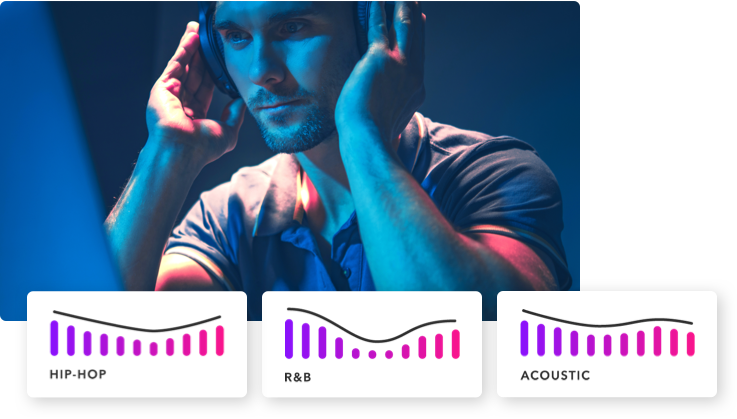
Not to be confused by Mixing, where you make the decisions about volume, EQ and reverb to create a stereo mix. Mastering is the final enhancement of your overall mix. Major artists, advertisers, and TV networks all want to deliver audio products that meet the technical requirements of their industry and provide a more immersive experience for their audience. Upload your media file(s). We accept many audio- and video formats. Select from a variety of remastering profiles to optimize your sound. Switching between profiles during playback allows you to compare the original and remastered sounds. Select the profile that you like the best, add it to your cart, and then proceed to checkout. If you have processed multiple files simultaneously, then download the remastered media file. Your audio or video clips can be published to the appropriate online broadcast channels.
API Access
Has API
Yes
API Access
Has API
Yes





Integrations
AWS Elemental
Yes
Adobe Acrobat
Yes
Boomcaster
Yes
Box
Yes
DocSpera
Yes
Koala
Yes
Prodea
Yes
Integrations
AWS Elemental
No
Adobe Acrobat
No
Boomcaster
No
Box
No
DocSpera
No
Koala
No
Prodea
No
Pricing Details
$0.0025 per minute
Free Trial
Yes
Free Version
No
Pricing Details
$6,5 per month
Pay as you go, monthly subscription or yearly unlimited plan. Choose what works for you.
Free Trial
Yes
Free Version
Yes
Deployment
Web-Based
Yes
On-Premises
No
iPhone App
Yes
iPad App
Yes
Android App
Yes
Windows
No
Mac
No
Linux
No
Chromebook
No
Deployment
Web-Based
Yes
On-Premises
No
iPhone App
No
iPad App
No
Android App
No
Windows
No
Mac
No
Linux
No
Chromebook
No
Customer Support
Business Hours
No
Live Rep (24/7)
No
Online Support
Yes
Customer Support
Business Hours
No
Live Rep (24/7)
No
Online Support
Yes
Types of Training
Training Docs
Yes
Webinars
Yes
Live Training (Online)
Yes
In Person
No
Types of Training
Training Docs
Yes
Webinars
Yes
Live Training (Online)
Yes
In Person
Yes
Vendor Details
Company Name
Dolby
Country
United States
Website
www.dolby.io
Vendor Details
Company Name
ReMasterMedia
Founded
2014
Country
United States
Website
www.remastermedia.com
Product Features
Audio Editing
Audio Effects
No
Batch Processing
No
Export Audio (Multiple File Types)
No
Record Live Audio
No
Record Multiple Simultaneous Tracks
No
Scrub, Search, Bookmark
No
Sound Editing Tools
No
Spectral Analysis / FFT
No
Speech Synthesis (TTS)
No
Swappable Patches
No
Virtual Instruments
No
Virtual Mixing
No
Voice Changer
No
Call Recording
Archiving
Yes
Call Sharing
Yes
Distributed Call Recording
No
Event Triggered Recording
No
File Transfer
Yes
Instant Retrieval
No
On-Demand Recording
Yes
Recording Bookmarking
No
Scheduled Recording
No
Screen Activity Recording
No
Video Call Recording
No
Cloud Communication Platform
Audio / Video Conferencing
Yes
Call Center
No
Call Recording
Yes
Call Routing
No
Chat / Messaging
No
Fax Management
No
File Sharing
Yes
IVR / Voice Recognition
No
Live Streaming
Access Control
No
Audience Analytics
No
Audience Engagement
No
Browser-based
No
Customizable Branding
No
Encoding
No
Event Scheduling
No
Live Streaming Production
No
Moderation
No
Monetization Tools
No
Multi-Screen / Split-Screen
No
Multiple Camera Feeds
No
Multistreaming
No
Session Recording
No
Social Media Integration
No
Streaming Platform Integration
No
Product Features
Audio Editing
Audio Effects
Yes
Batch Processing
Yes
Export Audio (Multiple File Types)
Yes
Record Live Audio
No
Record Multiple Simultaneous Tracks
No
Scrub, Search, Bookmark
No
Sound Editing Tools
Yes
Spectral Analysis / FFT
No
Speech Synthesis (TTS)
No
Swappable Patches
No
Virtual Instruments
No
Virtual Mixing
No
Voice Changer
No
Content Creation
Advertising Content Creation
No
Case Study Creation
No
Collaboration Tools
No
Content Calendar
No
Content Creator Marketplace
No
Content Curation
No
Content Planning
No
Content Topic Research
No
Create Reports
No
Marketing Content Creation
Yes
Quiz Creation
No
Sales Content Creation
No
Template Creation
No
User-Generated Content
No
Video Content Creation
Yes
Visual Content Creation
No
Written Content Creation
No
Podcast
Audio Editing Tools
Yes
Audio Recording
No
Audio to Text Transcription
No
Brand Safety
No
Create Cover Art
No
Distribution Tools
No
Import / Export
Yes
Live Broadcasting
No
Market Intelligence
No
Monetization / Advertising Management
No
Podcast Web Hosting
No
Reporting / Analytics
No
Sounds Effects / Music
Yes
Subscriber Management
No
Supports Multiple Hosts/Guests
No
Video Support
No
Video Editing
3D Video Editing
No
Audio Tools
Yes
Brand Overlay
No
Collaboration
No
Media Library
No
Social Sharing
No
Speed Adjustment
No
Split / Merge
No
Supports HD Resolution
Yes
Text Overlay
No
Video Capture
No
Video Stabilization
No
