Average Ratings 1 Rating
Average Ratings 1 Rating
Similar Products
-
MicroStationMicroStation is the trusted CAD software that empowers infrastructure professionals to design, manage, and deliver projects with precision and efficiency. Its power, flexibility, AI automation, and 3D geospatial context enable innovative designs and creative visualizations. Communicate design changes and unite critical project elements in a single environment, ensuring effective and secure project deliverables. MicroStation scales for any infrastructure project, whether it lasts days, months, or years. MicroStation is the foundation for the entire Bentley modeling environment including digital twins.
-
Altium DevelopAltium Develop is a collaborative platform for modern electronics engineering teams that connects requirements management, PCB design, systems engineering, and manufacturing workflows. Built on Altium Designer and Altium 365, the platform provides a centralized environment for design collaboration, requirements traceability, BOM management, supply chain visibility, and engineering change management. Altium Develop helps hardware organizations maintain alignment between requirements, design decisions, and manufacturing outcomes while supporting distributed engineering teams through cloud-based collaboration. Core Features: • PCB design collaboration • ECAD-MCAD co-design workflows • Component and supply chain visibility • BOM and engineering change management • Design review and approval workflows • Cloud-native team collaboration • Requirements management and traceability Used by electronics teams building complex PCB-based products, Altium Develop is frequently evaluated alongside Cadence OrCAD, Cadence Allegro, Autodesk Fusion Electronics, KiCad, Siemens Xpedition, and SOLIDWORKS PCB for organizations seeking greater collaboration and lifecycle visibility across hardware development programs.
-
Azore CFDAzore is software for computational fluid dynamics. It analyzes fluid flow and heat transfers. CFD allows engineers and scientists to analyze a wide range of fluid mechanics problems, thermal and chemical problems numerically using a computer. Azore can simulate a wide range of fluid dynamics situations, including air, liquids, gases, and particulate-laden flow. Azore is commonly used to model the flow of liquids through a piping or evaluate water velocity profiles around submerged items. Azore can also analyze the flow of gases or air, such as simulating ambient air velocity profiles as they pass around buildings, or investigating the flow, heat transfer, and mechanical equipment inside a room. Azore CFD is able to simulate virtually any incompressible fluid flow model. This includes problems involving conjugate heat transfer, species transport, and steady-state or transient fluid flows.
-
ActCAD SoftwareACTCAD is suitable for professional drawings creation for Architects, Structural Engineers, Civil Engineres, Mechanical Drawings, Electrical drawings, interior design, tool design, machine designs etc.ActCAD is professional grade 2D Drafting and 3D Modeling CAD software which works in dwg and dxf file formats. Most affordable cad software.ActCAD is a native dwg/dxf cad software suitable for professional 2D drafting and 3D modeling projects. ActCAD is trusted by over 30000 users in over 103 countries for more than 10 years. The interface, commands, icons, dialogs, shortcuts etc. are very much similar to other popular cad software tools available in market. Flexible license types available even for single license. There is no learning for existing cad users while saving 80% of the costs.ActCAD offers free email technical support without any limitations. ActCAD can be fully customized and programs can be developed using our free API toolkit. It supports popular programming languages like , lisp dcl, .net, C++ etc. Apart from all regular commands, ActCAD offers many productive tools like pdf to cad converter, Block libraries, Image to Cad converter, handling point sets between Cad and Excel and many more.
-
InnoslateSPEC Innovations’ leading model-based systems engineering solution is designed to help your team minimize time-to-market, reduce costs, and mitigate risks, even with the most complex systems. Available as both a cloud-based and on-premise application, it offers an intuitive graphical user interface accessible through any modern web browser. Innoslate's comprehensive lifecycle capabilities include: • Requirements Management • Document Management • System Modeling • Discrete Event Simulation • Monte Carlo Simulation • DoDAF Models and Views • Database Management • Test Management with detailed reports, status updates, results, and more • Real-Time Collaboration And much more.
-
PropelPropel is a modern, AI-powered cloud platform built for how manufacturers work today. It unifies Product Lifecycle Management (PLM), Quality Management System (QMS), and Product Information Management (PIM) into one intelligent system, giving teams a connected, always-accurate view of their products. With AI embedded across the platform through Propel One, manufacturers can automate routine work, surface insights faster, and make better decisions with confidence. AI continuously learns from product data to proactively flag risks, highlight trends, and guide next best actions across teams. Instead of relying on spreadsheets, siloed tools, and manual handoffs, teams manage product data, changes, and quality processes in a single governed environment with full traceability. Propel creates a true digital product record that spans design, development, manufacturing, commercialization, and continuous improvement. Built-in workflows standardize change management, streamline quality events, and support compliance without slowing teams down. Trusted by medical device, high tech, and industrial manufacturers, Propel helps organizations reduce errors, shorten cycle times, and improve collaboration across engineering, quality, operations, supply chain, and product teams. The result is faster launches, higher product quality, and a more resilient foundation for growth as products and processes become more complex. Propel has been recognized by Deloitte as a fast-growing technology company and named to the Inc. 5000 list of fastest-growing private companies, reflecting strong customer adoption and momentum helping manufacturers modernize how they build, manage, and deliver products. Designed to scale with growing products, teams, and regulatory demands.
-
Epicor KineticEpicor Kinetic is a cloud-first, AI-powered ERP platform for manufacturing environments that require a connected system for transactional, operational, and reporting workflows. The platform supports finance, supply chain, production, inventory, quality, service, analytics, project management, governance and compliance, and global business management. Functional coverage includes planning and scheduling, materials management, shop floor coordination, product management, CRM, field service, electronic reporting, and enterprise content management. Kinetic provides browser-based access, role-based workflows, integration and extensibility tools, IIoT-related capabilities, and deployment options for cloud, on-premises, or hybrid architectures. It can integrate with listed third-party systems for payroll, tax, labeling, procurement, warehouse processes, data capture, and quality workflows, including ADP Workforce Now, Avalara, BarTender, Sage, SourceDay, and Sovos. Epicor Prism adds AI-supported automation and decision support for selected workflows. Kinetic also supports operations across the Americas, EMEA, and APAC and is available in multiple languages, which can matter for distributed manufacturing organizations with regional or multinational requirements.
-
OneTimePIMCentralize, Enrich, and Distribute Product Data with Precision OneTimePIM delivers a comprehensive solution for businesses seeking to streamline their product information workflow. As the central source of truth for all your product data, our platform eliminates information silos and ensures consistency across all channels. Key Benefits * AI-Powered Data Enrichment — Our built-in AI assistant automatically generates product descriptions, optimizes content, and creates compelling captions, saving your team countless hours. * Seamless Integration Ecosystem — Connect effortlessly with major e-commerce platforms including Shopify, WooCommerce, and Magento, plus synchronize with your existing ERP systems for end-to-end data flow. * Intuitive Data Management — Experience our unique spreadsheet view for familiar navigation, advanced media management tools, and automated datasheet generation that transforms complex information into professional materials. The OneTimePIM Difference While other PIM solutions require extensive technical setup and ongoing support costs, OneTimePIM includes free implementation, personalized training, and dedicated support in every package. Our client-first approach means we're partners in your success, not just another vendor. For businesses ready to elevate their product information management with innovation and flexibility, OneTimePIM provides the ideal balance of powerful features and user-friendly design.
-
4ALLPORTALIf you are looking for a way to easily manage your product data, 4ALLPORTAL is the hub for you. Our software saves resources! Increase sales, reduce costs and get more time for strategy and creativity. Maintain your product data once, link information and media with all products and keep them up-to-date in all sales channels with just a few clicks. Because our platform is highly customizable and scalable, we can create a solution specifically tailored to your needs. Your dedicated account manager will ensure that the software grows with your needs. Interested? Here's how it works: Step 1: In a 30-minute call, you tell us about your current and future needs and the problems you face in your daily work. Step 2: We evaluate your needs and create a customized 4ALLPORTAL, which we present to your team in a live demo. Step 3: You get access to your 4ALLPORTAL for 30+ days to test it extensively and decide if you want to work with us or not. What are you waiting for? Start managing your data efficient today and scale your business with 4ALLPORTAL.
-
Total ETOTotal ETO is a Totally Better ERP / MRP for Custom Machine Builders, providing better efficiency, accuracy, and profitability. Our system was designed by engineers to match the unique workflow of Engineer To Order manufacturers, including Integrators, Panel Shops & OEMs. Our solution will: -Increase efficiency in engineering by integrating with your CAD. -Allow designers to cost out the BOM before purchases are made. -Track changes to the BOM at any stage of the project and ensure the information is shared across departments. -Save time & money in procurement with your newly Dynamic BOMs. -Capture change order information, including labor, material, and sales price changes so they aren't omitted or forgotten. -Improve accuracy through out your organization, including sales estimates. -Route parts between various tasks, tracking both internal and external processes. -Help ensure parts are inspected and know who completed the inspection. You'll be able to record and follow up on quality issues on the shop floor, from engineering, or for purchased parts with embedded Non-Conformance Reports.
Description
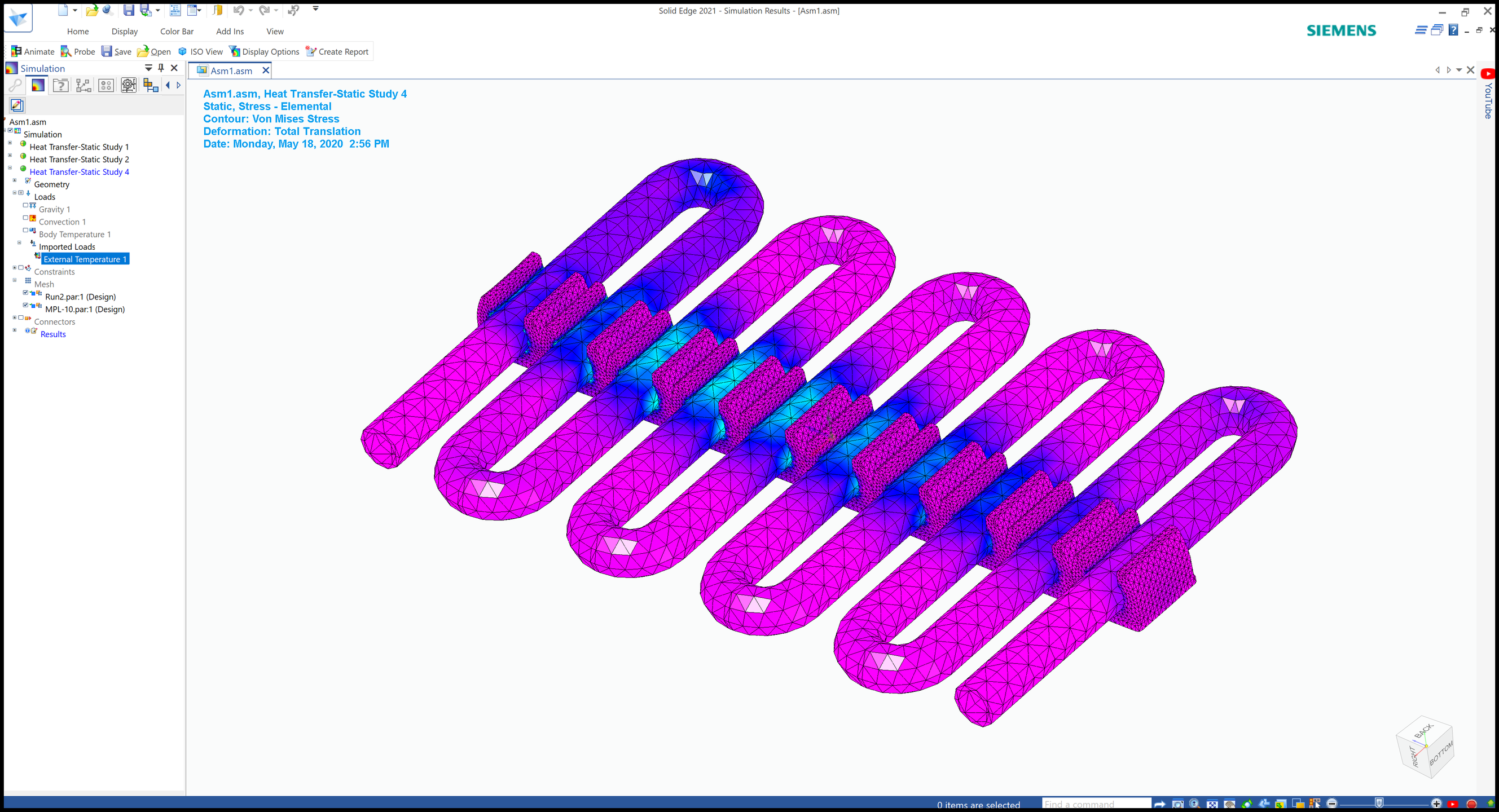
Designcenter Solid Edge is a complete Siemens software portfolio built to support the full product development process from early design through manufacturing and documentation. It includes capabilities for 2D drafting, 3D design, electrical design, simulation, data management, computer-aided manufacturing, 3D printing, technical publications, and cloud-based collaboration. The platform uses synchronous technology to combine direct modeling speed with parametric design flexibility and control. This allows engineers and designers to make changes quickly, work with imported CAD data, and reduce delays caused by rigid modeling workflows. Designcenter Solid Edge is positioned as an affordable and easy-to-use solution for teams that need professional design tools without unnecessary complexity. It helps users create accurate models, validate product performance, manage data, and communicate manufacturing or maintenance instructions. The software is also useful for businesses that need to move quickly, such as race car component designers, machine builders, manufacturers, and product development teams. Its scalable tiers allow organizations to choose the features that match their needs as projects and teams grow. By connecting design, simulation, manufacturing, documentation, and collaboration, Designcenter Solid Edge helps organizations improve productivity and reduce development risk.
Description
QCAD is a free and open-source software tool designed for two-dimensional computer-aided drafting (CAD). It allows users to produce a variety of technical drawings, including designs for buildings, interiors, mechanical components, as well as various schematics and diagrams. QCAD is compatible with Windows, macOS, and Linux operating systems. The software's source code is distributed under the GPL version 3 (GPLv3), a widely recognized Open Source license. Created with a focus on modularity, extensibility, and portability, QCAD is particularly noted for its user-friendly interface. This makes it an accessible yet robust 2D CAD solution for anyone, regardless of prior CAD experience. Users can quickly engage with QCAD to construct and modify elements such as points, lines, arcs, circles, ellipses, splines, polylines, text, dimensions, hatches, fills, and raster images. The application includes a highly capable ECMAScript (JavaScript) scripting interface, allowing for advanced functionality, along with various effective entity selection tools that enhance the drafting process. Overall, QCAD stands out as an excellent choice for both novices and experienced users looking to create detailed 2D designs.
API Access
Has API
No
API Access
Has API
No



Integrations
3Dfindit
Yes
BoltsEtAl
Yes
Box
Yes
DraftAid
Yes
Dropbox
Yes
Google Drive
Yes
HOOPS Exchange
Yes
K-Display Convert
Yes
MacroFusion
Yes
Microsoft OneDrive
Yes
Integrations
3Dfindit
No
BoltsEtAl
No
Box
No
DraftAid
No
Dropbox
No
Google Drive
No
HOOPS Exchange
No
K-Display Convert
No
MacroFusion
No
Microsoft OneDrive
No
Pricing Details
$75/month/user
Design and Drafting: $75/month/user
Foundation: $185/month/user
Classic: $230/month/user
Premium: $329/month/user
Foundation: $185/month/user
Classic: $230/month/user
Premium: $329/month/user
Free Trial
Yes
Free Version
Yes
Pricing Details
$39.92 one-time payment
Free Trial
No
Free Version
No
Deployment
Web-Based
Yes
On-Premises
No
iPhone App
No
iPad App
No
Android App
No
Windows
Yes
Mac
No
Linux
No
Chromebook
No
Deployment
Web-Based
No
On-Premises
No
iPhone App
No
iPad App
No
Android App
No
Windows
Yes
Mac
Yes
Linux
No
Chromebook
No
Customer Support
Business Hours
Yes
Live Rep (24/7)
No
Online Support
Yes
Customer Support
Business Hours
Yes
Live Rep (24/7)
No
Online Support
Yes
Types of Training
Training Docs
Yes
Webinars
Yes
Live Training (Online)
Yes
In Person
Yes
Types of Training
Training Docs
Yes
Webinars
No
Live Training (Online)
No
In Person
Yes
Vendor Details
Company Name
Siemens
Founded
1847
Country
Germany
Website
solidedge.siemens.com/en/
Vendor Details
Company Name
Ribbonsoft
Country
United States
Website
www.qcad.org/en
Product Features
3D Modeling
2D Drawing
No
Animation
No
Annotations
No
Bill of Materials
No
Character Modeling
No
Collaboration Tools
No
Component Library
No
Data Import / Export
No
For 3D Printing
No
For Architects
No
For Manufacturers
No
Reference Management
No
Simulation
No
CAD
2 1/2-Axis Milling
No
2D Drawing
Yes
3-Axis Milling
Yes
3D Modeling
Yes
4-Axis Milling
No
5-Axis Milling
No
Civil
No
Collaboration
No
Database Connectivity
No
Design Analysis
Yes
Design Export
Yes
Document Management
Yes
Electrical
Yes
Hole Making
Yes
Mechanical
Yes
Mechatronics
No
Presentation Tools
No
Simulate Cycles
No
Spiral Output
No
Structural Engineering
No
Toolpath Simulation
No
User Defined Cycles
No
Computer-Aided Engineering (CAE)
CAD/CAM Compatibility
Yes
Finite Element Analysis
Yes
Fluid Dynamics
Yes
Import / Export Files
Yes
Integrated 3D Modeling
Yes
Manufacturing Process Simulation
No
Mechanical Event Simulation
No
Multibody Dynamics
Yes
Thermal Analysis
Yes
Computer-Aided Manufacturing (CAM)
Automatic Feature Recognition
No
CAD
No
CNC Machining
No
Custom Commands
No
Raw Material Management
No
Toolpath Simulation
No
Electrical Design
CAD Tools
Yes
Change Management
No
Collaboration
No
Compliance Management
No
Document Generation
No
Drag & Drop
No
Electrical Parts Catalog
No
Functions / Calculations
No
One Line Diagram
No
PLC Tools
Yes
Reusable Designs
No
Symbol Library
No
Engineering
2D Drawing
Yes
3D Modeling
Yes
Chemical Engineering
No
Civil Engineering
No
Collaboration
Yes
Design Analysis
Yes
Design Export
Yes
Document Management
Yes
Electrical Engineering
Yes
Mechanical Engineering
Yes
Mechatronics
No
Presentation Tools
Yes
Structural Engineering
No
Manufacturing
Accounting Integration
No
ERP
No
MES
No
MRP
No
Maintenance Management
No
Purchase Order Management
No
Quality Management
No
Quotes/Estimates
No
Reporting/Analytics
No
Safety Management
No
Shipping Management
No
Product Data Management
Bill of Material Management
No
Document Management
No
Formula Management
No
Product Analytics
No
Product Lifecycle Management
No
Testing Management
No
Version Control
No
Simulation
1D Simulation
No
3D Modeling
No
3D Simulation
No
Agent-Based Modeling
No
Continuous Modeling
No
Design Analysis
No
Direct Manipulation
No
Discrete Event Modeling
No
Dynamic Modeling
No
Graphical Modeling
No
Industry Specific Database
No
Monte Carlo Simulation
No
Motion Modeling
No
Presentation Tools
No
Stochastic Modeling
No
Turbulence Modeling
No
Product Features
Architectural CAD
2D Drawing
Yes
3D Modeling
No
Architectural Symbol Library
Yes
Automatic Formatting
No
BIM Modeling
No
Comparison View
No
Design Templates
No
Drafting
Yes
CAD Viewers
Annotate
No
Batch Conversion
No
Collaboration Tools
No
Editing
No
Track Changes
No
View .DWF Files
No
View .DWG Files
No
View .IGES Files
No
View .STEP Files
No
View .STL Files
No
View 2D Files
No
View 3D Files
No
