Average Ratings 0 Ratings
Average Ratings 0 Ratings
Similar Products
-
ScreencaptScreencapt allows you to record the entire screen or a selected area. You can also record a specific window. Screencapt is the ideal screen recorder because of its flexibility. Using the integrated audio recording you can also add your commentary or system sound directly into the screen recording. This is particularly useful when creating explanation videos or presentations. Screencapt's ability to record a webcam is a special feature. You can now add your comments and reactions to the video. This makes your screen recordings more personal and professional. Screencapt offers advanced options to record the cursor. You can choose to hide the cursor or add special effects to highlight specific actions. This is especially useful for software tutorials and demonstrations where a clear cursor view is required.
-
FathomFathom is an AI meeting assistant that helps users capture, summarize, search, and act on meetings with less manual work. The platform creates accurate transcripts, instant summaries, action items, and follow-up notes so users can focus on live conversations instead of taking notes. Fathom supports both traditional meeting capture and bot-free capture through its desktop app. Teams can use Fathom as a shared source of truth across customer calls, internal meetings, strategy sessions, and project conversations. Ask Fathom lets users search across meetings and ask questions about conversations, decisions, commitments, risks, and next steps. The platform also supports topic monitoring so important moments and signals are easier to find. Fathom syncs meeting notes, insights, and action items into tools such as Slack, Salesforce, HubSpot, Notion, Asana, Gmail, Zoom, Google Meet, Microsoft Teams, ChatGPT, Claude, Zapier, and API or MCP workflows. It supports security and compliance needs with SOC 2 Type II, GDPR, HIPAA compliance, SSO, and SCIM. By combining AI notetaking, bot-free capture, transcripts, summaries, integrations, search, and workflow automation, Fathom helps teams move from meetings to execution faster.
-
ClickLearnClickLearn simplifies complex business processes using popular software. You can create multi-format learning materials in any language and publish them to a 24/7 learning portal with just one click. A video walkthrough of the process, with narration in your preferred language. Put your learning to the test. This interactive simulation of your workplace allows you to test your knowledge without any hints. Interactive simulation of your workplace environment that guides you through the process. This guide is step-by-step. ClickLearn wrote this guide with perfectly cropped screenshots. ClickLearn Assist can be your go-to helper when you are stuck, need process help, or want to try a new process in the live system. You don't have to worry about making another mistake. All your learning materials can be auto-translated with a click of a button
-
Process StreetProcess Street is the Compliance Operations Platform built for teams that need to move fast without breaking standards. It combines document control, workflow automation, and AI-powered oversight in a single system so every policy is followed, every step is tracked, and every audit is effortless. Unlike legacy GRC tools or static SOP docs, Process Street turns compliance into a living system. Policies are documented in governed, version-controlled Pages. Those policies are executed through dynamic workflows with built-in task assignment, approvals, and forms. Every action is logged, monitored, and optimized in real time by Cora, our AI compliance agent. Used across industries like financial services, real estate, healthcare, and manufacturing, Process Street helps teams automate employee onboarding, streamline audits, manage policy updates, enforce vendor reviews, and run critical processes at scale. No code required. No micromanagement. Just proof that work gets done right, every time. Companies like Salesforce, Colliers, Drift, and Hartford Healthcare trust Process Street to eliminate busywork, improve operational visibility, and reduce compliance risk across the business. With native integrations, role-based access, audit trails, and ISO-aligned workflows, it is the platform that makes compliance a competitive advantage. From onboarding to audits, Process Street is how high-stakes teams enforce standards, automate execution, and prove compliance by default.
-
Switcher StudioSwitcher Studio allows you to capture video from multiple angles and edit it in real-time. This will allow you to connect with your community in a more engaging way. You can stream it live or save it for later. Your audience will be attracted to you with relevant content. Make it look great. There's no need to purchase, lug or learn largeequipment. Switcher is compatible with iPads and iPhones. Switcher is so intuitive that anyone can create amazing video with it. You don't need to hire outside videographers or producers. It takes an hour to edit every minute of edited video. Every minute of live-editing takes, well, one second. You can share every moment, live or recorded, external or internal, with video -- no matter what it holds.
-
Curtain MonGuard Screen WatermarkCurtain MonGuard Screen Watermark is an enterprise solution for displaying screen watermarks that administrators can enable on users' computers. This screen watermark can display various user information, such as the computer name, username, and IP address. The purpose of this watermark is to effectively grab the user's attention and serve as a reminder before they take a screenshot or photograph the screen to share the information with others. The key benefit of Curtain MonGuard is that it encourages users to "think before sharing" sensitive information. If the content being shared contains confidential company data, the watermark can help trace the source of the leaked information back to the user responsible. This allows organizations to hold users accountable and mitigate the consequences of data breaches or unauthorized information sharing. Key features: - On-screen watermark - Full screen-watermark - Application screen-watermark - Supports over 500 Applications - Self-defined content of watermark - Screen-watermark by condition - Central administration - Integration with Active Directory - Uninstall password for client - Password management - Admin delegation - Self protection for the software
-
Zoho ProjectsProject management is as efficient as it gets. Zoho Projects, a cloud-based project management software, helps you plan and track your work efficiently. It also allows you to collaborate with your team from anywhere. To get things done on schedule, plan your project activities, assign work, manage your resources, and collaborate better with your team. Gantt charts can be used to create your project plan and track your tasks. Zoho Projects helps you keep track of your key tasks and their dependencies and shows you any deviations from your planned progress. Reduce time spent on repetitive tasks. Our project management software is easy to use, no matter how complex your process is. It has a drag-and drop interface that makes it easier to create and deploy new automations. The Projects timesheet module allows you to log both billable and unbilled hours. You can record every minute of your hardwork, manually or with timers. Our built-in integration with Zoho Invoice generates invoices.
-
ONLYOFFICE DocsONLYOFFICE Docs is a secure online office suite for teams and businesses of all sizes. Create and edit docs, sheets, slides, fillable forms and PDFs. Collaborate with your teammates in real time using two co-editing modes, version history and other tools. Enable the AI assistant of your choice — ChatGPT, DeepSeek, Mistral, Groq AI, etc. Generate new content, summarize, translate and do more with your favourite AI tool while working on office files. Integrate ONLYOFFICE Docs into your business platform, whether it be Odoo, Alfresco, Confluence, Pipedrive, Nextcloud, Redmine, SuiteCRM, etc., via an integration app (40+ available integrations). Use Docs within ONLYOFFICE DocSpace, a room-based document collaboration platform equipped with the online office suite. Create dedicated spaces for different purposes, invite your teammates, assign access permissions and collaborate the way you like. With DocSpace, you can store, share and co-edit office files, and even interact with third parties.
-
PlanfixThe Planfix platform allows organizations to manage their entire business online. Regardless of company size and industry, Planfix has something to offer as an excellent project and work management tool. With Planfix, your company gets a fully customizable management system, from process design to appearance. Planfix’s platform combines task and project management, CRM, sales, marketing, production, logistics, support service, accounting, and HR in one full-featured solution. Data is seamlessly transferred from one team to another - for example, a transaction at the implementation stage becomes a project and then is transferred to support. Planfix is equally well suited for businesses and non-profit organizations, public associations, or any other group of people working towards a common cause. Trusted by 7724 companies, automates business workflows of more than 68 000 users.
-
ISL Light Remote DesktopISL Light is a remote desktop software that is easy to use for security-conscious users. It offers great value-performance. ISL Light is a powerful tool for IT staff and support personnel to solve problems remotely via remote support, unattended access, or screen-sharing from mobile devices. It is cross-platform and provides 256-bit encrypted sessions, all the standard remote access features, as well as session recording, chat, videocall and multi-monitor support, file transfers, reporting, and many other important extras. Users can choose between cloud and on-premise services. ISL Online license doesn't limit the number or workstations of clients, users, and users you can support. It is a reliable, highly secure software that can be used in all industries, including banks, hospitals, government institutions, and insurances.
Description
Cap is a free and open-source screen recording application that aims to serve as a lightweight, powerful, and easy-to-use alternative to other available tools. Users can quickly and simply capture their screens, edit videos, and securely share their content within moments. Compatible with both macOS and Windows, Cap ensures cross-platform functionality for a wider audience. The software delivers high-definition video capture along with synchronized audio, making it ideal for professional recordings such as tutorials, presentations, and educational materials. With its user-friendly interface, starting a recording requires only a few clicks, thereby removing the need for complicated setups. Moreover, Cap offers unlimited recording time and cloud storage options, which enhance collaboration and sharing capabilities among users. To prioritize user privacy and data security, recordings can be saved in personalized S3 buckets, giving users complete control over their content. This focus on user empowerment and security sets Cap apart in the realm of screen recording software.
Description
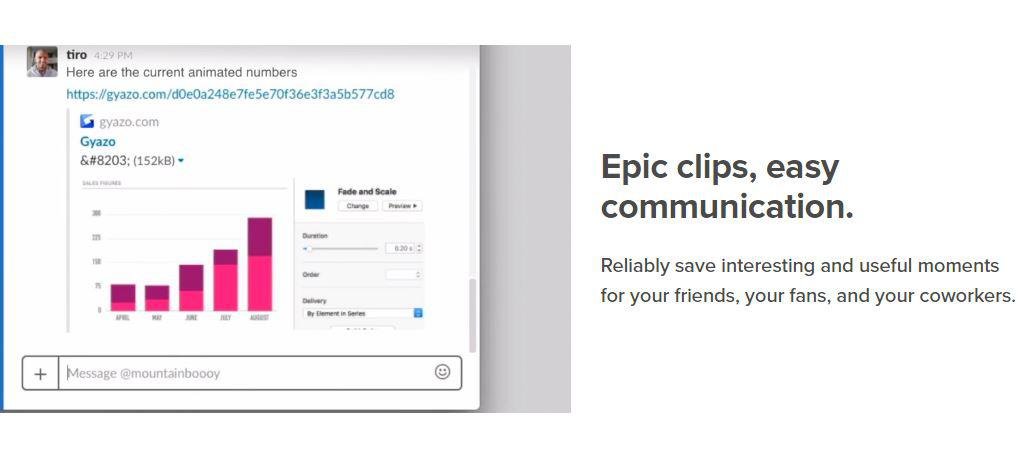
Capture screenshots, GIFs, and replays that are immediately shareable, ensuring you don’t miss any important moments on your screen. Once you’ve made your captures, we generate and copy a unique private link that’s ready for you to paste and share without delay. This allows you to reliably save intriguing and useful moments for your friends, fans, and colleagues alike. Each capture, along with its relevant details, is securely stored in your account for easy access. By upgrading to Gyazo Pro, you can efficiently search and organize all your captures. Whether it's a screenshot or a GIF, it serves as an ideal means to convey what you see. New links for screenshots are automatically copied, enabling you to share them instantly across various platforms. Sometimes, written explanations can lack clarity or take too long; sending a screenshot or GIF communicates your message with perfect clarity. There’s a constant demand for fresh content on blogs, social media, and websites; capture and edit your visuals in mere seconds to create impactful content ready for immediate posting. Every item you capture is privately tagged, making it simple for you to locate in the future, enhancing your ability to engage and connect with your audience effectively. As you continue to collect these visuals, you’ll find that sharing and creating becomes an effortless part of your workflow.
API Access
Has API
No
API Access
Has API
No


Integrations
Amazon S3
Yes
Centercode
No
Google Cloud Platform
No
MCPTotal
No
Microsoft 365
No
Unity
No
Integrations
Amazon S3
No
Centercode
Yes
Google Cloud Platform
Yes
MCPTotal
Yes
Microsoft 365
Yes
Unity
Yes
Pricing Details
$6 per month
Free Trial
No
Free Version
Yes
Pricing Details
$3.99 per month
Free Trial
No
Free Version
Yes
Deployment
Web-Based
No
On-Premises
No
iPhone App
No
iPad App
No
Android App
No
Windows
Yes
Mac
Yes
Linux
No
Chromebook
No
Deployment
Web-Based
Yes
On-Premises
No
iPhone App
No
iPad App
No
Android App
No
Windows
Yes
Mac
No
Linux
No
Chromebook
No
Customer Support
Business Hours
No
Live Rep (24/7)
No
Online Support
Yes
Customer Support
Business Hours
No
Live Rep (24/7)
No
Online Support
Yes
Types of Training
Training Docs
Yes
Webinars
No
Live Training (Online)
No
In Person
No
Types of Training
Training Docs
Yes
Webinars
No
Live Training (Online)
No
In Person
No
Vendor Details
Company Name
Cap
Website
cap.so/
Vendor Details
Company Name
Gyazo
Founded
2007
Country
United States
Website
gyazo.com/en
Product Features
Screen Recording
Annotations / Drawing
No
Audio Capture
No
Backup
No
Collaboration Tools
No
File Sharing
No
Multi-Screen Recording
No
Screen Capture
No
Speech-to-Text
No
Video Editing
No
YouTube Uploading
No
Product Features
Screen Recording
Annotations / Drawing
No
Audio Capture
No
Backup
No
Collaboration Tools
No
File Sharing
No
Multi-Screen Recording
No
Screen Capture
No
Speech-to-Text
No
Video Editing
No
YouTube Uploading
No

