Average Ratings 0 Ratings
Average Ratings 10 Ratings
Similar Products
-
Source DefenseSource Defense is an essential element of web safety that protects data at the point where it is entered. Source Defense Platform is a simple, yet effective solution to data security and privacy compliance. It addresses threats and risks that arise from the increased use JavaScript, third party vendors, and open source code in your web properties. The Platform offers options for securing code as well as addressing an ubiquitous gap in managing third-party digital supply chains risk - controlling actions of third-party, forth-party and nth-party JavaScript that powers your website experience. Source Defense Platform provides protection against all types of client-side security incidents, including keylogging, formjacking and digital skimming. Magecart is also protected. - by extending the web security beyond the browser to the server.
-
Nutrient SDKNutrient provides an extensive solution for all your PDF requirements, delivering tools that seamlessly operate PDF features across any platform. 1. SDK: Incorporate advanced PDF functionality into iOS, Android, Windows, web, or any cross-platform technology, supplying abilities like PDF viewing, annotation, collaboration, and beyond. 2. Libraries: Employ our powerful .NET and Java libraries to enhance your backend applications with batch processing of redactions and PDF forms, OCR'd scanned text, and PDF document editing, all directly from your application server. 3. Processor: Our agile PDF microservice, Processor, enables rapid generation of PDFs from HTML, including HTML forms, as well as Office-to-PDF conversions, OCR, redaction, and XFDF combining and exporting. 4. PDF API: Take advantage of our hosted PDF API to generate, convert, and alter PDF documents in your workflows. We handle the development and server management, freeing you up to concentrate on your business. At Nutrient, we're not just a tool; we're a committed ally in your success. Gain direct contact with our engineers for expert guidance, utilize comprehensive examples to simplify integration, and make the most of our top-tier documentation.
-
D&B Risk AnalyticsGlobally, teams in risk, procurement, and compliance are under pressure to manage geopolitical risks and business risks. Third-party risks are impacted by the complexity of domestic and international businesses, as well as complex and diverse regulations. It is crucial that companies proactively manage third-party relationships. This cutting-edge platform, powered by D&B Data Cloud's 520M+ Global Business Records with 2B+ annual updates for third-party risks, is an AI-powered solution that mitigates and monitors counterparty risk on a continual basis. D&B Risk Analytics uses best-in class risk data, including alerts for high-risk purchases and match points of more than a billion. This helps to drive informed decisions. Intelligent workflows allow for quick and thorough screening. Receive alerts on key business indicators.
-
EthenaEthena is an enterprise compliance management platform that leverages AI-powered agents to streamline compliance, ethics, and risk management activities across organizations. The platform includes specialized agents for training development, disclosure management, policy governance, and third-party risk assessment, helping compliance teams automate routine processes while maintaining full oversight. Instead of relying on generic compliance programs, Ethena uses real organizational risk data, disclosures, and policies to create targeted and relevant compliance training. The platform enables compliance professionals to review, approve, and refine AI-generated recommendations before implementation, ensuring accountability and governance remain intact. Additional capabilities include ethics hotlines, case management systems, phishing simulations, policy distribution, and compliance reporting tools. Organizations can track incidents, manage investigations, and maintain comprehensive audit trails through a centralized platform. Multilingual support and automated translations help global businesses deliver consistent compliance programs across regions and workforces. Ethena also offers a large library of compliance training content that can be customized to reflect company-specific policies and requirements. By combining intelligent automation, employee education, risk management, and compliance oversight, Ethena helps organizations build stronger and more scalable compliance programs.
-
PaylocityPaylocity is an all-in-one business management platform that brings together HR, payroll, finance, and IT solutions to help organizations streamline operations and support workforce growth. The platform is designed to simplify complex business processes by centralizing payroll, tax management, expense tracking, asset management, procurement, and employee services within one connected ecosystem. Businesses use Paylocity to automate routine administrative tasks, improve data visibility, and create more efficient workflows across departments. The platform includes AI-powered tools, real-time reporting, mobile accessibility, and seamless integrations that allow teams to make faster and more informed decisions. Paylocity also supports employee engagement and workforce management through tools for benefits administration, talent management, time tracking, and employee communication. Its finance capabilities provide spend management, AP automation, corporate card management, and headcount planning features that help organizations gain better control over financial operations. The IT solutions offered by Paylocity include access management, identity management, and asset management tools that help technology teams support business operations more effectively. The company serves organizations ranging from small businesses to large enterprises while providing award-winning customer service and long-term partnership support. By combining workforce management, financial operations, and IT capabilities into one unified platform, Paylocity helps businesses improve productivity, collaboration, and operational efficiency across the organization.
-
ActCAD SoftwareACTCAD is suitable for professional drawings creation for Architects, Structural Engineers, Civil Engineres, Mechanical Drawings, Electrical drawings, interior design, tool design, machine designs etc.ActCAD is professional grade 2D Drafting and 3D Modeling CAD software which works in dwg and dxf file formats. Most affordable cad software.ActCAD is a native dwg/dxf cad software suitable for professional 2D drafting and 3D modeling projects. ActCAD is trusted by over 30000 users in over 103 countries for more than 10 years. The interface, commands, icons, dialogs, shortcuts etc. are very much similar to other popular cad software tools available in market. Flexible license types available even for single license. There is no learning for existing cad users while saving 80% of the costs.ActCAD offers free email technical support without any limitations. ActCAD can be fully customized and programs can be developed using our free API toolkit. It supports popular programming languages like , lisp dcl, .net, C++ etc. Apart from all regular commands, ActCAD offers many productive tools like pdf to cad converter, Block libraries, Image to Cad converter, handling point sets between Cad and Excel and many more.
-
DocmosisDocmosis is a self-hosted or SaaS template-based document generation solution. Integrate with custom-built software applications or popular third-party apps using the API. Create templates using MS Word or LibreOffice. Add plain-text placeholders to control: the insertion of text/images/tables; conditionally add/remove any content; perform calculations; loop over repeating data; format data/numbers and much more. Integrate with: Custom software built using Java, C#, Python, PHP, Ruby and more via a REST API; Low-code and no-code platforms like Appian, Bubble, Mendix, Outsystems; Third-party form builders or apps that can perform a webhook such as FormAssembly or Salesforce. Used by customers in Finance, Health, Legal, Education, Government, HR, Insurance, Logistics, and Manufacturing to generate customized letters invoices, proposals, contracts, statements, reports and more.
-
KrakenDEngineered for peak performance and efficient resource use, KrakenD can manage a staggering 70k requests per second on just one instance. Its stateless build ensures hassle-free scalability, sidelining complications like database upkeep or node synchronization. In terms of features, KrakenD is a jack-of-all-trades. It accommodates multiple protocols and API standards, offering granular access control, data shaping, and caching capabilities. A standout feature is its Backend For Frontend pattern, which consolidates various API calls into a single response, simplifying client interactions. On the security front, KrakenD is OWASP-compliant and data-agnostic, streamlining regulatory adherence. Operational ease comes via its declarative setup and robust third-party tool integration. With its open-source community edition and transparent pricing model, KrakenD is the go-to API Gateway for organizations that refuse to compromise on performance or scalability.
-
JscramblerJscrambler is the leader in Client-Side Security, protecting the code, data, and digital interactions that power today’s modern web applications. Modern applications are changing rapidly as development teams adopt AI-generated code, rely on third-party software components, and embed AI-powered agents into digital experiences. Meanwhile, sensitive information is increasingly created and processed in the browser itself. This creates a critical gap in enterprise security: organizations need to govern not only what code enters an application, but how that code, scripts, and data behave when the application runs. Jscrambler closes that gap with a Client-Side Security Platform built around its Behavioral Enforcement Core. The platform continuously monitors and enforces how application code, including AI-generated code, third-party scripts, AI agents, and sensitive data behave in the browser. By enforcing software integrity and data governance at runtime, Jscrambler gives organizations control at the point where code executes and data is created—before sensitive information can be exposed or transmitted. Organizations across retail, financial services, travel, healthcare, and other industries use Jscrambler to detect and stop client-side attacks, protect against risks introduced by AI-developed and third-party code, control AI-driven data flows, and strengthen compliance with requirements including PCI DSS, GDPR, HIPAA, CIPA, CCPA, and the EU AI Act.
-
Act!Act! Advantage, a full front-office CRM solution with all-new functionality that unites sales, marketing, and customer management in one intuitive, affordable platform, is the culmination of nearly four decades of feedback. Every feature is designed to reflect how today’s SMBs run their businesses and helps them stay organized, attract new customers, and turn relationships into results. Act! Advantage includes the largest injection of new functionality in Act’s history, broadening its footprint across your entire front office, and reducing your need for costly, third-party tools. Additionally, you can select the perfect fit, cost-effective tier to meet your current needs with peace of mind knowing that Act! will grow with you.
Description
The CCS C Compiler designed for 8-bit and 16-bit Microchip PIC® microcontrollers provides advanced optimization features along with a comprehensive set of built-in functions, pre-processor directives, and a variety of example programs that facilitate rapid project initiation. Users find CCS compilers intuitive and straightforward, allowing them to focus on enhancing design capabilities without needing to master the complexities of MCU architectures. Furthermore, all CCS compilers work smoothly with the CCS IDE and are also compatible with popular third-party tools like Microchip MPLAB® and MPLAB® X, ensuring a versatile development environment. This combination of features makes it an excellent choice for developers aiming for efficiency and effectiveness in their projects. PIC® MCU and MPLAB® IDE are registered trademarks of Microchip Technology Inc. in the U.S. and other countries.
Description
Eclipse IDE stands as the premier open platform tailored for professional developers engaged in computer programming, and it has never been better. This IDE provides essential tools to drive rapid innovation with a simplified configuration process, including the Eclipse IDE Installer 2020-09, which now incorporates a Java Runtime Environment (JRE) in several of its packages. The enhancements also extend to theming and styling, featuring an improved dark theme for Windows and a refined light theme for GTK. Additionally, Eclipse IDE has transitioned to require Java 11 as its minimum operating version while maintaining the ability to compile older versions as desired. Among its new experimental features is support for aarch64, along with robust Linux support that has been integrated into this version. Furthermore, Node.js is now embedded within all LSP-based tools, facilitating seamless functionality from the start. Eclipse IDE remains free and open source, distributed under the Eclipse Public License 2.0, underscoring its commitment to community-driven development. The platform thrives on an extensive ecosystem of plugins, bolstered by an active and engaged community of contributors. This collaborative environment ensures that Eclipse IDE continues to evolve and meet the diverse needs of developers worldwide.
API Access
Has API
No
API Access
Has API
No


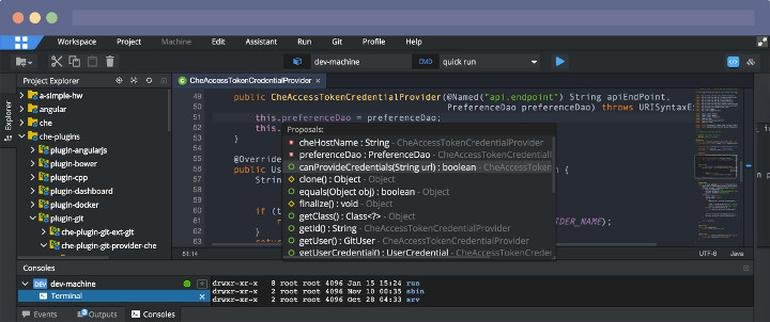
Integrations
C
Yes
Amazon Q Developer
No
Azure DevOps Labs
No
Dash
No
K.Explorer
No
Kiuwan Code Security
No
Klocwork
No
Kovair DevOps
No
Maqetta
No
OpenClover
No
Integrations
C
Yes
Amazon Q Developer
Yes
Azure DevOps Labs
Yes
Dash
Yes
K.Explorer
Yes
Kiuwan Code Security
Yes
Klocwork
Yes
Kovair DevOps
Yes
Maqetta
Yes
OpenClover
Yes
Pricing Details
$50
Free Trial
Yes
Free Version
No
Pricing Details
No price information available.
Free Trial
No
Free Version
No
Deployment
Web-Based
No
On-Premises
No
iPhone App
No
iPad App
No
Android App
No
Windows
Yes
Mac
No
Linux
Yes
Chromebook
No
Deployment
Web-Based
Yes
On-Premises
No
iPhone App
No
iPad App
No
Android App
No
Windows
No
Mac
No
Linux
No
Chromebook
No
Customer Support
Business Hours
Yes
Live Rep (24/7)
No
Online Support
Yes
Customer Support
Business Hours
No
Live Rep (24/7)
No
Online Support
Yes
Types of Training
Training Docs
Yes
Webinars
No
Live Training (Online)
No
In Person
No
Types of Training
Training Docs
Yes
Webinars
No
Live Training (Online)
No
In Person
No
Vendor Details
Company Name
Custom Computer Services, Inc.
Founded
1996
Country
United States
Website
www.ccsinfo.com
Vendor Details
Company Name
Eclipse Foundation
Country
Canada
Website
www.eclipse.org/eclipseide/
Product Features
Product Features
Application Development
Access Controls/Permissions
No
Code Assistance
No
Code Refactoring
No
Collaboration Tools
Yes
Compatibility Testing
No
Data Modeling
No
Debugging
No
Deployment Management
No
Graphical User Interface
No
Mobile Development
No
No-Code
No
Reporting/Analytics
No
Software Development
Yes
Source Control
No
Testing Management
No
Version Control
No
Web App Development
Yes
Code Editors
API
No
Auto-Complete
No
Code Folding
No
Column Editing
No
Customizable Themes
No
Debugging
No
Formatting / Table Editing
No
Keyboard Shortcuts
No
Multi-Monitor Editing
No
Syntax Highlighting
No
WYSIWYG
No
IDE
Code Completion
No
Compiler
No
Cross Platform Support
No
Debugger
No
Drag and Drop UI
No
Integrations and Plugins
No
Multi Language Support
No
Project Management
No
Text Editor / Code Editor
No
