Average Ratings 10 Ratings
Average Ratings 0 Ratings
Similar Products
-
BidtracerBidtracer was developed by two highly engineers, combining expertise in mechanical, electrical, and computer engineering. This innovative tool serves as a specialized sales operations and channel partner solution specifically designed for the commercial construction sector. The tool simplifies the process of initiating sale opportunities, creating bid tracking plans, and specs, while also inviting subcontractors for assistance. This allows users to swiftly utilize the estimate tool to draft and send out proposals to customers. It assists sales professionals in automating their follow-up process with bids, enabling them to track and determine the winning contractor. This ultimately maximizes their chance of successful closing sale projects. Efficient project management is crucial to optimize time and maximize profits in construction projects. By automating various project management tasks, we can streamline operations and simplify all aspects of the project’s operational side.
-
SmartDrawSmartDraw makes professional drawings and diagrams accessible to everyone. Non-technical users can quickly create floor plans, while professionals get the precision and scale they require. With industry-leading floor planning tools and an intuitive interface for traditional diagramming like flowcharts and organizational charts, SmartDraw delivers enterprise-ready power without unnecessary complexity. Key features: - Large collection of symbols and templates - Ability to create custom shapes - Import PDFs, images, Google Maps, Visio files, Visio stencils - Draw to any scale - Enrich drawings with data - Generate manifest and bills of materials - Generate diagrams from data automatically like org charts, AWS, Azure, PI Boards, and more - Use natural language text prompts to generate diagrams with AI - Save files directly to OneDrive, SharePoint, or Google Drive, or other preferred provider - Integrations with the Microsoft and Google enterprise stack plus Confluence and Jira SmartDraw supports a wide range of industries and real-world use cases, helping teams plan, document, and communicate more effectively. Construction professionals use it to create scaled floor plans, site layouts, and electrical and plumbing drawings. Fire departments rely on it for fire pre-planning and incident documentation, while police departments use it for accident reconstruction and crime scene diagrams. IT teams build network diagrams and cloud architectures, HR leaders create organizational charts, and product managers map out processes and workflows. From physical layouts to business processes, SmartDraw provides a single platform that adapts to the needs of each role and industry.
-
BuildxactBuildxact is a construction management software that is easy to use for contractors, residential builders, and remodelers. It helps them manage their projects smoothly and efficiently. Transform your business with one system, from the first takeoff to the final invoice. Streamline estimation - Create takeoffs faster and get quotes 5x faster. Buildxact is cloud-based so you can get up and running in no time. Save time by ditching paper plans and spreadsheets! Buildxact digital takeoffs let you scale plans and measure with a few mouse clicks. Quickly measure and count materials knowing your numbers are correct. Easily move material counts into your estimate with online tools and pricing that are 5X faster than paper and pencil. Estimates that clearly lay out materials, labor and overhead for the client. Professional quotes that win more jobs. Find out today with a free trial!
-
InEightInEight is integrated project controls software for capital construction, built as a modular platform where cost, schedule, contracts, and project information share one connected foundation. Organizations implement flexibly and scale from a single complex project to a billion-dollar capital portfolio. Purpose-built applications cover every project phase, and because the products are connected, field data updates budgets, forecasts, and schedules in real time, so every team works from the same numbers. Advanced analytics turn live project data into smarter decisions. Customers in 60+ countries run more than $1 trillion in projects on the platform, across industries including mining, nuclear, power and renewables, transportation, water, and oil, gas, and chemical. Teams use InEight to standardize best practices, manage budgets and forecasts, control scope changes, and modernize how capital projects get delivered.
-
STACKSoftware that integrates takeoff and estimation for all trades and projects. You've come to right place if you want to save time, eliminate costly mistakes in estimating, and say goodbye to paper plans. STACK enables you to collaborate more efficiently and estimate more accurately, so that you can concentrate on what's important - your bottom line. Register for a free account now!
-
KonstructIQKonstructIQ is an innovative platform that integrates artificial intelligence to serve the needs of residential general contractors, remodeling companies, and home builders by streamlining both construction and financial management. This comprehensive tool covers the entire project lifecycle, encompassing fast and professional estimates, budgeting, invoicing, payment processing, change-order management, cost tracking, subcontractor coordination, and real-time reporting, all within a unified interface. Its estimating feature allows contractors to create precise bids swiftly, utilizing customizable cost codes and the ability to calculate markups or margins, as well as accommodating both cost-plus and fixed-price pricing models. Upon approval of an estimate, it transforms into the project budget, ensuring that every bill, invoice, or change order automatically reflects on the budget, enabling contractors to maintain precise job costing and oversight of profitability. Additionally, the platform facilitates payments to subcontractors or suppliers, supporting various methods such as ACH transactions, checks, debit and credit cards, virtual cards, or Zelle, while also enabling clients to pay invoices directly through a user-friendly portal, which accelerates cash flow significantly. This holistic approach not only simplifies administrative tasks but also enhances financial transparency for contractors, ultimately contributing to more efficient project completion.
-
WERXWerx delivers powerful construction management tools at a price contractors love—starting at just $49/month. Built for small to midsized businesses, Werx simplifies your workflow with features like flexible estimating, AIA-Style billing, QuickBooks syncing, and labor tracking. Speed up payments with Stripe-powered online billing. Try Werx free for 30 days and see the difference! Tailored for contractors of all trades, Werx helps you save time, reduce stress, and boost profits. From managing schedules to tracking time in the field and creating polished invoices, Werx brings everything together in one easy-to-use platform. Affordable, reliable, and built to help your business grow—Werx is the smart choice for contractors.
-
Premier Construction SoftwarePremier Construction Software is an AI-powered cloud ERP built for growing general contractors who need tight control over job costs, WIP, and cash flow across multiple projects and entities. It unifies construction accounting, project management, and field operations so GCs can eliminate spreadsheets, speed up billing, and protect margins with real-time financial visibility. How we help GCs win more work and protect margin: • Construction cloud ERP built for general contractors, owners, and developers managing multi-project, multi-entity portfolios. • Advanced construction accounting with detailed job costing, real-time WIP reporting, and cash-flow forecasting to spot issues before they hit the P&L. • Integrated project and field management with RFIs, subcontracts, drawings, and change orders tied directly to the budget and schedule. • Automated billing, approvals, and payroll workflows (including subcontractor and pay app portals) to reduce manual entry and speed up collections. • Native AI and predictive intelligence that surface risks, recommend next actions, and provide executive-ready dashboards for owners and project leaders. • Unlimited entities, consolidated reporting, and role-based dashboards so finance and operations see the same numbers in real time. Trusted by GCs and Land Developers globally, Premier saves time, cuts risk, and helps you move forward with clarity. With Premier, you’re not just adopting software, you’re partnering with a trusted leader committed to your success.
-
ActCAD SoftwareACTCAD is suitable for professional drawings creation for Architects, Structural Engineers, Civil Engineres, Mechanical Drawings, Electrical drawings, interior design, tool design, machine designs etc.ActCAD is professional grade 2D Drafting and 3D Modeling CAD software which works in dwg and dxf file formats. Most affordable cad software.ActCAD is a native dwg/dxf cad software suitable for professional 2D drafting and 3D modeling projects. ActCAD is trusted by over 30000 users in over 103 countries for more than 10 years. The interface, commands, icons, dialogs, shortcuts etc. are very much similar to other popular cad software tools available in market. Flexible license types available even for single license. There is no learning for existing cad users while saving 80% of the costs.ActCAD offers free email technical support without any limitations. ActCAD can be fully customized and programs can be developed using our free API toolkit. It supports popular programming languages like , lisp dcl, .net, C++ etc. Apart from all regular commands, ActCAD offers many productive tools like pdf to cad converter, Block libraries, Image to Cad converter, handling point sets between Cad and Excel and many more.
-
MicroStationMicroStation is the trusted CAD software that empowers infrastructure professionals to design, manage, and deliver projects with precision and efficiency. Its power, flexibility, AI automation, and 3D geospatial context enable innovative designs and creative visualizations. Communicate design changes and unite critical project elements in a single environment, ensuring effective and secure project deliverables. MicroStation scales for any infrastructure project, whether it lasts days, months, or years. MicroStation is the foundation for the entire Bentley modeling environment including digital twins.
Description
The future of CAD lies here
Mobile, powerful, and easy to use
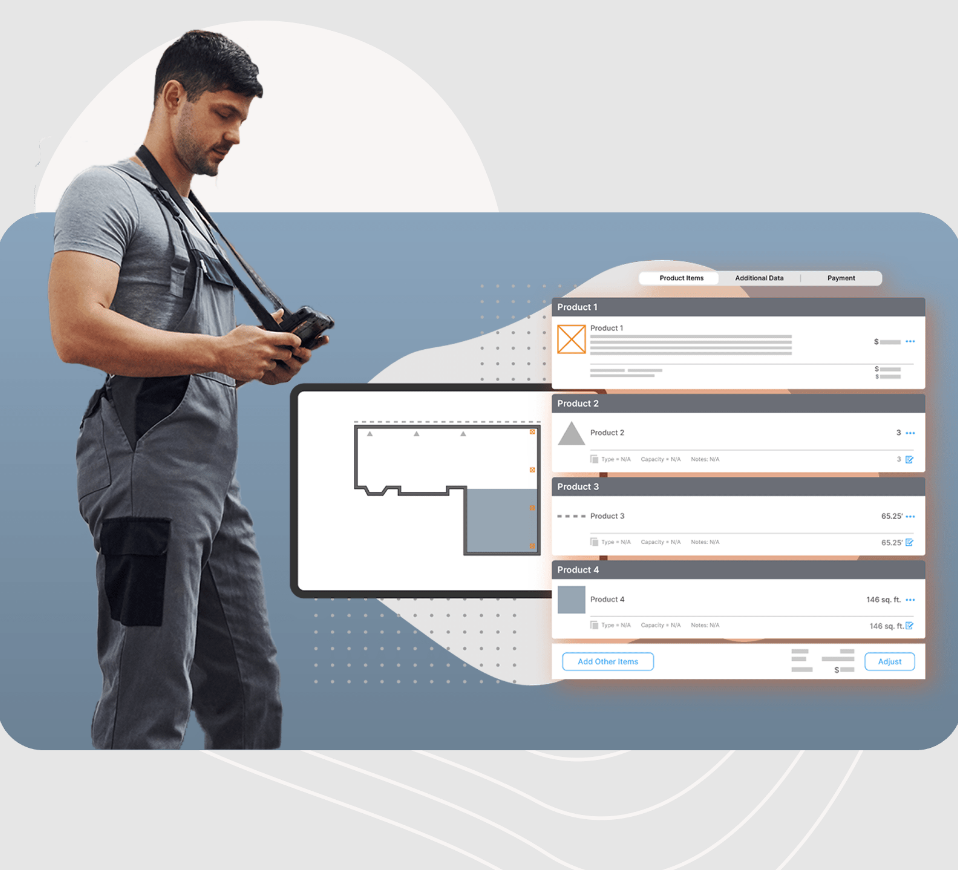
ArcSite is the most intuitive CAD drawing app on the market.
It's more than a tool to draw precise and accurate drawings on-the-go. It's a new skill set that will help you transform the way you do business.
Quick, easy, and accurate drawing:
ArcSite is a powerful CAD design tool that makes it easy for anyone to SKETCH FLOOR PLANS.
ArcSite is a favorite among contractors for home remodeling, audit, cabinetry and site surveys.
STAY ORGANIZED
Embedding on-site photos taken from the exact same perspective as they were taken in real life will enhance your drawings' visual information. You can easily add annotations, notes, or markups to any photo or drawing. All of your drawings can be saved in a cloud folder so that everyone has access.
PRESENT AND CLOSE
ArcSite lets YOUR DRAWINGS LITERALLY PRICKET THEMSELVES.
Description
The development of formwork, positioning, and shop drawings encompasses all essential features necessary for structural design, including associative dimensioning, level indicators, hatching, and various symbols. It includes layouts for steel bars and mesh suitable for any reinforcement scenario, ensuring seamless integration with AutoCAD, along with customizable settings to meet office standards through styles. It allows for the direct generation of schedules, supports user-defined shapes, and facilitates the export of existing reinforcements for calculations based on the second-order theory. The system also offers a polygonal mesh layout and macros designed for creating parametric members, with the Macros Module requiring detailing capabilities. Additionally, it provides comprehensive check, production, and layout plans specifically for BAMTEC customized reinforcement carpets. This functionality enables the fully automated generation of reinforcement carpets, includes all necessary drawings consolidated into a single file, allows for the subsequent arrangement of areas, and features extensive editing options for various area specifications, whether by value or by the diameter and number of bars. Moreover, users can easily modify the designs to accommodate specific project needs, ensuring maximum flexibility in their structural planning.
API Access
Has API
No
API Access
Has API
No




Integrations
QuickBooks Online
Yes
SOFiSTiK
No
Salesforce
Yes
Stackreaction
Yes
WatchGuard WIPS
Yes
improveit! 360
Yes
Integrations
QuickBooks Online
No
SOFiSTiK
Yes
Salesforce
No
Stackreaction
No
WatchGuard WIPS
No
improveit! 360
No
Pricing Details
$15 per user per month
Free Trial
Yes
Free Version
No
Pricing Details
$90 per user per month
Free Trial
No
Free Version
No
Deployment
Web-Based
No
On-Premises
No
iPhone App
Yes
iPad App
Yes
Android App
No
Windows
No
Mac
No
Linux
No
Chromebook
No
Deployment
Web-Based
Yes
On-Premises
No
iPhone App
No
iPad App
No
Android App
No
Windows
No
Mac
No
Linux
No
Chromebook
No
Customer Support
Business Hours
Yes
Live Rep (24/7)
No
Online Support
Yes
Customer Support
Business Hours
Yes
Live Rep (24/7)
No
Online Support
Yes
Types of Training
Training Docs
Yes
Webinars
Yes
Live Training (Online)
Yes
In Person
No
Types of Training
Training Docs
No
Webinars
No
Live Training (Online)
No
In Person
No
Vendor Details
Company Name
ArcSite
Founded
2014
Country
United States
Website
www.arcsiteapp.com
Vendor Details
Company Name
SOFiSTiK
Country
Germany
Website
www.sofistik.com/products/bim-cad/soficad/
Product Features
Architectural CAD
2D Drawing
Yes
3D Modeling
No
Architectural Symbol Library
Yes
Automatic Formatting
No
BIM Modeling
Yes
Comparison View
Yes
Design Templates
Yes
Drafting
Yes
Construction Bid Management
Bidder Management
Yes
Building Product Database
Yes
Cost Database
Yes
File Sharing
Yes
Proposal Management
Yes
Quotes / Estimates
Yes
RFP Management
No
Subcontractor Management
No
Takeoff
Yes
Version Control
No
Construction Estimating
Accounting Integration
Yes
Audit Trail
No
Bid Management
Yes
Billing & Invoicing
No
Building Product Database
Yes
Calculators
Yes
Change Orders
No
Contract Management
Yes
Cost Database
Yes
Customer Management
No
Customizable Templates
Yes
Electrical Estimating
Yes
HVAC Estimating
Yes
Historical Database
No
Job Costing
Yes
Plumbing Estimating
Yes
Price Data / Price Books
Yes
Project Management
Yes
Quote Management
Yes
Reporting/Analytics
No
Scheduling
No
Subcontractor Management
No
Takeoff
Yes
What-if Analysis
No
Floor Plan
2D Floor Plans
Yes
3D Floor Plans
No
Annotation
Yes
Diagram Templates
No
Document Management
No
Drafting
Yes
Drag & Drop
Yes
Lighting Control
No
Object Library
Yes
Rendering
No
Punch List
Collaboration
Yes
Commenting / Notes
Yes
Document Management
No
Drag & Drop
No
Drawings Integration
Yes
Include Photos In Reports
Yes
Issue Tracking
No
Quality Control Checklist
Yes
Task Management
Yes
Residential Construction Estimating
Bid Management
Yes
Billing & Invoicing
No
Building Product Database
Yes
Change Orders
No
Customer Management
No
Project Management
No
Quote Management
Yes
Scheduling
No
Takeoff
Yes
Takeoff
3D View
No
Assembly Takeoff
Yes
Cross Section Creation
No
Electronic Plans
Yes
Elevation Checking
No
Error Checking
No
Site Balancing
No
Slope Routines
No
Subcontractor Management
No
Product Features
Architectural CAD
2D Drawing
Yes
3D Modeling
No
Architectural Symbol Library
Yes
Automatic Formatting
No
BIM Modeling
Yes
Comparison View
No
Design Templates
Yes
Drafting
Yes
