Average Ratings 4 Ratings
Average Ratings 2 Ratings
Similar Products
-
BluepearBluepear is an AI-powered brand and affiliate monitoring platform that helps marketing teams protect their brand in paid search (PPC). It continuously monitors branded search queries 24/7 across all geographies, device types, and search engines — including Google, Bing, Yahoo!, and Yandex — to detect unauthorized use of branded keywords, ad hijacking, coupon code abuse, and trademark violations by affiliates and competitors. The platform automates detection of complex violations that manual audits routinely miss. Its uncloaking tool reveals actual landing pages and full redirect chains behind cloaked affiliate links, capturing screenshots and ad data as evidence. All findings are centralized in a single dashboard with instant alerts delivered via Slack, Telegram, or email, and structured compliance reports can be generated for every incident. Bluepear serves Paid Search/PPC teams, affiliate managers, and marketing compliance teams at brands in e-commerce, travel & ticketing, pharma, health & beauty, marketing agencies, iGaming, and IT/SaaS. Customers include Wargaming, vidaXL, Proton, MoneyGram, IQ Option, and Kilo Health. Key capabilities include brand bidding protection, ad hijacking detection, coupon code monitoring, competitor keyword and ad copy tracking, progress status tracking for violation resolution, and global coverage down to city level. The platform supports custom data exports, policy-based filtering by violation type, and real-time research tools that compare advertiser dynamics, visibility rates, and keyword usage over time. Bluepear offers a 7-day free trial with no credit card required, usage-based pricing, and is accessible on web, iOS, Android, and via API.
-
CloudFilerCloudFiler provides filing and searching in both New and Classic Outlook on all phones & tablets, all popular browsers, Macs and ARM based devices. Created Microsoft's new web Add-in technology by the architect of the Oasys email management system previously owned by Arup Group Ltd and the Excitech Mail system owned by Symetri and latterly Pentagon. File to: the cloud, Windows folders, SharePoint, OneDrive, Egnyte, Autodesk Forma, Bentley ProjectWise, etc. Favoured by the biggest businesses globally.
-
HaystackHaystack connects every employee of your organization with the people, resources, and information they need to thrive and succeed. Haystack provides employees with a fun, intuitive and informative way to start the day. Custom branding with no-code and a modular layout make it easy to highlight key resources, organizational culture, and knowledge. Haystack's automated multi-channel delivery, combined with actionable analytics, makes it easy for you to reach your employees at the right time and place. Spend less time looking for information and more on achieving your goals. Haystack’s knowledge-sharing features make it easy for employees to get the materials they need, no matter where in the world they are. It can be difficult to stay connected with everyone as teams grow and change. Haystack’s rich employee profiles and company directory make colleagues around the world feel as if they are right across the room.
-
HubSpot AEOHubSpot AEO is a specialized optimization tool designed to help businesses increase their visibility in AI-generated search results. It focuses on how brands are represented in answers provided by AI platforms such as ChatGPT, Gemini, and Perplexity. The platform provides a visibility score that measures how frequently a business appears in AI responses and evaluates the sentiment of those mentions. It also identifies and tracks relevant prompts that potential customers are using when interacting with AI tools. HubSpot AEO analyzes the sources, domains, and content types that influence AI-generated answers. This allows businesses to understand what drives their presence in AI search results. The platform provides clear, prioritized recommendations to improve visibility and performance. Integration with HubSpot’s CRM enhances insights by using customer data to refine optimization strategies. The tool simplifies the process of adapting to AI-driven search trends without requiring deep technical expertise. Overall, HubSpot AEO helps businesses stay competitive as AI becomes a primary discovery channel.
-
HERE Enterprise BrowserEverything works right here™. The product of years of collaboration with the world’s largest financial institutions, HERE Enterprise Browser is the first and only browser that solves both enterprise security and workforce productivity. Built on Google Chromium, HERE streamlines workflow and improves employee experience.
-
InfoBoxEliminate communication silos and simplify enterprise content delivery across your entire workforce. InfoBox provides IT and corporate communications teams with a secure, centralized hub for broadcasting updates, standard operating procedures (SOPs), and operational resources. Designed to overcome the low engagement of legacy intranets and messy email threads, InfoBox pushes targeted updates directly to mobile devices, web applications, and desktop email clients. Core Technical & Platform Capabilities: 1. Granular Role-Based Access & Segmentation: Categorize content delivery by department, location, role, or administrative unit to ensure users receive strictly relevant information. 2. Flexible Authentication & External Access: Support for multi-provider authentication (Google Workspace, Microsoft 365, Yahoo, and personal email accounts) enables secure inclusion of contractors, frontline workers, and external partners without requiring additional core directory domain licenses. 3. Google Workspace /Microsoft 365: Native add-on integration allows users to consume visual updates and company feeds directly inside without additional costs. 4. Cross-Platform Accessibility: Native mobile clients for iOS and Android alongside a unified Web portal (infobox.info) ensure consistent UI/UX across all endpoint devices. 5. No-Code Content Builder & Resource Management: Equips administrators with visual templates for broadcasting policy updates, announcements, and searchable document libraries without IT intervention. 6. Engagement & Usage Analytics: Gain visibility into reach, content consumption, and search trends across the organization.
-
AthenaHQAthenaHQ is a powerful platform focused on Generative Engine Optimization (GEO), helping brands improve their AI search visibility and brand perception across AI-powered search engines. It offers tools to track brand mentions, identify gaps in AI-generated content, and enhance content to align with AI’s evolving preferences. With features like daily tracking, competitor analysis, and source intelligence, AthenaHQ provides actionable insights to help businesses stay relevant in an AI-dominated search landscape. The platform's AI-powered capabilities enable businesses to optimize content and drive more meaningful engagement through generative search.
-
TE RecruitTE Recruit™ is a modern recruiting platform for staffing agencies, executive search firms, and independent recruiters that need an applicant tracking system and CRM without unnecessary complexity. Built by Top Echelon, TE Recruit centralizes candidate records, company and contact data, job orders, communications, tasks, pipelines, and placement activity. Recruiters can manage business development and talent acquisition from the same system, while owners and managers gain clearer insight into activity, progress, and performance. The platform supports configurable workflows, email sequencing, resume parsing, job posting, sourcing, reporting, and automation that reduces repetitive work. AI People Search uses semantic technology to uncover relevant candidates across related experience, skills, and job titles rather than relying only on exact keywords. It complements traditional Boolean search and is available with TE Recruit Pro. TE Recruit connects with email, job boards, calling and texting providers, and other tools used across the recruiting technology stack. Pro customers can also use the open API to build custom integrations, exchange data between systems, and support more advanced workflows. Guided onboarding, training, and responsive customer support are included, helping teams implement the platform and adapt it as their recruiting business evolves. Firms can also add TE Network™, Top Echelon’s split-placement recruiter network. Its integrated Network Feed allows TE Recruit users to access shared candidates, additional job orders, and recruiter collaboration opportunities without leaving the ATS. TE Recruit is a strong fit for recruiting businesses seeking flexible technology, practical AI, connected workflows, reliable support, and more ways to t
-
AddSearchAddSearch transforms the way organizations connect users with information. More than just a traditional site search, AddSearch now offers AI Answers and AI Conversations, enabling businesses to deliver direct, conversational, and context-aware responses to user queries. These advanced capabilities complement AddSearch’s proven site search and content recommendation solutions, helping organizations create effortless, engaging, and personalized digital experiences. With AddSearch, you can choose between AI-driven answers, conversational interfaces, or lightning-fast search results—all fully customizable for websites, e-commerce platforms, or web applications. Our Crawler and Indexing API ensure your content is always up-to-date, while our expert implementation services save valuable developer time and maximize results. Today, nearly 2,000 customers worldwide—across Media, Telecommunications, Government, Education, E-commerce, and more—trust AddSearch to provide best-in-class search and AI-driven discovery. AddSearch product portfolio includes: - AI Answers – instant, accurate, and direct responses powered by generative AI. - AI Conversations – natural, chat-like interactions for deeper user engagement. - Autocomplete & Smart Ranking – predictive suggestions and optimized result ordering. - Personalized Search – tailored experiences based on behavior and preferences. - Content & Product Recommendations – boost engagement and conversions. - Advanced Analytics – insights into user behavior - Flexible Content Controls – include/exclude content, synonyms, filters, and facets, promote - Enterprise Features – SSO, organizational user management, audit logs, SLA up to 99.999%. - Seamless Implementation – works with any CMS, via crawler or API
-
BranditScanBranditScan is an advanced platform utilizing artificial intelligence for safeguarding brands and monitoring online content, mainly serving digital creators and businesses to identify and eliminate unauthorized materials. This tool is particularly popular among content creators and influencers active on platforms like OnlyFans or Fansly, as it helps them fight against piracy and impersonation effectively. By leveraging this technology, users can maintain their brand integrity and ensure their work is protected from misuse.
Description
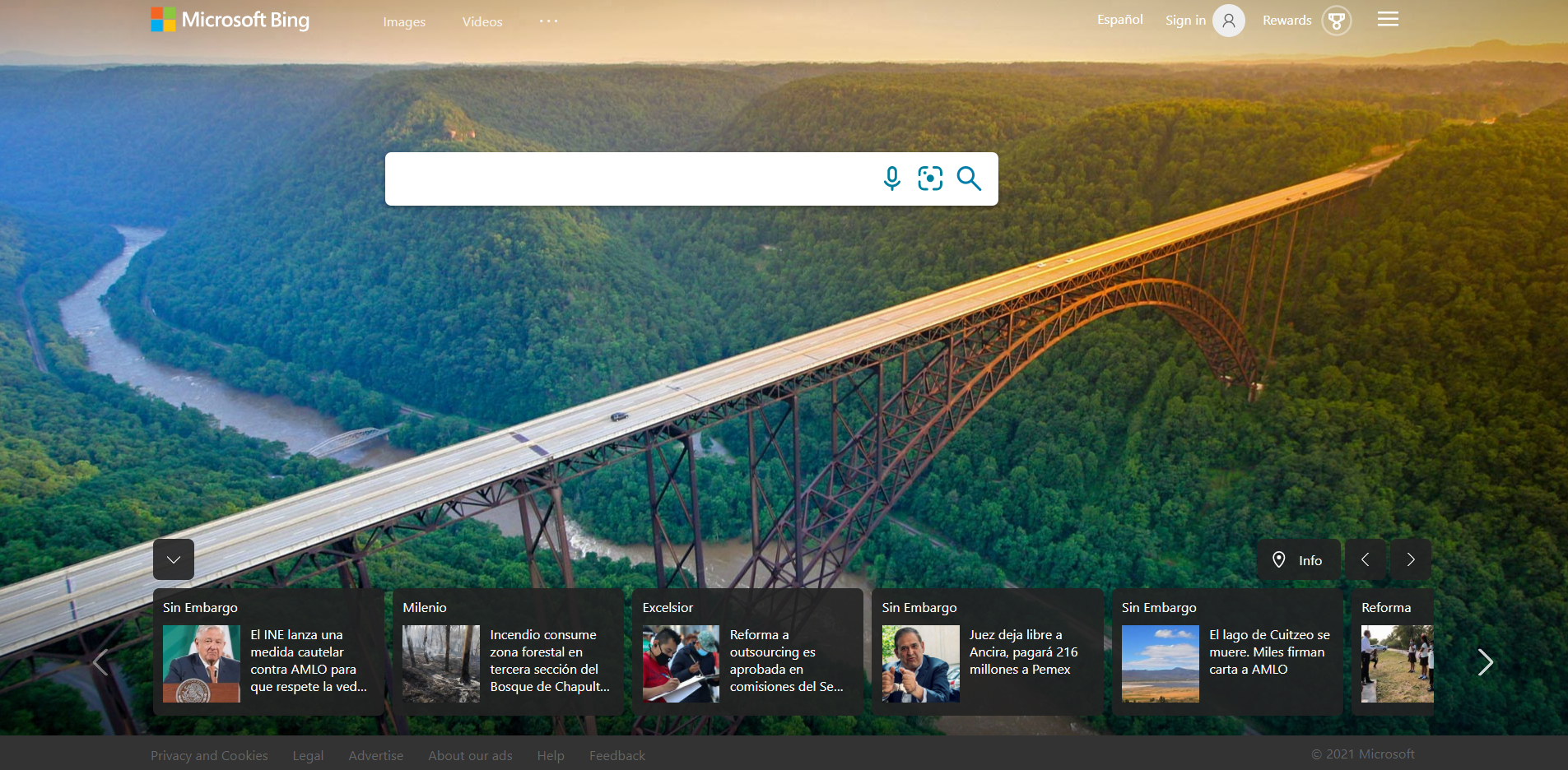
Bing empowers users to convert information into actionable steps, streamlining the transition from searching to executing tasks more efficiently. As Bing undergoes further development, our emphasis lies in enhancing the variety of ways you can engage with the platform. For instance, you might not be aware that Bing fuels InPrivate searches in Microsoft Edge, facilitates quick searches via the Windows taskbar, supports work-related search tasks with Microsoft 365, enhances immersive gaming in Microsoft Flight Simulator, and offers many additional features. Consequently, beginning today, you will notice a shift in branding to Microsoft Bing, highlighting the ongoing integration of our search functionalities within the broader Microsoft ecosystem. In addition to our dedication to diversifying search applications, we are committed to ensuring that you gain increased value from your daily search activities. To that end, we are thrilled to unveil the expansion of Give with Bing, an initiative that enables you to contribute positively to your community simply by conducting searches. This development reflects our belief in the potential of technology to create meaningful impact with minimal effort.
Description
Image Creator is a tool designed to assist users in producing AI-generated images through DALL·E. By entering a text prompt, the AI will create a collection of images that align with the given description.
To get started, either create a new Microsoft account or sign in to your current one. New users will receive 25 enhanced generations for Image Creator, allowing them to experiment freely. Simply enter any imaginative text prompt to generate a variety of AI images and have fun with the process!
Unlike traditional image searches on Bing, Image Creator offers a unique experience tailored to your creativity.
For optimal results, it's beneficial to provide detailed descriptions. Therefore, let your imagination run wild by incorporating rich elements such as adjectives, specific locations, and artistic styles like "digital art" or "photorealistic."
For instance, rather than using a vague prompt like "creature," consider specifying "a fuzzy creature wearing sunglasses, illustrated in digital art style." This approach will yield more tailored and captivating results.
API Access
Has API
Yes
API Access
Has API
No


Integrations
AIOSEO
Yes
Amanda AI
Yes
Azure AI Anomaly Detector
Yes
Blotout
Yes
DAKboard
Yes
GoDataFeed
Yes
IQGeo
Yes
Infunnel
Yes
Intelligent Reach
Yes
KamuSEO
Yes
Integrations
AIOSEO
No
Amanda AI
No
Azure AI Anomaly Detector
No
Blotout
No
DAKboard
No
GoDataFeed
No
IQGeo
No
Infunnel
No
Intelligent Reach
No
KamuSEO
No
Pricing Details
Free
Free Trial
No
Free Version
Yes
Pricing Details
Free
Free Trial
Yes
Free Version
Yes
Deployment
Web-Based
Yes
On-Premises
No
iPhone App
Yes
iPad App
Yes
Android App
Yes
Windows
No
Mac
No
Linux
No
Chromebook
No
Deployment
Web-Based
Yes
On-Premises
No
iPhone App
No
iPad App
No
Android App
No
Windows
No
Mac
No
Linux
No
Chromebook
No
Customer Support
Business Hours
No
Live Rep (24/7)
No
Online Support
Yes
Customer Support
Business Hours
No
Live Rep (24/7)
No
Online Support
No
Types of Training
Training Docs
Yes
Webinars
No
Live Training (Online)
Yes
In Person
No
Types of Training
Training Docs
Yes
Webinars
No
Live Training (Online)
No
In Person
No
Vendor Details
Company Name
Microsoft
Founded
1975
Country
United States
Website
www.bing.com
Vendor Details
Company Name
Microsoft
Founded
1975
Country
United States
Website
www.bing.com/create
