Average Ratings 0 Ratings
Average Ratings 0 Ratings
Similar Products
-
ParasoftParasoft's mission is to provide automated testing solutions and expertise that empower organizations to expedite delivery of safe and reliable software. A powerful unified C and C++ test automation solution for static analysis, unit testing and structural code coverage, Parasoft C/C++test helps satisfy compliance with industry functional safety and security requirements for embedded software systems.
-
Google Cloud PlatformGoogle Cloud is an online service that lets you create everything from simple websites to complex apps for businesses of any size. Customers who are new to the system will receive $300 in credits for testing, deploying, and running workloads. Customers can use up to 25+ products free of charge. Use Google's core data analytics and machine learning. All enterprises can use it. It is secure and fully featured. Use big data to build better products and find answers faster. You can grow from prototypes to production and even to planet-scale without worrying about reliability, capacity or performance. Virtual machines with proven performance/price advantages, to a fully-managed app development platform. High performance, scalable, resilient object storage and databases. Google's private fibre network offers the latest software-defined networking solutions. Fully managed data warehousing and data exploration, Hadoop/Spark and messaging.
-
csidec/side: The Client-Side Platform for Cybersecurity, Compliance, and Privacy Monitoring third-party scripts effectively eliminates uncertainty, ensuring that you are always aware of what is being delivered to your users' browsers, while also enhancing script performance by up to 30%. The unchecked presence of these scripts in users' browsers can lead to significant issues when things go awry, resulting in adverse publicity, potential legal actions, and claims for damages stemming from security breaches. Compliance with PCI DSS 4.0.1, particularly sections 6.4.3 and 11.6.1, requires that organizations handling cardholder data implement tamper-detection measures by March 31, 2025, to help prevent attacks by notifying stakeholders of unauthorized modifications to HTTP headers and payment information. c/side stands out as the sole fully autonomous detection solution dedicated to evaluating third-party scripts, moving beyond reliance on merely threat feed intelligence or easily bypassed detections. By leveraging historical data and artificial intelligence, c/side meticulously analyzes the payloads and behaviors of scripts, ensuring a proactive stance against emerging threats. Our continuous monitoring of numerous sites allows us to stay ahead of new attack vectors, as we process all scripts to refine and enhance our detection capabilities. This comprehensive approach not only safeguards your digital environment but also instills greater confidence in the security of third-party integrations.
-
ReflectizReflectiz is a web exposure management platform that enables organizations to proactively identify, monitor, and mitigate security, privacy, and compliance risks across their digital environments. It provides comprehensive visibility and control over first, third, and even fourth-party components like scripts, trackers, and open-source libraries—elements that are often missed by traditional security tools. The unique advantage of Reflectiz is that it operates remotely, without embedding code on customer websites. This ensures no impact on site performance, no access to sensitive user data, and no additional attack surface. By continuously monitoring all publicly available components, Reflectiz identifies hidden risks in your digital supply chain, helping to detect vulnerabilities and compliance issues in real-time. With a centralized dashboard, Reflectiz gives businesses a holistic view of their web assets, making it easier to manage risk across all digital properties. The platform allows teams to establish baselines for approved behaviors, swiftly identifying deviations that may indicate threats. Reflectiz is particularly valuable for industries such as eCommerce, healthcare, and finance, where managing third-party risks is crucial. It helps businesses enhance security, reduce attack surfaces, and maintain compliance without requiring any changes to website code, offering continuous monitoring and detailed insights into external component behaviors.
-
AnalyticsCreatorAnalyticsCreator is a metadata-driven design application for data warehouse automation and data product engineering across the Microsoft data stack. Its Governed Control Model connects business meaning, data structures, transformation rules, dependencies, lineage and technical implementation in one controlled project model. Data teams design the required architecture in AnalyticsCreator, then generate native Microsoft assets from that design. Generated outputs can include SQL Server objects, SSIS packages, Azure Data Factory pipelines, supported Microsoft Fabric components, deployment artefacts and Power BI semantic models. AnalyticsCreator supports dimensional, 3NF and hybrid modelling approaches together with ingestion, transformations, delta loading, historisation, Slowly Changing Dimensions, snapshots and repeatable data-processing patterns. Because generated outputs are native Microsoft technology, no AnalyticsCreator runtime is required in production. Organisations retain ownership of the resulting implementation and can integrate generated assets into Git, Azure DevOps and CI/CD workflows. Lineage, documentation and dependency information remain connected to the design, helping teams understand change impact before regenerating affected assets. Design Intelligence extends this governed project context into AI-assisted data engineering by providing authorised AI tools and agents with structured access to metadata, lineage, dependencies and design rules. Typical use cases include enterprise data warehouse development, Microsoft Fabric adoption, SQL Server and SSIS modernisation, governed Power BI delivery and repeatable data product engineering.
-
Project InsightProject Insight helps organizations connect project data across teams and systems to make better decisions about their business. As a strategic project and portfolio management platform, it brings together resource and capacity planning, financial management, project requests, execution, governance, and portfolio performance. The result is a connected project data backbone that gives PMOs and executives visibility into organization-wide work and supports trustworthy reporting, forecasting, and AI analysis. Teams can continue using familiar tools such as Jira, Azure DevOps, Microsoft, Salesforce, ServiceNow, and HubSpot while Project Insight brings their project information into one central command center, reducing manual data entry and disconnected reporting. Manage projects, programs, and portfolios using flexible workflows, intelligent scheduling, Gantt charts, Kanban boards, time tracking, budget management, and customizable dashboards. Leaders can monitor workloads, project health, costs, and strategic priorities without chasing information across departments. AI-powered features help create project plans, turn meeting discussions into action items, recommend resources, forecast capacity, and evaluate what-if scenarios. From growing teams outgrowing spreadsheets to established PMOs with complex business processes, Project Insight adapts to the way organizations work through configurable processes, dedicated onboarding support, and free view-only access for clients and stakeholders.
-
IntelexIntelex delivers a unified software system for overseeing Environmental, Health, Safety, and Quality (EHSQ) initiatives. Its expandable platform is crafted to consolidate, oversee, and scrutinize EHS and Quality data comprehensively. The solution works on any device to meet the realities of your workplace. With Intelex, your organization can: Elevate your EHSQ program outcomes by supervising workflows for superior performance and command. Discern patterns and propensities through goal-setting to deepen understanding and improve decision-making in your EHSQ program. Diminish occurrences and cut down on administrative tasks by efficiently supervising, managing, refining, and extracting insights from your safety data via our intuitive safety software. Simplify the management and reporting of air, water, and waste emissions, and oversee environmental outputs to fulfill sustainability objectives. Foster ongoing improvements in quality by seamlessly logging and monitoring all instances of nonconformity within a unified, web-based system. Investigate trends across various departments, sites, or locations. Intelex can help you manage compliance with international standards and regulations such as: OSHA, WCB, ISO 45001, EPA, ISO
-
Shoplogix Smart Factory PlatformFor over two decades, Shoplogix has helped leading manufacturers worldwide unlock hidden production potential by transforming real-time machine and performance data into actionable insights. The platform automatically captures signals like downtime, scrap, and throughput, delivering visual dashboards that enable teams to identify bottlenecks, reduce losses, and improve continuously—both during shifts and in post-shift analysis. With OneSignal connectivity, Shoplogix integrates with any machine brand or type to deliver real-time, granular insights on slow-running, starved, or idle machines. Its intuitive visual management system allows operators and managers alike to quickly detect and act on issues. Integrated analytics provide powerful, slice-and-dice capabilities similar to leading BI tools, without leaving the platform. Designed for agility, Shoplogix supports scaling from a single line to multi-plant operations across geographies. Continuous improvement tools like Action Plans and Digital Andon alerts keep teams engaged, aligned, and empowered to act—making Shoplogix a powerful ally in the pursuit of operational excellence.
-
PylonPylon's intuitive design software allows you to create accurate proposals from anywhere, in less than 2 minutes. Pylon is the only software that allows you to view high-resolution imagery within your app. Pylon's award winning 3D Solar Shading toolkit helps you identify and track shading impacts throughout the year. Pylon's load profile analysis and interval data analysis will help you and your team to better understand customer consumption patterns. Analyze load profiles & interval data. You can close more solar proposals by using interactive Web & PDF proposals and native eSignatures. Fully integrated solar CRM that integrates with your solar design software to convert proposals. Pylon Solar CRM offers 2-way SMS and email communications, team management, lead management and pre-made deal pipelines.
-
GaffaGaffa is a REST API built for web scraping and browser automation, allowing developers to run real, full browsers at scale with a single API call. It removes the difficulty of managing headless browser frameworks, rotating proxies, CAPTCHA solving, and scaling infrastructure, all of which are handled automatically. JavaScript-heavy and dynamic websites render exactly as they would for a human visitor by default. Beyond standard scraping, Gaffa supports AI-driven structured data extraction (extract data into a defined schema without writing CSS selectors), screenshot and PDF capture, infinite-scroll and form-filling automation, and clean Markdown conversion for feeding webpages directly into LLM and RAG pipelines. A rotating residential proxy network keeps access reliable across regions, and a credit-based pricing model means teams pay only for the browser time and bandwidth they actually use. Gaffa is designed for AI engineers, data teams, and developers who want production-grade web data extraction without having to build and maintain their own infrastructure.
Description
Assist developers and testers in creating extensive load simulations and executing tests with a completely managed load-testing solution designed for Azure. You can quickly set up tests without needing expertise in load-testing tools or simply upload your pre-existing Apache JMeter scripts. This service provides valuable insights into performance, scalability, and capacity, facilitating ongoing enhancements through automated continuous integration and continuous delivery (CI/CD) processes. By monitoring how a significant load impacts your application's performance, you can fine-tune its scalability and capacity. Obtain in-depth, actionable insights and suggestions from a well-rounded perspective of tailored client and server metrics, allowing you to comprehend and enhance app performance on a large scale—all available on one unified dashboard. Additionally, you can visually compare different load tests to evaluate the impact of application and environmental modifications, alongside how these tests influence every component of your app. This comprehensive approach ensures that your application is not only resilient but also primed for future growth and efficiency.
Description
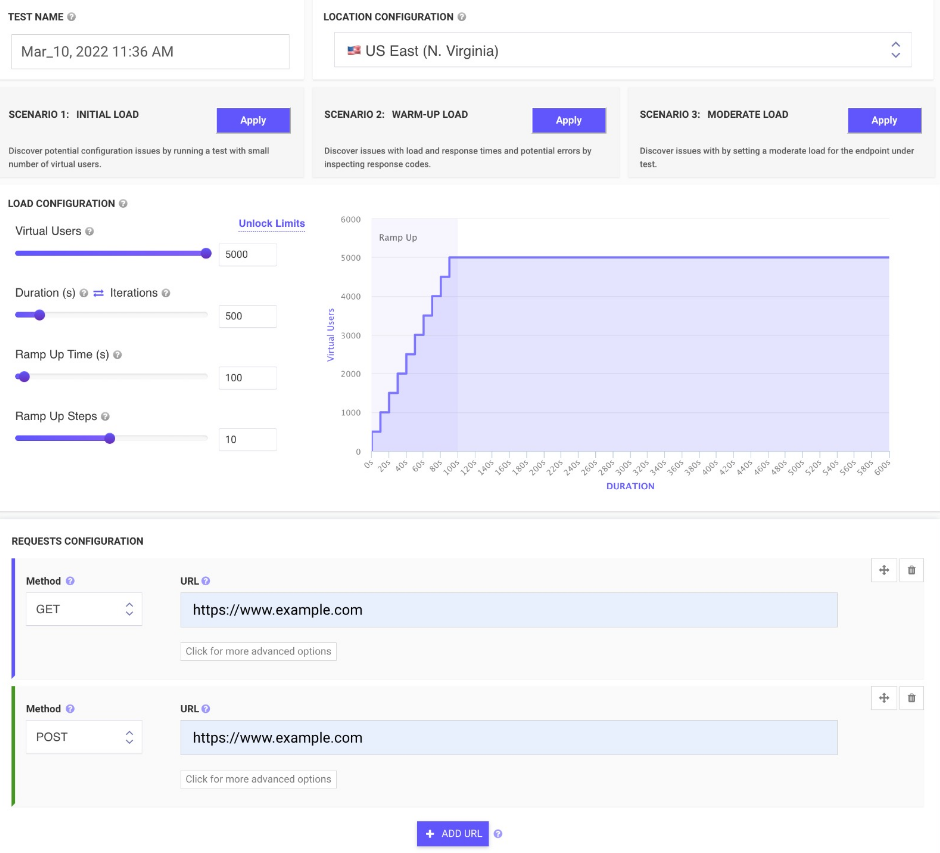
All-in-one cloud testing platform for performance testing, load testing, website speed testing and website UI testing. Mobile applications and API endpoints are all covered.
JMeter testing is easy from multiple cloud locations, with thousands of users. Apache JMeter allows you to see real-time performance metrics of your website and APIs from the cloud.
You can monitor changes over time and receive advice on how to speed up page loading times. We run your tests on cloud instances at set times and notify you if anything goes wrong.
To find rendering issues, invalid HTML, missing or incorrect CSS, load your web pages and websites in mobile emulators. In seconds, schedule runs and inspect the rendered images on all devices. Simulate your site on different screen sizes and resolutions.
Take screenshots of two websites in seconds. To check for differences, you can compare the generated screenshots using a threshold.
API Access
Has API
No
API Access
Has API
Yes


Integrations
Azure Marketplace
Yes
Chrome DevTools
No
JMeter
No
Jenkins
No
Microsoft Azure
Yes
Integrations
Azure Marketplace
No
Chrome DevTools
Yes
JMeter
Yes
Jenkins
Yes
Microsoft Azure
No
Pricing Details
$10 per month
Free Trial
Yes
Free Version
No
Pricing Details
$24 per month
Free Trial
No
Free Version
Yes
Deployment
Web-Based
Yes
On-Premises
No
iPhone App
No
iPad App
No
Android App
No
Windows
No
Mac
No
Linux
No
Chromebook
No
Deployment
Web-Based
Yes
On-Premises
No
iPhone App
No
iPad App
No
Android App
No
Windows
No
Mac
No
Linux
No
Chromebook
No
Customer Support
Business Hours
No
Live Rep (24/7)
No
Online Support
Yes
Customer Support
Business Hours
No
Live Rep (24/7)
No
Online Support
Yes
Types of Training
Training Docs
Yes
Webinars
No
Live Training (Online)
No
In Person
No
Types of Training
Training Docs
Yes
Webinars
Yes
Live Training (Online)
No
In Person
No
Vendor Details
Company Name
Microsoft
Founded
1975
Country
United States
Website
azure.microsoft.com/en-us/products/load-testing
Vendor Details
Company Name
LoadFocus
Founded
2014
Country
United Kingdom
Website
loadfocus.com
Product Features
Load Testing
API Load Testing
No
Database Load Testing
No
Load Test Performance Reporting
No
Mail Load Testing
No
Multilocation Load Testing
No
Multiple Protocol Support
No
Test Script Customization
No
Web Application Testing
No
Product Features
Automated Testing
Hierarchical View
Yes
Move & Copy
No
Parameterized Testing
Yes
Requirements-Based Testing
Yes
Security Testing
No
Supports Parallel Execution
Yes
Test Script Reviews
Yes
Unicode Compliance
No
Load Testing
API Load Testing
Yes
Database Load Testing
Yes
Load Test Performance Reporting
Yes
Mail Load Testing
No
Multilocation Load Testing
Yes
Multiple Protocol Support
No
Test Script Customization
Yes
Web Application Testing
No
Performance Testing
API Testing
Yes
Benchmarking
Yes
Cross Browser Testing
No
Debugging
Yes
Historical Reporting
Yes
Load Testing
Yes
Mobile Testing
Yes
Parallel Testing
No
Regression Testing
Yes
UI Testing
No
Web Testing
Yes
Website Monitoring
Availability Testing
No
Event Logs
No
Event-Based Notifications
No
FTP Monitoring
No
Mail Server Monitoring
No
Maintenance Scheduling
Yes
Performance Metrics
Yes
Real Time Monitoring
Yes
Transaction Monitoring
No
Uptime Reporting
Yes
