Average Ratings 0 Ratings
Average Ratings 2 Ratings
Similar Products
-
Curtain MonGuard Screen WatermarkCurtain MonGuard Screen Watermark is an enterprise solution for displaying screen watermarks that administrators can enable on users' computers. This screen watermark can display various user information, such as the computer name, username, and IP address. The purpose of this watermark is to effectively grab the user's attention and serve as a reminder before they take a screenshot or photograph the screen to share the information with others. The key benefit of Curtain MonGuard is that it encourages users to "think before sharing" sensitive information. If the content being shared contains confidential company data, the watermark can help trace the source of the leaked information back to the user responsible. This allows organizations to hold users accountable and mitigate the consequences of data breaches or unauthorized information sharing. Key features: - On-screen watermark - Full screen-watermark - Application screen-watermark - Supports over 500 Applications - Self-defined content of watermark - Screen-watermark by condition - Central administration - Integration with Active Directory - Uninstall password for client - Password management - Admin delegation - Self protection for the software
-
PDFCreatorPDFCreator automates document output in Windows-based business environments, covering the whole creation pipeline from conversion to delivery. It converts print output from any application into PDF, JPG, PNG, or TIF via a virtual printer, so existing workflows don’t need to change. Businesses use PDFCreator to streamline repetitive document tasks: output is captured, formatted, named, secured, and routed according to configurable profiles. Typical use cases include automated report generation, batch processing of large document sets, and compliant document delivery in regulated industries. Key capabilities include encryption, password protection, digital signatures, watermarking, MSI-based deployment, Group Policy support, and centralized profile management. It works with Word, Excel, browsers, ERP platforms, and essentially any Windows application that can print. PDFCreator is available as a free edition for individual, non‑commercial use, alongside three paid editions tailored to business, terminal server, and broader enterprise deployments.
-
CapLinkedCapLinked is a web-based platform built for organizations that need a better way to manage, protect, and share sensitive business documents during high stakes work. Known as The Deal Room That Works, CapLinked gives teams, advisors, and lawyers a controlled workspace for due diligence, mergers and acquisitions, fundraising, audits, licensing, asset sales, and confidential projects where accuracy, speed, and oversight matter. Instead of relying on email attachments, consumer file sharing links, or scattered folders, teams can organize documents in structured workspaces with clear folder layouts, searchable files, user groups, and permissions. Administrators can decide who can view, upload, print, download, or share materials, while watermarking, passwords, expiration settings, tracking, and reporting help reduce risk when information is shared outside the organization. CapLinked makes complex document review more efficient for internal teams and external reviewers. Buyers, investors, attorneys, accountants, partners, and other stakeholders can access the materials they need in a professional environment, while project owners maintain visibility into engagement and adjust access as a review changes. This helps reduce version confusion and manual follow up when managing sensitive files across organizations. For boutique firms, Big 4 consultants, global enterprises, and teams in between, CapLinked supports secure collaboration without unnecessary complexity. Its data room and document tools help companies protect financial records, legal documents, intellectual property, contracts, operational files, and strategic materials while keeping reviews organized. Visit caplinked.com to see how CapLinked can help teams share documents, control access, and move work forward
-
Adobe FireflyAdobe Firefly is a versatile AI-powered creative platform designed to help users generate and edit multimedia content with ease. It allows users to create images, videos, and audio using simple text prompts within an interactive and flexible workspace. The platform features tools like generative fill, image editing, and video editing, enabling users to refine and enhance their creations. Firefly also includes quick actions such as background removal, cropping, resizing, and format conversion to streamline workflows. Users can explore an infinite canvas for creative production and experiment with various styles and outputs. The platform encourages creativity by allowing users to remix content from a shared community gallery. With its intuitive design, it reduces the need for advanced technical skills. Firefly integrates AI capabilities to speed up content creation and editing processes. It supports both beginners and professionals in producing high-quality results. Overall, Adobe Firefly provides a powerful and accessible environment for modern digital creativity.
-
TinyPNGTinyPNG (by Tinify) is a free image optimization service built for developers and designers. It utilizes smart lossy compression to reduce the file sizes of JPEG, PNG, WebP, and AVIF files by up to 80% with no visible quality loss. That means faster load times, better SEO, and lower bandwidth. You can compress, convert, and resize images via a clean web interface or integrate it into your workflow with the API. The platform also provides an image CDN for fast global delivery of optimized assets. SDKs are available for Python, Node.js, PHP, Java, Ruby, and .NET. WordPress plugin included, plus plenty of community-driven integrations. No tuning, no noise, Tinify just works. Whether you're optimizing a handful of images or processing millions, it scales effortlessly. All plans include a generous free tier, and support is quick when you need it. George the panda 🐼 approves.
-
OnetraceBuilt specifically for subcontractors, Onetrace is construction management software that connects job planning, on-site evidence capture, and compliance sign-off in a single workflow. Rather than juggling spreadsheets and paper records, teams get one system covering everything from the first site visit to final handover, with audit-ready documentation ready for clients, main contractors, and regulators whenever it's needed. The platform supports a wide range of trades, including passive fire protection, drylining, roofing, and M&E. For fire protection specialists in particular, Onetrace works as dedicated fire protection software — linking photographs, sign-off forms, and approvals to the exact job and location they cover, so compliant installations are easy to evidence. Teams also get live visibility of projects, timesheets, signed documentation, and site progress as it happens. Key functionality: customisable forms, drag-and-drop scheduling, GPS-verified time-tracking, scope variation tracking, cost calculation, and mobile drawing markups with photo capture.
-
Google AI StudioGoogle AI Studio is an all-in-one environment designed for building AI-first applications with Google’s latest models. It supports Gemini, Imagen, Veo, and Gemma, allowing developers to experiment across multiple modalities in one place. The platform emphasizes vibe coding, enabling users to describe what they want and let AI handle the technical heavy lifting. Developers can generate complete, production-ready apps using natural language instructions. One-click deployment makes it easy to move from prototype to live application. Google AI Studio includes a centralized dashboard for API keys, billing, and usage tracking. Detailed logs and rate-limit insights help teams operate efficiently. SDK support for Python, Node.js, and REST APIs ensures flexibility. Quickstart guides reduce onboarding time to minutes. Overall, Google AI Studio blends experimentation, vibe coding, and scalable production into a single workflow.
-
MobiPDFMobiPDF (formerly PDF Extra) is an intuitive reader and editor that allows you to read, edit, create, OCR, organize, annotate, fill and sign, convert, and share any PDF. This makes MobiPDF an excellent choice for users seeking a budget-friendly alternative to Adobe Acrobat Pro. HERE’S WHAT YOU GET WITH MOBIPDF: Multiple Page View Modes: Enjoy a distraction-free "Read Mode". Advanced Editing Tools: Experience a Word-like PDF editing environment. Two-Way Conversions: Convert PDFs to and from Word, Excel, PowerPoint, or image formats. OCR Support: Make scanned documents searchable. Markup Tools: Highlight, comment, strikethrough, stamp, and more to enhance your documents. Effortless PDF Organizer: Reorder, compress, split, and combine PDFs with ease. Sign & Secure: Add signatures, create and fill forms, and protect your PDFs with passwords, encryption, and digital certificates. Offline Mode: Work freely on your projects, even offline. Seamless translation: One-click translate any PDF into 50+ languages.
-
TeleRayTeleRay is an industry-first telehealth and image management platform. TeleRay cloud-based medical image management platform allows users to securely share images with professionals (specialists, referring, clinicians) and patients. The platform has many features, including the ability to import or convert DICOM or non DICOM images, query and HL7 connectivity. Integrate with any EMR, view images on an FDA approved viewer anywhere on any device. Complete DICOM image migration is available- set up, training, and implementation is included. Live streaming and remote control of modalities are options and great for many use cases to place professionals virtually in a room any where. TeleRay is the most secure platform with peer 2 peer health and data communication. You can use the app to access workflow tools like waiting rooms, multi-calls, call transfer and sharing of images. It's simple and affordable. More than 3000 locations use our service, including 38 of the top medical centers in more than 20 nations. Get started today for free.
-
CompanyCamCompanyCam is a photo-based solution created specifically for contractors. Users can take unlimited photos—which are location and time stamped, sent to the cloud, and stored securely. Every photo is organized by project and instantly available to your team, allowing you to see what’s going on anytime, anywhere.
Description
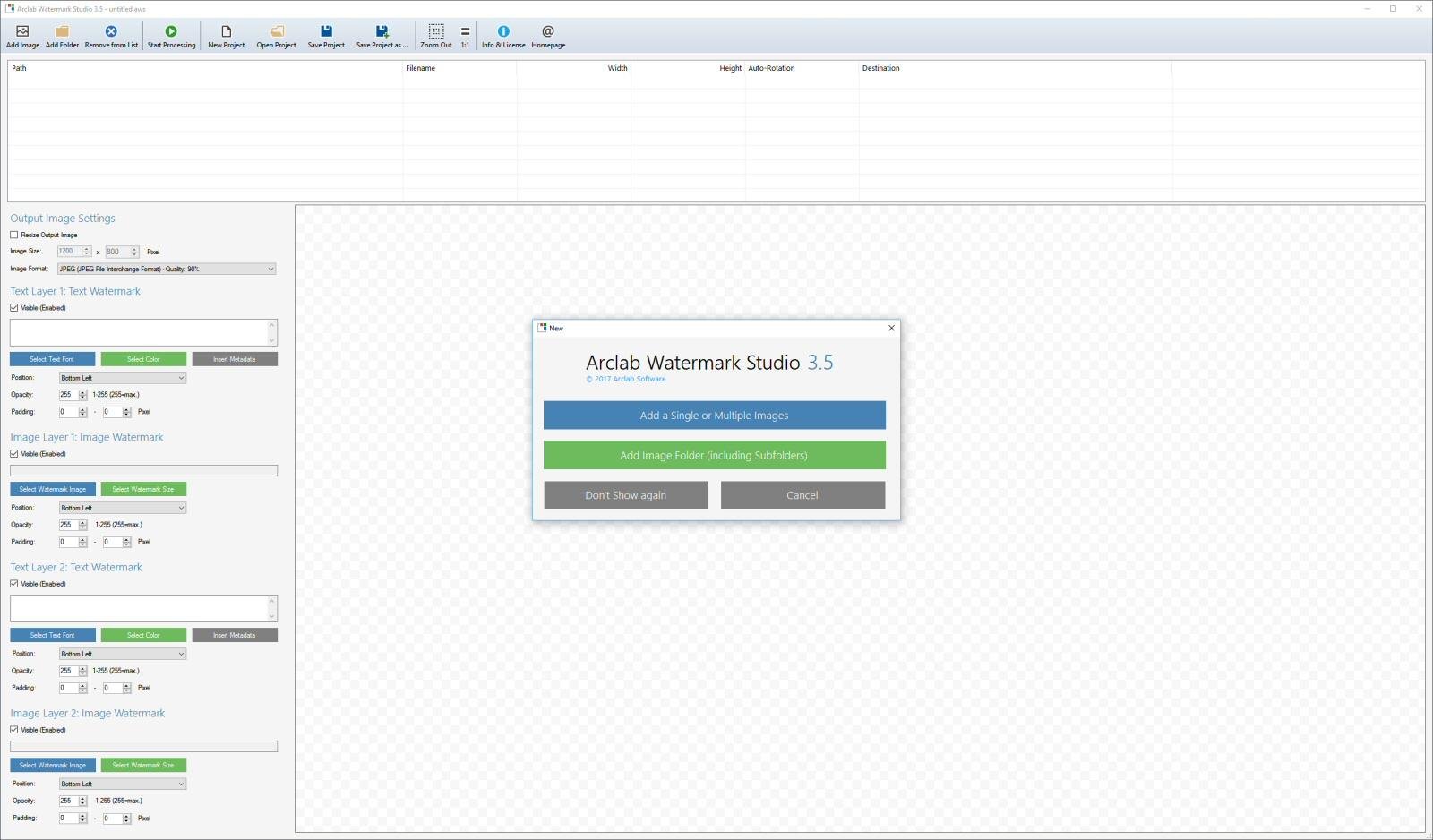
Arclab Watermark Studio is a user-friendly software designed for image watermarking, enabling users to effortlessly apply visible, layered watermarks to multiple photos and directory structures simultaneously. This tool serves to safeguard your images from unauthorized use by allowing the addition of various text and image watermarks. In addition to watermarking, the software offers functionalities for creating thumbnails, resizing, and converting images. With just one click, an entire directory of images can be processed, making it incredibly efficient. A watermark typically consists of a recognizable text, image, or logo embedded within a photograph. The technique of digital watermarking involves embedding specific information into the image, which often identifies the creator or copyright owner. The primary intent of implementing visible digital watermarks is to ensure copyright protection while also serving as a form of visual marketing. Ultimately, Arclab Watermark Studio provides an effective solution for anyone looking to add visible watermarks to their images and photos while also offering additional image manipulation capabilities.
Description
PhotoMarks by Bits&Coffee offers a comprehensive solution for applying visual watermarks to images in bulk, suitable for both desktop and mobile platforms. This software for Mac and PC allows you to fully personalize the style of your text and logo watermarks, along with making additional adjustments such as resizing, renaming, auto-rotating, or incorporating graphical frames into your images all within a single session. Utilizing batch processing capabilities, it harnesses the power of multi-core processors to enhance efficiency during the editing workflow. Users have the option to save their configurations as profiles for future use, streamlining the process. The interface is designed for ease of use, featuring previews at each stage of editing. You can create entirely customizable text watermarks with precision positioning, tile mode, rotation options, multiline text features, a variety of custom and textured fonts, as well as effects like shadows, strokes, and bounding boxes. Furthermore, PhotoMarks simplifies the watermarking process while ensuring a professional finish for your photos.
API Access
Has API
No
API Access
Has API
No


Integrations
No details available.
Integrations
No details available.
Pricing Details
$29 one-time payment
Free Trial
No
Free Version
Yes
Pricing Details
$29.95 one-time payment
Free Trial
No
Free Version
Yes
Deployment
Web-Based
No
On-Premises
No
iPhone App
No
iPad App
No
Android App
No
Windows
Yes
Mac
No
Linux
No
Chromebook
No
Deployment
Web-Based
No
On-Premises
No
iPhone App
Yes
iPad App
Yes
Android App
No
Windows
Yes
Mac
Yes
Linux
No
Chromebook
No
Customer Support
Business Hours
No
Live Rep (24/7)
No
Online Support
Yes
Customer Support
Business Hours
No
Live Rep (24/7)
No
Online Support
Yes
Types of Training
Training Docs
Yes
Webinars
No
Live Training (Online)
No
In Person
No
Types of Training
Training Docs
Yes
Webinars
No
Live Training (Online)
No
In Person
No
Vendor Details
Company Name
Arclab
Website
www.arclab.com/en/watermarkstudio/
Vendor Details
Company Name
PhotoMarks
Country
PhotoMarks
Website
photomarksapp.com
