Aiseesoft Screen Recorder
1.0 out of 5 starsStreamlabs
5.0 out of 5 starsAverage Ratings 1 Rating
Average Ratings 1 Rating
Similar Products
-
ScreencaptScreencapt allows you to record the entire screen or a selected area. You can also record a specific window. Screencapt is the ideal screen recorder because of its flexibility. Using the integrated audio recording you can also add your commentary or system sound directly into the screen recording. This is particularly useful when creating explanation videos or presentations. Screencapt's ability to record a webcam is a special feature. You can now add your comments and reactions to the video. This makes your screen recordings more personal and professional. Screencapt offers advanced options to record the cursor. You can choose to hide the cursor or add special effects to highlight specific actions. This is especially useful for software tutorials and demonstrations where a clear cursor view is required.
-
LALAL.AILALAL.AI helps musicians, producers, video editors, podcasters, and businesses get separate parts out of finished recordings. Upload a song, video, or voice recording, choose what you need, and get back separate tracks: vocals, instrumental, drums, bass, electric and acoustic guitar, piano, synthesizer, strings, wind instruments, or speech without background noise. Beyond music separation, LALAL.AI handles common voice tasks: removing background noise, mic rumble, and plosives from voice recordings, reducing echo and reverb in speech and vocals, splitting lead and backing vocals, and changing a voice with licensed voice packs or a personal voice clone made from your own recordings. You can use the service in a browser, in desktop apps for Windows, macOS, and Linux, and in mobile apps for iOS and Android. Pro subscribers also get three plugins for their DAW: Stem Separator, Speech Cleaner, and Voice Dereverb. They process audio on your own computer, so files are not uploaded. Teams working with large volumes of content can automate stem separation, voice cleaning, and voice changing through the REST API, or request a business solution with high-volume processing and dedicated support. Typical business use cases include localization and dubbing, video production, podcast post-production, and music production. A free Starter plan lets you test the service and preview results. Paid Lite and Pro subscriptions are designed for regular use.
-
4K Video DownloaderYou can watch videos from anywhere, anytime, even offline. It's easy to download: simply copy the link from your browser, and then click 'Paste Link" in the application. You can save full playlists and channels on YouTube in high-quality and other video or audio formats. Download your YouTube Mix, Watch Later and Liked videos as well as private YouTube playlists. Receive new videos from your favorite YouTube channels automatically. You can feel the action around you with virtual reality videos. To experience the amazing VR experience in 360deg, download 360deg videos. You can bypass any restrictions placed by your Internet service provider to bypass your school firewall or workplace firewall. To access YouTube and other sites, set up an in-app proxy connection.
-
ClickLearnClickLearn simplifies complex business processes using popular software. You can create multi-format learning materials in any language and publish them to a 24/7 learning portal with just one click. A video walkthrough of the process, with narration in your preferred language. Put your learning to the test. This interactive simulation of your workplace allows you to test your knowledge without any hints. Interactive simulation of your workplace environment that guides you through the process. This guide is step-by-step. ClickLearn wrote this guide with perfectly cropped screenshots. ClickLearn Assist can be your go-to helper when you are stuck, need process help, or want to try a new process in the live system. You don't have to worry about making another mistake. All your learning materials can be auto-translated with a click of a button
-
Switcher StudioSwitcher Studio allows you to capture video from multiple angles and edit it in real-time. This will allow you to connect with your community in a more engaging way. You can stream it live or save it for later. Your audience will be attracted to you with relevant content. Make it look great. There's no need to purchase, lug or learn largeequipment. Switcher is compatible with iPads and iPhones. Switcher is so intuitive that anyone can create amazing video with it. You don't need to hire outside videographers or producers. It takes an hour to edit every minute of edited video. Every minute of live-editing takes, well, one second. You can share every moment, live or recorded, external or internal, with video -- no matter what it holds.
-
TollFreeForwardingIn 60 seconds, activate your international phone number. You can choose from over 120+ countries or 1,000 cities. Forward your calls to any number worldwide. You can route your calls according to the hours and days of your business with robust scheduling options. You can route your calls to your main office during business hours or to voicemail during nonbusiness hours. You can instantly view detailed information about calls to your TollFreeForwarding number. To make informed decisions about outbound sales, and follow-up, learn about your customers' call patterns. Record all or part of your calls to keep track of them. Call detail records are a place where recordings can be stored. They can be downloaded or played at any time.
-
Curtain MonGuard Screen WatermarkCurtain MonGuard Screen Watermark is an enterprise solution for displaying screen watermarks that administrators can enable on users' computers. This screen watermark can display various user information, such as the computer name, username, and IP address. The purpose of this watermark is to effectively grab the user's attention and serve as a reminder before they take a screenshot or photograph the screen to share the information with others. The key benefit of Curtain MonGuard is that it encourages users to "think before sharing" sensitive information. If the content being shared contains confidential company data, the watermark can help trace the source of the leaked information back to the user responsible. This allows organizations to hold users accountable and mitigate the consequences of data breaches or unauthorized information sharing. Key features: - On-screen watermark - Full screen-watermark - Application screen-watermark - Supports over 500 Applications - Self-defined content of watermark - Screen-watermark by condition - Central administration - Integration with Active Directory - Uninstall password for client - Password management - Admin delegation - Self protection for the software
-
OptiSignsOptiSigns, your friendly digital signage software! Designed with simplicity and ease in mind, it's the perfect harmony of affordable software and usage with any hardware in the market. Pick from 140+ Apps, Thousands of Templates, and formats like images & videos, playlists, Google Slides, Weather, Instagram, Twitter, YouTube – you name it! Level up your business and start engaging your audience. For just $10/month per screen, use any display to capture your audiences attention! Remotely manage it all from one central portal. Indulge in features, images, videos, playlists, and schedules. Jazz it up with apps like Google Slides, Weather, Instagram, Facebook, Twitter, and more. Oh, and did we mention? We play nice with the most hardware and operating systems in the market like Fire TV Stick, Android, Chrome, Raspberry Pi, Roku, Windows, Linux, and MacOS. Time to unleash your business potential!
-
DropTrackDropTrack is a music promotion and release management platform for independent artists, labels, managers, DJs, playlist curators, bloggers, radio contacts, and industry influencers. The platform helps users prepare tracks for promotion, pitch the right contacts, and measure how people respond to each release. DropTrack’s Music Analyzer gives artists a readiness score, mood, genre, similar artist references, and practical next steps before they spend money on promotion. Users can also generate release assets such as album art, press releases, artist bios, track versions, and professional campaign materials. The platform supports targeted submissions to labels, DJs, playlist curators, blogs, radio stations, and other contacts that fit a song’s genre and audience. Email campaign tools let users send music to their own lists or use DropTrack’s genre-based contact lists, then track opens, plays, downloads, comments, and follow-up signals. Spotify playlist placement options help artists pursue real playlist exposure while avoiding fake or bot-driven lists. DropTrack also connects with AI assistants such as Claude, ChatGPT, Cursor, and Copilot so users can create weekly label briefs, campaign drafts, contact ideas, and release checklists from account data. By combining track analysis, release preparation, contact lists, submissions, playlist placement, email campaigns, and analytics, DropTrack helps music teams promote smarter and build stronger fan and industry relationships.
-
TelemetryOSTelemetryTV is a powerful platform for digital signage that allows organizations to connect with audiences, generate awareness and give voice to their communities and teams. TelemetryTV lets you broadcast dynamic content by streaming video, images and social feeds to all your displays, wherever they may be. TelemetryTV powers internal communications and marketing at Starbucks, Amazon and Stanford University. Our success is based on being flexible, open to communication, collaborative, and open to collaboration. We believe in continuous learning, challenging the status-quo, and listening to customers. We are moving towards a world in which our walls will eventually talk. This begs the question: What do you want them saying?
Description
This screen capture software enables you to record videos from a variety of online platforms such as YouTube, Vimeo, Dailymotion, Facebook, and TED, among others. It allows you to document your gaming achievements to share with friends or enhance your skills by analyzing your opponents' gameplay. If you're looking to preserve an impactful lecture, simply activate your computer's camera, and this tool will immortalize both the visuals and audio. Additionally, this software allows you to record and store webcam videos on your device, making it easy to revisit conversations from platforms like Skype or TeamViewer whenever you wish. You can also capture any music tracks, whether they are files saved on your computer, songs discovered on streaming services, or tunes from radio broadcasts. Furthermore, if you need a user-friendly screenshot utility, this software also serves that purpose, enabling you to take snapshots and save them in various formats, including JPG, PNG, or GIF, to suit your needs. With its versatile features, this screen recording tool becomes an essential asset for anyone looking to capture and share digital content effortlessly.
Description
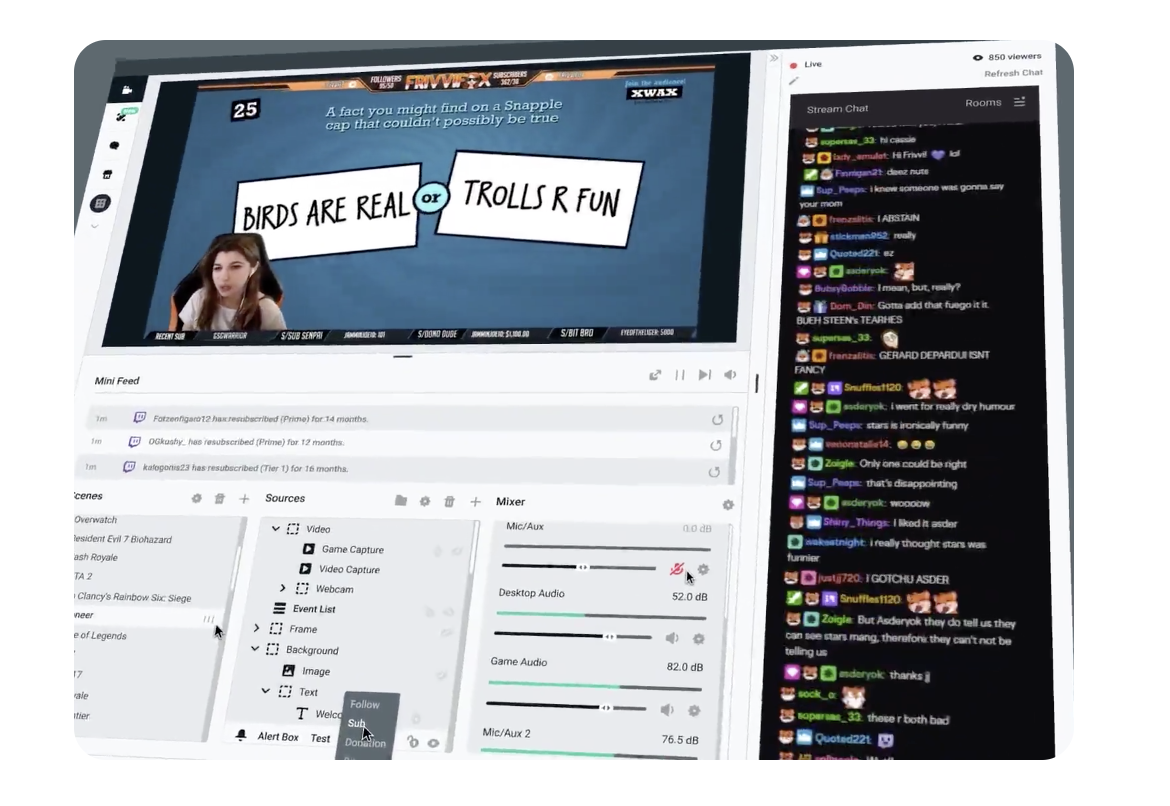
All-in-one streaming software. Live stream and grow your audience. One simple streaming software that is feature-packed and easy to use. Stream to Twitch, YouTube, Facebook in just seconds. Prime includes hundreds of stream overlays, plus many more. Stream on Twitch, YouTube and Facebook professionally. You can easily recognize your viewers live on stream using fully customizable alerts. Apps that give you more control, automation and better analytics. They also allow you to interact with viewers in new ways. All-in-one streaming software.
API Access
Has API
No
API Access
Has API
No


Integrations
Basket Score
No
Bonterra DonorDrive
No
Cloudbot
No
DLive
No
Facebook
No
Facebook Live
No
Firebot
No
Fourthwall
No
Mix It Up
No
Patreon
No
Integrations
Basket Score
Yes
Bonterra DonorDrive
Yes
Cloudbot
Yes
DLive
Yes
Facebook
Yes
Facebook Live
Yes
Firebot
Yes
Fourthwall
Yes
Mix It Up
Yes
Patreon
Yes
Pricing Details
$25 per pc per month
Free Trial
No
Free Version
No
Pricing Details
$0
Free Trial
No
Free Version
Yes
Deployment
Web-Based
No
On-Premises
No
iPhone App
No
iPad App
No
Android App
No
Windows
Yes
Mac
Yes
Linux
No
Chromebook
No
Deployment
Web-Based
No
On-Premises
No
iPhone App
No
iPad App
No
Android App
No
Windows
Yes
Mac
Yes
Linux
No
Chromebook
No
Customer Support
Business Hours
No
Live Rep (24/7)
No
Online Support
Yes
Customer Support
Business Hours
Yes
Live Rep (24/7)
Yes
Online Support
Yes
Types of Training
Training Docs
Yes
Webinars
No
Live Training (Online)
No
In Person
No
Types of Training
Training Docs
Yes
Webinars
No
Live Training (Online)
No
In Person
No
Vendor Details
Company Name
Aiseesoft
Founded
2010
Country
United States
Website
www.aiseesoft.com/purchase/screen-recorder.html
Vendor Details
Company Name
Streamlabs
Founded
2014
Country
United States
Website
streamlabs.com
Product Features
Screen Recording
Annotations / Drawing
No
Audio Capture
No
Backup
No
Collaboration Tools
No
File Sharing
No
Multi-Screen Recording
No
Screen Capture
No
Speech-to-Text
No
Video Editing
No
YouTube Uploading
No
Product Features
Live Streaming
Access Control
No
Audience Analytics
No
Audience Engagement
No
Browser-based
No
Customizable Branding
No
Encoding
No
Event Scheduling
No
Live Streaming Production
No
Moderation
No
Monetization Tools
No
Multi-Screen / Split-Screen
No
Multiple Camera Feeds
No
Multistreaming
No
Session Recording
No
Social Media Integration
No
Streaming Platform Integration
No
Screen Recording
Annotations / Drawing
No
Audio Capture
No
Backup
No
Collaboration Tools
No
File Sharing
No
Multi-Screen Recording
No
Screen Capture
No
Speech-to-Text
No
Video Editing
No
YouTube Uploading
No