Average Ratings 0 Ratings
Average Ratings 0 Ratings
Similar Products
-
AdRem NetCrunchNetCrunch is commercial, self-hosted, agentless network and IT infrastructure monitoring software for Windows Server. It monitors network devices, servers, virtualization platforms, cloud services, applications, websites, logs, telemetry, and network traffic across distributed environments. NetCrunch supports 680+ monitoring targets and provides 270+ ready-to-use Monitoring Packs for devices, applications, and operating systems. Policy-based monitoring automatically applies monitoring settings, Monitoring Packs, thresholds, and alerts to matching devices and systems. Licensing is based on monitored nodes and network interfaces rather than individual sensors, checks, or metrics. NetCrunch provides real-time dashboards and automatic Layer 2 and routing topology maps for visibility into network status and performance. Network traffic analysis supports NetFlow, sFlow, IPFIX, and other flow technologies. Its alerting system supports event correlation, dependency-aware suppression, predictive thresholds, escalation, and 40+ automated response actions, including scripts, notifications, API calls, and integrations with external systems. Distributed Monitoring Probes extend monitoring to remote and isolated locations. NetCrunch also provides a REST API for integration and automation with external IT management, service management, and operational systems. NetCrunch is self-hosted on Windows Server and can monitor on-premises, air-gapped, cloud, and hybrid IT environments.
-
Google AI StudioGoogle AI Studio is an all-in-one environment designed for building AI-first applications with Google’s latest models. It supports Gemini, Imagen, Veo, and Gemma, allowing developers to experiment across multiple modalities in one place. The platform emphasizes vibe coding, enabling users to describe what they want and let AI handle the technical heavy lifting. Developers can generate complete, production-ready apps using natural language instructions. One-click deployment makes it easy to move from prototype to live application. Google AI Studio includes a centralized dashboard for API keys, billing, and usage tracking. Detailed logs and rate-limit insights help teams operate efficiently. SDK support for Python, Node.js, and REST APIs ensures flexibility. Quickstart guides reduce onboarding time to minutes. Overall, Google AI Studio blends experimentation, vibe coding, and scalable production into a single workflow.
-
RetoolRetool is a modern AI-native application development platform designed to help teams build internal software quickly and efficiently. It enables users to create agents, workflows, dashboards, and full-stack apps using natural language prompts and visual tools. Retool connects directly to databases, APIs, vector stores, and AI models to ensure applications work seamlessly with existing systems. The platform allows teams to transform raw data into actionable tools such as dashboards, admin panels, and monitoring systems. With drag-and-drop UI building, code-level customization, and AI-assisted generation, Retool supports multiple development styles. Built-in workflows automate complex processes while maintaining auditability and security. Retool fits naturally into standard engineering stacks with support for CI/CD and version control. Enterprise-grade permissions and hosting options ensure sensitive data stays protected. Used by thousands of companies worldwide, Retool helps teams ship AI-powered software faster. It bridges the gap between idea and production with speed and control.
-
UnimusUnimus is a powerful network automation, configuration backup, and change management solution designed to simplify network operations for businesses of all sizes. Supporting 450+ device types across 160+ vendors, Unimus is a network-agnostic platform that eliminates manual network tasks while enhancing security and reliability. With automated configuration backups, Unimus ensures seamless disaster recovery, giving IT teams quick access to historical versions and real-time change tracking. Its network auditing features provide instant visibility into configuration consistency, compliance, and security risks. Change management is simplified with automatic change detection, detailed version history, and customizable notifications. Unimus' intuitive web-based interface makes it easy to manage networks without requiring deep technical expertise, while its integrated CLI access allows for real-time troubleshooting and command execution. Whether you're looking to automate bulk configuration changes, perform firmware upgrades, or improve network visibility, Unimus provides a scalable, cost-effective solution for modern network infrastructures.
-
Rocket Secure Host AccessSafeguarding mission-critical host and mainframe applications is vital. Rocket® Secure Host Access is a security-first terminal emulation platform that brings modern identity and access management directly to your green screen environments. We help you eliminate vulnerabilities using passwordless, phishing-resistant authentication that dramatically reduces credential-based threats. Designed for desktop, web, and hybrid ecosystems, this solution empowers your team to work securely without disrupting daily workflows. When you need to meet rigorous compliance standards like HIPAA, PCI-DSS, and DORA, Rocket Secure Host Access ensures your sensitive data remains protected through advanced TLS 1.3 and SSH encryption. - Extend zero-trust security to legacy systems. - Simplify ongoing administration across all environments. - Achieve full compliance with global data privacy regulations. Modernize your enterprise security posture today. Let us partner with you to protect your most valuable assets.
-
Time Management from ISGUSReliable and transparent time recording is vital for flexible working models, hybrid teams, and complex collective agreements or legal requirements. ZEUS® Time and Attendance from ISGUS is a smart digital solution that seamlessly integrates into your business processes, providing employees and managers with maximum transparency, flexibility, and efficiency. ZEUS® Time and Attendance enables your employees to record working hours, breaks, shifts, and home office hours legally, flexibly, and regardless of location—via terminal, web browser, or mobile app. The data is processed in real time and is immediately available for evaluation, approval, and further use. ZEUS® Time and Attendance covers all legal, collective, and company regulations, including rest periods, overtime, and core working hours.
-
Bitdefender Ultimate Small Business SecurityBitdefender Small Business Security provides robust, enterprise-level cyber-defense tailored for smaller companies, ensuring protection across various platforms including Windows, macOS, iOS, and Android. With a centralized management system that is user-friendly, it allows organizations lacking dedicated IT personnel to efficiently implement and oversee their security measures from a single interface. The solution features a multi-layered approach to endpoint protection, incorporating machine learning, behavioral analysis, real-time monitoring, process termination, and rollback capabilities to safeguard against both known and emerging threats. Additionally, it includes ransomware prevention and remediation strategies that detect unusual encryption activities and facilitate file recovery from backups. Users are also protected against fileless attacks, with measures like memory and back-injection interference as well as script blocking. The software further enhances security by preventing phishing and fraud through the blocking of malicious websites and alerting users accordingly, while offering advanced exploit protection with real-time shields for common applications such as browsers, Office software, and Adobe Reader, thus ensuring all-encompassing endpoint security. This comprehensive suite of features makes it an ideal choice for small businesses seeking to fortify their cybersecurity defenses.
-
SignalmashSignalmash is a specialized CPaaS platform designed for companies that value dependable messaging infrastructure paired with hands-on, human support. No complicated pricing tiers. No long support queues. Just direct access to real experts to help you build faster and deliver better customer experiences. Enterprise clients work directly with our engineering team via a dedicated Slack channel. We offer direct Tier-1 carrier connectivity with AT&T, Verizon, and T-Mobile, along with a 94% first-pass approval rate for 10DLC campaigns. Messaging SMS: 10DLC, short codes, toll-free RCS: Rich messaging and media via API or no-code tools Voice SIP trunking, VoIP, inbound and outbound calling Numbers & Identity Local, short code, and toll-free numbers Branded Caller ID (BCID) Number Intelligence CNAM lookups, carrier details, line type (wireless vs. landline), and federal DNC checks Signalmash combines enterprise-level performance with a high-touch, partner-first support model.
-
HubSpot AEOHubSpot AEO is a specialized optimization tool designed to help businesses increase their visibility in AI-generated search results. It focuses on how brands are represented in answers provided by AI platforms such as ChatGPT, Gemini, and Perplexity. The platform provides a visibility score that measures how frequently a business appears in AI responses and evaluates the sentiment of those mentions. It also identifies and tracks relevant prompts that potential customers are using when interacting with AI tools. HubSpot AEO analyzes the sources, domains, and content types that influence AI-generated answers. This allows businesses to understand what drives their presence in AI search results. The platform provides clear, prioritized recommendations to improve visibility and performance. Integration with HubSpot’s CRM enhances insights by using customer data to refine optimization strategies. The tool simplifies the process of adapting to AI-driven search trends without requiring deep technical expertise. Overall, HubSpot AEO helps businesses stay competitive as AI becomes a primary discovery channel.
-
Checksum.aiEngineering teams shipping with AI have a new bottleneck: validation. Code output has accelerated. Quality hasn't. Checksum closes the gap. Checksum is a continuous quality platform with a suite of AI agents that handle testing end-to-end, at every stage of the development lifecycle. Where most tools wait for a human to trigger them, Checksum runs autonomously in the background, generating tests, executing them, and repairing failures without manual intervention. Seventy percent of test failures are resolved automatically through real-time auto-recovery. The platform covers every layer: end-to-end UI flows via Playwright, API endpoint chains, and targeted CI tests scoped to exactly what changed in a PR. All tests land as real code in your repository and are delivered as standard Playwright, owned by your team. Checksum is fine-tuned on 1.5+ million test runs and integrates natively with Cursor, Claude Code, and 100+ AI coding agents. Type /checksum and your coding agent's output gets tested before it ever reaches review. Generation and healing happen on Checksum's cloud infrastructure which means no LLM tokens consumed, no local resources required. The result: test suites that stay green as the product evolves, fewer regressions reaching production, and release confidence that scales alongside AI output.
Description
1DevTool allows developers to reclaim over 40 minutes each day by streamlining their workflow and reducing the need to switch between various applications such as Chrome, terminal, AI tools, and note-taking apps, all within a single workspace that minimizes disruptions.
🐛 Browser + AI — Eliminate the hassle of transferring errors to your AI terminals
With just one click, you can send console logs, network requests, errors, and screenshots directly to your AI assistant, which eliminates the need to toggle between Chrome and terminal multiple times daily. Compatible with Claude, Codex, Gemini, and AMP, this feature can save approximately 30 seconds for each bug report generated.
✍️ Agent Prompt Editor — Enhance your prompts without leaving the terminal
This integrated prompt editor in your terminal allows for easy @ mentioning of files, drag-and-drop image functionality, and markdown formatting, helping you save around 15 seconds on each prompt and totaling more than 7 minutes each day.
💾 Persistent Terminals — Quit the app. Come back. Everything remains intact.
Each terminal session retains its exact state — including scrollback, ongoing processes, and agent dialogues — so when you restart your machine and return hours later, you can seamlessly continue where you left off, saving an estimated 5 minutes with each restart. Moreover, this continuity fosters a more focused development environment, enabling developers to enhance productivity without the stress of lost progress.
Description
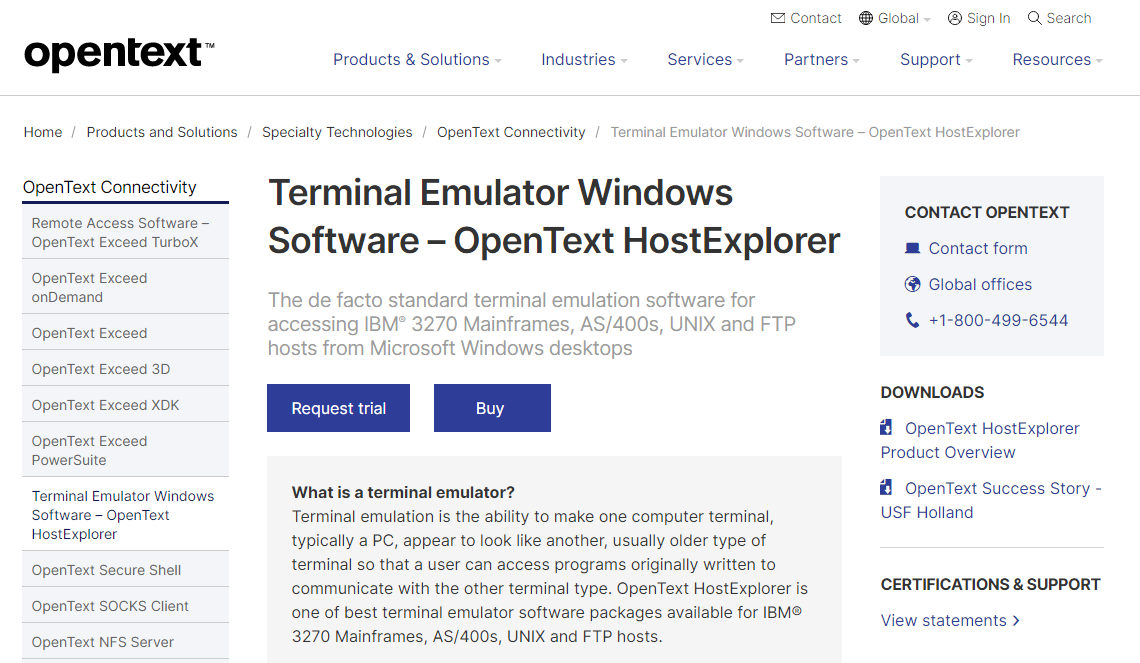
Terminal emulation allows a computer terminal, often a personal computer, to mimic the appearance and functionality of an older terminal type, enabling users to run software that was designed for that specific terminal. Among the top terminal emulator software is OpenText HostExplorer, which is particularly well-suited for IBM® 3270 Mainframes, AS/400s, UNIX, and FTP hosts. This software offers speedy, secure, and dependable connections from Microsoft® Windows® PCs to various enterprise systems. By utilizing HostExplorer, organizations can harness the advantages of modern PC and web technologies while safeguarding their investments in data and information systems. The seamless transition to this software preserves the existing user experience, negating the need for retraining and minimizing disruptions to business workflows. Furthermore, it streamlines maintenance by providing automatic upgrades and centralized management, thus significantly reducing both cost and effort associated with upkeep. With its robust capabilities, HostExplorer stands out as an essential tool for businesses looking to modernize their terminal access without compromising on reliability.
API Access
Has API
No
API Access
Has API
No


Integrations
Claude Code
No
Pricing Details
$29 one-time payment
Free Trial
No
Free Version
Yes
Pricing Details
No price information available.
Free Trial
Yes
Free Version
No
Deployment
Web-Based
No
On-Premises
No
iPhone App
No
iPad App
No
Android App
No
Windows
Yes
Mac
Yes
Linux
Yes
Chromebook
No
Deployment
Web-Based
Yes
On-Premises
No
iPhone App
No
iPad App
No
Android App
No
Windows
Yes
Mac
No
Linux
No
Chromebook
No
Customer Support
Business Hours
No
Live Rep (24/7)
No
Online Support
Yes
Customer Support
Business Hours
Yes
Live Rep (24/7)
No
Online Support
Yes
Types of Training
Training Docs
Yes
Webinars
No
Live Training (Online)
No
In Person
No
Types of Training
Training Docs
Yes
Webinars
Yes
Live Training (Online)
No
In Person
No
Vendor Details
Company Name
StoicSoft
Founded
2026
Country
Vietnam
Website
1devtool.com
Vendor Details
Company Name
OpenText
Founded
1991
Country
Canada
Website
www.opentext.com/products-and-solutions/products/specialty-technologies/connectivity/hostexplorer
